Save, validate and build render graphs¶
RG0 implements the offline graph contract in the installable ludus host tools.
It saves reusable graph assets, validates explicit configurations and camera
output routes, and prints a deterministic serial plan. The same Python backend
is available to future editor jobs; no Qt or engine checkout is required after
installation. See host tools for installation and the
architecture for ownership and later
stages. RG1 adds explicit offline shader/schema builds and immutable packages,
using the same CLI/backend. RG2 adds bounded static opaque Renderer admission and
execution through cooked headers. RG3a adds the editor's Render Graph document, mapped
diagnostics, runtime generations and atomic activation; the node canvas and live
in-editor preview are RG3b. RG4a adds measured exact-descriptor pooling of
transient attachments with a serial control. To begin in the editor, see
Start customizing the renderer.
RG0 plans are contract diagnostics, not executable renderer packages. They
do not compile shaders, evaluate scene draw-item coverage, negotiate device
capabilities or render pixels. Those checks are reported as pending. RG1 builds shader packages; RG2 owns
Renderer/RHI integration. DefaultOpaque, DefaultMasked and RendererStatic
identify the qualified static profile described below; arbitrary mesh/material
compatibility is never inferred from those labels.
Author pipeline nodes¶
The node type picker offers GraphicsPipeline, ComputePipeline and RayTracingPipeline for GPU work. Scene, Camera, Target, RenderSize, Subgraph, Export and Present remain supporting nodes; OutputSize is the final-resolution provider. A new pipeline has no inputs, outputs or shader assignments. It is an editable draft, not a ready rendering pass.
Select the node in Properties. Read Inputs declares resources and values the
pass consumes. Writable Resources declares paired input/output ports: each
row owns the input receiving the texture or buffer and the output exposing its
updated contents. Add one row instead of declaring those ports separately. New
pairs start with the same name; renaming the output also renames its input while
the names match. Existing graphs with different port names retain both names, shown in the
resource name tooltip. A missing or incompatible old target association is rebuilt
as a same-name pair on the next completed edit; opening the inspector does not rewrite sources.
The editor writes the serialized target association automatically; there is no
editable target field. Connect a compatible resource to the pair's input, then
connect its output to the next pass or configuration output. A writable input
needs a connection even when its Load operation is Clear or Discard. Paired ports
line up horizontally on the canvas. Changing the resource type changes both
port types and selects its corresponding format.
Shaders, Pipeline State and Invocation edit the rest of the node. Completed edits enter the undoable draft directly in Properties or the canvas node editor. There is no Apply Pipeline button. Save publishes the draft and updates Live Preview; unsaved edits do not build shaders. Removing a writable row removes both ports. Disconnect affected links before removing, renaming or changing the type of a connected port. A rejected edit preserves the draft and identifies the affected endpoint and repair. Duplicate or invalid port names are explained beside the controls; graph validation names missing connections and incompatible output/input pairs with concrete repair actions. Undo restores the complete record and document version. Double-click any ordinary node to open Details. A pipeline's clickable parts are Read Inputs, Writable Resources, Shaders, Pipeline State, Invocation and Public Options. Each part opens the same controls used by Properties; Properties may remain hidden. Click an individual shader card to select its assignment; double-click it to close Details and open that shader in the Source editor. The source comes from the current build-manifest program reference, including any per-use program override. An unmapped shader keeps Details open and reports the missing source. Double-clicking a Subgraph enters its graph. Right-click a pipeline and choose View Shaders to open a mapped source through its explicit build-manifest program reference. Show Details / Edit Node opens a Subgraph instance's choices without entering its shared source.
Pipeline records use document version: 2; adding one upgrades the draft in the
same undo step. Version-1 graphs remain readable and are never rewritten on load.
Select a legacy Raster node and choose Convert to Graphics Pipeline to retain
its ID, ports, load/store operations, shaders and selected recipe. Conversion
requires exactly one explicit recipe for that technique; an ambiguous or missing
mapping preserves the draft. Convert each legacy node explicitly, including
nodes in referenced subgraphs. The CLI can print a converted document for review:
ludus render-graph migrate-pipelines graphs/Main/rasterize.lurender.json \
  --manifest graphs/Main/main.lushader.json
The command writes only stdout (--json returns a document object). It does
not replace files or convert imported assets automatically.
In Properties → Shaders or the canvas node editor, add a row, choose its stage
and set its shader ID. Completed edits automatically create a .slang template and register a program in the root
.lushader.json for each new program name. The initial Program value
receives a unique name from the node and shader IDs. Program IDs belong to the root
shader manifest and are shared across all imported graphs and configurations;
graph-local node names do not create separate program namespaces. Generated names
choose an available suffix on creation and shader-row rename, including when a
source file already occupies the suggested name. Select a shader row to inspect
and copy its full program ID above the table; shader cards also show it in their
tooltip. Rejected edits show their cause and repair instruction above the fields
in Details, preserving the accepted draft. To share a shader, enter an existing
program name with a matching stage. New sources appear immediately in Source;
Save writes them beside the manifest. Creation, manifest registration and node
assignments form one undo step. Completing an executable graphics or triangle ray
pipeline also registers its technique and pipeline recipe in the root manifest
in that same undo step, including pipelines in imported subgraphs. Recipe edits
retain existing recipes. Graphics passes in the same package can select different
vertex/fragment programs, including separate functions in one .slang source.
The editor registers an independent technique within the material/mode family
when a pair differs; legacy Raster assignments remain unchanged. In Shaders,
select the desired program IDs. To share one source with different entry points,
register separate programs in the manifest with the same source and different
function values, then select those programs on the nodes. The compiler preserves
these choices in both compiled headers and runtime packages. Adding a new shader
program automatically grows budgets.programs to the required count. You do not
need to edit the manifest first. A larger authored budget is retained. Budget changes, source
creation and node assignments share the same undo step and Save operation;
undo restores the previous budgets too. Reusing an existing compatible program
creates no additional program or budget change. Direct manifest edits and CLI
builds continue to enforce their declared budgets.
The build service's supported artifact ceiling and package file/byte limits still
apply. Exceeding the artifact ceiling names the manifest, program/profile counts
and supported limit, and preserves the complete draft. Reuse compatible programs,
remove unused shaders or reduce target profiles before retrying.
A new triangle ray pipeline needs three programs (ray_generation, miss and
closest_hit); each addition grows budgets.programs as needed. Ray callbacks
still share the single bounded ray technique.
To clean up the open package, choose Edit → Remove Unused Shaders, or
Remove Unused Shaders in the canvas context menu. The command checks every
loaded graph file and configuration (including disconnected nodes and unselected
subgraphs), and every technique in every loaded shader manifest. Techniques remain
authored build roots even when no node currently selects them; their programs survive.
Remove an unwanted technique explicitly in Source before running cleanup.
Unused program registrations are removed in one undoable draft edit, with the
.slang sources that no remaining program uses and the helpers that only those
sources include (for example a template's hit_record.slang). A file survives when
a remaining program registers it, a remaining graph or manifest field names it (a
traversal source or ray payload, for example), or a surviving source could include
it, directly or through other survivors. Builds resolve literal includes relative to
the including file and never through .., so besides its literal includes a source
can only reach files in its own directory tree; there, any file-name or module-name
mention, even in a comment, conservatively keeps the file. Sources removed in the
same edit cannot keep each other. Loose files that no removed source includes are
never removed. A computed include or an include outside the tracked snapshot in a
surviving source retains all source files while still removing unused registrations.
Programs with the same ID in different manifests are conservatively retained
if that ID is referenced anywhere in the loaded package. References outside the open
package are outside this scan; keep cross-package shared code outside package-owned
shader files. Malformed graphs/manifests or missing subgraphs stop cleanup without
changing the draft. The status line reports removed program/file counts.
Undo restores the edit; Save publishes removals after checking for external
file changes. Nothing is deleted from disk until Save.
Incomplete shader tables remain authoring drafts. Name/file conflicts or incompatible references
preserve the draft. Templates are starting points: vertex/fragment interfaces use
the manifest schemas; ray-generation, miss and closest-hit functions use the
renderer’s triangle ray interfaces. A new ray technique uses scene-aware callbacks:
closest-hit receives SurfaceHit and SceneContext, and its template demonstrates
MaterialSample material = EvaluateMaterial(scene, hit) and material.BaseColor.
The editor creates the shared ScenePayload source and manifest interface alongside
the callbacks. Raygen traces the camera ray once; the template displays material
color and adds no lighting estimator.
For a scene-aware ray pipeline, Properties → Scene query budgets sets the maximum Surface queries (1–16) and Visibility queries (0–16) per camera sample. The same controls are available from the canvas node's Edit Node dialog with Properties hidden. Surface queries include the camera intersection; camera plus one BSDF ray for direct-light MIS needs at least two. Visibility queries count shadow tests; zero permits none. Exceeding either budget rejects the sample rather than committing partial lighting.
The optional line visibility budget,
line_queries (0–8), has no Properties control yet: set it in the manifest's
scene_interface. Editing the other two budgets keeps it.
The optional capture_visibility_queries (from visibility_queries up to 256)
is the shadow-query budget of a frame capture. It also has no Properties control
yet. Interactive kernels keep visibility_queries. Only a capture profile build
links the larger budget:
- CMake builds it with ludus_compile_render_graph(... CAPTURE_PROFILE_PACKAGE);
- the CLI rebuilds it from a published generation's saved sources, never newer
edits, as the editor does before a graph capture:
python -m ludus_tools --json render-graph capture-profile <build>/generations/<generation> <profile-build> <graph>.lurgcp --configuration <name> --project <project>
A graph whose capture_visibility_queries equals visibility_queries (or is
absent) compiles nothing and reports "capture_profile": null; its runtime
package is then the capture package. The same tool options as build select the
shader tools, including --worker-socket;
- the result is a .lurgcp package that only RenderGraphPackage::DecodeCaptureProfile
admits, so viewports and runtime hosts refuse it;
- RenderGraphCapture runs it.
Raising Visibility queries above a declared capture budget raises the capture budget with it. The measurements behind the 256 limit are in the frame capture design.
These budgets belong to the package's shared ray technique, so changing them affects every scene-aware ray pipeline using it, including imported subgraphs. Completed edits update the existing manifest interface as one undoable change; Save publishes it and updates Live Preview. Legacy pipelines first need Enable Scene Materials, described below.
Existing ray techniques keep their interface and authored sources. For a legacy
ShaderMain(RayHit input), material tint is input.Color.xyz; full material
parameters are unavailable through RayHit. Select the ray pipeline and choose
Enable Scene Materials in its canvas context menu or Properties. This upgrades
the package's shared ray technique and all references in one undoable draft edit.
The builder adapts the original shaders without rewriting their sources or adding
project helper files. New stages use scene-aware callbacks; replace a legacy stage
when its shading needs EvaluateMaterial(scene, hit) and the full material properties.
The conversion reuses the existing program records, IDs and profile artifact slots.
It works with a full program budget and preserves the authored limits;
you do not need to edit the manifest before converting. Save publishes the manifest change.
Projects converted by older editors may retain a generated scene_legacy_callbacks.slang
helper that includes the original callbacks. The builder recognizes that generated
helper, supplies the renderer-owned RayHit declaration, and includes each callback
once from the pipeline wrapper. Replacing a callback can therefore retain its helper
include without recursively including itself. This compatibility step leaves project
files unchanged; customized helper declarations or directives are preserved without
automatic migration. The compiled program's compatibility-sources.json records the
staged helper text; the package's sources/ retains the original source snapshot.
The Source interface panel describes the active interface and available material
fields. See scene-aware ray shaders for callback
and material contracts.
Other stages remain authoring drafts subject to the execution limits below. Changing stage creates a new matching program and retains the previous source for reuse. Removing a shader row retains its program and source for reuse.
In Source, Shader API shows the selected ray callback signature, its input
struct and nested field types. Scene callbacks also list material, light and
query function signatures, constants, and the current draft ScenePayload.
Declarations come from the renderer shader sources used by the graph compiler;
lookup requires no build. Type a field, type or function name in the search box;
Enter or Next advances through matches and wraps at the end. Refreshing
the same source preserves the reference pane's scroll position.
The version-2 node fields are:
| Field | Contract |
|---|---|
inputs |
Up to eight {id, type, required} records; stable port IDs and explicit connection requirements |
outputs |
Up to eight {id, type, target, format, load, store} records; target names a same-type input carrying the previous resource version |
shaders |
Up to sixteen {id, stage, program} records; program references an explicitly declared build-manifest program, not a guessed source filename |
state |
Graphics topology/cull/front/depth comparison/depth writes/blending/samples; compute group_size (scene compute passes use {}); ray tracing recursion/payload/attribute bounds |
invocation |
Graphics mode, vertex layout, material family and Scene/View input names; compute dispatch dimensions; scene compute and ray launch dimensions as "ColorTarget" or explicit [width, height, 1], plus optional traversal (NativeQuery, TriangleLoop or ComputeBvh) |
Input types include Scene, View, ColorTexture, DepthTexture, Buffer, AccelerationStructure, Float32, Float2, Float3, Float4 and UInt32. Outputs are resource versions (ColorTexture, DepthTexture or Buffer). Texture output formats are RGBA8Unorm/Depth32Float; Buffer uses Bytes. These declarations do not establish execution support or create a buffer/acceleration-structure provider. Outputs still need compatible resources connected through their target inputs.
Execution remains qualified by the current graph profile. A complete graphics node supports custom Scene/View and attachment port names while lowering to the existing RendererStatic ColorAndDepth/DepthOnly implementation. The build checks its exact vertex/fragment assignments and complete state against the authored technique/recipe; settings are never silently ignored. Each admitted output's format/sample count must match its connected target. Additional resources, optional geometry/tessellation stages and unsupported state produce an explicit capability error. Triangle ray pipelines execute through the authored ray profile below. A Compute Pipeline with a Scene input executes as a scene compute pass in the same profile. Other compute settings can be authored and saved, but those nodes remain outside this graph profile and report a capability error. Device capabilities and the complete authored interface are checked before activation. Missing required shader assignments produce IncompletePipeline; an invalid/pending candidate leaves the current viewport generation intact. Blending/rasterization remain fields inside the node; separate state blocks and stream output are deferred.
Remove a template or library¶
Every graph file counts as a user of the programs it names, even a library that no Subgraph node imports any more, so deleting only a template's Subgraph node frees none of its files. To remove a template or any other library in one step, right-click its Subgraph node on the canvas (or in the source tree) and choose Delete Subgraph and Library; Properties need not be open. The one undoable edit:
- removes the node with its connections, layout position and configuration-output sources, like Remove Node;
- deletes the node's library graph, unless another graph file still names it, and any library that only deleted libraries imported. The root graph and graphs that nothing imports are never deleted;
- removes the programs that only the deleted libraries named, and frees their sources and helpers as Remove Unused Shaders does (above). Programs that other graphs or techniques name, settings, and other unused programs are left alone.
When another Subgraph node still uses the library, only the node is removed and the status line names the graph that keeps the library. Failures, such as a malformed graph elsewhere in the package, leave the draft unchanged and are reported in the status line. Undo restores every file; Save deletes them on disk after the usual external-change check.
Upscaling presets¶
Bilinear and MetalFX Spatial are executable in the single-sample RGBA8
renderer profile. MetalFX Spatial requires a supported Metal device and the
system MetalFX framework. Other vendor presets remain authoring-only and report
a mapped Capability diagnostic when selected. No algorithm is substituted automatically. An unused preset can remain in a graph
without blocking its existing render path. Validation/build failure retains the
previously drawable generation.
Use Create Node → Upscale — Bilinear or Upscale — MetalFX Spatial on the canvas, or Upscale — … (draft) for an unavailable vendor preset. The same choices are available in Properties' Add Node picker. Both create the same version-2 supporting operation:
{"id": "upscale", "kind": "Upscale", "algorithm": "dlss-sr"}
These are node presets, not complete renderer configuration templates. Each
preset inserts an unused, sized target group around the fixed interface for one algorithm; vendor work is owned by a
Renderer/RHI adapter rather than a user-authored ComputePipeline shader.
Select Edit Node… on the canvas or use Properties to change algorithm.
Changing temporal to spatial requires disconnecting any ports that would disappear;
the editor rejects the edit and preserves wires until that is done. Creation,
changes, wiring, removal, copy/paste, undo/redo and Save use the ordinary document
operations. Properties may stay hidden throughout canvas authoring.
| Algorithm identity | Preset | Interface |
|---|---|---|
bilinear |
Bilinear (implemented) | Spatial |
dlss-sr |
DLSS Super Resolution | Temporal |
fsr-1 |
FSR 1 spatial | Spatial |
fsr-2 |
FSR 2 temporal | Temporal |
fsr-3 |
FSR 3 upscaling | Temporal |
metalfx-spatial |
MetalFX Spatial (implemented on supported Metal devices) | Spatial |
metalfx-temporal |
MetalFX Temporal | Temporal |
xess-sr |
XeSS Super Resolution | Temporal |
All presets consume color: ColorTexture and
destination: ColorTexture, and expose color: ColorTexture as the written
version of the destination. The source texture determines input resolution; the
separate destination determines output resolution. Targets can use the existing
fixed or shared RenderSize policies. The canvas infers the output descriptor
from destination storage. No quality preset silently changes either resolution.
Temporal presets additionally declare the following required per-frame inputs:
| Input | Graph type | Intended adapter contract |
|---|---|---|
depth |
DepthTexture | Current frame depth |
motion |
ColorTexture | Current-to-previous motion in RG; multiply by motion_scale to obtain render pixels, excluding projection jitter |
jitter_pixel |
Float2 | Current projection jitter in render pixels |
motion_scale |
Float2 | Per-axis conversion from encoded motion to render pixels |
exposure |
Float32 | Positive linear exposure multiplier |
reset |
UInt32 | Zero retains history; nonzero resets it, including camera cuts |
These names record a draft interface, not an implemented native texture ABI. The current RGBA8 graph texture vocabulary cannot establish HDR or motion-vector precision. Typed wiring checks remain active, including on unused branches. Vendor presets do not allocate history or perform SDK resource/content validation. A future adapter must qualify texture formats, color/exposure and depth conventions, initialization, resource aliasing, dynamic extents, jitter/motion producers and history lifetime before execution is admitted. The current raster profile does not manufacture these temporal inputs. There is no automatic algorithm fallback. Frame generation, ray reconstruction, driver overrides and SDK version selection are separate work and are not represented by these super-resolution presets.
Thanks to NVIDIA, DLSS Programming Guide, AMD, FidelityFX Super Resolution 2.3.3, Inputs, Apple, MTLFXTemporalScaler, and Intel, XeSS Super Resolution Developer Guide, for the spatial/temporal input distinction. Ludus adapts that distinction into a shared draft interface; it does not copy their SDK implementations or imply that their native contracts are interchangeable.
Run MetalFX Spatial¶
Create Upscale — MetalFX Spatial, then wire the source renderer's stored color
output to color and the distinct output-sized target to destination. Route the
camera target and final presentation/export through that destination, as in the
bilinear workflow below. Its OutputSize and RenderSize providers use the same
Project → Project Settings → Rendering resolution output resolution and render scale controls.
Output width and height must each be at least the render dimensions; equal sizes
are allowed. Odd viewport dimensions follow the existing size-provider rounding.
Edit color_processing through Edit Node… on the canvas or Properties:
- Linear (default, including older nodes without this field): stored RGBA8 channels represent linear light in [0,1]. Use with the ordinary linear raster path.
- Perceptual: stored channels already represent tone-mapped perceptual/sRGB values in [0,1]. Choose it when the source producer performs that encoding.
{"id": "upscale", "kind": "Upscale", "algorithm": "metalfx-spatial", "color_processing": "Linear"}
Neither mode inserts tone mapping, display conversion or anti-aliasing. Apple recommends perceptual input after tone mapping and an anti-aliased, noise-free source; Spatial does not reconstruct temporal history or provide temporal AA. The current graph adapter supports RGBA8 only, with one mip, layer and sample; HDR formats and temporal inputs are outside this profile. Temporal MetalFX stays an unavailable authoring preset.
Scaler setup can compile vendor pipelines, so Ludus prepares and reuses it between
frames. Scene and camera edits reuse the scaler; dimension changes prepare a new
attachment/effect generation before publication. Pending or failed replacements
retain the previous drawable view. Offscreen output is written directly; surface
output uses a private RGBA8 intermediate and the existing fullscreen composition
pass. There is no CPU image transfer or per-frame scaler creation. Framework-private
GPU allocation sizes are opaque; RHI resource-instance limits still apply.
Unsupported devices/backends report Unsupported at runtime without fallback.
Thanks to Kelvin Chiu / Apple, “Boost performance with MetalFX Upscaling”, WWDC22 session 10103, spatial setup and frame encoding (3:39 and 9:16), for the integration, color interpretation and effect-reuse guidance. MetalFX owns the reconstruction algorithm.
Run a bilinear upscale¶
Create the Bilinear preset to add OutputSize, RenderSize, render-sized source storage and an output-sized destination as one undoable group. The initial render scale is 1/2. Wire the existing renderer as follows:
- Connect
OutputSize.sizetoRenderSize.outputand the destination Target'ssize. ConnectRenderSize.sizeto the scene color and depth Targets'size. - Render the scene into those smaller color/depth Targets. Replace the preset's
raw
color.texture → upscale.colorconnection with the renderer's written color output, which must retain initialized contents. - Connect the output-sized destination Target to
upscale.destinationand the upscaler's color output to Export or Present. The camera's target must name that final destination; its rendered camera route survives the upscale. Present additionally requires an imported presentation Target; the preset's destination starts as an ordinary offscreen Target for Export. - Use Project Settings → Rendering resolution to edit the exposed provider pair, or edit either provider through its canvas menu. Build and Preview the graph.
The pass samples the source with bilinear filtering, edge clamping and normalized pixel-center coordinates, covering the complete destination. Both textures must be distinct, single-sample RGBA8 images; the source must be initialized offscreen color with one camera route. Fixed dimensions and viewport-relative fractions both work. Odd render dimensions round up using the existing size-provider policy. Equal source/output dimensions are permitted. The pass interpolates stored RGBA channels; it does not apply tone mapping, color-space conversion, sharpening, alpha conversion or anti-aliasing. It needs no depth, motion, jitter or history. This initial profile does not expose HDR texture formats or temporal reconstruction.
The installed renderer composition recipe supplies the shader stages. Its sampler is explicitly linear/clamp; ordinary viewport composition retains its own sampling policy. Shaders, buffers and pipelines are prepared outside drawing and reused across camera/scene edits and resize. Replacement source bindings become visible with their Ready scene/resource generation; pending or failed preparation retains the last drawable view. RHI tracks attachment-to-sampling dependencies and leases through submission completion. No CPU image copy or GPU readback runs in the pass.
Output and render resolution¶
Configure rendering resolution in the project's saved render graph. Select an OutputSize or RenderSize node in Properties, or choose Edit Node… from its canvas menu. These are renderer settings, saved and reviewed with the graph; they are not machine preferences or shader compiler options. Separate graph configurations can own different output sizes and render scales.
For everyday changes, open Project → Project Settings → Rendering resolution. Choose the renderer configuration/provider pair, Viewport pixels or Fixed resolution, and a Render scale preset or exact custom numerator/denominator. The 100% preset uses 1/1. These controls edit the same nodes as the canvas; Undo/Redo while focused in this section uses render-graph history. When several RenderSize nodes share an OutputSize, editing that output changes all its consumers.
The built-in default renderer already exposes one pair (outputSize at Viewport
pixels, renderSize at 1/1), so its controls need no setup. An ordinary root
renderer with one color Target can use Enable resolution controls to add the
pair in one undo step. Fixed target dimensions are retained,
as are existing fixed/view-relative RenderSize dimensions and scale. Matching
fixed Targets (including depth) are wired to the new render provider. Custom or
ambiguous layouts are left intact with a setup message; expose the desired pair
on the canvas instead. Simply opening settings never creates or changes nodes.
Save settings saves the project descriptor and the active renderer's pending
graph edits. Editing the built-in default creates its project copy under
graphs/Main/ on Save. The resolution values remain in the graph, so there is no
second resolution override in ludus.project.json or machine preferences.
Selecting another graph changes which providers these controls expose. Source-root
changes retain the existing save/discard confirmation for the previous renderer.
Lower render scale changes target sizing. Connect an explicit Bilinear Upscale
operation to reconstruct the full output; resolution controls do not insert passes
or make a vendor backend available.
- OutputSize → Viewport pixels follows the current viewport drawable in physical pixels, including display scaling and subsequent resizes. For an offscreen image or fixed resolution, choose Fixed dimensions and edit the pixel width and height.
- RenderSize → From OutputSize receives the output provider on its
outputinput. Edit the adjacent multiply/divide controls for the render scale. 1/1 gives native resolution; 1/2 gives half the width and height. Each dimension usesceil(output × numerator / denominator), so 1921 × 1081 at 1/2 becomes 961 × 541. Bounds are checked against the actual drawable at runtime, rather than the offline Plan's nominal reporting dimensions.
[
  {"id": "outputSize", "kind": "OutputSize", "extent": "Viewport"},
  {"id": "renderSize", "kind": "RenderSize", "extent": "OutputSize", "scale": [1, 1]}
]
Connect outputSize.size to renderSize.output. Connect renderSize.size to
scene color/depth/motion Targets' size inputs, and outputSize.size to the final
output Target's size input. Those Targets use "extent": "RenderSize", the
existing size-input representation. Both providers expose the existing
RenderSize graph value type, which can cross subgraph interfaces. Neither
provider allocates GPU storage or emits a GPU pass. Other targets, including
shadow maps, keep their independently authored dimensions.
New RenderSize nodes default to From OutputSize, with a 1/1 scale. Existing
fixed, texture-derived and view-relative RenderSize records retain their saved
behavior and controls. A derived RenderSize accepts fixed output dimensions or
the full viewport reference. A second already-scaled view reference is rejected;
this keeps output ownership explicit and avoids ambiguous repeated rounding.
A connected output input must be disconnected before changing the RenderSize
source policy. Rejected edits preserve the graph, wires and history.
Every Upscale — … (draft) preset now inserts one unused group: an OutputSize provider, a RenderSize provider at 1/2, render-sized source targets, an output-sized destination target and the Upscale node. Color, depth and motion sources use RenderSize; destination uses OutputSize. Edit the two named size providers to configure that preset. The entire insertion is one undoable operation, and IDs are made unique when multiple presets coexist. The preset does not replace the active renderer path or invent scene/motion producers. Its source targets need authored render passes and its temporal values need per-frame providers. Vendor execution remains explicitly unavailable as described above.
Share render sizes¶
Use a RenderSize node when targets should share a resolution. Its
Fixed dimensions policy owns one width/height pair in pixels. Select each
Target's extent > From size input, then connect the size output to its new
size input. For example, this size node can drive both color.size and
depth.size:
{"id": "scene_size", "kind": "RenderSize", "extent": [1280, 720]}
[
  {"from": "scene_size.size", "to": "color.size"},
  {"from": "scene_size.size", "to": "depth.size"}
]
Targets using that input store "extent": "RenderSize". Existing targets with
"extent": [width, height] keep their fixed dimensions and source representation.
Adding a RenderSize node or selecting From size input upgrades that graph's
draft to version 2. These edits, including size-mode changes, support undo/save.
Disconnect an existing size/texture input before switching its owner back to fixed
dimensions; a rejected edit preserves the connected policy. All controls and node
creation are also available from the canvas context menu with Properties hidden.
To derive a size from another texture, select the RenderSize node's
extent > Match texture policy ("extent": "Texture"). Connect a color or
depth texture output to its texture input. This reads dimensions rather than
pixel contents, so a Target's uninitialized texture output is sufficient. A
target consulted only for size metadata does not enter the GPU resource table.
Using a rendered texture output retains its producer dependency; connect the
underlying Target's output when only its declared dimensions are needed. Size
dependencies are explicit graph edges and cannot form within-frame cycles.
RenderSize is a graph value type available on version-2 subgraph inputs and
outputs. It is distinct from GPU textures/buffers and shader parameters, and it
cannot be an Export/Present or root configuration output. Subgraphs resolve sizes
through each caller's bindings. No size node allocates a GPU resource or creates
a shader program; the compiled Plan and generated SDK resources contain concrete
numeric nominal extents and, for view-relative targets, their scale policy.
Texture compatibility belongs to the operation using the texture. The current color/depth raster operation requires equal attachment extents and sample counts; GraphicsPipeline writable resources must match their declared format and pipeline samples. The triangle ray profile requires a single-sample offscreen RGBA8Unorm color target, with target-derived launch sizing or matching explicit dimensions. The canvas and Properties connection controls reject newly provable mismatches, including ones resolved through nested subgraphs. The message names the operation, dimensions or format/samples, and the repair. A size alone does not imply that two textures have compatible formats, sample counts or usages.
Unbound subgraph inputs and incomplete drafts may not yet have a known size. Bounded editor inference defers unknown contracts to build validation, which checks the selected concrete graph instance. Existing unrelated draft problems do not block an otherwise compatible new connection. This is not a universal same-size rule for sampled textures; future resize/composite operations need their own declared relationships. Adaptive resolution and arbitrary texture resampling remain separate work.
Choose Full view, Half view, Quarter view, or Custom view scale in the RenderSize node's extent control. The same controls are available from the canvas node menu with Properties hidden. Half view scales both dimensions, so it uses one quarter of the full-view pixel count. Custom scale is a positive integer numerator/denominator; each component is at most 16384. The source representation is:
{"id": "scene_size", "kind": "RenderSize",
 "extent": {"reference": "View", "scale": [1, 2]}}
The reference belongs to each viewport or export request, in drawable pixels (after display scaling, before render scaling), rather than to the project or a particular output texture. Each dimension resolves with integer ceiling; a 193 × 129 view at half size produces 97 × 65 attachments. A positive reference always produces at least one pixel. Resolved dimensions above 16384 or the device's attachment limit reject. Zero/minimized view sizes suspend new work and retain the last view. Fixed targets ignore the reference, so a 1920 × 1080 export stays fixed while the window changes. Independent graph instances supply independent references.
The compiler normalizes scale fractions, propagates them through texture metadata and subgraph bindings, and retains them in generated plans/runtime packages. Attachment compatibility compares policies as well as nominal dimensions: a fixed 320 × 240 image and a half-view image are not guaranteed to match. Relative ray outputs require Match color target, since an explicit launch cannot cover every reference size.
For direct SDK use, pass the drawable width/height after the optional pool argument
to RenderGraph::Initialize. For RenderGraphActivation, call Resize(width, height)
before Stage. Supply an explicit reference for an offscreen export that uses a
relative policy; no global window is inferred. On a later view change, finish
outstanding export/readback consumers, call Resize, then Update with the current
World/camera extraction (even if the scene revision did not change), and Poll
between frames. HasPendingResize reports resource preparation. Repeated identical
requests reuse the pending candidate; a newer request supersedes it. Read the actual
published extent through GetResourceDescription.
Resize allocates a candidate attachment set and prepares its scene beside the current one. It reuses existing shader/pipeline contexts, with no offline compiler, source rewrite or shader variant. The replacement attachments and scene publish together only when Ready. Pending or failed replacement keeps the old drawable scene and the editor's last completed image; retired GPU resources follow the existing RHI completion/pool ledger. The editor reads physical viewport dimensions before its ordinary edit-preview cap, and updates target inspection dimensions only after publication. Resolution changes create fresh ray jobs and reset their accumulation. Fixed-capacity graph buffers retain their contents across resize. Pixel buffers follow their connected RenderSize and stage zeroed replacement allocations when capacity changes. Shaders must validate capacity and invalidate incompatible history; foreign texture/history imports remain unsupported. See ordered ray passes.
Expose finite choices on reusable nodes¶
Open a pipeline's Details → Public Options. Add Option declares an ID,
label, type (Enum, Bool, UInt32 or Float32), target, allowed values
and default. Separate allowed values with commas; Boolean values are true and
false. Apply Options commits the declaration as one undoable draft edit.
Targets are existing scalar Pipeline State or Invocation fields, or a
shader row's program reference (shaders.<shader ID>.program). Resource ports,
node IDs, arbitrary JSON paths and shader text are outside this interface.
An option selects from its declared finite set. The current use's choice appears above the declarations. Default (value) removes the override, so later author default changes are inherited. A concrete choice remains an override even when it equals today's default. Changing a choice changes only this use's saved record; it never changes a shared subgraph's source or another instance. Save and rebuild to apply it to rendering.
To publish a pipeline choice through a graph, right-click the graph canvas and
choose Edit Exposed Options. Declare the public option with a target such as
shade.Quality, where shade is the child node ID and Quality is its option ID.
The public type must match; its allowed values must be a subset of the child's.
This can forward through another Subgraph's public option, so nested libraries
retain an explicit public interface. In the parent graph, right-click the Subgraph
and choose Show Details / Edit Node to set its per-use choices. The same choices
are available in Properties. Enter the Subgraph to edit its authoring source.
Existing callers prevent removal or narrowing of an option when their overrides
would become invalid; reset those callers before changing the declaration.
Renaming a node updates exposed option targets in the same undo step.
Each declaration list and value list admits at most sixteen entries; an interface admits at most 64 combinations across its independent choices. Prefer one named mode over many independent Boolean switches. Numeric values are bounded to one million in magnitude (UInt32 values are nonnegative). These are build-time choices. They select existing shader programs and pipeline fields; they do not inject raw preprocessor macros or synthesize shader programs. Register alternate programs and their compatible techniques/recipes in the build manifest before selecting them. Unused alternatives remain protected from Remove Unused Shaders. Rename a program exposed as an allowed choice only after removing that choice from its public interfaces. State and shader choices remain subject to the selected execution profile: for example, the static raster profile still rejects unsupported culling/blending state. An allowed-value list does not expand backend capabilities. Only instantiated choices are lowered; ordinary build budgets still limit compiled programs, recipes and artifacts.
The authored representation keeps defaults beside declarations and overrides on
uses. For example, on a pipeline whose fragment shader row is pixel:
"options": [{
  "id": "Quality", "label": "Quality", "type": "Enum",
  "target": "shaders.pixel.program",
  "values": ["FastPixel", "QualityPixel"], "default": "QualityPixel"
}],
"overrides": {"Quality": "FastPixel"}
Its configuration can expose the same choice as shade.Quality by declaring
"target": "shade.Quality". A Subgraph use then stores
"overrides": {"Quality": "FastPixel"} beside its asset and configuration.
Absent overrides inherit the selected configuration's defaults. Validation rejects
unknown IDs, incompatible forwarding, duplicate targets and values outside the
allowlist. Resolution copies the selected instance before graph lowering; library
records and source bytes remain unchanged.
Execute a triangle ray pipeline¶
A RayTracingPipeline can run authored ray-generation, miss and closest-hit
functions over the selected World's static opaque triangles. The renderer freezes
an immutable World extraction, builds native triangle BLAS/TLAS structures during
scene preparation, and uploads geometry and camera inputs. A GPU shader uses native
ray queries for accelerated traversal and invokes the authored shading functions; a
renderer-owned image pass transfers GPU-produced colors to the graph's attachment.
There is no CPU tracing or pixel readback in this path. The editor's World/camera
updates create replacement inputs, retaining the last drawable view until they
are ready, just as raster graph updates do.
The default native-query profile requires Vulkan acceleration structures and
VK_KHR_ray_query, or Metal acceleration structures/intersection queries on Apple
GPU family 9 or newer. Metal API availability alone does not admit older GPUs
without dedicated ray hardware. Software/CPU Vulkan adapters are excluded. The
shader uses native traversal inside a compute invocation; dedicated ray stages or
shader tables are not required for hardware acceleration. The default
RayTracingPipeline traversal is native. The explicit triangle-loop and compute-BVH
strategies described below use ordinary GPU compute and do not require ray hardware.
WebGPU and WebGL2 do not execute this
profile. Packages can retain browser raster targets alongside native targets;
their capability_profiles.ray_tracing lists only metal and/or spirv, and no
browser RT recipe or ray shader artifact is emitted. A browser-only RT manifest
is rejected and needs an authored raster configuration. Metal cooking
requires the SDK-pinned SPIRV-Cross translator (LUDUS_SPIRV_CROSS in CMake or
--spirv-cross for the package builder).
Request DeviceDescription.Preferred.RayQueries = true when creating a device
for a renderer with optional RT, then inspect GetRayCapabilities on that actual
device/API. A capable physical GPU is insufficient when its logical device has
not enabled the ray profile. In particular, the currently adopted Vulkan editor
device does not expose ray queries; engine-owned Vulkan device negotiation is a
separate path. Use Required.RayQueries for an application that requires native
queries. Software-only configurations do not request this feature. An unavailable native
profile returns Unsupported before scene retention or ray dispatch; a failed
replacement preserves the prior drawable view. Old software-ray runtime packages
must be rebuilt; they are rejected rather than reinterpreted as accelerated graphs.
Reuse ray callbacks in compute pipelines¶
Assign the same ray_generation, miss and closest_hit manifest programs to
both a RayTracingPipeline and a ComputePipeline with a Scene input. Keep
the shader sources, ScenePayload and query budgets shared. Choose the pipeline in
each graph configuration; only the node kind and its state differ. Scene compute
nodes use "state": {} and inherit the bundle workgroup (64×1×1 when no pass overrides it). A callback compute node
must have all three callbacks and no compute shader. Existing single-kernel
compute nodes remain supported.
The graph node is a logical ray program. Invocation → Invocation type in the pipeline editor, accessible from both Properties and the canvas pipeline editor, selects its execution model without changing the node kind or its callbacks:
| Invocation type | Contract |
|---|---|
Hardware RT pipeline (RayTracing) |
Uses Metal native intersectors, an intersection function table for alpha acceptance, and visible function tables for ray-generation, closest-hit and miss callbacks. Requires hardware ray traversal and function pointers. Other backends reject this invocation explicitly; it never selects inline-query compute as a fallback. |
Compute pipeline (Compute) |
Runs the ray callbacks through a compute entry and selects their query implementation with Ray traversal. |
An omitted invocation.type retains the legacy compute execution model. Selecting
an explicit Compute invocation defaults to the engine's triangle loop when no
traversal is specified. A logical RayTracingPipeline may select either invocation;
a scene ComputePipeline remains a compute invocation. Metal uses a native function-table backend because the pinned Slang compiler
does not emit Metal ray-generation stages directly. The offline compiler retains
the authored Slang callbacks and lowers the reserved stage/table ABI to native MSL.
Hardware invocation requires the scene callback interface (scene_interface.version: 1);
legacy callback signatures use that interface's existing adapters. The driver
independently compiles and links all stages. This does not promise a
performance improvement over inline queries; measure the same scene and settings.
Use Invocation → Ray traversal to choose the compute intersection strategy:
| Selection | Behavior |
|---|---|
| Automatic | An explicit Compute invocation uses TriangleLoop. Legacy documents without an invocation type retain their defaults: shared callbacks in a ComputePipeline use TriangleLoop; a RayTracingPipeline and existing single-kernel compute passes use NativeQuery. |
Triangle loop (TriangleLoop) |
Renderer-owned two-sided ray/triangle intersections scan the selected World's packed triangles. Closest queries retain the nearest accepted hit; visibility queries stop at the first accepted hit. |
Compute BVH (ComputeBvh) |
Ordinary GPU compute walks the renderer's packed binned-SAH BVH with watertight triangle tests. Closest queries retain the nearest accepted hit; visibility queries stop at the first accepted hit. |
Native ray query (NativeQuery) |
Inline native acceleration-structure queries perform triangle traversal. On Metal, each query runs in an out-of-line renderer function rather than in the merged kernel (see below). |
Custom traversal (Custom) |
The package-relative Traversal source implements closest and visibility queries in compute. No native acceleration structure is created or bound. |
The optional JSON field is invocation.traversal:
"invocation": {"type": "Compute", "dimensions": "ColorTarget", "traversal": "ComputeBvh"}
Every strategy applies to TraceClosest, TestVisibility and TraceAndShade,
including queries issued by closest-hit and miss callbacks. The wrapper dispatches
the same authored callbacks and preserves payload, query budgets and failure
status. Passes sharing the same callbacks can select different strategies in one
package; the cooked variant includes the strategy so one pass cannot overwrite
another's selection. Changing it rebuilds the wrapper without rewriting shaders.
On Metal, a graph's passes compile into one merged kernel, and inlining native queries into it
corrupted live state on an Apple M5. In the steinberg-physical-optics template, camera paths with
several surface and visibility queries per invocation returned infinite radiance, or failed without a
reason, in pixels that varied between identical runs. Every native query therefore runs in the renderer's
TraceNative or TraceNativeVisibility function, which the Metal translation keeps out of line. The
build rejects a native-query kernel that would inline a query. Callbacks reach these functions through
TraceClosest, TestVisibility and TraceAndShade; they need no change.
The Metal translation also keeps every other function that Slang emits as [noinline] out of line in
a ray kernel. That is not safe for every function: on the same GPU, out-of-line calls to some
functions corrupted their callers' live state instead. The ris-projected-solid-angle template's MIS
image was 3–4% dark with an out-of-line SampleBsdfStrategy, and the guided FG templates latched
garbage failure counts with an out-of-line camera tracer or path record accessors. Those functions
are therefore inlined. Validate a new [noinline] in a ray callback with its Metal GPU tests, twice,
since this corruption can vary between identical runs; remove the attribute where it fails.
For custom compute queries, supply a source implementing this function:
Hit TraceWorld(float3 originWorld, float3 directionWorld,
               float nearDistanceWorld, float farDistanceWorld, bool isVisibility)
{
    return TraceTriangleLoop(originWorld, directionWorld,
                             nearDistanceWorld, farDistanceWorld, isVisibility);
}
Select it with
"invocation": {"type": "Compute", "dimensions": "ColorTarget", "traversal": "Custom", "traversal_source": "queries/custom.slang"}.
The example delegates to the engine default; replace its body with the desired
query algorithm. Custom sources can access the selected World's packed geometry
and the existing GraphBuffer0/GraphBuffer1 persistent storage slots, so preceding
compute passes can build an acceleration structure in authored Buffer resources.
The custom source must return a packed World triangle index, distance in world
meters and barycentrics through Hit. Return LUDUS_GPU_PREVIEW_INVALID_TRIANGLE
for a miss or LUDUS_GPU_PREVIEW_FAILED_TRIANGLE for failure. Closest queries
return the nearest accepted triangle; visibility queries may return any accepted
triangle. The implementation owns interval bounds, alpha acceptance and bounded
traversal storage; the engine does not substitute another query on failure.
Procedural geometry that cannot identify a packed World triangle is outside this
callback contract. Each pass retains its own source selection, even when callbacks
are shared. Sources and literal includes enter the immutable build snapshot, cache
identity and compiler diagnostics. Shader compilation or publication failure keeps
the preceding active generation.
The loop uses the same fixed-mip material alpha acceptance as native traversal. Its relative parallel tolerance rejects degenerate and nearly parallel triangles; its far endpoint is exclusive, and equal-distance hits retain the first packed triangle. Edge, tolerance and tie behavior can differ from hardware intersection. It is a linear scan intended for small scenes and comparison, not an acceleration structure. Strategies are added at this shared traversal boundary rather than in each author's callbacks.
ComputeBvh uses the BVH that scene preparation already builds for every ray
graph; it adds no structure and no preparation work. The kernel shares its node
walk and float32 port of Woop, Benthin and Wald's watertight triangle test with the
GPU-compute RT1 reference
(ray_bvh_traversal.slang, which reads nodes through ray_bvh_nodes.slang, shared
with the line query). Its ray interval is closed: a hit exactly at the
maximum distance is accepted, and equal-distance hits keep the lowest packed
triangle. Candidates pass the same fixed-mip material alpha acceptance as the other
strategies. Each ray's traversal stack holds 64 nodes, and the builder's 48-level
depth limit keeps admitted scenes within it; an overflow would fail the query rather
than return a partial result. Use it for scenes larger than a few hundred triangles,
and TriangleLoop for small comparisons. Edge, tolerance and tie behavior can differ
from hardware intersection and from the loop's Moller-Trumbore test. Ludus compiles
Metal with fast math, which may fuse the watertight test's edge products into
multiply-adds; each edge function is therefore evaluated in a canonical vertex order,
so triangles sharing an edge still compute exactly negated values and rays through
the edge cannot miss both.
The ludus_render_graph_ray_tests traversal parity test renders a
fixture with
the three strategies over one set of callbacks. Each pixel encodes the camera
ray's triangle, a secondary closest query's triangle and a visibility result. On
a room with nested blocks, ComputeBvh must match TriangleLoop and, on devices
with native ray queries, NativeQuery. Camera rays sample off the pixel center so
none lies exactly on a corner line, where strategies may break an equal-distance tie
differently. On native Metal (Apple M5) all three images are identical; the test
allows one pixel in a thousand for other backends. Vulkan compiles and first runs
these tests in batch CI. The
compiled kernel uses no native ray constructs; the build test also compiles it to
WGSL with the pinned Slang compiler. WebGPU execution is not part of this profile
yet, so no browser ray recipe is emitted.
A configuration whose ray passes all select TriangleLoop or ComputeBvh runs on native Metal
or Vulkan devices with the required ordinary compute/storage capabilities, including
GPUs without RT hardware and Vulkan software adapters. Its cooked compute artifact
has no ray-query instructions or acceleration-structure binding. Preparation uploads
the World triangle, BVH and material data without creating BLAS/TLAS resources. Callback
sources, payloads, query budgets, persistent buffers, camera updates and transactional
publication use the same contracts as native queries.
A configuration containing any NativeQuery pass still requires enabled native ray
support. An unavailable explicit native strategy returns Unsupported; it is not
silently changed to another traversal. Native and software configurations can share
one package and the same authored callback functions. Cooking a configuration selects
its matching compute artifact and records each pass's traversal requirement in
version 18 runtime packages. Earlier package versions retain native-ray requirements.
Version 19 additionally records custom software traversal distinctly from the
engine triangle loop. Version 20 carries a separate native Metal stage artifact
and records hardware invocation per pass, allowing mixed native/compute sequences.
Version 22 admits ComputeBvh in the same traversal field without a layout change.
Older runtimes reject the new package versions.
Browser rendering remains outside this profile. The legacy RayTracingPipeline
invocation uses inline queries in a compute wrapper. Explicit hardware invocation
uses native stage and intersection function tables on supported Metal devices.
Profiling labels those operations Native RT (gpu.raytracing); Metal submits
them through a compute encoder, so physical encoder type alone does not identify
the traversal or callback execution model. The final image copy remains raster. Any-hit, procedural intersection and callable stages
remain outside this triangle callback profile.
Support developers and players without RT hardware¶
The World viewport selects its renderer automatically. An authored project graph with native-query raytracing passes runs only when the current logical device has enabled native triangle acceleration structures, inline ray queries and the required compute profile. Otherwise the viewport uses the engine's authored raster graph and keeps rendering the current World and camera. A raster project graph continues to run as a raster graph. The preview status identifies the selected renderer and explains when hardware raytracing is unavailable on the current GPU/API.
Turn on Force raster in the viewport toolbar to exercise the raster path on RT hardware. This is a local saved viewport preference, restored with navigation settings; it does not edit the project's graph or shader manifest. Turn it off to return to Automatic and re-evaluate the requested project graph. Device restarts also re-evaluate selection against the new device's enabled capabilities. Pending or failed replacements keep the last completed image until the new renderer presents. Automatic renderer selection never changes the authored traversal strategy or invokes CPU raytracing.
Runtime applications ship an authored raster package alongside an optional native
RT package and use RenderGraphActivation::StageSelected. After initializing the
activation and setting its drawable reference size, pass ownership of both decoded
packages:
const ludus::graphics::rhi::RasterStatus status = activation.StageSelected(
    ludus::foundation::core::Move(rasterPackage),
    ludus::foundation::core::Move(rayPackageOrNull),
    shouldForceRaster == true
        ? ludus::graphics::renderer::RenderGraphPreference::ForceRaster
        : ludus::graphics::renderer::RenderGraphPreference::Automatic);
The optional ray package may instead be a software-only TriangleLoop or ComputeBvh configuration.
Automatic then stages it without requiring native ray capabilities; its normal compute
admission still applies. Force raster continues to select the raster package. Activation
reports ComputeRayTracing for the software configuration and HardwareRayTracing when
any pass requires native queries.
The raster package is mandatory and must contain no raytracing pass. An omitted
ray package selects raster even on RT hardware. For native-query packages, selection
queries enabled native capabilities before preparing any ray shader or acceleration structure, releases
the unselected package and then follows normal asynchronous activation. Use
GetReport().ActiveRenderer to identify the drawing renderer and
CandidateRenderer for a staged selection. Re-stage fresh packages to change the
runtime preference. SelectRenderGraphRenderer exposes the same capability policy
for hosts that manage their own package loading. Packages still need artifacts for
the selected backend and the host's compiled CPU interface. Malformed packages,
shader/scene errors and allocation failures remain explicit errors; selection does
not hide them by rewriting a graph.
Keep World, gameplay and material inputs shared; only renderer-specific effects
and quality settings should depend on RT. Software traversal configurations keep
the same World, camera and material inputs on devices without native ray support. Raster can use authored shadow maps,
probes, baked lighting and reflection approximations. Validate both renderer
selections and the explicit unsupported-RT case in CI; native ray pixel tests
require a qualified physical GPU. An RT-only host can instead use Stage and
report the unsupported-hardware error as its minimum requirement. Browser backends
select raster and perform no raytracing.
Author three manifest programs with these built-in function interfaces:
| Stage | Manifest input / output | Authored function |
|---|---|---|
ray_generation |
RayLaunch / Ray |
Ray GenerateRay(RayLaunch launch) |
miss |
Ray / Color |
float3 ShadeMiss(Ray ray) |
closest_hit |
RayHit / Color |
float3 ShadeClosest(RayHit hit) |
Each program still declares id, stage, package-relative source, function,
input, output and an empty bindings array. The builder supplies these input
types. Ray contains OriginWorld, MinDistanceWorld, DirectionWorld and
MaxDistanceWorld, in world meters; directions must be finite unit vectors and
distances finite, nonnegative and ordered. RayLaunch supplies PositionPixel,
ExtentPixel and CameraRay, a center ray clipped to the current camera's near/far
planes. Return that ray or author another one. RayHit supplies IncomingRay,
PositionWorld, DistanceWorld, geometric NormalWorld, packed world triangle
Primitive, vertex-one/two Barycentric weights and Color (RGB material tint;
its W component is reserved). Hit/miss functions return linear RGB, clamped into
RGBA8 with opaque alpha. Invalid/nonfinite/negative colors or invalid rays show
magenta error pixels. This profile performs exactly one trace per pixel; it adds
no lights or automatic transport model.
Declare the linked technique alongside the manifest's existing static opaque setup technique:
{
  "id": "RendererTriangles.RayTracing",
  "configuration": "RayTracing",
  "ray_generation": "Generate",
  "miss": "Miss",
  "closest_hit": "Closest",
  "recipes": [
    {"id": "Triangles"}
  ]
}
Select those exact program IDs in the node's Shaders table. New ray nodes use
"state": {}: the selected execution profile derives its limits automatically.
The triangle profile resolves to max_recursion: 1, payload_bytes: 0 and
attribute_bytes: 8. Attributes are the intersection's float2 barycentric
coordinates; normals, UVs and material data come from the triangle and scene.
There is no byte count to maintain when editing ordinary shader code.
Pipeline State → Advanced overrides exposes the explicit limits in both
Properties and the canvas node editor. Each field can remain Automatic;
Use automatic settings clears all overrides in one undoable edit. Collapsing
Advanced retains authored values. Existing numeric state and recipe records stay
compatible and are never silently rewritten; invalid overrides receive a build
diagnostic. In particular, old drafts with attribute_bytes: 0 can be repaired
with Use automatic settings. Omitted limits in a manifest triangle recipe
resolve identically, and built packages record the concrete effective state.
Explicit overrides must match the supported profile. Custom intersection
attributes require a procedural geometry profile; procedural execution is not
currently supported. Trace recursion is independent of an integrator's bounce
count.
Declare exactly one input each of type Scene, View and ColorTexture, and one
RGBA8Unorm color output naming that color input as its target, with Clear and
Store. In the editor, add the color through Writable Resources; its paired
input and target association are automatic. Port names are authored, not fixed.
New ray nodes use Invocation > Launch size > Match color target
("dimensions": "ColorTarget"). The compiler derives [width, height, 1] from
the connected writable color target separately for each graph instance; the
Plan lists the resolved launch dimensions. Reusing the subgraph with a different
target extent requires no edit to its ray node. Existing explicit dimensions
remain supported and are preserved when opening or saving a graph. To keep an
explicit launch size, select Explicit size and enter the color target's exact
[width, height, 1]; a mismatch reports both sizes and the target's identity.
The same launch-size controls are available from the canvas node editor with
Properties hidden. Feed Scene and Camera into those inputs,
the target into both Camera's designated target and the ray node, and the ray
color output into Export. Use a single-sample offscreen target. Raster and ray
versions of a renderer can be separate configurations; do not branch physical
writes from the same attachment version.
An execution plan includes only dependencies of Export/Present operations, root configuration outputs, and explicit active-camera routing obligations. Disconnected pipeline/subgraph drafts do not require shader assignments, bound inputs or execution-profile support until a live route consumes them. Inside a retained subgraph, only consumed interface output branches and explicit effects are expanded. A retained subgraph still requires its declared interface inputs; an unused interface output does not change the selected pipeline's attachment or shader contract. Nested Export/Present operations and active cameras are explicit effects and are retained even without an interface-output consumer.
All saved configurations still receive structural validation: malformed fields, missing ports, type-mismatched wires, duplicate incoming connections, import recursion and cycles remain errors, including on unused branches. Required-output consumer checks apply to retained subgraphs and live consumers. Library inspection can report an incomplete draft's interface without requiring execution-ready inputs. Compilation never removes or rewrites unused authored nodes, ports or wires.
The target-derived launch mode uses each target's resolved extent, including shared and view-relative render sizes. Runtime launch coverage follows the instantiated color extent; adaptive resolution remains separate work.
The profile admits up to four consecutive ray invocations per configuration, up to eight distinct callback sets across a package's configurations, and the existing graph mesh/item limits. Callback selection and invocation count are separate limits; switching configurations does not spend another invocation in the active plan. Multiple invocations or persistent buffers require the scene callback interface. It rejects native ray payloads, recursive tracing, additional hit groups, any-hit/intersection/callable stages, resources beyond the two persistent buffer slots and optional visibility/depth pair, masked/transparent or deformed geometry, reverse-Z and infinite-far cameras. Color is the only produced aspect; no ray depth output is inferred. Ray preparation has renderer-owned 4 GiB CPU and 6 GiB GPU limits on 64-bit hosts (2 GiB each on 32-bit hosts) across retained jobs; device storage limits can be tighter. The existing static opaque setup technique remains in the manifest for shared mesh/snapshot ownership and is never used to rasterize ray scene geometry. A complete source example is the SDK ray fixture and its manifest.
Build, cook and activate it through the same graph commands as a raster package.
SDK callers using RenderGraph::Render need no separate ray job. Callers composing
an acquired frame call PrepareEncoding() between frames before Encode(), then
ConfirmSubmission() with their actual EndFrame token. Preparation and failed
candidates preserve the last drawable scene; an exported color is valid only
after its tracked producer completes. Shader changes continue through immutable
packages and atomic graph activation.
Order ray passes and share persistent buffers¶
This ordered profile uses raw Buffer nodes and fixed uint4 shader slots.
The separately described StructuredBuffer profile retains typed schemas and
per-job reset behavior for a single ray pass; the profiles cannot share one
executable configuration.
Create up to four Ray Tracing Pipeline nodes for candidate generation, temporal reuse,
spatial reuse and final shading. Give each node its own registered ray-generation,
miss and closest-hit programs. They share the manifest's scene_interface payload
and query budgets, while each invocation receives its selected callbacks. Callback
sources are isolated in generated namespaces, so different files may use the same
function names. Reusable type/helper headers are included globally; do not make a
callback source depend on declarations hidden in another callback source. All ray
nodes must form one consecutive sequence in the lowered execution plan; raster
passes may precede or follow it.
Add a Buffer node from the canvas Add Node menu or Properties. Edit Node on
its canvas context menu edits the same byte-capacity field, with undo and explicit
Save. A buffer starts with sixteen zero bytes. Set bytes to the required capacity,
a positive multiple of sixteen, at most 256 MiB per buffer. For example, a
96 × 64 image with one uint4 per pixel needs:
{"id": "reservoirs", "kind": "Buffer", "bytes": 98304}
In each ray node, add up to two Buffer Read Inputs. Pair each with a Buffer
Writable Resource using Bytes, Load, and Store. Connect reservoirs.buffer
to the first writer, then connect that writer's buffer output to the next pass's
input. Continue through the sequence. Connect the color outputs in the same way
and route the final color to Export. Branching two writers from an earlier version,
within-frame cycles, and binding the same allocation in both slots of one pass are
errors. Unconnected optional Buffer inputs are not an executable binding: remove
an unused declaration. Missing slots receive private dummy storage.
The first Buffer input in a node's input list binds GraphBuffer0; the second
binds GraphBuffer1. Both are RWStructuredBuffer<uint4>, with sixteen-byte words.
The compiler generates and checks their resource slots; author shaders do not
write descriptor annotations. Pack a reservoir into as many words as its schema
needs, using asuint/asfloat for floating values. Query GetDimensions and bound
all indices against the allocation's word count. A simple storage access is:
uint pixel = launch.PositionPixel.y * launch.ExtentPixel.x + launch.PositionPixel.x;
uint4 previous = GraphBuffer0[pixel];
GraphBuffer1[pixel] = previous;
For spatial reuse, read neighbours from one allocation and write the other, then swap their input order in the next pass. Separate passes establish GPU visibility; there is no cross-thread synchronization between arbitrary pixels inside a dispatch. The graph conservatively declares both slots read/write, even if a particular callback only reads one. Native RHI dependencies track the final storage versions as history roots. The sequence compiles into one ordered graph, so shared resources are imported once and RAW/WAR/WAW hazards span every invocation. The default RHI logical-resource ceiling is 64; explicitly smaller device limits may reject a sequence. Resource and byte budgets still include all retained scenes/jobs.
Buffers belong to the graph instance. They are zeroed once on creation, survive
frames, camera/World replacements and attachment-only resize, and are released
with the graph through normal GPU retirement. Shader edits that activate a new
graph instance create fresh buffers. Fixed bytes capacities stay unchanged on
resize: allocate for the intended maximum or rebuild with larger capacity. For
automatic capacity, use bytes_per_pixel (a multiple of 16, at most 4096) and
extent: "RenderSize", then connect a size output to the buffer's size input.
Pixel buffers stage zeroed replacements when capacity changes, publishing beside
the matching attachments and scene. The
shader owns history validation, reprojection, and reset metadata, including changes
to scene generation, camera, extent or reservoir layout. A previous-frame resource
is the persistent allocation's contents; do not draw a cyclic edge back into the
same frame's first pass.
Without an Accumulate node, this profile
executes every frame and presents that frame's radiance without color averaging. launch.SampleIndex is a bit-preserved
32-bit invocation counter that starts at zero with each new scene job and wraps;
it is not a persistent-buffer validity flag. HasPendingSamples() stays true for
individual-sample output; an explicit final Accumulate node supplies a stop limit. Finish the
previous producer and export consumers before the next frame. Pending or failed
candidate preparation cannot write the live buffers; GPU shader writes in an
encoded frame are ordinary persistent effects and are not rolled back.
The ordered-ray fixture and its shaders exercise independent callbacks, inter-pass writes and cross-frame accumulation of buffer values. They establish the storage/ordering seam for an authored ReSTIR implementation; reservoir sampling, temporal reprojection and disocclusion logic remain shader policy.
Author scene compute passes¶
A ComputePipeline with a Scene input is a scene compute pass. It accepts
either one authored compute function returning linear radiance per pixel, or the
shared ray callback set. A single-kernel
pass has no hit or miss callbacks. Its queries use native traversal by default;
invocation.traversal selects the strategy explicitly. It joins the ordered ray sequence
as a member like a Ray Tracing Pipeline node, so it uses the same traversal profile,
the same renderer selection and the same post-processing. A package that contains
one is a ray package: SelectRenderGraphRenderer, StageSelected and the
viewport's automatic and Force raster choices fall back to the authored raster
graph when the selected configuration requires unavailable native queries.
An explicitly selected TriangleLoop or ComputeBvh configuration runs through ordinary
compute; renderer selection does not substitute another traversal strategy. Existing kernel
passes keep their native default unless invocation.traversal selects a compute strategy.
The simple triangle-loop template implements
its own intersection tests and can select this compute-only runtime too. A ComputePipeline
without a Scene input is still a draft and returns the Capability diagnostic.
The node accepts the same ports as a Ray Tracing Pipeline node:
- exactly one Scene input and one View input;
- exactly one writable RGBA8Unorm ColorTexture with Clear/Store;
- up to two writable Buffer resources with Load/Store, bound as
GraphBuffer0/1; - optionally the read-only visibility color and depth input pair.
StructuredBuffer inputs are rejected: connect a Buffer node instead. Set
invocation.dimensions to "ColorTarget", or to the exact [width, height, 1] of
a fixed color target. Use "state": {} for automatic grouping, or
"state": {"group_size": [8, 8, 1]} to opt into square groups. The admitted
explicit shapes are [64, 1, 1] and [8, 8, 1]. All explicit overrides across
all configurations in one shader bundle must agree; automatic passes inherit
that choice. With no override the bundle uses 64×1×1. Conflicts and unsupported
shapes fail the build without rewriting sources. Partial edge groups are bounds
checked. See the measured scope and reproduction workflow.
Runtime package version 21 stores reflected X/Y/Z dimensions after the six fixed fields of every ray compute stage. All target artifacts for a role must agree. Earlier packages retain their implicit 64×1×1 grouping. Cooked headers and runtime packages dispatch the same reflected dimensions; device limits still apply.
Runtime package version 28 links ray kernels against a 240-byte ray uniform. Its
last 16 bytes name the dispatched tile region. A frame capture can then submit
each sample as row bands, below the GPU timeout; see
tiled submission.
Authored callbacks see the same RayLaunch pixel and extent either way. Rebuild an
older graph to capture it in bands; it still runs interactively unchanged.
{
  "id": "info", "kind": "ComputePipeline",
  "inputs": [{"id": "scene", "type": "Scene", "required": true},
             {"id": "view", "type": "View", "required": true},
             {"id": "color", "type": "ColorTexture", "required": true}],
  "outputs": [{"id": "color", "type": "ColorTexture", "target": "color",
               "format": "RGBA8Unorm", "load": "Clear", "store": "Store"}],
  "shaders": [{"id": "compute", "stage": "compute", "program": "SceneInfo"}],
  "state": {}, "invocation": {"dimensions": "ColorTarget"}
}
Register the kernel in the build manifest with "stage": "compute",
"input": "RayLaunch", "output": "Radiance" and an empty bindings array. The
generated wrapper supplies the scene resources and slots. The RendererTriangles.RayTracing
technique must declare scene_interface, which sets the query budgets and payload for
every member of the sequence. Its default ray_generation, miss and
closest_hit programs are optional as a group. Omit all three when every ray pass
is owned by a node, as in a graph that has only scene compute passes.
{"id": "SceneInfo", "stage": "compute", "source": "main_shaders/scene_info.slang",
 "function": "ShadeSceneInfo", "input": "RayLaunch", "output": "Radiance", "bindings": []}
The function has the ray-generation signature and the whole scene shader API:
float3 ShadeSceneInfo(SceneContext scene, RayLaunch launch, inout RayQueryContext queries)
{
    SurfaceHit hit;
    SceneQuery status = TraceClosest(scene, queries, launch.CameraRay, hit);
    return float3(status == SceneQuery::Surface ? 1 : 0, 0, float(GetSceneInfo(scene).TriangleCount));
}
The return value is handled like a ray-generation result. Accumulate, Denoise
and ToneMap accept the pass as their producer under the same rules as a ray pass. Nonfinite or
negative radiance, an exhausted query budget and a latched failure show the
magenta error color. A pass whose color is only an intermediate returns
float3(0), and a later pass that Clears/Stores the color replaces it.
TraceAndShade stays declared so shared helper headers compile. A compute pass
has no hit or miss callback, so a call to it latches queries.HasFailed and the
pixel shows the error color. Use TraceClosest, TestVisibility and the
material and light helpers directly.
Scene compute and ray passes can be mixed in one sequence. The limits do not
change: at most four consecutive passes per configuration, and the existing
hazard tracking for color and Buffer versions. Every sequence that contains a scene compute pass compiles
to the persistent ray wrapper, even a single pass, because only that wrapper
declares GraphBuffer0/1 and GetGraphPassIndex(). The cooked plan and runtime
package formats do not change: a scene compute pass is an ordinary numeric
RayTracing pass record, so runtimes that read the current package version run it
unchanged. The readable plan summary names the source with a
source: ComputePipeline line.
Random streams in multi-pass sequences. Every pass of a sequence is seeded
identically, and each pass's automatic stream starts at dimension zero. Two passes
that both draw automatic samples (SampleSceneRandom(queries), SelectLight(scene,
queries)) therefore see the same values at each pixel. Decorrelate them with one
of two patterns:
- Explicit dimension ranges. Give each pass a disjoint, documented range and
draw with the address overloads
SampleSceneRandom(launch, dimension)andSelectLight(scene, launch, dimension). For example, a primary pass draws its subpixel jitter from[0, 2), and a shading pass draws its light selection and light sample from[2, 6). These overloads do not advance or resetRayQueryContext. Use this pattern when each pass needs a fixed number of draws. - Pass-scoped addresses. Address draws with
(pixel, GetGraphPassIndex()), asSampleReuseRandomin the ReSTIR DI template's reservoir.slang does. Use this when a pass's draw count is unbounded or depends on data.
Author a scene compute pass in the editor. Each step works from Properties or from the canvas with Properties hidden. The canvas actions are on the node's right-click menu, and Edit Node... opens the same controls in a dialog. Both surfaces make the same undoable document edit, and Save publishes it.
- Create a ComputePipeline from the node type picker, Create Node or
Quick Add. A new compute node is a generic draft with
group_sizeanddimensionsof[1, 1, 1]. - Choose Add Scene and View Inputs (a Properties button and a canvas
action). In one undoable edit it adds the
sceneandviewinputs, sets"state": {}and sets Launch size to Match color target. Adding a Scene row in Read Inputs has the same effect. Removing the last Scene input makes the node a generic draft again with[1, 1, 1]group size and dimensions. - Connect the Scene node's
sceneoutput toscene, or use Expand Scene Bundle to connect only some members. Connect the active camera'sviewoutput toview. - In Writable Resources, add the RGBA8Unorm color row with Clear/Store, and up to two Buffer rows with Load/Store. Connect them as for a Ray Tracing Pipeline node.
- Invocation → Launch size offers Match color target or Explicit
size, as for ray nodes. An explicit
[width, height, 1]must match the connected color target. The canvas reports a mismatch when you connect it. - Pipeline State → Advanced overrides → Group size offers 64 × 1 × 1 and 8 × 8 × 1. The same form is available from the canvas with Properties hidden. All explicit overrides in the bundle must agree; automatic passes inherit that choice. An unsupported saved size opens unchanged with a warning. Use automatic settings clears the override; with no overrides the bundle uses 64×1×1.
- Add a row in Shaders. The editor creates the program with
"stage": "compute","input": "RayLaunch","output": "Radiance"and emptybindings. It also writes a C03 stub that traces the camera ray withTraceClosestand returns the material base color. If the package has noRendererTriangles.RayTracingtechnique, the same edit adds one with the automaticTrianglesrecipe and the defaultscene_interface. Properties then shows the shared Scene query budgets. If the package's ray technique still uses legacy callbacks, use Enable Scene Materials on a ray node first. Otherwise the new kernel uses the generic compute stub. - The Shader API panel beside the source lists the kernel signature, the
scene types and the query functions. It notes that
TraceAndShadefails in a compute pass.
A compute node that gains its Scene input replaces an unchanged generated kernel
with the C03 stub. A node that loses its Scene input restores the generic stub.
Edited kernel sources keep their bytes and manifest signature. Generic compute
drafts that never get a Scene input keep their state, invocation and sources
byte for byte.
Two fixtures show complete examples. The
scene compute fixture
is a single pass with Accumulate and ToneMap, plus a raster configuration for
renderer selection; see its kernel.
The mixed sequence fixture
has a scene compute primary pass that records per-pixel hits in a Buffer, followed
by a ray pass that resolves them. ludus_render_graph_ray_tests renders both on
native ray hardware.
Select emitters per screen tile (tiled vbuffer NEE)¶
The Tiled vbuffer NEE — many-light direct lighting template (tiled-vbuffer-nee)
amortizes emitter importance over screen tiles. Scoring every emitter triangle for
every pixel costs O(emissive triangles) per sample; this template scores each emitter
once per 16 × 16 tile and leaves the pixel an O(log emitters) CDF lookup. Create it from
New Render Graph → Template, the CLI command above, or Apply Configuration
Template... (also in Quick Add), which inserts the TiledVbufferNee configuration with
the visibility template ports.
The library holds the visibility raster producer, one table Buffer
(bytes_per_pixel: 32, extent: "RenderSize") and three visibility-driven ray
passes. The table chains table.buffer → tiles.table → prefix.table → shade.table
and binds GraphBuffer0 in each pass:
| Pipeline node | Ray-generation source | Work |
|---|---|---|
tiles |
main_shaders/tiles.slang |
Reconstruct four representative surfaces of the tile with LoadVisibilitySurface (a RayLaunch whose PositionPixel is the representative pixel); each invocation scores whole uint4 words of four emitters, so no atomics are needed |
prefix |
main_shaders/prefix.slang |
The tile's first invocation turns the weights into an inclusive CDF in place and publishes the tile header |
shade |
main_shaders/shade.slang |
Load the pixel's surface; pick an emitter from its tile's CDF and a triangle by area; one TestVisibility query plus one BSDF-sampled TraceClosest ray, combined with the power heuristic |
An emitter's weight is the sum over its triangles of area × clamped inverse-square distance × receiver/emitter cosines, averaged over the representative surfaces. A per-triangle orientation floor and a floor of 1% of the tile's mean bin keep every emitter with positive area selectable from every pixel. A BSDF ray that hits an emitter reads that emitter's probability from the same tile table in O(1), so sampling and MIS evaluation always agree within a frame and the estimator stays unbiased. Tables that cannot be built (no emitters, invalid weights, a stale header, or an image too small to hold every tile record) fall back to uniform emitter selection in both places.
Each tile record is 256 uint4 words: a header with the bin count, emitter count,
total weight, layout tag and scene generation, then 1,016 binary32 bins. With more
emitters than bins, the last bin is an overflow bucket at the mean scored weight whose
emitters are chosen uniformly. At 32 bytes per pixel the table is about 66 MB at
1920 × 1080 and fits the 256 MiB buffer limit at 3840 × 2160. The template uses one
surface query and one visibility query per invocation; the tiles and prefix passes
issue none. It covers registered mesh emitters only: no analytic lights,
environment importance sampling or indirect bounces, and pixels that
LoadVisibilitySurface cannot reconstruct are rejected. The final shade output
feeds an Accumulate node.
Thanks to Ola Olsson and Ulf Assarsson, Tiled Shading, Journal of Graphics, GPU, and Game Tools 15(4), 2011, and to Jan Boksanský, Paula Jukarainen and Chris Wyman, Rendering Many Lights with Grid-Based Reservoirs, Ray Tracing Gems II, 2021, whose per-tile and per-cell light work this template adapts to one exact emitter CDF per tile.
Use the built-in ReSTIR DI template¶
In an open graph, right-click the canvas or a configuration in Outline
and choose Apply Configuration Template... → ReSTIR DI — mesh emitter lighting.
In a library such as raytracing.lurender.json, enter RestirDi to add that
configuration or populate an existing empty #RestirDi. Existing nonempty
configurations are never overwritten. In the root graph, the same action creates
a new library file and inserts a Subgraph node into the selected parent
configuration. Cancellation and failed imports preserve all authored files.
The reusable configuration exposes these ports:
| Parent connection | ReSTIR Subgraph port |
|---|---|
| Scene output | scene: Scene input |
| Camera view (camera targets the same color texture) | view: View input |
| Initialized or writable RGBA8 color target | color: ColorTexture input |
Subgraph color: ColorTexture output |
Next pass or Export input |
For an existing Subgraph node, choose raytracing.lurender.json and configuration
RestirDi in its fields; the same field editor is available from its canvas
context menu. Connect the three inputs and route its color output. The library
contains the initial, temporal and spatial/shading pipeline nodes, both reservoir
buffers and a texture-derived RenderSize node. Opening #RestirDi shows the full
editable wiring. Import, shader/manifest changes and any inserted Subgraph are
one undo step; Save publishes them together. New shader programs have Restir
prefixed IDs and sources under restir_di/main_shaders/. No shader copying or
pasting is required. Import captures every declared ray shader and its transitive
local includes before committing the draft. If an embedded source is missing,
application fails with its path instead of publishing a manifest that cannot build.
Explicit Build Graph includes these new files in its immutable draft snapshot
before Save; building does not publish them to the project. Existing callbacks remain unchanged; a shared custom payload
keeps its fields and gains RayLaunch Launch. Importing upgrades unchanged Raster
admission defaults to the ReSTIR template capacity of 16 programs, so an existing
ray pipeline can coexist with the imported programs. Custom
admission limits are retained unless you approve a program-budget increase. If the
merged programs exceed budgets.programs, the template picker shows the current
and required counts and offers Increase and apply or Cancel. Approval raises
only that limit to the required count in the same undoable edit; Cancel preserves
the draft. A shared ray technique that also permits visibility-buffer inputs is
shared as is: ReSTIR's passes keep their ordinary bindings. An incompatible payload
or other insufficient admission budget reports a repair and preserves the draft; a program capacity error
gives the required count and budgets.programs limit. Sources, programs or settings
that already use the template's names never block it: see
When template names are already in use.
Undo restores the previous budgets along with the graph and shader edits.
Settings are shared by this package's ReSTIR
configurations. A manifest holds up to 128 settings, enough for every built-in
template together. Float32 settings admit signed finite values within +/-1,000,000;
UInt32 settings remain nonnegative. Spatial positions and directions can therefore
be edited directly in Graph settings. If a template's settings would exceed that limit and removing
authored settings that no .slang source names would make room, the picker lists
those settings and offers Remove and apply or Cancel. Approval removes only
the listed settings in the same undoable edit as the template; a template's own
settings and every setting a shader names, even in a comment, are kept. When no
removal can make room, the error gives the counts and the draft is preserved.
Keep explicit payload byte caps large enough for the extended
payload; the compiler remains authoritative for that admission check.
To start a whole package instead, choose New Render Graph → Template → ReSTIR DI.
It creates graphs/<name>/ with a root graph instantiating the same reusable
library.
The default New Render Graph choice remains Raster. Both workflows use your
World and camera when built/selected. ReSTIR DI requires native Metal or Vulkan
ray tracing; it cannot execute in the browser.
Change Graph settings in Properties, or right-click the canvas and choose Edit Graph Settings... with Properties hidden. Both use the same controls and undoable document edit. Save publishes changes, then rebuild (or let Live Preview rebuild the saved graph). Cancelling graph creation writes nothing; existing graph folders are never replaced. Created shaders belong to your project.
| Setting | Default | Range |
|---|---|---|
| Initial candidates | 8 | 1–32 |
| History candidate limit | 128 | 1–1024 |
| Temporal reuse | Enabled | Enabled/disabled |
| Spatial neighbours | 4 | 0–4 |
| Minimum normal cosine | 0.95 | 0–1 |
| Maximum neighbour distance (world units) | 0.25 | 0–1000 |
These are typed settings in the build manifest. The offline builder validates
their ranges and emits shader constants, including them in stage/cache identity.
They are compile-time settings, so changing one requires a shader rebuild and
starts a new runtime generation with empty history. No shader text parsing is
used to discover settings. You can also create the same template with the CLI:
ludus render-graph new graphs/Lighting --template restir-di --output offscreen \
  --renderer-static --profiles metal wgsl
Use spirv wgsl for a Vulkan build. The canonical template sources
and manifest are shipped with the SDK. Its raster declarations provide the graph
package's required static setup; the three ray callbacks own direct lighting.
| Pipeline node | Closest-hit source | Shader slots and work |
|---|---|---|
initial |
main_shaders/initial.slang |
Generate eight mesh-light candidates and write initial RIS into scratch |
temporal |
main_shaders/temporal.slang |
Read old history, merge with this pixel's initial RIS, update scratch in place |
shade |
main_shaders/spatial.slang |
Read scratch neighbours, write history, test final visibility and output radiance |
All three use generate.slang and miss.slang. The ray-generation callback
copies RayLaunch into the shared payload and traces the camera ray once, so the
closest-hit callbacks have the pixel/extent and current receiver. Misses clear
the current pass's destination record. Emissive primary hits retain their authored
emission; misses return black, matching the supplied direct-light estimator's
registered-mesh-emitter scope. Analytic lights, environment lighting, indirect
bounces and the old separate BSDF-light sampler are not included.
Use Buffer nodes for this ordered profile. Its fixed shader resources are
RWStructuredBuffer<uint4> GraphBuffer0 and GraphBuffer1; this is distinct from
the single-job StructuredBuffer schema profile. reservoir.slang defines a
named logical Reservoir and explicitly encodes it into four sixteen-byte words
per pixel, preserving full binary32 barycentrics and weights:
| Word | Contents |
|---|---|
| 0 | Light triangle index, two barycentrics, finalized normalization weight |
| 1 | Effective candidate count, receiver triangle index, two receiver barycentrics |
| 2 | View direction in world space, layout/version tag |
| 3 | Scene generation and image extent |
The graph always connects history first and scratch second, binding them
to GraphBuffer0 and GraphBuffer1 respectively. Its exact buffer-version wires
are history.buffer → initial.history → temporal.history → shade.history and
reservoir.buffer → initial.reservoir → temporal.reservoir → shade.reservoir.
The library color chain ends at its color output, connected by the parent to
output.texture or a later pass. History persists through the
frame boundary in the same allocation; no cyclic graph wire is needed.
The final shade.history and shade.reservoir outputs may remain unconnected:
those output ports name the updated logical resource versions; they do not allocate
copies or control retention. All declared pass reads/writes and their resource
hazards remain in the execution plan. The graph owns both persistent allocations
through the frame boundary, until their generation is replaced or destroyed.
Expose a Buffer output from the library only when a later parent pass needs it;
that consumer must connect to the updated version. Do not
swap the two buffer input positions between these particular passes. Temporal
reuse writes only each invocation's own scratch record; spatial reuse reads only
scratch while writing history. Thus neither pass races a neighbouring reader.
The standalone root connects a view-relative RenderSize to its output Target.
Inside the reusable library, a texture-derived RenderSize reads the parent's
input.color and sizes both Buffer nodes. Its extent and scale therefore follow
the connected target, including a parent's view-relative policy. Each buffer declares "extent": "RenderSize" and
"bytes_per_pixel": 64, with a size input; it has no fixed bytes field.
The runtime computes each capacity as ceil(width × scale) × ceil(height × scale) × 64.
For 1920 × 1080 at full scale this is 132,710,400 bytes per buffer. Change the
RenderSize scale to change output resolution and both reservoirs together.
Growing or shrinking capacity stages zeroed replacement buffers and matching ray
jobs. They publish with the ready scene/output size; pending or failed preparation
keeps the last drawable generation. An unchanged capacity retains its allocation,
and the shaders' extent/scene/receiver checks still govern history reuse. Fixed
Buffer nodes with a bytes capacity remain supported.
Every dispatch checks buffer capacity with GetDimensions; Metal supplies the
SPIRV-Cross auxiliary length table from the bound ranges. Four-word records at
3840 × 2160 exceed the current 256 MiB per-buffer limit. Reduce the connected
RenderSize scale (for example to 1/2); oversized requests fail without replacing
the working view. Automatic sizing does not bypass resource budgets. Merely
changing RESERVOIR_WORD_COUNT or buffer stride does not redesign the encoding.
The original emitter-selection and uniform/area-weighted triangle proposal modes
remain in emitter_sampling.slang. All RIS densities use area measure:
q = emitterSelectionPmf × conditionalPdfArea. The target is the luminance of
emission × BSDF × cosReceiver × cosEmitter / distanceSquared, with a small
positive floor to retain proposal support at other receivers. Visibility is
excluded from selection and queried for the final selected sample. Initial
normalization is W = sum(target / q) / (M × target(selected)); reuse streams
targetAtCurrentReceiver(selected) × source.W × source.M, then normalizes again.
The effective count is capped only after normalization, leaving finalized W
unchanged. Reuse selection coins use FoundationMath addressed-random scopes
separated by pass index, so they do not repeat the initial proposal stream.
This is a bounded-history ReSTIR template, not a full unbiased spatiotemporal
reference implementation. The
original light/BSDF power or balance MIS weights cannot be applied to these
resampled light estimates; the template uses a light-only estimator with reservoir
normalization. Debug emitter-index display is not part of these passes.
Temporal reuse is deliberately conservative: generation, extent, layout tag,
receiver triangle/barycentrics and view direction must match exactly. A zeroed
buffer is empty history; launch.SampleIndex is not used as its validity flag.
Moving the camera normally rejects that pixel's history and starts with fresh RIS.
There is no motion-vector reprojection or history reuse across World generations.
Spatial reuse checks the four immediate axial neighbours, matching material,
normal cosine and world-space distance. The thresholds and history/candidate
limits are named constants in reservoir.slang; tune distance in your scene's
world units. Reprojection, denoising and reduction of correlations from overlapping history remain
separate shader improvements.
Initial proposal generation evaluates the distance-weighted emitter geometry once per receiver, sharing those weights across all initial candidates. For at most 16 emitters it builds a local alias table; larger sets use independent weighted reservoir selections over one shared emitter stream. Sixteen is a local table capacity, not an emitter admission limit. Each candidate keeps the original emitter PMF and the original conditional triangle/area proposal, so the RIS normalization above is unchanged. Selection draws remain independent; no candidate count or history/spatial setting is reduced. Random dimensions change, so images are statistically comparable rather than bit-identical. Conditional triangle sampling still scans the chosen emitter's triangles per candidate, and three passes still trace their camera rays. Large emitters and traversal-heavy scenes can therefore remain expensive.
Created template shaders are project-owned copies. Upgrading the SDK updates the built-in template for future imports, but does not overwrite those copies. To upgrade an existing package, save and close its graph in the editor, then use the updated SDK's CLI (preview first):
ludus --json render-graph update-template graphs/Main/main.lushader.json
ludus --json render-graph update-template graphs/Main/main.lushader.json --apply
This operation recognizes the original initial-RIS source by its exact content
hash, replaces that source and adds initial_emitter_sampling.slang beside it.
It supports both standalone and imported/prefixed programs. It leaves manifests,
graph wiring, settings, generic emitter helpers and customized initial callbacks
unchanged; the JSON report lists preserved custom sources for manual adaptation.
A conflicting helper aborts the update. Originals are backed up under the package's
out/template-updates/restir-initial-sampling-v3/, preserving relative paths.
The update publishes both the emitter selector and shared initial-reservoir helper
before replacing the callback, and preserves earlier v2 backups.
Repeated application is harmless; a missing helper beside an already-current
callback is repaired. Failed publication rolls back this operation's writes if
those bytes have not changed externally. Keep the graph closed during the update,
then reopen it and rebuild so the editor captures the updated include closure.
The opt-in native editor test [.restir-benchmark] compares baseline/candidate
runtime packages against a supplied project's assets/staircase2.world.json.
Set LUDUS_RESTIR_BENCHMARK_PROJECT, LUDUS_RESTIR_BASELINE_RUNTIME,
LUDUS_RESTIR_CANDIDATE_RUNTIME and LUDUS_RESTIR_BENCHMARK_OUTPUT to explicit
paths. It uses the same extracted scene/camera at 640×480, three warmup and sixty
measured frames per round in baseline/candidate/candidate/baseline order. It writes
raw GPU frame and first-compute durations plus adapter identity; preparation is
excluded. Compare matching workloads, rather than treating a different viewport's
profiler capture as the baseline.
Thanks to Benedikt Bitterli, Chris Wyman, Matt Pharr, Peter Shirley, Aaron Lefohn and Wojciech Jarosz, Spatiotemporal reservoir resampling for real-time ray tracing with dynamic direct lighting, ACM TOG 39(4), 2020, and its supplemental reservoir-combination algorithms. The authored source retains the supplied emitter-sampling attribution to Pharr, Jakob and Humphreys, PBRT 4e, Appendix A.2. The optimized selector also thanks those authors for Appendix A.1, “The Alias Method” and Appendix A.2, “Reservoir Sampling”; it adapts their sampling ideas to bounded GPU-local tables and one shared emitter stream, rather than copying the book's container implementation.
When template names are already in use¶
Every configuration template is owned by the engine, and applying it never asks you
to rename your own sources, programs or settings. An import first uses the
template's own names: sources under its directory (restir_di/), programs with its
prefix (Restir…) and its Graph settings. Existing copies with identical contents
are shared, so applying the same template twice adds only the new configuration.
When one of those names already holds different content, for example sources from an
earlier editor version of the template or sources you edited, the import uses the
first free numbered copy instead: restir_di_2/ with Restir2… programs, then
restir_di_3/, and so on. A Graph setting whose definition differs is kept, and the
import adds NAME_2 (or the next free number) and uses it in its copied sources; a
visibility varying schema becomes VisibilityRasterVarying2. Existing files,
programs, settings, schemas and configurations are never changed, so configurations
built from an earlier copy keep rendering exactly as before. The status bar names
the numbered copy and any renamed settings. Up to 16 copies are tried; when all
differ, the error asks you to delete copies the package no longer uses (Delete
Subgraph and Library removes a library with the sources only it uses).
The numbered copy adds programs. When they exceed budgets.programs, the picker
offers Increase and apply as above. The proposed configuration name in Apply
Configuration Template is also free: if RestirDi already names a library file,
root node or nonempty configuration, the dialog proposes RestirDi2.
Names that describe shared behaviour rather than a copy are not renamed: a shared ray payload without the fields the template needs, or an unsupported ray scene interface version, still reports its repair and preserves the draft.
Use stochastic pairwise MIS for large spatial kernels¶
Newly created ReSTIR DI and ReSTIR GI packages provide the StochasticPairwise
configuration in its root graph and reusable library. Select this configuration
on the ReSTIR Subgraph (the configuration field is available on the canvas),
then Build Graph and select the built graph for the viewport. From the CLI,
create the editable package with --template restir-di or --template restir-gi and build with
--configuration StochasticPairwise. Existing copied packages keep their authored
sources; create a fresh package to obtain this configuration.
This implements Hedstrom, Kettunen, Lin, Wyman and Li's Stochastic Pairwise MIS for Unbiased Large-Kernel Reuse in Real-Time, Computer Graphics Forum 45(2), 2026, equations 16, 18 and 19 and the confidence adjustment in section 4.3, for direct lighting from mesh emitters. It uses common emitter-area coordinates, so shifts have unit Jacobian. It does not extend the reference path tracer or implement multi-bounce ReSTIR PT, environment sampling, motion reprojection or temporal reuse. Fresh initial RIS samples feed this configuration every frame; the existing Default and Production configurations retain their separate reuse policies.
The configuration uses three ordered scene compute kernels with native ray queries. Camera misses explicitly clear the appropriate reservoir region, independently of the configuration's indices in a containing ray sequence.
- initial generates a positive-support reservoir at each nonemissive receiver.
- cells builds one inclusive selection CDF per 8×8 screen tile, using
confidence * source target * source UCW. One invocation owns each tile and evaluates each source target once; partial edge tiles use only in-bounds pixels. - shade excludes the canonical pixel and draws neighbors with replacement.
Each draw receives its actual
1 / (draw count * selection probability)correction. An independent uniform set of cell pixels estimates the canonical MIS weight. Duplicate selections retain their multiplicity. Neighbor confidences are scaled bymin(draw count / neighbor count, 1)before either MIS calculation. The selected reservoir's UCW is the streaming weight sum divided by its target, without an additional candidate-count division. Final shading traces visibility.
Graph Settings exposes RESTIR_PAIRWISE_SAMPLES (default 3) and
RESTIR_PAIRWISE_CANONICAL_SAMPLES (default 1), each from 1 to 8. The shared setting IDs and ranges are identical in both packages;
together the draws fit GI's 16-query visibility budget. The scalar API itself
does not impose this graph-preset draw limit. These settings
control expensive shifted target evaluations, independently of the tile's up to
63 neighbors. Selection mixes the cached importance CDF with 5% uniform sampling;
this preserves selection support even when tiny positive CDF increments round to
zero. Empty neighbors have zero confidence; empty and single-pixel cells retain
the canonical estimator. Visibility is excluded from the positive target and is
reevaluated for the final sample, so source-side darkness does not remove samples
that can contribute elsewhere.
The immutable cell records occupy a 16-byte-per-pixel tail after the 64-byte
history region in the history buffer (80 bytes per pixel total). reservoir
remains 64 bytes per pixel. Final reservoir writes touch only the history region;
no invocation overwrites cell data or initial reservoirs that another invocation
reads. The graph orders initial sampling, CDF construction and shading, and
resizes both buffers with RenderSize. Capacity failures are reported before indexing.
This first implementation uses fixed screen tiles. It does not implement the paper's normal/object classification, hashed multimaps or expanding-radius neighbor-cell search in section 5. Tile boundaries can therefore remain visible in noise and dissimilar surfaces can increase variance. Scalar CDF scans are bounded by tile size; only the selected samples need BSDF reevaluation. No real-time performance improvement is claimed without scene/device measurements. Unbiasedness refers to the raw direct-light estimator with valid input UCWs and full emitter proposal support, before display tonemapping and finite precision.
Validation includes an independent CPU enumeration of a finite three-element
integral, and native GPU evaluation of the production MIS helpers and cell sampler
against that integral, with 1, 3 and 8 draws, unequal confidences, zero targets,
sparse cells, canonical exclusion and repeated selections ([pairwise-reuse] in
ludus_renderer_render_tests). The graph fixture also covers mesh-emitter energy,
undersized storage, resize and scene replacement ([restir] in
ludus_render_graph_ray_tests). These tests establish the implemented DI scope;
they do not qualify the paper's full path-space implementation.
The GI configuration uses four ordered passes: fresh initial sampling into a 64-byte reservoir, cell construction, stochastic spatial reuse, and the existing GI shading pass. Its spatial buffer uses 80 bytes per pixel: a 64-byte result followed by the immutable 16-byte cell record. A valid receiver retains confidence one even when its initial ray misses; dropping those null proposals would change the canonical correction. It honors GI's source distribution, target, path-bounce and spatial-enable settings. Temporal settings and the legacy neighbor-count/M settings do not control this fresh pairwise configuration.
GI evaluates solid-angle reconnection Jacobians. Both neighbor MIS and canonical
correction use sourceTarget / abs(forwardJacobian); resampling multiplies by the
forward Jacobian. A canonical correction also checks whether the neighbor's
hemisphere and visible first-hit distribution could have proposed that sample.
Each shifted neighbor tests destination visibility before entering the reservoir.
These support checks apply regardless of the legacy IS_RESTIR_GI_UNBIASED
setting. [restir-gi] compares raw linear accumulation against the independent
GI estimator without reuse; it does not use denoising to establish convergence.
The maximum-draw regression also exercises cosine sampling, the scattered target,
maximum path depth and triangle-edge reconstruction with no latched failures.
Use the method in custom shaders¶
The installed SDK exposes the scalar operations independently of any graph:
#include "stochastic_pairwise_mis.slang"

float proxy = 0;
float mis = 0;
float corrected = 0;
if (TryComputePairwiseShiftedTarget(sourceTarget, forwardJacobian, proxy) == true &&
    TryComputePairwiseNeighborMis(confidence, confidenceSum, canonicalConfidence,
        proxy, destinationTarget, mis) == true &&
    TryComputeStochasticMisWeight(mis, selectionPmf, drawCount, corrected) == true)
{
    // Stream this occurrence using TryComputePairwiseResamplingWeight.
}
Compile standalone shaders with the installed ludus_compile_shader helper,
which supplies the installed shader include directory. C++ callers include
<ludus/foundation/math/stochastic_pairwise_mis.hpp> and link
Ludus::FoundationMath. See the Math API contracts
for status and output-preservation behavior. The Shader API panel and completion
also expose these functions in scene compute programs.
Scene compute programs receive both the scalar API and Renderer-owned
stochastic_reuse.slang automatically. A custom IPairwiseCellReader supplies
immutable inclusive CDF prefixes through ReadPrefix(absolutePixel); it can read
the caller's own bound buffer without adopting the supplied DI/GI record layout.
GetReuseCellExtent, GetReuseCellPixel and GetReuseCanonicalSlot describe the
clipped tile. ComputeReuseCellMass recovers prefix differences, and
SampleReuseCellNeighbor returns a noncanonical slot plus its mixture PMF.
Supply the sum of recovered noncanonical masses, reserve three disjoint random
dimensions per call and use a separate reservoir coin. GetGraphPassIndex() is
the package program index and can change when programs are added or renamed;
use caller-owned stable scope constants for streams that must survive graph edits. Cells need at least two
pixels; single-pixel cells keep only their canonical estimator. The reader's
storage must stay alive and immutable throughout reuse. Custom kernels using
Renderer's scene types can explicitly include stochastic_reuse.slang after
those types are declared. Neither helper allocates resources or binds buffers.
Run the production ReSTIR DI configuration¶
A newly created restir-di package also contains Production, in both
main.lurender.json and library.lurender.json. Select Production in the root
configuration picker, or instantiate the library's Production configuration
with the same scene, view and color inputs. Default still instantiates
RestirDi. The configuration-template snippet imports that original configuration;
create a complete package to get both variants. Existing project-owned shader copies
are preserved; the initial-sampling updater above does not install this configuration.
Thanks to Chris Wyman and Alexey Panteleev, Rearchitecting Spatiotemporal Resampling for Production, High-Performance Graphics 2021. This configuration adapts their sections 5.2, 6.2, 6.4 and 7:
| Pass | Work |
|---|---|
presample |
Generate 128 light-point pools of 1024 records once per frame, independently of receivers. An 8 × 8 pixel tile shares one randomly chosen pool; each pixel draws its initial candidates uniformly from that pool. |
shade |
Trace one primary ray, perform initial RIS, reuse this pixel's and neighbours' previous-frame reservoirs, shade the three candidate groups, and select one reservoir for next frame. |
The light proposal is uniform over emitters and then their triangles, with uniform area sampling on the selected triangle. Each pool record retains its inverse area PDF. This deliberately replaces the paper's power proposal; it preserves support and avoids receiver-dependent emitter scans in the pixel loop. Initial candidates still use the Initial candidates setting. Pool size and tile width are named shader constants, matching the paper's example values. Pool records occupy a fixed 2 MiB buffer, refreshed every frame, including when the image has fewer pixels than the number of records.
History occupies 128 bytes per pixel: two banks of 64-byte records. Frame parity selects the read and write banks, so all spatial reads see the completed previous frame. Only the owning pixel writes its current-bank record. Scene generation, extent, layout and the immediately preceding sample index must match. Zeroed, failed, skipped-frame and resized histories are rejected. Temporal reuse additionally requires the original exact receiver/view match; there is no motion reprojection. Spatial reuse retains the original material, normal and world-distance tests, using random axial neighbours. This is a smaller spatial footprint than the paper's implementation and can converge more slowly after motion.
| Production-only setting | Default | Range |
|---|---|---|
| Previous-frame spatial taps | 1 | 0–4 |
| Approximate visibility reuse distance (world units) | 0 | 0–1000 |
Decoupled shading evaluates the fresh, temporal and spatial candidate groups even
when the final reservoir coin discards them. Contributions are weighted by the
resampling probabilities: with Z = sum(M), the conditional estimate simplifies
to sum(f_i × V_i × W_i × M_i) / sum(M_i). If multiple spatial taps are requested,
they first form one spatial reservoir, so only its selected sample needs a shadow
ray. Only the fresh candidate's visibility affects resampling weights; temporal
and spatial visibility affect shading alone, avoiding repeated visibility rejection
inside the stored weights (section 7.2).
A valid exact temporal match reuses cached visibility. Spatial visibility is retested unless the selected source receiver falls within the visibility-distance threshold. At zero, only an identical world-space receiver can reuse it. Positive thresholds apply section 7.3's biased quality/cost tradeoff and can leak light or lose contact shadows; the cached result never changes resampling weights. World edits invalidate all history, so visibility is never reused across scene generations. The kernel needs at most two shadow queries plus its primary ray, independently of the spatial tap count. The pool pass traces none.
This is the paper's biased DI variant, including fresh-candidate visibility reuse. It is not an unbiased reference profile. The scope remains registered mesh emitters and direct lighting; analytic/environment lights, indirect transport, motion reprojection and denoising are not added. No paper speedup is claimed for Ludus. At 1920 × 1080 history alone is 265,420,800 bytes, just below the 256 MiB per-buffer limit. Larger images must reduce RenderSize scale; an oversized request preserves the last drawable view.
Use the built-in Guided ReSTIR FG+ template¶
Choose Guided ReSTIR FG+ — photon guiding and caustics when creating an offscreen
Renderer graph, or insert its configuration from the graph canvas. Its identity is
guided-restir-fg-plus, and the reusable configuration is GuidedRestirFgPlus.
The installed SDK and editor copy the same canonical sources from
modules/graphics/renderer/render_graphs/guided_restir_fg_plus/. CLI creation is:
ludus render-graph new graphs/Photons --template guided-restir-fg-plus \
  --output offscreen --renderer-static --profiles metal
Select spirv for Vulkan instead. This is compute-BVH transport on the GPU and
does not require hardware ray queries. Connect scene, view and color when
inserting the configuration into another graph. Accumulate and ToneMap remain
editable nodes outside the library. The new graph defaults to half the view
resolution to keep its storage modest. Changing RenderSize resizes all path and
caustic records together.
The implementation thanks René Kern, Felix Brüll, Jonas Kastning and Thorsten Grosch, Guided ReSTIR FG+: Photon Resampling for Large Scenes and Many Lights, Eurographics Symposium on Rendering 2026, sections 3–4, DOI 10.2312/sr.20261001. It is an independent, bounded implementation of their reflective, static-history subset. It does not reproduce the paper's entire material, motion or performance profile. The authors' implementation provided additional algorithm context; no Falcor implementation code is included.
The ten ordered compute passes are:
| Pass | Operation |
|---|---|
| Guide directions | Normalize the previous frame's finalized reservoir contributions and update each light's 4×4 directional histogram with an exponential moving average. |
| Guide lights | Reduce contributions, update light probabilities, reserve a photon for every finite source and construct an integer prefix distribution. |
| Reset map | Clear hash-grid and camera-backprojection heads. |
| Trace photons | Emit mesh, point and spot photons; trace up to four surface events; link diffuse endpoints into the spatial map and visible caustics into pixel lists. |
| Initial paths | Trace a glossy camera prefix, sample a BSDF final gather and select a proxy photon with RIS. A caustic density estimate behind a glossy prefix also competes in this reservoir. |
| Temporal paths | Replay the glossy prefix, reconnect at the diffuse gather endpoint, and merge history using a reconnection Jacobian and binary GRIS balance weights. |
| Spatial paths | Merge one neighboring temporal reservoir with forward and reverse shifts and visibility checks. |
| Caustics | Resample backprojected caustic photons and the previous temporal caustic reservoir. Caustics never enter spatial path reuse. |
| Record guiding | Record the finalized path reservoir's photon contribution; the caustic pass records its own finalized reservoir. |
| Shade | Sum emission, MIS direct lighting, the path reservoir estimate and backprojected caustics in raw linear RGB. |
Every pass declares its writable Buffer dependencies. A later pass sees complete
photon records and linked lists; reservoir readers never read a concurrently
written neighbor. Both photon and path records preserve the original emission UV,
source random key, light/cell identity and flux scale. The density estimate sums
BSDF × photon flux / (pi × radius²) before RIS selects its proxy. Hash collisions
are filtered by the original grid cell before the distance/normal test, so they
never count a photon twice.
Guiding follows Algorithm 1 with smaller directional maps and a serial bounded
light-prefix reduction instead of a mipmapped quadtree. Each light's integer
quotas can leave uniform-direction leftovers. This implementation evaluates their
combined mixture density for both guided and leftover samples: a cell with
n guided photons and r uniform leftovers uses flux scale 1 / (16*n + r).
This preserves emitted energy even when floor rounding leaves a remainder.
Contributions are discretized with factor 255 and capped at 255 per reservoir;
two reservoirs per pixel cannot overflow the unsigned histogram sum at the
admitted pixel count. Clipping changes the proposal, whose actual density is
still accounted for in photon flux.
Graph Settings, available in Properties and the canvas menu, expose photon count and depth, glossy camera-prefix depth, gather radius in World units, glossy roughness threshold, guiding EMA, confidence limit, and independent guiding, temporal and spatial switches. Direct light uses NEE plus a BSDF sample with power MIS, rather than embedding a second copy of the ReSTIR DI graph.
The photon pool is 64 MiB. Three path buffers use 192 bytes per render pixel each;
the double-buffered caustic history uses 256 bytes, for 832 bytes per pixel in
addition to the pool and renderer scene/film resources. A 320×240 render therefore
uses about 125 MiB for these five buffers. The pool admits up to 32,768 light
records, 65,536 photon paths, four stored endpoints per path and 2,097,152 pixel
heads. The shared per-buffer byte ceiling can reject a smaller image first.
Requested photon paths are clamped to render pixels and increased to at least one
per finite light. If there are fewer render pixels than finite lights, the shader
reports PhotonCapacity: increase RenderSize or reduce the finite source count.
A shortened pool reports the same repair. Per-pixel storage failures name the
ordinary storage-size repair; no photons are silently dropped on overflow.
The ordered ray/scene-compute ceiling is 12 invocations per configuration,
which admits all ten passes with headroom. Renderer job slots derive from that
ceiling for current, candidate, idle and retiring generations. The RHI's default
per-kind record ceiling is 128, admitting the current and replacement ten-pass
generations together. A World edit can therefore prepare a replacement while
the last view remains drawable. The package callback ceiling is 16,
matching the overall plan pass ceiling, with four
selector bits below the camera-history epoch. Older eight-callback packages
remain admissible; rebuild shader packages with the matching SDK.
The following limits are deliberate and visible:
- Perspective cameras only. Orthographic views report
PhotonCameraand suggest a perspective camera or another graph. - Reflection only: diffuse, metallic/roughness and isotropic conductors use the existing scene BSDFs. Coated diffuse reports the material-profile repair. Dielectrics shade through their legacy opaque fields; external transmission and glass caustics are unavailable to this graph. Low-roughness conductors use random replay; other surfaces reconnect.
- Indirect photons originate from finite mesh, point and spot sources. Environment and directional sources contribute through direct lighting and terminal camera emission, not through indirect photon transport.
- Camera rays use pixel centers. Camera/World edits and resize restart the sampling epoch, histograms and reservoirs. There are no motion vectors, moving-geometry photon replay, cross-camera splats or motion-history confidence interpolation. Static reprojection reduces caustic confidence interpolation to the same pixel's confidence, independent of the number of backprojected photons.
- The gather radius is fixed and the transport depth is bounded. The output is a biased photon-density approximation, not an unbiased or consistent full rendering equation solver. No denoiser or temporal reconstruction establishes parity.
- Global-map construction, spatial reuse and guiding require a whole-image dispatch.
Keep ray tile count at one. A row-band dispatch reports
PhotonDispatchand suggests reducing capture resolution or selecting another graph; it cannot publish a partial photon map as a correct whole-image estimate. - The hash grid and 4×4 atlas are correctness-oriented bounds. Million-photon, large-scene performance, animated glass and the paper's quality/speed claims require separate qualification; a populated viewport alone establishes none of them.
The independent CPU oracle in guided_fg_oracle.cpp traces reflection paths with
CPU reference BSDFs and brute-force triangle intersections, then performs disc
photon density estimates. CPU tests cover diffuse flux, glossy-to-diffuse caustic
classification, empty/support rejection, guiding energy conservation and reversible
reconnection. The GPU parity test executes the template's own core functions for
flux density, reconnection, balance weights and backprojection against float64
checks. Graph execution tests compare raw linear emission with CPU intersection,
exercise all ten callbacks and scene-history reset, and compare guided/reused image
means with independent sampling. A 64-frame test splits one point source into 64
coincident, equal-total-intensity sources and checks raw linear image means within
15%, exercising per-light quota normalization. End-to-end CPU/GPU image parity
for indirect and caustic transport remains a coverage gap: the CPU photon oracle
and numerical shader checks do not replace that evidence. These checks do not
establish parity for the unsupported paths listed above.
Use the built-in ReSTIR GI template¶
The ReSTIR GI — path resampling for indirect lighting template (restir-gi)
implements Yaobin Ouyang, Shiqiu Liu, Markus Kettunen, Matt Pharr and Jacopo
Pantaleoni, ReSTIR GI: Path Resampling for Real-Time Path Tracing, Computer
Graphics Forum 40(8), High-Performance Graphics 2021, pp. 17–29.
Every pixel traces one indirect sample point per frame and path traces the light
that point scatters back. Reservoirs then share good sample points across frames and
nearby pixels. Create it from New Render Graph → Template, or with the CLI:
ludus render-graph new graphs/Indirect --template restir-gi --output offscreen \
  --renderer-static --profiles metal wgsl
Use spirv wgsl for Vulkan. Every pass issues native ray queries, so the template
requires native ray tracing; a wgsl-only package is rejected with a Capability
diagnostic. Apply Configuration Template... and Quick Add also offer the
RestirGi configuration, with scene, view and color inputs and a required
color output. Imported programs have RestirGi-prefixed IDs and sources under
restir_gi/main_shaders/. Import raises the shared ray technique's budgets to five
surface and sixteen visibility queries per invocation. The root graph accumulates
and tone maps the shaded color; remove its Accumulate node to see each frame's
real-time estimate instead.
The Default configuration's four scene compute passes map onto the paper's workflow (its Figure 4). Each pass traces its pixel's camera ray to the same visible point. Three Buffer nodes, sized from the color target through a texture-derived RenderSize, hold the paper's three image-sized buffers:
| Pipeline node | Function | Buffers (GraphBuffer0, GraphBuffer1) |
Work |
|---|---|---|---|
initial |
GenerateInitialSample in initial.slang |
samples |
Algorithm 2: sample a direction, trace the sample point, estimate its outgoing radiance |
temporal |
ResampleTemporal in temporal.slang |
samples, temporalReservoirs |
Algorithm 3: merge the initial sample into the pixel's temporal reservoir |
spatial |
ResampleSpatial in spatial.slang |
temporalReservoirs, spatialReservoirs |
Algorithm 4: merge similar neighbours' temporal reservoirs into the pixel's spatial reservoir |
shade |
ShadeRestirGi in shade.slang |
spatialReservoirs |
Emission, direct lighting and the RIS estimate of indirect lighting |
samples stores 32 bytes per pixel (the sample point's triangle and barycentrics,
its radiance, the source PDF and the frame). Each reservoir stores 64 bytes per
pixel: the sample, W, M, the visible point's triangle and barycentrics, the
scene generation and the extent. At 1920 × 1080 the three buffers take 332 MB.
Positions and normals are rebuilt from the stored triangles with GetSurfaceHit,
so neither buffer quantizes them. Every pass reads only records that earlier passes
finished, and writes only its own pixel's record, so no pass races another and no
reservoir is double-buffered. A pass that fails stores its failure reason in its
record; later passes report that reason instead of hiding it.
The sample point's radiance L_o is reflected light only: next-event estimation at
the sample point, plus RESTIR_GI_PATH_BOUNCES further BSDF-sampled vertices, each
with next-event estimation combined by the power heuristic (section 4.1, Figure 5).
Emission at the sample point and sample rays that reach the environment are left
out, because the shade pass estimates direct lighting at the visible point with
light and BSDF sampling, as the MIS template
does. Resampling follows the paper:
- Target function. The luminance of
L_o(Equation 10), or ofL_o · f · cos(Equation 9) with the scattered-target setting. The target is zero where the sample point lies below the visible point's hemisphere. - Reconnection Jacobian. A sample reused at another visible point is weighted by
|J| = (|cos φ_r| / |cos φ_q|) · (‖x_q − x_s‖² / ‖x_r − x_s‖²)(Equation 11). - Spatial reuse. Neighbours are chosen uniformly in a disk of 10% of the image's larger dimension, halved after each neighbour that provides no sample, down to 3 pixels. They must pass the similarity test: normals within 25° and depths within 5%. Spatial reservoirs with fewer than half their sample limit use the sparse neighbour count (section 5).
- Unbiased reuse. A neighbour's sample is merged only if it is visible from this
visible point (Algorithm 4, lines 12–13). The count
Zthen keeps only theMof candidates whose own visible points could have proposed the selected sample: above their hemisphere and visible (lines 16–19). The biased variant traces none of these rays and normalizes by every mergedM.
| Setting | Default | Range |
|---|---|---|
| Initial sample directions (0 uniform hemisphere, 1 cosine-weighted) | 0 | 0–1 |
| Target includes BSDF and cosine (Equation 9) | Disabled | Enabled/disabled |
| Path bounces after the sample point | 1 | 0–2 |
| Temporal reuse | Enabled | Enabled/disabled |
| Temporal reservoir sample limit (M) | 30 | 1–1000 |
| Spatial reuse | Enabled | Enabled/disabled |
| Spatial reservoir sample limit (M) | 500 | 1–10000 |
| Spatial neighbours | 3 | 0–7 |
| Spatial neighbours below half the sample limit | 7 | 0–7 |
| Unbiased reuse (visibility rays) | Enabled | Enabled/disabled |
The defaults are the paper's: uniform hemisphere sampling and Equation 10, which
section 6 found more stable, and M limits of 30 and 500. One path bounce gives
two-bounce global illumination. The settings are compile-time constants like the
ReSTIR DI settings, so a change rebuilds the
shaders and starts with empty reservoirs.
Departures from the paper, also listed in reservoir.slang:
- Algorithm 4 writes
p̂′ = p̂ / |J|, while section 4.2 divides the source PDF by|J|. The template multiplies the resampling weight by|J|, which is what dividing the PDF means, and which makes reuse agree with the estimator without reuse (below). - There are no motion vectors. Temporal history is the same pixel's reservoir. It is
kept when its visible point passes the similarity test, and shifted to this frame's
visible point with the Jacobian, a visibility ray and the count
Z. With a still camera the visible points are identical and none of these change the weight. - The paper uses 9 neighbours while a spatial reservoir is sparse. The template allows 7: with two visibility rays per neighbour and two for the previous spatial reservoir, that fills the interface's limit of 16 visibility queries.
- Spatial reuse also merges the pixel's own temporal reservoir, so fresh samples reach the spatial reservoir when no neighbour is similar. Spatial reservoirs never reuse other spatial reservoirs (the paper's Figure 10): that would read records that the same pass writes.
- Sample points are assumed Lambertian when reused elsewhere, as in the paper's implementation (section 5). Directions are sampled around the interpolated vertex normal; normal maps change the BSDF evaluation only.
- The scene is static within a scene generation. A World edit starts a new generation, which empties every reservoir, so the periodic sample validation of section 4.3 is not implemented. Multi-bounce paths run in every pixel rather than in a quarter of the tiles.
The root and library also offer Production, adapting Wyman and Panteleev's
2021 production ReSTIR paper, sections 6.2
and 7.1, to this GI estimator. Default and the imported RestirGi snippet
retain the four-pass implementation above. A complete new package includes both
configurations; existing project-owned copies are not replaced.
Production runs one scene compute pass: it traces the visible point, generates the
fresh path sample locally, merges this pixel's previous reservoir and one
previous-frame disk neighbour, shades their contributions, and writes one new
reservoir. The initial source distribution and path estimator are shared with the
Default configuration; fresh samples remain local rather than passing through an
intermediate buffer or depending on another pass's sample counter. No current-frame
neighbour result is read and no second camera ray is needed. One 128-byte-per-pixel
history buffer holds two 64-byte banks, selected by frame parity. Reads require
the immediately preceding sample index and matching scene generation, extent and
layout. Every invocation writes its own record in the other bank. Each borrowed
history's M is bounded by the temporal limit; the result uses the spatial limit.
The separate spatial-neighbour-count settings apply to Default; Production uses
one tap, as recommended by section 6.4 of the production paper. Temporal/spatial
enable switches, source distribution, target, bounce count and sample limits apply
to both. Path sampling, reservoir coins, neighbour selection and direct lighting
use disjoint addressed random dimensions within the fused pass.
GI retains its reconnection Jacobian and support tests. In unbiased mode it computes
a separate visibility-dependent Z_i for each shaded candidate, including
zero-weight source reservoirs where their receivers could generate that candidate.
The candidate contribution is f_i × w_i / (Z_i × target_i), where
w_i = target_i × |J_i| × W_i × M_i. This is the conditional expectation of the
same reservoir-selection estimator; the selected candidate's Z_i also finalizes
the reservoir forwarded to the next frame. Replacing every Z_i by sum(M) would
incorrectly transfer the biased DI shortcut. The existing Unbiased reuse setting
still controls the explicit biased GI alternative.
Global light pools do not replace GI's receiver-dependent path samples. Approximate DI visibility reuse is not applied to GI's reconnection or normalization queries; those queries preserve the existing unbiased-mode contract. The shade kernel fits within five surface/sixteen visibility query budgets: at the maximum two path bounces it traces the primary ray, the sample-point ray, two continuations and the visible point's direct-light BSDF ray. The maximum-bounce cosine-source/scattered- target profile is also covered by a GPU regression. Direct lighting, scene-generation invalidation and the Lambertian sample-point approximation are unchanged. No GI speedup or production-paper DI equivalence is claimed.
Evidence, on an Apple M5 GPU with Metal, in a diffuse Cornell box at 96 × 64 lit only
by its ceiling light ([restir-gi] in ludus_render_graph_ray_tests):
- Unbiased. After 256 frames, the image mean with temporal and spatial reuse
(0.285, 0.286, 0.241) agrees within 0.3% with the template's own estimator without
reuse (0.285, 0.287, 0.241), which keeps each pixel's initial sample with weight
1 / p_q. The Veach and Guibas template's direct lighting alone reads 0.204, so indirect lighting adds about 40% that both estimators share. - Less error. After 32 frames of resampling, one frame with reuse has 2.5 times less mean squared error than one frame without it (0.0064 against 0.0161), against an independently seeded 2048-frame image. Both frames carry the same direct lighting noise, so the indirect gain alone is larger.
- Biased reuse renders failure-free; in the closed box, where every wall sees most others, its mean stays within 0.1% of the unbiased one.
Vulkan has not been run for this template. See the canonical package.
Thanks also to Benedikt Bitterli, Chris Wyman, Matt Pharr, Peter Shirley, Aaron Lefohn and Wojciech Jarosz for the reservoir algorithms the paper builds on, to Eric Veach and Leonidas J. Guibas for the power heuristic, and to Tom Duff, James Burgess, Per Christensen, Christophe Hery, Andrew Kensler, Max Liani and Ryusuke Villemin, Building an Orthonormal Basis, Revisited, JCGT 6(1), 2017, for the tangent frame of the hemisphere samples.
Use the conditional ReSTIR template¶
Choose Conditional ReSTIR — suffix path tracing in New Render Graph, canvas Quick Add, or Apply Configuration Template. The CLI and installed SDK expose the same editable package:
ludus render-graph new graphs/Conditional --template conditional-restir --output offscreen \
  --renderer-static --profiles metal
Use spirv for Vulkan. The ConditionalRestir configuration takes scene, view
and color, and outputs color. Four scene compute passes generate fresh suffix
proposals, merge temporal history, merge spatial neighbours, and shade. Each of
the three render-sized buffers holds one 96-byte record per pixel; accumulation
and tone mapping happen after shading. Native ray queries are required. At
1920 × 1080 the three suffix buffers use about 597 MB, excluding scene and image storage.
This implements variable-length Suffix ReSTIR PT using Markus Kettunen, Daqi Lin, Ravi Ramamoorthi, Thomas Bashford-Rogers and Chris Wyman's Conditional Resampled Importance Sampling and ReSTIR, SIGGRAPH Asia 2023, sections 4–7, Equations 12–17 and 22. Thanks to the authors for conditional unbiased contribution weights and independent final-gather prefixes. This version uses a common marked surface-area domain, rather than their prototype's view-conditioned BSDF proposal and hybrid shift. A suffix stores either an emissive mesh endpoint or a scattering point, its first outgoing direction, and a cached multi-bounce transport coefficient. The first suffix BSDF is deliberately excluded from that coefficient: both BSDFs on the gather connection must be evaluated for the new incoming direction. Glossy and coated receivers therefore do not reuse radiance evaluated for a different view.
The declared integral is primary emission plus mesh-emitter reflection paths with
one through 1 + CRIS_PREFIX_BOUNCES + CRIS_SUFFIX_BOUNCES scattering vertices.
This is a finite-depth path-tracing integral, not an infinite-series estimator.
The default admits five scattering vertices. Set CRIS_SUFFIX_BOUNCES to zero
for the former endpoint specialization; additionally set CRIS_PREFIX_BOUNCES
to zero for direct mesh lighting alone. With a delayed prefix, primary direct
lighting and secondary-prefix gathering own disjoint scattering orders.
The initial pass draws a supporting camera prefix, optionally ending at a
BSDF-sampled secondary surface, independently of suffix generation. It then draws
a suffix scattering count uniformly from zero through CRIS_SUFFIX_BOUNCES:
- Zero selects an emissive endpoint using uniform emitter, triangle and area
proposals, with
CRIS_INITIAL_CANDIDATESinternal RIS candidates. - Positive counts select the first suffix point uniformly among all scene triangles and in its area. A one-vertex scattering tail uses terminal next-event estimation (NEE). Longer tails draw the first outgoing direction uniformly on the sphere, trace later edges with the material's BSDF, and terminate with mesh-light NEE. Each tail represents exactly its sampled length. Intermediate emitter hits do not add emission, because the length's terminal NEE already owns that contribution.
The cached coefficient contains the outgoing cosine, proposal reciprocals, later BSDF transport weights and terminal visibility. Coatings retain the walk's returned weight instead of reconstructing it from a new BSDF evaluation. Independent material random events are used at successive vertices and at both gather BSDFs. No tail is retraced in temporal reuse, spatial reuse or final gathering.
The initial area weight is multiplied by the reciprocal length probability. Internal endpoint RIS produces one canonical mixture sample: its published confidence is one regardless of the sampled length. Giving shorter paths a larger confidence because they used more internal endpoint candidates would bias later confidence-weighted reuse.
All prefixes share the complete marked suffix domain. The target combines a prefix-independent
intrinsic coefficient luminance with unshadowed connection luminance:
intrinsic × (1 + connection / (intrinsic + connection)), where intrinsic has
a positive floor. Retargeting any fixed suffix between prefixes therefore changes
its target by at most a factor of two, including missed supporting prefixes.
This regularizes sample selection; final radiance and contribution weights are
never clamped. Zero-radiance tails retain positive proposal support. Coatings use
a base-lobe selection surrogate; final shading uses the layered BSDF. No source-side visibility or hemisphere
rejection removes area support. The identity shift in this common domain has
Jacobian one. A source reservoir contributes target_here × W_source × M_source;
the final weight is sum / (M_total × selected_target_here), finalized before
confidence is capped. Constant confidence shares partition unity, so this proposal
does not need the support-dependent canonical MIS correction required by the
paper's BSDF-conditioned reconnection domains. Fresh canonical suffixes are still
injected every frame. Tail occlusion and ordinary BSDF rejection are zero-valued
marked outcomes, not discarded proposal domains.
The shade pass draws a new integration prefix from a separate addressed random scope, tests the connection visibility, and multiplies the stored conditional area weight by the integration prefix's transport weight (Equation 22). Neither the integration prefix nor its throughput participates in suffix selection.
Graph settings are available from the canvas's node Details as well as Properties:
| Setting | Default | Meaning |
|---|---|---|
CRIS_PREFIX_BOUNCES |
1 | Delay the gather by one BSDF-sampled edge; zero gathers at the primary surface. |
CRIS_SUFFIX_BOUNCES |
3 | Maximum scattering vertices in a cached suffix, 0–7; zero stores emissive endpoints only. |
CRIS_INITIAL_CANDIDATES |
8 | Internal endpoint RIS candidates when the sampled suffix count is zero, 1–32. |
IS_CRIS_TEMPORAL_ENABLED |
true | Merge the preceding frame's conditional reservoir. |
IS_CRIS_SPATIAL_ENABLED |
true | Merge completed neighbours' temporal reservoirs. |
CRIS_HISTORY_LIMIT |
30 | Cap represented confidence after finalization, 1–1000. |
CRIS_SPATIAL_NEIGHBORS |
3 | Screen-space neighbour attempts, 0–7, within an eight-pixel radius. |
History validates its layout, both configured depths, scene generation, extent and preceding frame. Spatial reads use the completed temporal buffer with separate output storage. Failed records carry their original diagnostic to later passes. The initial pass budgets eight surface queries: camera, optional prefix edge and up to six cached-tail continuation queries. Shading needs at most two surface and two visibility queries. Arbitrary sampled lengths are supported within this native query bound; longer configured paths require a continuation-dispatch implementation.
Hybrid shifts, prefix resampling, motion reprojection and world-space nearest-neighbour
gathers are not implemented. Analytic lights and environment illumination remain
outside this mesh-light integral; the environment is displayed only when the primary
camera ray misses. The primary surface lies past any smooth glass the camera sees
through (FollowSpecularChain), and suffix continuations refract through glass,
but a smooth-glass reconnection or terminal vertex contributes nothing, because
reconnection and terminal next-event estimation cannot reach a delta lobe; glass
caustics are therefore absent. Uniform area and sphere proposals preserve support but can have high variance,
especially for narrow glossy lobes, nearby coplanar geometry and long paths. This
implementation makes no performance or variance-improvement claim.
The [conditional-restir] GPU regressions compare raw linear RGB against the
independent CPU path tracer using matched center rays and scattering counts of
one, two, four, five and nine. The CPU uses emitter-power proposals and BSDF/light
MIS; it shares neither reservoirs nor tail weights with the GPU. Both reuse-disabled
and reused GPU configurations are exercised, with no denoising. Coated-material
and scene-replacement cases are included. Validation uses Apple M5 Metal on
macOS 26.6 with Clang 23.1.3. The CPU oracle uses 128 samples per pixel; GPU
comparisons use 2,048 frames for the default/direct modes and 4,096 for depth and
material cases. Per-channel image means must agree within 5%; subtracting the
independent direct result isolates indirect energy with a 10% tolerance. An
emission-only case agrees within 0.001% over two GPU frames. These statistical
checks qualify this mesh-light profile on Metal; Vulkan execution and full batch
qualification remain separate. Template tests cover installed SDK relocation,
capability rejection, preserved destinations, editor creation, canvas configuration
import, shader closure, settings and the maximum query-budget contract.
Use the simple triangle-loop template¶
Choose New Render Graph → Template → Simple compute ray tracing — triangle loop, or create its editable sources with:
ludus render-graph new graphs/SimpleRays --template simple-compute-ray-tracing --output offscreen \
  --renderer-static --profiles metal wgsl
Use spirv wgsl for Vulkan. Apply Configuration Template and canvas Quick Add
also offer the SimpleComputeRayTracing snippet, with scene, view and color
inputs and a color output. Its only node is a ComputePipeline. The standalone
graph connects Scene + Camera + Target → SimpleComputeRayTracing → ToneMap → Export;
RenderSize controls the Target resolution. No hit buffer or accumulation is needed.
Open main_shaders/trace.slang to edit the algorithm (after snippet insertion it
lives under simple_compute_ray_tracing/main_shaders/, with program ID
SimpleComputeRayTrace). One invocation handles one pixel:
make a camera ray through the pixel center
for every World triangle:
    test the ray against the triangle
    keep the closest intersection within the ray interval
if a surface was found:
    reconstruct its material and return base color + emission
otherwise:
    return the authored environment
The renderer already flattens primitive instances into world-space triangles for
GetTriangle, so this visits every instance without a second primitive loop.
TryIntersectTriangle implements the two-sided barycentric test from Tomas Möller
and Ben Trumbore, Fast, Minimum Storage Ray-Triangle Intersection, Journal of
Graphics Tools 2(1), 1997, pp. 21–28, section 2
(paper). It rejects degenerate and
nearly parallel triangles using a relative determinant tolerance. This simple test
does not promise watertight shared edges. Each accepted hit shortens the ray's
maximum distance, so triangle order cannot cause a farther hit to overwrite it;
equal-distance ties keep the first triangle.
This is an educational unlit material preview. It does not evaluate scene lights,
shadow rays, reflections, indirect bounces or antialiasing. Add light sampling and
a second triangle loop at the shading comment to extend it with shadows. Work is
linear in the triangle count for every pixel; start with a small scene/resolution.
The kernel makes no TraceClosest or visibility query, although the scene ABI
still reserves its minimum one-surface-query budget. The existing runtime still
prepares native ray resources and requires a supported Metal/Vulkan ray device;
the template does not enable browser execution or ray-incapable GPUs. The generated
wrapper retains the fixed native-scene binding in its ABI liveness branch
(Dimensions.z == 0); graph jobs always set that field to one, so valid pixel
launches execute only the authored triangle loop.
Use the compute ray-tracing template¶
The Compute ray tracing — primary hits + direct lighting template
(compute-ray-tracing) splits a first-hit direct-lighting renderer into two
scene compute passes: one finds each pixel's primary
hit and records it in a buffer, the next reads that record and shades it. Create a
whole package from New Render Graph → Template, or with the CLI:
ludus render-graph new graphs/ComputeLighting --template compute-ray-tracing --output offscreen \
  --renderer-static --profiles metal wgsl
Use spirv wgsl for Vulkan. To add it to an open graph, choose Apply
Configuration Template... → Compute ray tracing — primary hits + direct lighting
(also in Quick Add). It inserts the ComputeRayTracing configuration with the same
scene: Scene, view: View and color: ColorTexture inputs and color output as
the ReSTIR DI configuration, and the same
rules for libraries, the root canvas, undo and Save. The package requires a native
Metal or Vulkan profile.
Both pipeline nodes expose a Traversal public option
on invocation.traversal, with NativeQuery, ComputeBvh and TriangleLoop
allowed and NativeQuery the default. The library configuration forwards them as
PrimaryTraversal and ShadeTraversal. The main graph's Default configuration
uses native ray queries; its ComputeBvh configuration sets both overrides to
ComputeBvh and needs only ordinary compute, so it also runs on GPUs and Vulkan
adapters without ray hardware:
{"id": "transport", "kind": "Subgraph", "asset": "library.lurender.json",
 "configuration": "ComputeRayTracing",
 "overrides": {"PrimaryTraversal": "ComputeBvh", "ShadeTraversal": "ComputeBvh"}}
Build it with --configuration ComputeBvh (CONFIGURATION ComputeBvh in
ludus_compile_render_graph), or ship it as the
optional ray package that
Automatic selection stages without native ray capabilities.
The library holds one hits Buffer (bytes_per_pixel: 32, extent: "RenderSize",
sized from the color input) and two ComputePipeline nodes. The buffer chains
hits.buffer → primary.hits → shade.hits and binds GraphBuffer0 in both passes.
The main graph ends in Accumulate → ToneMap → Export; both fuse into the shade
pass.
| Pipeline node | Kernel source | Work | Queries |
|---|---|---|---|
primary |
main_shaders/primary.slang (TracePrimaryHit) |
Draw a subpixel jitter, build the ray with MakeCameraRay, call TraceClosest and write the hit record. Returns float3(0). |
One surface query |
shade |
main_shaders/shade.slang (ShadeRecordedHit) |
Validate the record, rebuild the surface with GetSurfaceHit, then return the surface emission plus one light sample: SampleLight chooses and samples it, TestVisibility traces the shadow ray from the surface, and EvaluateStandardBsdf weights it. A miss returns EvaluateEnvironment. |
One visibility query |
main_shaders/hit_record.slang owns the record layout, two uint4 words per pixel:
| Word | x | y | z | w |
|---|---|---|---|---|
| 0 | packed triangle + 1 (0 = miss) | asuint(DistanceWorld) |
asuint(Barycentric.x) |
asuint(Barycentric.y) |
| 1 | asuint(jitter.x) |
asuint(jitter.y) |
the primary pass's SampleIndex |
flags: bit 0 front face, bit 1 failed query |
The triangle is the renderer's packed scene index, which names the same triangle in
every pass of one sequence. It is stored plus one, so a new or resized buffer, which
starts zeroed, reads as "no hit" rather than as triangle 0. The shade pass rebuilds
the camera ray from the stored jitter and restores the incoming ray, distance and
front-face flag on the reconstructed hit, as LoadVisibilitySurface does. It shows
the magenta error color for a record from another sample, a failed primary query,
an out-of-range triangle, distance or jitter, an invalid material, or nonfinite or
negative radiance.
Each pass draws from its own explicit random dimension range
with the RayLaunch address overloads: primary uses [0, 2) for the jitter, and
shade uses [2, 6) for the light selection and the three light-shape coordinates.
Neither uses the automatic stream. The constants are next to the record layout; keep
the ranges disjoint when you add draws.
This is a demonstration of the compute split, not a new integrator: one uniformly selected light sample per pixel and frame, no BSDF sampling or MIS, and no indirect bounces. The Veach and Guibas MIS template adds a BSDF sample and multiple importance sampling to the same split. Use ReSTIR DI or tiled vbuffer NEE for many-light scenes. Because ray queues and compaction are not available, both passes run over every pixel.
New shader programs have ComputeRay-prefixed IDs (ComputeRayPrimary,
ComputeRayShade) and sources under compute_ray_tracing/main_shaders/, including
the included hit_record.slang. The shared RendererTriangles.RayTracing technique
gains scene_interface version 1 when it has none, and its surface and visibility
query budgets rise to at least one each. Existing callbacks, payload and larger
budgets are kept. Sources or programs that already hold different content move the
import to a numbered copy; an unsupported
scene interface version or a capacity limit reports the repair and preserves the draft.
ludus_render_graph_ray_tests renders the template on a lit Cornell-box-style room
(importable as a test scene) and compares it with a single-pass RayTracingPipeline
reference
that applies the same direct-lighting policy. The reference draws the same random
values from its automatic stream, so on Metal the two accumulated images are
byte-identical; the test allows a 2% difference in mean radiance for other backends.
It also resizes the graph and checks that the replacement hit buffer produces no
error pixels. A second test renders the ComputeBvh configuration on a device
created without requesting ray features, then compares it over 64 samples with the
native Default configuration: mean radiance within 2%, and at most one pixel in a
thousand differing by more than two bytes.
Thanks to Samuli Laine, Tero Karras and Timo Aila, Megakernels Considered Harmful: Wavefront Path Tracing on GPUs, HPG 2013, whose stage split motivates separating hit generation from shading, and to Christopher A. Burns and Warren A. Hunt, The Visibility Buffer: A Cache-Friendly Approach to Deferred Shading, JCGT 2(2), 2013, for storing hit identity rather than shaded attributes. See the canonical package.
Compare light and BSDF sampling with MIS¶
The Veach & Guibas MIS — light vs BSDF sampling template (veach-guibas-mis)
estimates first-hit direct lighting with the two strategies of Eric Veach and
Leonidas J. Guibas,
Optimally Combining Sampling Techniques for Monte Carlo Rendering, SIGGRAPH 1995, pp. 419–428,
and exports their combination next to each strategy alone, so you can watch MIS
remove the noise that each strategy leaves where it is weak. Create it from
New Render Graph → Template, or with the CLI:
ludus render-graph new graphs/Mis --template veach-guibas-mis --output offscreen \
  --renderer-static --profiles metal wgsl
Use spirv wgsl for Vulkan. Apply Configuration Template... and Quick Add also
offer the VeachGuibasMis configuration. It has the scene, view and color
inputs of the compute ray-tracing template,
a required color output (MIS) and optional lightSampling and bsdfSampling
outputs. The package requires a native Metal or Vulkan ray profile.
It reuses that template's primary pass and 32-byte hit record, then runs three
shade passes over every pixel. They read the same record and reserve the same random
dimensions, [2, 9): one for light selection, three for the incident proposal,
and three for SampleStandardBsdf. So each MIS sample combines exactly the light and
BSDF samples shown in the two comparison images.
| Pipeline node | Function in main_shaders/shade.slang |
Estimate | Output |
|---|---|---|---|
shade |
ShadeMultipleImportance |
Emission plus one light sample and one BSDF sample, MIS-weighted | color → output export |
shadeLight |
ShadeLightSampling |
Emission plus the light sample alone | lightSampling → lightSamplingOutput |
shadeBsdf |
ShadeBsdfSampling |
Emission plus the BSDF sample alone | bsdfSampling → bsdfSamplingOutput |
Each output has its own Accumulate → ToneMap → Export chain in the main graph.
The viewport shows the first export, MIS, by default. Choose
lightSamplingOutput or bsdfSamplingOutput in its output selector to compare.
Every pass makes at most one surface query and one visibility query.
The light strategy selects a light from the scene catalog, proposes a point
or direction with SampleIncidentLight and traces the shadow ray with
TestVisibility. It multiplies the source PMF by the incident sample's
conditional probability. The BSDF strategy samples SampleStandardBsdf and
follows the direction with TraceClosest. It collects emission from the surface
it hits, or the environment on a miss. For MIS it resolves the hit or environment
light index and multiplies that source's PMF by the conditional solid-angle
density at the receiver. ComputeMisWeight in
main_shaders/multiple_importance.slang weights each sample against the other
strategy's density, and the MIS pass sums the two weighted estimates. A directional,
point or spot light is a delta light that BSDF sampling never reaches: its light
sample keeps weight one under MIS, and it is absent from the BSDF-sampling image. An
emitter or environment outside the light set has light density zero, so a BSDF
sample that reaches it keeps weight one.
| Graph setting | Default | Range | Meaning |
|---|---|---|---|
MIS_HEURISTIC |
1 (power) |
0–3 |
0 balance, 1 power, 2 cutoff, 3 maximum |
MIS_POWER_EXPONENT |
2 |
1–16 |
Exponent β of the power heuristic |
MIS_CUTOFF_THRESHOLD |
0.1 |
0–1 |
A strategy whose density is below this fraction of the larger one gets no weight |
IS_MESH_POWER_SELECTION_ENABLED |
false |
Boolean | Redistribute mesh-light selection probability by emitted power. |
Enable Power-weighted mesh light selection in the graph settings to favor mesh lights with greater emissive area times emitted luminance. The scene packs a cumulative table from the existing triangle power weights, with at least one integer ticket for every mesh light. The total mesh probability remains the same as under uniform selection, and each analytic light and the sky retain their uniform probability. When the scene has fewer than two mesh lights or no usable power table, selection is uniform.
Both strategies use the active selector's probability when computing MIS weights. The light strategy uses the same random dimension for source selection in both modes. The incident sampler and the incident and BSDF random addresses stay fixed.
Change them in Properties or with the canvas's Edit Graph Settings... action, as for the ReSTIR DI template. The balance heuristic is the paper's provably near-optimal choice; the power heuristic with β = 2, the paper's recommendation, sharpens it where one strategy is already much better. The weights of the two strategies sum to one for every direction under each heuristic, so the MIS image converges to the same result as each strategy alone; the heuristics differ only in noise. The template has no indirect bounce.
New shader programs have VeachMis-prefixed IDs (VeachMisPrimary,
VeachMisShadeMultipleImportance, VeachMisShadeLightSampling,
VeachMisShadeBsdfSampling) and sources under veach_guibas_mis/main_shaders/.
The MIS settings join the manifest's Graph settings; existing values are kept. The
shared ray technique is extended as for the compute ray-tracing template.
ludus_render_graph_ray_tests renders the template in a Cornell-box-style room
with glossy metal surfaces under a grey sky, where light sampling is noisy in the
highlights and BSDF sampling is noisy on the diffuse walls:
- Each output matches a single-pass RayTracingPipeline reference for the same estimator, which draws the same random values; on Metal the accumulated images are byte-identical.
- The power, balance, cutoff and maximum variants, and BSDF sampling alone, converge to the light-sampling mean within 2% at 256 samples per pixel.
- After 16 samples, the MIS image has a lower mean squared error than either strategy alone, measured against an independently seeded 1024-sample image.
- Partially occluded light, against an exact reference. A Lambertian wall is
lit by one rectangular ceiling emitter through a louvre of black slats, either
just below the emitter or touching the wall. Seen from the receiver, each slat
projects onto the emitter's plane as a convex polygon, and slats in one plane
project to disjoint polygons. So the visible irradiance is exact: Lambert's
formula for the emitter minus that of each projected slat clipped to it
(
tests/shadow_occlusion_oracle.cpp). Each pixel's expected value averages this over its jitter footprint.ludus_renderer_tests([shadow-occlusion-oracle]) checks the oracle against FoundationMath's projected solid angle and a 256² area quadrature of the visible emitter. Both rooms are also engine test scenes that World Import scene… loads into a project. The GPU test ([shadow-occlusion]) renders 16 independently seeded 64-sample images of each louvre, with the native template and its triangle-loop variant, and checks all three outputs: - Umbra. Pixels where one slat hides the whole emitter from the whole footprint stay black in every image. Only the louvre against the wall has such pixels, six of them.
- Tiles. The summed error of every 4 × 4 pixel tile is within five standard errors beyond the footprint quadrature's error bound. For light sampling and MIS, byte rounding counts as uniform noise. One pixel's mean over 16 images is too skewed to test alone where few BSDF samples reach the emitter.
- Regions. The summed error over the fully lit pixels and over the penumbra pixels is within four standard errors. The three channels of a pixel scale the same sample, so their errors are perfectly correlated, and a region sums their standard errors before squaring.
BSDF sampling is compared with the exact distribution of its decoded bytes, not with the exact radiance. Each frame reaches the visible emitter with probability p, the footprint's visible projected solid angle over π, and then returns the wall's reflectance times the emitted radiance; otherwise it returns zero. So after 64 frames a pixel holds hits / 64 of that radiance, with binomially distributed hits. At low hit counts these values are further apart than one tone-mapped byte, so rounding them does not average out as it does for the continuous light-sampling estimate. At p = 0.01 the decoded mean exceeds p times the radiance by 0.5% to 0.8%, depending on the channel. The test sums the binomial distribution over the 65 possible values for the exact mean and variance of each decoded byte.
On Apple M5 each case takes about 32 seconds. Over three sets of seeds, light sampling's penumbra error stayed within ±0.27% (standard error 0.08%), and its tiles within 3.5 standard errors.
Resolved finding: BSDF sampling's penumbra excess. Compared with the exact radiance, BSDF sampling exceeded the penumbra behind the louvre near the emitter by +0.46% to +0.84% over three sets of seeds, with either traversal. Two causes were found, both in the test; the renderer is unbiased: - Byte rounding. Over the penumbra, rounding the decoded bytes adds +0.29% behind the louvre near the emitter and +0.55% behind the louvre against the wall. - Understated standard error. The region check treated the three channels' errors as independent, which understated the standard error by about 1.6×. What remained after rounding was +0.54% (seeds 1 to 16), which reads as 2.4 standard errors but is really 1.5.
Every BSDF byte triple decodes to exactly one hit count. The hit counts give a rounding-free check. Over 128 images (8192 samples per pixel), the penumbra hits differ from the binomial expectation by −0.03% near the emitter and +0.007% against the wall: −0.24 and +0.03 standard errors. They show no trend with p, and native and triangle-loop traversal agree. Seeds 1 to 16 give +1.5 and +0.9 standard errors. Vulkan has not run this test; it first runs in batch CI.
See the canonical package.
Resample many area lights with projected solid angle sampling¶
The RIS + projected solid angle — many area lights template
(ris-projected-solid-angle) estimates first-hit direct lighting from many
emissive triangles. It implements Ishaan Shah, Aakash KT and P. J. Narayanan,
Combining Resampled Importance and Projected Solid Angle Samplings for Many Area Light Rendering, SIGGRAPH Asia 2023 Technical Communications,
with both sampling techniques of Christoph Peters,
BRDF Importance Sampling for Polygonal Lights, ACM TOG 40(4), article 140, 2021.
It adds BSDF-hit MIS through a surrogate light density. The estimator, its
decisions and its random layout are owned by the
many-area-light sampling review.
Create it from New Render Graph → Template, or with the CLI:
ludus render-graph new graphs/Ris --template ris-projected-solid-angle --output offscreen \
  --renderer-static --profiles metal wgsl
Use spirv wgsl for Vulkan. A wgsl-only package is rejected with a Capability
diagnostic that names Metal or Vulkan compute. Apply Configuration Template...
and Quick Add also offer the RisProjectedSolidAngle configuration. Its inputs and
outputs match the MIS template: scene,
view and color in, a required color output and optional lightSampling and
bsdfSampling outputs.
Every pass selects the ComputeBvh traversal, so the package needs Metal or Vulkan
compute but no hardware ray tracing. Its registry requirement is
compute-ray-tracing. Browser execution is outside the graph ray profile.
The package has the MIS template's shape: one primary pass, a 32-byte hit record,
and three shade passes with their own Accumulate → ToneMap → Export chains.
| Pipeline node | Function in main_shaders/shade.slang |
Estimate | Output |
|---|---|---|---|
shade |
ShadeMultipleImportance |
Emission plus the resampled light strategy and one BSDF sample, MIS-weighted | color → output export |
shadeLight |
ShadeLightSampling |
Emission plus the light strategy alone: Shah et al.'s estimator | lightSampling → lightSamplingOutput |
shadeBsdf |
ShadeBsdfSampling |
Emission plus the BSDF sample alone | bsdfSampling → bsdfSamplingOutput |
The light strategy keeps SelectLight's uniform category draw. Analytic lights
and the environment use SampleIncidentLight, as in the MIS template. When the draw
lands on a mesh emitter, the strategy works on the whole emissive set, chosen with
probability P_E (emitters over lights):
MakeReceiverLightingFramelooks up the receiver's specular LTC once, and sets the diffuse technique's albedo, clamped to 0.01 per channel.RIS_CANDIDATE_COUNTcandidates are drawn withSelectEmissiveTriangle. Each is weighted by its targetp̂ / p_srcand streamed through the weighted reservoir. The targetp̂is the triangle's unshadowed LTC shading (constant emission luminance times the albedo-weighted diffuse and LTC integrals), and zero for a one-sided emitter seen from behind. By default (RIS_TARGET1) the integrals are Stephen Hill and Eric Heitz's approximate horizon-clipped form factors, Real-Time Area Lighting: a Journey from Research to Production, SIGGRAPH 2016 course, with a defensive term that keeps the target positive wherever the triangle is above the horizon. That costs about a quarter as much per sample as the exact clipped integrals, with the same image error at equal samples (measurements). Only the selected triangle and a BSDF hit's triangle prepare exact polygons.- The selected triangle receives one diffuse projected-solid-angle sample and,
unless its LTC-space clip is empty, one LTC sample. Peters' clamped optimal MIS
weights them, with visibility estimate
PROJECTED_SOLID_ANGLE_MIS_VISIBILITY. - Each direction is mapped to a point on the triangle. Emission maps and sidedness
are evaluated there, and
TestVisibilitytraces the shadow ray. Emissive NEE therefore costs up to two shadow rays.
The BSDF strategy is the MIS template's. RIS has no tractable density, so a BSDF
ray that reaches an emissive triangle uses a surrogate density. It is built from
RIS_NORMALIZATION_CANDIDATE_COUNT further, independent power-CDF draws
(TryEnsureTargetTotalEstimate) and capped by the triangle's chance of being a
candidate at all. The light group and the BSDF sample are weighted against each
other with the power heuristic, so the combined image converges to the same
integral as each strategy alone. The scene interface declares surface_queries: 1,
visibility_queries: 2 and polygonal_light_sampling: true.
Before either strategy, TryLoadShadingPoint clips a front face's shading normal
to the hemisphere of the view direction with FoundationMath's
ClipShadingNormalToOutgoingHemisphere, as Peters' renderer does "to avoid black
pixels due to normal mapping" (§6.1). The receiver frame, both light techniques,
BSDF sampling and the BSDF use the clipped normal in all three passes, so they
still estimate one integral. The
polygonal-light template
shares the function and its margin. The MIS template and RT1's reference path do
not clip: where a shading normal faces away from the view, their BSDF is zero.
Their images therefore differ from this template's only at normal-mapped pixels
and within 0.01 of the shading horizon.
| Graph setting | Default | Range | Meaning |
|---|---|---|---|
RIS_CANDIDATE_COUNT |
8 |
1–32 |
Candidates M per receiver |
RIS_NORMALIZATION_CANDIDATE_COUNT |
4 |
1–16 |
Normalization candidates K for the BSDF-hit density |
RIS_TARGET |
1 |
0–1 |
How the target evaluates its integrals: 1 Hill and Heitz's approximate form factors, 0 the exact clipped polygon integrals |
PROJECTED_SOLID_ANGLE_MIS_VISIBILITY |
0.5 |
0–1 |
Peters' v: 1 is the weighted balance heuristic, 0 the balance heuristic |
Settings never change the random layout. Dimensions 2–8 keep the MIS template's
meanings, so analytic, environment and BSDF draws are paired across the two
templates. The table is in main_shaders/hit_record.slang and in the review.
New shader programs have RisProjectedSolidAngle-prefixed IDs and sources under
ris_projected_solid_angle/main_shaders/. The settings join the manifest's Graph
settings, and existing values are kept. The shared ray technique is extended as for
the compute ray-tracing template, and it gains polygonal_light_sampling.
Scope and limits:
- Light samples do not apply the emitter's own alpha cutoff, because the scene interface has no alpha-acceptance query. This is the same as the MIS template.
- Emission maps are integrated but not importance sampled.
- The diffuse technique's albedo uses Schlick's reflectance at normal incidence.
- The fixed two-iteration inversion of Peters' sampler has a small backward error; a direction that misses its triangle in float32 contributes zero.
- §6.1 gives no margin for the clipped shading normal. Ludus keeps its cosine with
the view direction at least 0.01 (
SHADING_NORMAL_MINIMUM_OUTGOING_COSINE; after renormalizing, at least 0.01/√1.0001), because the BSDF is zero on the shading horizon. - §6.1 does not discuss back faces. Only front faces are clipped, so a one-sided surface seen from behind stays black, as in the other templates. A normal clipped towards the viewer would light such a surface through itself.
- There is no indirect bounce and no reservoir reuse.
ludus_render_graph_ray_tests renders the template on Metal, with its compute BVH.
These cases run as their own CTest entry,
ludus_render_graph_ris_projected_solid_angle_pixels. The fixtures are:
- the glossy Cornell-box-style room under a sky;
- a room with sixteen small emitters whose power spans a factor of 64 (importable as a test scene);
- a ceiling light with a 4 × 4 emission map, which is black on a quarter of its area, over rough dielectric surfaces;
- a two-sided emitter over minimum-roughness metal.
They check two properties:
- At 256 samples per pixel, all three outputs converge to the MIS template's light-sampling output within 2%. The exception is the two-sided case, where they are compared with its MIS output instead. There the light lies 2 cm below the ceiling, so area-uniform light sampling has unbounded variance and its 256-sample mean reads about 4% low.
- After 16 samples in the many-emitter room, the combined image has a lower mean squared error than the MIS template's, measured against a 1024-sample image of the MIS template with an independent seed. The error is measured on the tone-mapped image, about 0.0011 against 0.0025 on Apple M5. The decoded linear error is reported beside it but is dominated by pixels that see an emitter directly.
The opt-in [.ris-projected-solid-angle-benchmark] case of the same executable
compares this template with the MIS template at equal samples and at equal kernel
time. CTest does not run it. Its room has 3200 emissive triangles, and it has a
diffuse and a specular variant (both importable as test scenes):
out/build/macos-clang-debug/modules/graphics/renderer/ludus_render_graph_ray_tests "[.ris-projected-solid-angle-benchmark]"
It reports kernel times, shadow rays per pixel, MAPE, linear RMSE and tone-mapped
error for each template. By default it measures two cooks of this template: the
exact target with M = 32, K = 8, and the defaults. To measure other settings in
the same run, list RIS_TARGET:RIS_CANDIDATE_COUNT:RIS_NORMALIZATION_CANDIDATE_COUNT
triples in the CMake cache variable LUDUS_RIS_PROJECTED_SOLID_ANGLE_BENCHMARK_VARIANTS
and rebuild; each triple cooks one more package:
cmake -S . -B out/build/macos-clang-debug \
  "-DLUDUS_RIS_PROJECTED_SOLID_ANGLE_BENCHMARK_VARIANTS=0:32:8;1:32:8;1:16:4;1:8:4"
The method and the recorded results are in the review's evidence and its approximate target measurements.
ludus_renderer_render_tests runs the weights on the GPU. It checks that Peters'
weights and the light/BSDF split sum to one wherever a technique can sample, that
Ẑ = 0 applies the inclusion cap, that an empty LTC clip leaves the diffuse
technique all the weight, and that the approximate target is positive wherever the
exact diffuse integral is.
A second test kernel draws 4096 receivers whose view lies below
the horizon of their shading normal, a quarter of them at the minimum roughness.
It clips each normal as TryLoadShadingPoint does (§6.1), and the test compares
the result with RT1's C++ twin of projected_solid_angle_light.slang:
- the clipped normal agrees with FoundationMath's C++ clip within 10⁻⁵ per component;
- the albedo luminances, the LTC's existence and both integrals agree, with integrals compared within 10⁻³ relative unless the larger of the CPU and GPU integrals is a sliver below 10⁻⁵;
- the diffuse density at the sampled direction agrees within 10⁻³, and the sampled direction's weights sum to one.
Without the clip every one of these receivers would be black. On Apple M5, 3121 see the triangle and 3055 take a sample. A minimum-roughness LTC density reaches 10⁶ per steradian and changes by its own magnitude within a degree, so the LTC densities are compared by percentile: over 1549 directions the 99th percentile relative difference is 5.4·10⁻⁴ (largest 2.3·10⁻³), and the test allows 10⁻³. With both receivers in one kernel, Metal results varied between runs; as separate kernels, each repeats bit for bit. Vulkan has not been run for this template.
See the canonical package.
Compare BRDF importance sampling for polygonal lights¶
The Peters — BRDF importance sampling for polygonal lights template
(polygonal-light-sampling) reproduces the comparison in Christoph Peters,
BRDF Importance Sampling for Polygonal Lights, ACM TOG 40(4), article 140, 2021.
Every emissive triangle of the scene is shaded with his two techniques, and each
estimator that combines them is exported as its own image. Unlike the
RIS template, it
enumerates the scene light list and shades every source. Mesh lights use Peters'
techniques on their emissive triangles. Directional, point, spot and environment
lights each use the scene's default incident-light proposal, shared across all
four outputs. The graph traces one shadow ray per contributing sample and computes
direct lighting only. Create it from
New Render Graph → Template, or with the CLI:
ludus render-graph new graphs/Polygonal --template polygonal-light-sampling --output offscreen \
  --renderer-static --profiles metal wgsl
Use spirv wgsl for Vulkan. A wgsl-only package is rejected with a Capability
diagnostic that names Metal or Vulkan compute. Apply Configuration Template...
and Quick Add also offer the PolygonalLightSampling configuration, with scene,
view and color inputs, a required color output and optional
balanceHeuristic, projectedSolidAngle and ltc outputs.
Every pass selects the ComputeBvh traversal, so the package needs Metal or Vulkan
compute but no hardware ray tracing. Its registry requirement is
compute-ray-tracing. Browser execution is outside the graph ray profile.
Four compute passes share a 32-byte hit record, each with its own Accumulate → ToneMap → Export chain. The first pass traces the camera ray and records the hit for the other three, so all four shade the same point with the same random numbers.
| Pipeline node | Function in main_shaders/shade.slang |
Estimate (paper section) | Output |
|---|---|---|---|
shade |
ShadeClampedOptimalMis |
One projected-solid-angle and one LTC sample per triangle, combined by clamped optimal MIS (§4.3) | color → output export |
shadeBalanceHeuristic |
ShadeBalanceHeuristic |
The same two samples with Veach's balance heuristic (Fig. 10b) | balanceHeuristic → balanceHeuristicOutput |
shadeProjectedSolidAngle |
ShadeProjectedSolidAngle |
The projected-solid-angle sample alone (§3, Fig. 12l) | projectedSolidAngle → projectedSolidAngleOutput |
shadeLtc |
ShadeLtc |
The LTC sample alone (§4.1) | ltc → ltcOutput |
For each receiver and each emissive triangle, main_shaders/polygonal_light.slang
follows the paper section by section:
- FoundationMath's
ClipShadingNormalToOutgoingHemisphere(shading normal clipping, shared with the RIS template) clips the shading normal to the hemisphere of the view direction, as Peters' renderer does "to avoid black pixels due to normal mapping" (§6.1). The shading frame, both techniques and the BSDF use the clipped normal.shade.slangclips front faces only. MakePolygonalLightReceiverbuilds the shading frame and looks up the specular LTCM₁with the receiver'sF0from the renderer's LTC table, which the technique'sscene_interface.polygonal_light_samplingbinds. The diffuse technique usesM₀ = I(§4.2).TryPreparePolygonalLightclips the triangle to the horizon for projected solid angle sampling (§3, supplement A.1) and transforms it byM₁⁻¹before clipping it there for LTC sampling (§4.1). An empty LTC clip disables that technique. It computes Peters' coefficientsc_j = L_e a_j E_jper color channel, with the diffuse albedoa₀clamped to 0.01 per channel (§4.2).TrySamplePolygonalLightdraws a direction with FoundationMath's projected solid angle or LTC sampler, evaluates both densities at the normalized direction and maps it to a point on the triangle.ComputePolygonalLightWeightreturns the estimator's weight per channel:v·c_j p_j / Σ c_k p_k + (1 − v)·p_j / Σ p_kfor clamped optimal MIS,p_j / Σ p_kfor the balance heuristic, and one for a single technique.shade.slangevaluates the emission at the sampled point, including emission maps and sidedness, and traces the shadow ray withTestVisibility.
| Graph setting | Default | Range | Meaning |
|---|---|---|---|
PROJECTED_SOLID_ANGLE_MIS_VISIBILITY |
0.5 |
0–1 |
Peters' visibility estimate v (§4.3). 1 gives the weighted balance heuristic of §4.2 (Fig. 10c); 0 makes the color output equal to the balance-heuristic output |
The setting is the RIS template's, with the same meaning, so a project that
imports both shares one value. The random layout is in
main_shaders/hit_record.slang: dimensions 0–1 jitter the camera ray, and emissive
triangle k draws its projected-solid-angle sample at 2 + 4k and 3 + 4k and its
LTC sample at 4 + 4k and 5 + 4k. The single-technique outputs therefore reuse
the MIS outputs' samples. Non-mesh lights get slots after all triangles and
reuse the same sample across the four outputs. The environment reads offsets 1
and 2 in its slot. Directional, point and spot lights use no random draws.
All outputs reserve two shadow rays per emissive triangle and one per other light,
so they admit the same scenes. The technique declares surface_queries: 1,
visibility_queries: 16 and capture_visibility_queries: 256. The random layout
holds up to 128 slots, one per emissive triangle or other source. For an
emissive-only scene this allows eight triangles in the viewport or 128 in a
capture. A scene beyond either bound shows the failure color. Reduce the number
of active light sources or emissive triangles to fit the linked budget.
Cost is linear in the number of lights. Each emissive triangle adds about 15 ns per pixel per MIS sample on an Apple M5, so a capture near the 128-triangle limit is slow at high resolution. For many lights, use the RIS template. The capture's tiled submission, which keeps a long capture under the GPU timeout, is not implemented yet; see the frame capture design.
New shader programs have PolygonalLight-prefixed IDs and sources under
polygonal_light_sampling/main_shaders/. The setting joins the manifest's Graph
settings, and existing values are kept. The shared ray technique is extended as for
the compute ray-tracing template, and it gains polygonal_light_sampling.
Departures from the paper, also listed in polygonal_light.slang:
- Polygons are the scene's emissive triangles. A quad light is two triangles, each with its own pair of samples, where Peters samples the whole convex polygon.
- The diffuse albedo
a₀isbaseColor · (1 − metallic) · (1 − F0), Schlick's reflectance at normal incidence for Ludus's Fresnel-weighted Lambert lobe. Peters uses the Frostbite BRDF's diffuse albedo. - §6.1 gives no margin for the clipped shading normal. Ludus keeps its cosine with
the view direction at least 0.01 (
SHADING_NORMAL_MINIMUM_OUTGOING_COSINE; after renormalizing, at least 0.01/√1.0001), because the BSDF is zero on the shading horizon. - §6.1 does not discuss back faces. Only front faces are clipped, so a one-sided surface seen from behind stays black, as in the other templates. A normal clipped towards the viewer would light such a surface through itself.
- A sampled direction that misses its triangle in float32 contributes zero.
- The non-mesh contribution uses the ordinary incident-light sampler. A camera ray that misses the scene shows the environment directly.
- Light samples do not apply the emitter's own alpha cutoff, as in the other templates.
The LTC output estimates mesh lighting only within the LTC's support: the LTC can be zero where the BRDF is not (§4.1). The MIS outputs need the diffuse technique for exactly this reason (§4.2). All four outputs estimate the same non-mesh contribution.
Evidence:
- CPU oracle.
tests/polygonal_light_sampling_oracle.cppimplements the same four estimators with FoundationMath's C++ primitives, the CPU LTC lookup and the RT1 reference BSDF, for one unoccluded triangle with constant emission. - Unbiasedness.
ludus_renderer_tests([polygonal-light-sampling]) compares each estimator's mean over 65,536 oracle samples with a midpoint quadrature of the same integral over 512² subtriangles. Every channel agrees within four standard errors plus 0.2% for a rough dielectric, glossy metal with the triangle in its highlight, a two-sided triangle straddling the horizon withv = 1, and a normal-mapped receiver whose shading normal faces away from the view (cosine −0.28), which only §6.1's clip lights. A separate case checks the clip itself: a facing normal is unchanged, a normal facing directly away becomes the view direction, and a grazing one ends 0.01 inside the hemisphere. The LTC estimator is compared with the integral over the LTC's support. On the glossy case the variance is 0.087 for clamped optimal MIS, 0.34 for the balance heuristic and 3.6 for projected solid angle sampling alone, the ordering of Peters' Fig. 10. - CPU and GPU parity.
ludus_renderer_render_testsrunspolygonal_light.slangin a test kernel on 4,096 drawn receivers, materials and triangles, a quarter of them at the minimum roughness, and compares the raw linear radiance of all four estimators with the oracle. A quarter of the receivers have their view mirrored below the shading horizon, so the kernel and the oracle each clip the normal (§6.1); 980 receivers are clipped and 268 of them are lit. On Apple M5 the integrals and coefficients agree to a p99 relative difference of 5·10⁻⁵, the per-case radiance to p90 3.2·10⁻⁵ and p99 1.7·10⁻³, and the summed radiance to 6.4·10⁻⁴; the test allows 5·10⁻⁴, 10⁻⁴, 5·10⁻³ and 2·10⁻³. LTC clips with an integral below 10⁻⁴ are slivers whose samples are not reproducible across precisions (Peters §3.7), so the estimators that use the LTC sample skip them, as FoundationMath's LTC parity test does. A sliver on either side counts: at the minimum roughness and a grazing view, the GPU finds LTC integrals of 10⁻¹³ to 10⁻¹⁰ where the oracle's clip is empty. - Template.
ludus_render_graph_ray_testsruns as its own CTest entry,ludus_render_graph_polygonal_light_sampling_pixels. At 256 samples per pixel, the clamped optimal MIS, balance-heuristic and projected-solid-angle outputs agree with the MIS template's MIS output within 2% in a diffuse and a glossy-metal Cornell room (within 0.05% on Apple M5; both importable as test scenes). The LTC output is not above it. At 16 samples in the glossy room, against a 1024-sample image with an independent seed, the tone-mapped mean squared error is 1.24·10⁻⁴ for clamped optimal MIS, 1.25·10⁻⁴ for the balance heuristic and 1.46·10⁻⁴ for projected solid angle sampling alone; the test requires the first to be below the last. A room with 32 emissive triangles shows the failure color. - Occluded penumbra. Like Peters' Fig. 10, a blue diffuse plane and a white
glossy plane are lit by a rectangular emitter, and a wall casts a large penumbra
over their lower halves (importable as a test scene).
The test renders the template and a test-only copy with
PROJECTED_SOLID_ANGLE_MIS_VISIBILITY = 1, whose color output is the weighted balance heuristic (§4.2), at 16 samples with the same random numbers, and compares both with a 1024-sample clamped optimal MIS image of another seed. The three outputs that do not depend onvmust match byte for byte. On Apple M5, over six seeds against a 4096-sample reference, the tone-mapped error of clamped optimal MIS was 0.63–0.67 times the weighted balance heuristic's in the diffuse plane's penumbra, 0.82–0.86 times in the glossy plane's, equal in the fully lit strip and 0.93–0.96 times over the image. Peters reports the same ordering with clamped pixels (RMSE 0.188 against 0.202). The test requires ratios below 0.8, 0.95 and 1, each at least four seed-to-seed standard deviations away. - Not covered. Vulkan has not been run; it first runs in batch CI. There is no
textured-emitter or equal-time fixture. No GPU test shows clamped optimal MIS
beating Veach's balance heuristic (
v = 0): in the glossy room and in the occluded penumbra their errors agree within 1%, where Peters' Fig. 10 measures 0.188 against 0.198.
See the canonical package.
Sample a directional luminaire with slice sampling¶
The Steinberg — slice sampling a directional luminaire template
(slice-sampling-luminaire) implements the direct-lighting application of Shlomi
Steinberg, Slice Sampling: Importance sampling with an auxiliary map (draft,
University of Waterloo), section 6. Some luminaires send different directions from
different parts of their exit surface, for example a steered LED panel or an
automotive lamp. Uniform area sampling then rarely finds the small panel regions
whose beams reach a given receiver.
Slice sampling turns the panel's own emission sampler, which is conditioned on a panel point, into a direct-light proposal at an arbitrary receiver. No second, receiver-conditioned sampler is trained. Create the template from New Render Graph → Template, or with the CLI:
ludus render-graph new graphs/Luminaire --template slice-sampling-luminaire --output offscreen \
  --renderer-static --profiles metal wgsl
Use spirv wgsl for Vulkan. A wgsl-only package is rejected with a Capability
diagnostic that names Metal or Vulkan compute. Apply Configuration Template...
and Quick Add also offer the SliceSamplingLuminaire configuration, with scene,
view and color inputs, a required color output and optional sliceSampling
and uniformArea outputs. Every pass selects the ComputeBvh traversal, so the
package needs Metal or Vulkan compute but no hardware ray tracing. Its registry
requirement is compute-ray-tracing.
The luminaire. The template lights the World with its luminaires: the
analytic panel of the draft's section 6.2, authored as World data and read by the
shaders from the scene. main_shaders/luminaire.slang defines its emission:
- Shape. A square exit surface split into 3 × 3 tiles.
- Emission. On tile j the radiance that leaves panel point a with
emitted-direction slope z is a Gaussian per unit slope area,
L_o = scale · c_j · tint_j · N(z; M a + b_j, L_j L_jᵀ), as in the controlled experiment of section 6.4. - Per-tile tables. Each tile has its own steering direction, width factors
(0.8 to 1.2 times the beam width), strength
c_jand RGB tint. The tints make each tile's footprint, and so each inverse branch of the seed map, visible on the receivers. The tables are part of the project-ownedluminaire.slang. - Not geometry. Camera rays do not see the panel and it does not occlude, but scene geometry between a receiver and the panel does.
Add a luminaire to the World. In a default World, choose
Add Geometry / Light → Luminaire. It creates an entity with a transform and a
luminaire component, a 0.7 m panel facing down 2 m above the origin. Select it
in the entity list to outline the panel and its emission direction in the
viewport, and move or rotate it with the transform tools. The panel emits along
its Transform's −Z axis, like a light, and its tile columns run along +X. Its
scale must be 1. The inspector edits the component's properties:
| Property | Default | Range | Meaning |
|---|---|---|---|
enabled |
on | — | A disabled luminaire keeps its values and lights nothing |
halfExtent |
0.35 m |
0.001–1000 |
Half the side of the square panel |
radianceScale |
6 |
0–1000000 |
Multiplies every tile's radiance. It does not change the sampling densities |
beamWidth |
0.02 |
0.001–1 |
Gaussian width scale in slope units; the tiles' widths span 0.016–0.024 by default, as in section 6.4 |
beamSteering |
0.12 |
0–2 |
Slope offset of each tile's beams along its steering direction, a pinwheel around the panel center |
beamSpread |
0.08 |
0–2 |
Diagonal of M: the slope change per panel half extent |
beamTwist |
0.04 |
0–2 |
Off-diagonal of M: a rotational slope change per panel half extent |
A project-owned schema can declare its own luminaire component: bind it with a
luminaire role in authoring/render.preview.json, as
the editor workspace guide describes for the other roles.
A World holds at most 8 enabled luminaires. With several, each sample chooses one
uniformly and divides by that probability.
The renderer carries luminaires as graphics::renderer::PanelLuminaire records in
SceneShaderInputs::Luminaires, beside the analytic lights. Scene shaders read
them with GetLuminaireCount and GetLuminaireInfo. Only shaders that read them
are lit by them: the raster, clustered and reference renderers, and the other
templates, ignore luminaires, and this template ignores the World's lights,
emitters and environment.
Luminaire check. While the template is on the viewport's output route, the editor compares the World's luminaires with the World it renders. It warns when the World has no enabled luminaire, or when no luminaire can light it: no World geometry lies in front of the panel, the panel's center lies outside the World's bounds, or the panel's side is under 5% of the bounds diagonal. A 0.7 m panel in a 20 m corridor is about 3%, so it lights only a small patch. The warning appears in the viewport status and as a Renderer preview row in the Error List. It names the placement, the World's size, and how many emissive objects and lights the template ignores.
In a default World, open the warning from the Error List to repair it. A confirmation box offers Add luminaire for a World without one, or Fit luminaire to move and resize the first one; Cancel is the default. The fitted panel faces down, so its footprint lands in view. The editor traces the viewport camera's view ray to the surface it looks at and anchors the panel 70% of the way there. The panel hangs just under the first surface above that anchor, or under the top of the World's bounds when nothing is above it. Its side is 30% of the World's smaller horizontal extent (at least 10% of the bounds diagonal). The repair is one undoable World edit; save the World to keep it.
| Graph setting | Default | Range | Meaning |
|---|---|---|---|
SLICE_DEFENSIVE_FRACTION |
0.1 |
0–1 |
Probability ε of the uniform-area component in the color output's defensive mixture (Eq. 15). 0 gives slice sampling alone; 1 gives uniform area |
Nonnegative spread and twist keep det(I + hM) ≥ 1 at every receiver height
h, so no tile's beams focus into a caustic; the renderer admits only
nonnegative values. An edit to a luminaire's beam profile is the draft's "edit" of
section 6.4: slice sampling adapts at once, without a shader rebuild, because it
reads the emission profile itself rather than a table fitted to it.
Three compute passes share a 32-byte hit record, each with its own Accumulate → ToneMap → Export chain. The first pass traces the camera ray and records the hit for the other two.
| Pipeline node | Function in main_shaders/shade.slang |
Estimate | Output |
|---|---|---|---|
shade |
ShadeDefensiveSliceSampling |
Slice sampling with probability 1 − ε, uniform panel area otherwise, divided by the mixture density (Eq. 15) | color → output export |
shadeSliceSampling |
ShadeSliceSampling |
Uniform-seed slice sampling alone (Algorithm 1) | sliceSampling → sliceSamplingOutput |
shadeUniformArea |
ShadeUniformArea |
Uniform panel-area sampling, the baseline of section 6.4 | uniformArea → uniformAreaOutput |
main_shaders/slice_sampling.slang follows the draft. At a receiver of height
h and tangential position s, measured in panel half extents:
- A uniform seed
uis moved into the open interval (0, 1) and mapped toη = Φ⁻¹(u)with FoundationMath's standard normal quantile. This is the slice transport of section 2.1. - On every tile
TrySolveSeedEquationsolves the 2 × 2 seed equation of Eq. (20),(I + hM) z = M s + b_j + L_j η. The solution is a regular root only if its panel pointa = s − hzlies on tile j. Enumerating the nine tiles therefore finds every root, with no iterative solve and no missed branch (section 6.2). - Each root has the branch weight
ω_j = c_j / |det(I + hM)|(Eq. 9).ComputeSeedWeightsums the weights intoW(u). A seed with no root is a null outcome that contributes zero; it is kept, not retried (section 4.1). - One root is chosen with probability
ω_j / W. Its density per unit slope area isq = f / W(Eq. 13), and solid angle at the receiver is(1 + |z|²)^(−3/2)per unit slope area. The guidefequals the radiance up to the tile's tint, so every root of a seed has the same weight and the estimate isscale · tint_j · (1 + |z|²)^(−3/2) · W. shade.slangmultiplies by the BSDF and the receiver cosine and traces one shadow ray to the exact panel point withTestVisibility.
Uniform-area sampling is evaluated in the area measure (L_o cos A / d²), not
through the slope Jacobian, so its agreement with slice sampling checks that
Jacobian. The defensive mixture evaluates the slice density of an area sample by
replaying its seed: η = L_j⁻¹(z − M a − b_j), then W over the tiles
(section 5). Uniform seeds cannot reach receivers that only far Gaussian tails
light, the support failure of section 6.4. Those receivers stay unlit in the
sliceSampling output, and the mixture restores them.
The random layout is in main_shaders/hit_record.slang:
- dimensions 0 and 1 jitter the camera ray;
- 2 chooses the mixture component;
- 3 and 4 are the slice seed, and 5 chooses its root;
- 6 and 7 are the panel-area sample;
- 8 chooses one of several World luminaires.
The single-strategy outputs read only their own dimensions, so they share samples
with the mixture. The technique declares surface_queries: 1 and
visibility_queries: 1.
New shader programs have SliceSampling-prefixed IDs and sources under
slice_sampling_luminaire/main_shaders/. The setting joins the manifest's Graph
settings, and existing values are kept.
Departures from the draft, also listed in slice_sampling.slang:
- The luminaire is the analytic panel of section 6.2, not a measured or learned fixture. It has no internal optics, and each tile's radiance is the guide itself, tinted.
- The tile tables are this template's own. The draft does not publish section 6.4's parameters.
- Scene lights, mesh emitters and the environment do not light surfaces. A camera ray that misses the scene shows the environment.
Evidence:
- Estimators.
ludus_renderer_render_tests([slice-sampling-luminaire]) runsslice_sampling.slangin a test kernel at eight unoccluded receivers under two emission profiles of the Cornell room's luminaire. One is a new World luminaire's default; the other has no spread or twist, which gives a piecewise-constant auxiliary map with jumps, as in the draft's running example. Each case draws 262,144 samples of every proposal. The checks: - Unbiasedness. Slice sampling and the defensive mixture estimate the same unoccluded irradiance as uniform panel area within five combined standard errors (Proposition 1, Eq. 15). Uniform panel area is evaluated in the area measure, without the slope Jacobian.
- Normalizer. The seed weight
Wandf / bunder uniform area estimate the same normalizerZ(Eq. 14). - Replay. Replaying a slice sample's seed from its slope reproduces its
W(section 5). - Variance. Uniform panel area's relative variance must be at least 10 times the mixture's. It must be at least 50 times slice sampling's for receivers inside a footprint, and 10 times near an edge, where null seeds add variance.
On Apple M5, all 16 cases agree and no replay differs. Lit receivers inside a
footprint have a relative variance of 0.005–0.28 for slice sampling and
0.11–0.41 for the mixture, against 23–96 for uniform area. Near a footprint's
edge in the second profile, 57% and 82% of seeds have no root, and slice
sampling's relative variance rises to 1.3 and 4.8, against 58 and 131. The
test takes under a second.
- Template. ludus_render_graph_ray_tests runs as its own CTest entry,
ludus_render_graph_slice_sampling_luminaire_pixels, in the Cornell room,
whose scene authors a 0.7 m luminaire facing down at y = 0.97, just below the
ceiling light. It checks that the template's three passes are compute-BVH ray
passes with their own accumulation, and that no pixel shows the failure color.
- Means. At 256 samples per pixel, the slice-sampling output must agree
with the defensive mixture within 2%. Uniform area must agree within 15%,
because tone mapping its still-noisy running means is biased. On Apple M5
they agree within 0.05% and 0.4%.
- Error. At 16 samples, against a 1024-sample image with an independent
seed, the tone-mapped mean squared error is 3.8·10⁻⁴ for the mixture,
3.4·10⁻⁴ for slice sampling and 6.2·10⁻³ for uniform area. The test
requires both slice-sampling outputs to be at least four times lower.
- Scene data. Without a luminaire only the ceiling light's own emission is
seen. A luminaire moved onto the red left wall, facing the green wall, lights
that wall instead of the floor, and two luminaires light the room more than
either alone.
- Editor. ludus_editor_tests checks that the Luminaire preset reaches
the scene with its Transform's frame and the schema's beam profile, survives
imported-scene composition, outlines its panel, and moves with the viewport
gizmo as one undoable edit. The luminaire check's tests cover a missing,
misplaced and undersized panel and the fitted repairs.
- Not covered. Vulkan has not been run; it first runs in batch CI. There is no
equal-time comparison and no comparison with tabulated or learned
receiver-conditioned samplers, the draft's section 6.5. The exact mixture of
tile-truncated Gaussians that section 6.4 prefers for this panel is not
implemented. The path-space fixture from section 7 is a
separate template.
See the canonical package.
Preview two rough reflections with slice sampling¶
In Renderer → New Render Graph → Template, choose Rough pair slice sampling — analytic fixture. The graph opens on Default, which reuses cached paths across horizontal receiver pairs. Use the configuration picker to select FreshSlice and compare with one fresh draw per receiver. The CLI equivalent is:
ludus render-graph new graphs/RoughPair --template rough-pair-slice --output offscreen \
  --renderer-static --profiles metal wgsl
Use spirv wgsl for Vulkan. The template requires Metal or Vulkan compute.
It runs on a built-in analytic fixture with a fixed light endpoint and two
rough patches. The image is a grid of receiver integrals. World geometry,
materials, lights and camera pose are outside this fixture. Each configuration
accumulates up to 4096 samples before tone mapping, at one quarter of the
drawable width and height by default.
To reuse the cached configuration in another graph, find the same entry
in Quick Add or Apply Configuration Template. Wire a Scene,
View, and ColorTexture into the imported subgraph. Send its color
output through Accumulate → ToneMap to an Export. The Scene and View
ports are required by the scene compute profile. The first pass fills a
target-sized path buffer, and the second uses its own path and one shifted
neighbor path with balance MIS. The last column of an odd-width target
uses fresh slicing. Edit the analytic fixture in
main_shaders/rough_pair_transport.slang in the generated package.
Use Capture viewport in the Reference window to read the linear estimate for either graph configuration. The CPU/GPU benchmark shares the transport code. Its equal-time measurements use a workgroup cache. The authored graph uses two ordered passes and a graph Buffer, so those timings do not measure this template's dispatch or buffer costs.
Render partially coherent diffraction¶
The Steinberg — partially coherent diffraction template
(steinberg-plt) renders surface diffraction of natural light with the
framework of Shlomi Steinberg and Ling-Qi Yan,
A Generic Framework for Physical Light Transport, ACM TOG 40(4), article 139, SIGGRAPH 2021.
In that framework light carries two-point spatial coherence, and a light source's
size sets how coherent its light is. A diffracting surface's colors depend on that
coherence: a small source gives a sharp spectrum and a large one blurs it. The
template follows the paper's own renderings (§8.1, §8.4). Smooth metals become
sinusoidal gratings shaded with the paper's Eq. (42), and every other surface is
shaded classically. Create it from New Render Graph → Template, or with the CLI:
ludus render-graph new graphs/Plt --template steinberg-plt --output offscreen \
  --renderer-static --profiles metal wgsl
Use spirv wgsl for Vulkan. The package requires a native Metal or Vulkan ray
profile; a wgsl-only package is rejected with a Capability diagnostic.
Apply Configuration Template... and Quick Add also offer the SteinbergPlt
configuration. It has scene, view and color inputs, a required color output
and optional geometric and coherence outputs.
A primary-hits pass records each pixel's surface in a 32-byte hit record, as in the MIS template. Three passes then shade it with the same random numbers:
| Pipeline node | Function in main_shaders/shade.slang |
Image | Output |
|---|---|---|---|
shadeWave |
ShadeWave |
Gratings in wave optics: Eq. (42), spectrally | color → output (Accumulate, ToneMap) |
shadeGeometric |
ShadeGeometricOptics |
The same gratings in the geometric-optics limit (Appendix B) | geometric → geometricOutput (Accumulate, ToneMap) |
measureCoherence |
MeasureCoherence |
Spatial coherence radius of the incident light (Definition 5.1) | coherence → coherenceOutput (Accumulate only) |
The viewport shows the wave-optics image first. Compare it with geometricOutput
to see what diffraction adds, as the paper's Fig. 8 compares its "wave" and
"geometric" copper bars.
Make a grating and a natural light source¶
- Gratings. A surface is a grating when its material is a metal: the conductor
model, or metallic-roughness with
Metallicof at least 0.5. Its roughness must also be at mostPLT_GRATING_ROUGHNESS_MAXIMUM; Ludus's smallest roughness, 0.045, qualifies. Its height isa sin(2πx / period)across the grooves. The grooves follow the mesh tangent, or world +X projected onto the surface when the mesh has no tangents, or world +Z where +X is normal to the surface. - Natural sources. Directional, point and spot lights are the paper's spherical
natural sources (§5). A point or spot light has radius
PLT_POINT_SOURCE_RADIUS_MILLIMETERS; a directional light has angular radiusPLT_DIRECTIONAL_SOURCE_ANGULAR_RADIUS, the sun's by default. Mesh emitters and the environment light a grating with their actual shape. - Brightness. A small source's peak radiance is very large: a 1 mm source has about a million times the radiance of a 1 m one of the same intensity. Its spectrum therefore outshines the diffusely lit walls, as a sun glint does. Lower the light's intensity, or the ToneMap exposure, to see the spectrum's colors.
| Graph setting | Default | Range | Meaning |
|---|---|---|---|
PLT_GRATING_PERIOD_NANOMETERS |
740 |
400–8000 |
Grating period, comparable to a DVD's 0.74 µm track pitch |
PLT_GRATING_AMPLITUDE_NANOMETERS |
80 |
0–500 |
Height amplitude a; 0 is a flat mirror |
PLT_GRATING_ROUGHNESS_MAXIMUM |
0.05 |
0–1 |
Roughest metal shaded as a grating |
PLT_POINT_SOURCE_RADIUS_MILLIMETERS |
5 |
0.01–1000 |
Natural source radius of point and spot lights; the largest of the paper's Fig. 8 sources is 1 cm across |
PLT_DIRECTIONAL_SOURCE_ANGULAR_RADIUS |
0.004653 |
0.00001–0.5 |
Angular radius of directional lights, in radians (the sun) |
PLT_COHERENCE_WAVELENGTH_NANOMETERS |
550 |
380–780 |
Wavelength of the coherence output |
PLT_COHERENCE_DISPLAY_MICROMETERS |
100 |
0.1–1000000 |
Coherence radius that the coherence output shows as white |
World units are metres. Change the settings in Properties or with the canvas's Edit Graph Settings... action, as for the ReSTIR DI template.
What the passes compute¶
The sources in main_shaders/ cite the paper's equations at each step.
- Coherence of natural light (
natural_light.slang). Definition 5.1 makes the degree of coherence of a sphere of radius ρ seen from distancervanish first atr_c = 4.4934 r / (k ρ). The coherence output writes this radius at each surface for the selected light, divided byPLT_COHERENCE_DISPLAY_MICROMETERSand averaged over light selection. It is zero where that light is occluded, and zero for the environment, which counts as incoherent. A mesh emitter's sphere is the bounding sphere of its triangles. For sunlight at 0.5 µm this gives the paper's 77 µm (§5.1). - Diffraction by the grating (
grating.slang). Eq. (42) convolves the surface's frequency responseT²(Eq. (43)) with the Fourier transform of the incident light's coherence. For a sinusoid,T²has one peak per diffraction orderm, where the grating equationw_i,par + w_o,par = m (λ / period) gholds. Its weight isJ_m(A_m)², withA_m = k a (cos θ_i + cos θ_o); the Jacobi–Anger expansion gives these peaks. By the van Cittert–Zernike theorem, the coherence's transform is the source's angular brightness. For the uniformly radiating sphere it issqrt(1 − (q / q₀)²)across its disk of angular radiusq₀. So each order shows an image of the source at the wavelength that the grating equation sends toward the viewer. These closed forms are derived from the paper's equations; the paper does not print them. - Spectral camera (
spectrum.slang). Wavelengths are uniform over 380–780 nm. The camera's three channels are the CIE 1931 colour-matching functions (Wyman, Sloan and Shirley's fit) converted to linear sRGB, with their negative lobes removed. Renderer accumulation rejects negative samples, so spectral colors outside the sRGB gamut are drawn inside it. Scene RGB values become piecewise-constant spectra that this camera reads back exactly; white becomes a flat spectrum. - Estimators (
shade.slang). For a directional, point or spot light, every order is integrated over the band of wavelengths in which it sees the source's disk, with four stratified wavelengths per band. For a 1 mm source that band is about a nanometre wide; drawing wavelengths across the whole range would rarely find it. Mesh emitters and the environment are reached by one ray along an order sampled near its expected efficiency. The geometric pass replaces the orders with mirror facets of the same sinusoid: slopess = (2πa / period) sin θ, θ uniform. For a delta light it integrates over the slopes whose reflection can reach the source; for extended sources it traces one sampled facet.
Each invocation makes at most one surface query and one visibility query, so the
technique declares surface_queries: 1 and visibility_queries: 1. New shader
programs have SteinbergPlt-prefixed IDs and sources under
steinberg_plt/main_shaders/. The settings join the manifest's Graph settings,
and existing values are kept.
Departures from the paper, also listed in the sources:
- Polarization is ignored. Eq. (42) applies the Church polarization factors; the template is scalar and multiplies each order by the material's unpolarized Fresnel reflectance. Orders are not renormalized, so, as in Kirchhoff scattering, their efficiencies sum to one only approximately.
- Only light that reaches a grating directly from a source is diffracted. The paper traces from the light sources with a bidirectional path tracer, so its light also diffracts after other bounces (§8.4); this template gathers from the camera. Participating media (§8.3) are not supported.
- Delta lights remain points for shadow rays and for classical surfaces; only the grating sees their natural-source disk.
- The geometric-optics comparison ignores shadowing and masking between facets, as Kirchhoff scattering does.
A small source's features can be smaller than a pixel. At the default 5 mm and about a metre away, the mirror glint of a point light is a few milliradians across, and pixel jitter hits it in only a few samples: such glints converge slowly at low resolution. A larger radius gives larger, less colorful features. The traced estimate for extended sources draws one wavelength per sample, so its diffraction colors converge more slowly than a delta light's.
Evidence, from ludus_render_graph_ray_tests ([steinberg-plt]) on Metal, in the
Cornell room with its back wall replaced by a white-metal grating at the default
740 nm period and 80 nm amplitude:
- Dispersion. Under a 20 mm point source, the first diffraction order is a spectrum down the back wall, violet above red, with a mean saturation of 0.89 over its bright pixels after 256 samples. Geometric optics shows a white streak there instead, at most 0.04 saturated.
- Coherence. A 200 mm source, whose light is coherent over a radius ten times smaller, blurs the same spectrum to a mean saturation of 0.61, as the paper's Fig. 8 shows for its largest source.
- Short-wavelength consistency. With zero amplitude, the wave and geometric images are byte-identical under both the ceiling area light and the point source. The mirrored white ceiling light reads (246, 246, 246), so the spectral camera and the uplift preserve white.
- Sunlight. Under a directional light with the sun's angular radius, the coherence output reads 84.5 µm at 550 nm on the back wall: the paper's 77 µm scaled from 500 nm. A floor parallel to the light reads zero.
Vulkan has not been run for this template.
See the canonical package.
Render practical physical optics¶
The Steinberg — practical physical optics template
(steinberg-physical-optics) path traces with the beams of Shlomi Steinberg,
Pradeep Sen and Ling-Qi Yan,
Towards Practical Physical-Optics Rendering, ACM TOG 41(4), article 132, SIGGRAPH 2022.
Each beam carries a Stokes vector (its radiance and polarization) and the
anisotropic Gaussian spatial coherence of each transverse component
(Definition 3.1). Surfaces scatter beams with the paper's wave BSDF, which
diffracts light by the surface's power spectral density, blurred by the light's
coherence. Unlike the steinberg-plt template,
every surface is a coherence-aware material and light is followed over several
bounces. Create it from New Render Graph → Template, or with the CLI:
ludus render-graph new graphs/Optics --template steinberg-physical-optics \
  --output offscreen --renderer-static --profiles metal wgsl
Use spirv wgsl for Vulkan. Every pass issues native ray queries, so the template
requires native ray tracing; a wgsl-only package is rejected with a Capability
diagnostic. Apply Configuration Template... and
Quick Add also offer the SteinbergPhysicalOptics configuration. It has scene,
view and color inputs, a required color output and optional radiometric and
coherence outputs.
A primary-hits pass records each pixel's surface in a 32-byte hit record, as in the MIS template. Three passes then trace the same camera paths with the same random numbers:
| Pipeline node | Function in main_shaders/shade.slang |
Image | Output |
|---|---|---|---|
shadeWave |
ShadeWave |
Paths evaluated with beams: coherence, polarization and the wave BSDF | color → output (Accumulate, ToneMap) |
shadeRadiometric |
ShadeRadiometric |
The same paths evaluated classically: unpolarized, with D in its coherent limit | radiometric → radiometricOutput (Accumulate, ToneMap) |
measureCoherence |
MeasureCoherence |
Characteristic coherence length of the light at the first surface | coherence → coherenceOutput (Accumulate only) |
The viewport shows the wave-optics image first. Compare it with
radiometricOutput, as the paper's Fig. 13 compares its renderer with a
radiometric one.
Materials, lights and coherence¶
The template maps the scene's materials onto the paper's (§4.1):
- Rough surfaces are the Gaussian surfaces of §4.1.1, with a direct
(specular) lobe and a scattered lobe whose D is Eq. (28). Conductors use the
material's complex index. A metallic-roughness metal's index comes from its base
color through Ole Gulbrandsen's
artist-friendly metallic Fresnel, with
the edge tint equal to the base color. Dielectrics use
PO_DIELECTRIC_ETA, or the coating index of a coated-diffuse material. - Diffuse bases. A dielectric's base is the perfectly diffuse surface of §4.1.2, weighted by the interface's transmittance. The diffuse material model has no interface.
- Gratings. Metals at or below
PO_GRATING_ROUGHNESS_MAXIMUMare the sinusoidal gratings of §4.1.3, with orders|n| ≤ PO_GRATING_ORDER_MAXIMUM. The grooves follow the mesh tangent, as in thesteinberg-plttemplate. - Roughness. The paper parametrizes a Gaussian surface by its rms height
qand correlation lengthσ_s; the scene gives a GGX alphaα. The template choosesσ_sso that the coherent lobe's half-vector spread is2αat 550 nm, andq = √α · PO_RMS_HEIGHT_AT_FULL_ROUGHNESS_NANOMETERS. Smooth surfaces keep most of their direct lobe; rough ones scatter it (Eq. (22)).
Light sources emit natural, unpolarized light (§4):
- Radiators. Mesh emitters, point and spot lights are small radiators of area
Aemitting into a solid angleΩ. By Eq. (25) their light's coherence length is(r / k) √(2πΩ / A)after a distancer. With the paper'sA = 1 mm²andΩ = 1 µsr, that is about 0.2 µm per metre at 500 nm: artificial light is weakly coherent, and a grating's orders blur (the paper's Fig. 10). - Directional lights are sunlight, coherent over
PO_SUN_COHERENCE_MICROMETERSat 550 nm, about 50 µm (§4). - The environment arrives with the coherence of the least coherent light the
template renders: a radiator after
PO_ENVELOPE_DISTANCE_CENTIMETERSat 380 nm.
| Graph setting | Default | Range | Meaning |
|---|---|---|---|
PO_RADIATOR_AREA_SQUARE_MILLIMETERS |
1 |
0.001–1000 |
Radiator area A of mesh emitters, point and spot lights |
PO_BEAM_SOLID_ANGLE_MICROSTERADIANS |
1 |
0.001–1000000 |
Beam solid angle Ω |
PO_SUN_COHERENCE_MICROMETERS |
50 |
0.1–10000 |
Coherence length of directional light at 550 nm |
PO_LONGITUDINAL_COHERENCE_MILLIMETERS |
1 |
0.001–1000 |
σ_zz, the coherence length along the beam |
PO_ENVELOPE_DISTANCE_CENTIMETERS |
10 |
0.1–100000 |
Distance that defines σ_min, the least coherent light (sampling envelope and environment) |
PO_RMS_HEIGHT_AT_FULL_ROUGHNESS_NANOMETERS |
250 |
0–10000 |
Rms height q of a surface with roughness 1 |
PO_DIELECTRIC_ETA |
1.5 |
1–4 |
Refractive index of dielectrics |
PO_GRATING_ROUGHNESS_MAXIMUM |
0.05 |
0–1 |
Roughest metal shaded as a grating |
PO_GRATING_PERIOD_NANOMETERS |
740 |
400–8000 |
Grating pitch Λ |
PO_GRATING_HEIGHT_NANOMETERS |
160 |
0–1000 |
Grating height b (Eq. (33)) |
PO_GRATING_ORDER_MAXIMUM |
3 |
0–8 |
Highest rendered order N; the paper renders orders up to ±3 |
PO_PATH_VERTICES |
3 |
1–3 |
Scattering events per camera path |
PO_CAMERA_POLARIZER |
false |
Put a linear polarizer in front of the camera | |
PO_CAMERA_POLARIZER_ANGLE_DEGREES |
0 |
0–180 |
Polarizer axis, from the image's right towards its up |
PO_COHERENCE_WAVELENGTH_NANOMETERS |
550 |
380–780 |
Wavelength of the coherence output |
PO_COHERENCE_DISPLAY_MICROMETERS |
100 |
0.001–1000000 |
Coherence length that the coherence output shows as white |
World units are metres. Radiators give coherence lengths below a micrometre, so
lower PO_COHERENCE_DISPLAY_MICROMETERS to about 1 to see them in the coherence
output; at the default, only sunlight shows.
What the passes compute¶
The sources in main_shaders/ cite the paper's equations at each step;
wave_optics.slang holds the scene-free formalism.
- Paths (§4). Each pixel traces one camera path of up to
PO_PATH_VERTICESscattering events. Every vertex draws one lobe of its material, connects to one light and continues along a direction from that lobe. Light found by the continuation is weighted against the connection by the power heuristic. Directions come from the maximally incoherent envelope of Eqs. (23), (24) and (31): two Gaussians in the half-vector analogueh, independent of the light's coherence. Only when a light-to-camera path is complete is it evaluated with beams, from the light towards the camera, as the paper does. - Beams (Definition 3.1, Eq. (25)). A beam's shape matrices are
(r / k)² θacross it andσ_zz²along it;θstays constant on propagation, so only the distancergrows. - Scattering (Eqs. (16), (20), (22), (29)). Each transverse component is
diffracted by D with its own shape matrix, rotated to the surface and restricted
to its plane. The Fresnel Mueller matrix then acts in the s/p frame. The scattered
shapes are rotated and deformed by
U, whose Hessians come from five extra Fresnel evaluations, as in the paper. A grating's D sums its orders' Gaussians, each weighted byJ_n(υ)²(Eq. (34)). - Spectrum. Four hero wavelengths per path, with the
steinberg-pltcamera and RGB uplift. A grating lit directly by a point, spot or directional light is integrated over each order's wavelength window instead, because a coherent order lights a pixel over only about a nanometre of wavelengths.
Each invocation makes at most three surface queries and three visibility queries.
New shader programs have SteinbergPhysicalOptics-prefixed IDs and sources under
steinberg_physical_optics/main_shaders/.
Departures from the paper, also listed in the sources:
- Camera paths with next-event estimation replace the paper's bidirectional tracer. Birefringent slabs (§4.1.4) and transmission are not rendered; glass (dielectric) surfaces keep their own IOR over a black base, so only their reflective interface appears. Four hero wavelengths replace the paper's 16 spectral samples.
- The paper's D scales with
q²and its pBSDF with1/λ², which do not combine into a dimensionless BRDF. D is normalized to a unit-integral Gaussian inh / k, so the scattered lobe carries1 − α_directof the light (Fig. 5 requires energy to be conserved). The same normalization makes Eq. (32) the Lambertian BRDF. - Eqs. (29), (30) and (57) give the frame's
xcomponent|f_pp|², soxis the p axis; §4.1.1's text names the axes the other way round. - Eq. (18) normalizes
Uby|Ũ⁻¹|; the template normalizes it to unit determinant, as the text says. Where binary32 cannot resolve the Fresnel intensity's curvature, the Hessian's eigenvalues are raised to the resolvable bound, and their ratio is capped at 100. - Eq. (16) scales
S₂andS₃by D of the ½ component, which can leave a degree of polarization above one. The template enforces Eq. (9) after every interaction. - The roughness mapping, the dielectric's diffuse base, the metallic-roughness index and the sunlight coherence at 550 nm are the template's choices; the paper does not define them for these inputs.
- Point and spot lights are radiators for coherence and points for visibility.
D and the sampling envelope are evaluated in a basis aligned with the beam's
projected direction, where the 10⁸ longitudinal variance adds to one matrix
element only. In the surface's own axes, binary32 loses the lobe's narrow
direction to cancellation.
Expect noise. With the paper's settings, σ_min makes the envelope almost
uniform over the hemisphere, so glossy lobes and gratings reached by continuations
converge slowly, as the paper notes for its gratings (§5). Raise
PO_ENVELOPE_DISTANCE_CENTIMETERS for a narrower envelope; any value is unbiased.
Evidence, on an Apple M5 GPU with Metal:
- Scattering core. The CPU oracle (
steinberg_physical_optics_oracle.cpp) checks Eq. (29) at Brewster's angle, the coherence of sunlight and of radiators, the energy of D at two coherences (within 0.1%), the conserved coherence area under Eq. (20), Eq. (34)'s Bessel weights and the envelope's unbiasedness. The template'swave_optics.slangmatches the oracle on 64 random cases on the GPU ([steinberg-physical-optics][parity]), with radiances within 0.2%. - Diffuse room. In the Cornell room with every material perfectly diffuse, the wave and radiometric images are byte-identical after 64 samples, as Eq. (32) predicts.
- Sunlight. The coherence output reads 127 of the expected 127.5 for 50 µm shown per 100 µm; a floor parallel to the light reads zero.
- Coherence blurs a grating. With the back wall a white-metal grating and a point light 1.9 m away, a radiator of 0.001 mm² (coherent over about 13 µm) shows the first order as a spectrum on the centre columns, violet above red, with only 4 bright pixels elsewhere on the wall. The paper's 1 mm² radiator (about 0.4 µm) spreads the orders over 88. The radiometric image shows no spectrum.
- Polarization. In a glossy room, the mean radiances behind polarizers at 0° and 90°, 0.129 and 0.126, add up to the unpolarized 0.252 within 1.3%. The radiometric images are unpolarized.
Vulkan has not been run for this template. The native ray-query traversal was not used: on Metal, paths with several surface and visibility queries per invocation returned non-finite radiance in many pixels, varying between identical runs, while the compute BVH returns the same paths deterministically.
See the canonical package.
Sample lights along lines¶
The Line sampling — visible chords of area lights template (line-sampling)
estimates first-hit direct lighting from emissive triangles with one line sample
instead of one point sample. It is the surface-area line estimator of Niels Billen
and Philip Dutré,
Line Sampling for Direct Illumination, Computer Graphics Forum 35(4), EGSR 2016,
in the joint-density form of Katherine Salesin and Wojciech Jarosz,
Combining Point and Line Samples for Direct Illumination, Computer Graphics Forum 38(4), EGSR 2019, pp. 159–169,
section 4. Create it from New Render Graph → Template, or with the CLI:
ludus render-graph new graphs/Lines --template line-sampling --output offscreen \
  --renderer-static --profiles metal wgsl
Use spirv wgsl for Vulkan. A wgsl-only package is rejected with a Capability
diagnostic that names Metal or Vulkan compute. Apply Configuration Template...
and Quick Add also offer the LineSampling configuration. It has the scene,
view and color inputs of the
compute ray-tracing template, a required
color output and an optional visibleFraction output.
Every pass selects the TriangleLoop traversal, so this is a compute ray-tracing
package: it needs Metal or Vulkan compute but no hardware ray tracing. Its registry
requirement is compute-ray-tracing, shown as "Metal or Vulkan compute".
It reuses the compute ray-tracing template's primary pass and 32-byte hit
record, then runs two shade passes over every pixel. Both read the random
dimensions [2, 7): light selection, three light-shape coordinates, then the
position along the chord. shadeVisibleFraction reads the first four only, so it
builds the same chord as shade for every sample.
| Pipeline node | Function in main_shaders/shade.slang |
Estimate | Output |
|---|---|---|---|
shade |
ShadeLineSampling |
Emission plus one line sample in direction U |
color → output export |
shadeVisibleFraction |
ShadeVisibleFraction |
The same chord's visible fraction L_visible / c, as gray |
visibleFraction → visibleFractionOutput |
Each output has its own Accumulate → ToneMap → Export chain in the main graph.
The viewport shows color by default; choose visibleFractionOutput in its output
selector to see where the query finds penumbra and umbra. Accumulated,
visibleFraction is the mean visible fraction of the chords, between 0 and 1. It is
not radiance: it is 1 where the selected emitters are unoccluded and 0 in umbra,
and it is 0 for non-mesh lights. ToneMap still applies to it, so decode the export
before reading values.
The line strategy in main_shaders/line_sampling.slang:
- selects a light with
SelectLightand draws an area-uniform point on it withSampleIncidentLight; - for a mesh light, forms the chord of that point's triangle along the triangle's
first edge (
U), with lengthc; - finds the chord's visible intervals with
FindVisibleLineIntervals; - draws a point uniformly by length over them, or contributes zero when none remain;
- weights it by the joint area density
P(light) * c / (A_light * L_visible), converted to solid angle, whereA_lightis the emitter's area andL_visiblethe visible length.
The area point already has chord-offset density c / A_T, so no extra inversion is
needed. With no occluder the density equals EvaluateLightPdfSolidAngle for the
same point. If the result reports masked occluders, the drawn point is confirmed
with TestVisibility. A directional, point, spot or environment light keeps the
ordinary point proposal and its shadow ray. A receiver in an emitter's own plane
receives nothing from it. A chord shorter than SCENE_UNIT_TOLERANCE, which the
line query rejects, is not queried and contributes nothing either. An example is
the zero-length chord through a vertex where the line leaves the triangle at once.
Emission is evaluated at the drawn point, so textured
emission is integrated but not importance sampled. There is no indirect bounce.
The scene interface declares surface_queries: 1 (the primary hit),
visibility_queries: 1 (a masked confirmation or a non-mesh shadow ray) and
line_queries: 1. The template has no Graph settings.
New shader programs have LineSampling-prefixed IDs (LineSamplingPrimary,
LineSamplingShadeLineSampling, LineSamplingShadeVisibleFraction) and sources
under line_sampling/main_shaders/. The shared ray technique is extended as for
the compute ray-tracing template, and its line_queries rises to at least 1.
Scope and limits. Lines are chords of one emitter triangle in one direction;
chords across coplanar triangles and the paper's solid-angle strategy are not part
of this template. The paper's second line direction and MIS with BSDF samples are in
the point-and-line template. Line queries walk
the packed BVH (Find the visible parts of a segment),
but the template's rays use TriangleLoop, which scans every triangle, so for large
scenes set each pass's invocation.traversal to ComputeBvh.
ludus_render_graph_ray_tests renders the template in the Cornell-box-style room on
Metal with the triangle loop:
colorconverges to the light-sampling output of the Veach and Guibas template, cooked with every pass on the triangle loop, within 2% at 256 samples per pixel;visibleFractionis 1 on a fully lit floor region and 0 in the umbra of the block;- both outputs are byte-identical, after one sample and after 64, to the template
cooked with
line_traversal"TriangleLoop".
The query itself is tested against analytic intervals by the line visibility fixture, under both ray strategies and both line traversals, whose readouts must agree byte for byte. Vulkan has not been run for this template.
See the canonical package.
Combine point and line samples¶
The Salesin & Jarosz — point and line samples with MIS template
(salesin-jarosz-lines) combines BSDF samples with line samples in two directions
by multiple importance sampling. It follows Katherine Salesin and Wojciech Jarosz,
Combining Point and Line Samples for Direct Illumination, Computer Graphics Forum 38(4), EGSR 2019, pp. 159–169,
section 4.2: a line sample is a point sample with the joint density
p(u, v) = p(v) p(u | v), so it can be weighted against any other point
strategy. The weights are the balance and power heuristics of
Veach and Guibas, and each line is the
surface-area line estimator of the line-sampling template.
Create it from New Render Graph → Template, or with the CLI:
ludus render-graph new graphs/PointLine --template salesin-jarosz-lines --output offscreen \
  --renderer-static --profiles metal wgsl
Use spirv wgsl for Vulkan. A wgsl-only package is rejected with a Capability
diagnostic that names Metal or Vulkan compute. Apply Configuration Template...
and Quick Add also offer the PointLineMis configuration. It has the scene, view
and color inputs of the
compute ray-tracing template, a required
color output and optional lineSampling and pointSampling outputs. Every pass
selects the TriangleLoop traversal, so the package needs Metal or Vulkan compute
but no hardware ray tracing (registry requirement compute-ray-tracing).
It reuses the primary pass and 32-byte hit record, then runs three shade passes
over every pixel. All three read one random layout:
| Dimensions | Draws |
|---|---|
| 2–5 | line U: light selection and three SampleIncidentLight shape coordinates |
| 6 | line U: position along the visible intervals |
| 7–10 | line V: light selection and three shape coordinates |
| 11 | line V: position along the visible intervals |
| 12–14 | SampleStandardBsdf: lobe, radius and angle |
shadePoints draws its area-light point from dimensions 2–5, so its point is the
one that seeds the U chord in the other passes, and every image shares the same
BSDF samples.
| Pipeline node | Function in main_shaders/shade.slang |
Estimate | Output |
|---|---|---|---|
shade |
ShadeMultipleImportance |
Emission plus a BSDF sample, a line U sample and a line V sample, each weighted against the other two |
color → output export |
shadeLines |
ShadeLineSampling |
Emission plus the two line samples, each weighted against the other | lineSampling → lineSamplingOutput |
shadePoints |
ShadePointSampling |
Emission plus a BSDF sample and an area-light point sample, each weighted against the other | pointSampling → pointSamplingOutput |
Each output has its own Accumulate → ToneMap → Export chain. The viewport shows
the combined image first; choose lineSamplingOutput or pointSamplingOutput in
its output selector to compare. pointSampling is the
Veach and Guibas estimator with the
light strategy drawing area points, so it is the baseline the line samples improve
on.
Line strategies. main_shaders/line_sampling.slang extends the line-sampling
strategy to two directions on the selected emitter triangle T: U along its first
edge and V = cross(n, U) across it, in its plane. Each draws a chord through an
area-uniform point, finds the chord's visible intervals with
FindVisibleLineIntervals, draws a point uniformly by length over them and weights
it by the joint density P(light) * c / (A_light * L_visible), converted to solid
angle. EvaluateLineDensity gives a strategy's density at a point drawn by another
strategy: it builds the chord through that point in its own direction, runs a line
query, and returns the joint density if the point lies in a visible interval and
zero otherwise. A sample therefore costs a line query for each other line strategy
that weights it. With no occluder both densities equal EvaluateLightPdfSolidAngle
for the same point. A chord shorter than SCENE_UNIT_TOLERANCE is never queried.
Its strategy proposes nothing there, and its density there is zero. An example
is the zero-length V chord through a vertex with an acute angle, which an area
point reaches when its radial draw is exactly zero. BSDF sampling still covers
those points in color.
Weights. ComputeMisWeight(sampledDensity, otherDensity0, otherDensity1) in
main_shaders/multiple_importance.slang is p_s^β / (p_s^β + p_0^β + p_1^β), with
β = 1 for the balance heuristic and POINT_LINE_MIS_POWER_EXPONENT for the power heuristic. A
zero other density drops that strategy: shadeLines and shadePoints pass zero for
the strategy they omit, and a line strategy has zero density at a point that its
chord query finds occluded. For finite positive densities the three weights sum to
one, so the combined image converges to the same result as each other output.
Other lights. A directional, point, spot or environment light keeps the ordinary
point proposal in both line strategies, with its own density. The two line
strategies then propose such a sample with the same density, so each takes half of
it; BSDF sampling never reaches a delta light, and reaches the environment with
EvaluateEnvironmentPdfSolidAngle. A sample that crosses alpha-tested triangles is
confirmed with TestVisibility, as in the line-sampling template.
| Graph setting | Default | Range | Meaning |
|---|---|---|---|
POINT_LINE_MIS_HEURISTIC |
0 (balance) |
0–1 |
0 balance, 1 power |
POINT_LINE_MIS_POWER_EXPONENT |
2 |
1–16 |
Exponent β of the power heuristic |
Graph settings are shared by every configuration in a package, so these names carry the
template's prefix. The Veach & Guibas template's MIS_HEURISTIC has a different range
(0–3), and Apply Configuration Template rejects two definitions of one setting, so
both templates can be applied to the same package. Packages that imported this template
before the rename keep their copied sources and settings and build unchanged.
Balance is the paper's choice. Change the settings in Properties or with the canvas's Edit Graph Settings... action. A value outside its range is rejected when the package is built.
Budgets. Passes in one sequence share a scene interface, which declares the maximum over the passes:
| Pass | Surface | Visibility | Line |
|---|---|---|---|
shade |
1 | 2 | 6 |
shadeLines |
0 | 2 | 4 |
shadePoints |
1 | 1 | 0 |
| declared | 1 | 2 | 6 |
The two visibility queries are a masked confirmation or a non-mesh shadow ray, one
per line strategy. The six line queries in shade are each line sample's own chord,
the other direction's density at its point, and both densities at an emitter a BSDF
sample reaches.
New shader programs have PointLine-prefixed IDs (PointLinePrimary,
PointLineShadeMultipleImportance, PointLineShadeLineSampling,
PointLineShadePointSampling) and sources under salesin_jarosz_lines/main_shaders/.
The MIS settings join the manifest's Graph settings, and the shared ray technique's
visibility_queries and line_queries rise to at least the template's.
ProposeLine and EvaluateLineDensity run their line queries in [noinline]
functions that take the query context by value and return it through an out
parameter. Inlined at every call path, the ten line queries of the three shade
passes made the merged Metal stage exceed the 2 MiB generated-artifact limit. Slang
inlines a [noinline] function that has an inout parameter, so keep that shape if
you add another query site.
Scope and limits. Lines are chords of one emitter triangle; chords across coplanar
triangles, the paper's solid-angle line strategy (which needs parallelogram
emitters) and its discontinuity-smoothing heuristic (which needs stratified
samples) are not part of this template. Line samples cost line queries. Those walk
the packed BVH, but the template's rays use TriangleLoop, so for large scenes set
each pass's invocation.traversal to ComputeBvh. There is no indirect bounce.
ludus_render_graph_ray_tests renders the template on Metal with the triangle loop:
- A weights and densities fixture,
which includes the template's own
line_sampling.slangandmultiple_importance.slang, checks that the three weights sum to one over densities from zero to 1e12, under both heuristics, including a delta light shared by the two line strategies. With no occluder, each line strategy's density at an area point equalsEvaluateLightPdfSolidAnglewithin the test's 1e-5 relative tolerance (largest measured difference 9.6e-7). Chords through the light triangle's vertices raise no failure, and a rejected chord has zero density. - In the Cornell-box-style room, where the block casts a penumbra from the
two-triangle quad light,
color,lineSamplingandpointSamplingconverge to one mean within 2% at 256 samples per pixel under both heuristics, and match the light-sampling output of the Veach and Guibas template. - With an analytic point light and a constant sky instead of the ceiling light, the three outputs converge to one mean in the same way.
- After 16 samples per pixel,
colorhas less than half the mean squared error ofpointSamplingin the penumbra on the floor, against an independently seeded 1024-sample image. The test reports the GPU time of each pass beside it. Line samples cost line queries, so this is an equal-sample comparison and supports no speed claim. - All three outputs are byte-identical, after one sample and after 64, to the
template cooked with
line_traversal"TriangleLoop". - At equal GPU time the result reverses on this 14-triangle room. A
colorsample (primary plusshadepass) cost 6.4-6.6 times apointSamplingsample (primary plusshadePoints). With 102-106 samples in the time of 16,pointSamplingreached a penumbra mean squared error of 9.9e-5, against 3.05e-4 forcolor. The hidden test[.point-line-performance]repeats this measurement. - On the 500,000-triangle Sponza export under a 6 m square light, with every pass
on
ComputeBvh, acolorsample cost 23-30 times apointSamplingsample in three runs. Line queries took most of that time. At equal GPU timepointSamplingreached 7-9% ofcolor's penumbra mean squared error, against a 32,768-sample reference. The hidden test[.point-line-large-scene-performance]repeats this measurement. The point-and-line design records the setup, the device and the clock variation. These two scenes on one Metal device support no general claim.
A masked occluder cannot be tested yet, because render-graph scenes cannot hold alpha-tested triangles. Vulkan has not been run for this template.
See the canonical package.
Sample one more vertex with a geometry hierarchy¶
Create One-more-vertex NEE — hierarchical geometry sampling in the editor's New Render Graph dialog, or insert the same configuration through the canvas's Add Configuration Template menu. Both routes copy the editable shaders into the project. The CLI uses the same sources:
ludus render-graph new graphs/Indirect --template one-more-vertex-nee \
  --output offscreen --renderer-static --profiles metal
Use --profiles spirv for Vulkan. Every pass selects ComputeBvh; native ray
tracing is unnecessary. The graph renders the selected World's current geometry,
materials, emitters and camera. It exports output (balance MIS),
geometrySamplingOutput (geometry sampling alone) and bsdfSamplingOutput
(BSDF continuation followed by NEE). All three estimate the same bounded integral:
visible surface emission, direct mesh-emitter lighting and indirect mesh-emitter
lighting through exactly one additional scattering surface. Primary misses are
black. Reflection is one-sided: incoming and outgoing directions must lie above
the authored geometric normal. Emission retains its authored sidedness. Longer paths, environment/analytic illumination, particle-tracer sensor
connections, transmission, participating media and coated-diffuse internal walks
are outside this profile. Unsupported lighting and encountered coatings report a
failed pixel with a repair instruction; they never select a different integrator.
Thanks to Jorge Garcia-Pueyo, Nestor Monzon, Adrian Jarabo and Adolfo Muñoz, One-more-vertex Next-Event Estimation with Hierarchical Geometry Sampling, Computer Graphics Forum, EGSR 2026, sections 4–5, equations (2), (8–9), (14), (17), (19–21) and Table 1. This is an independent implementation of the paper's surface-path construction. The authors' implementation is linked from their project page.
The prepare pass reuses the renderer's spatial SAH BVH and aggregates each node's triangle area, centroid, full second moment, geometric-normal first moment, base color, metallic fraction, roughness and specularity. Moments use coordinates relative to the scene-bounds centre. Statistics are cached by scene generation; a camera or seed change reuses them, while a material or geometry generation change rebuilds them. A new/resized buffer is zero-initialized. Preparation writes its valid header last, and the ordered Buffer edge publishes it to shading. There is no CPU transport or per-bounce readback. The first GPU invocation performs the bottom-up preparation serially, once per scene generation; this is a setup cost, and large dynamic scenes require further performance work.
At each shading vertex, the sampler first chooses a mesh emitter uniformly and
then a point by area within that emitter. A stochastic root-to-leaf walk chooses
children from endpoint-dependent importance weights. It samples triangles in a
leaf proportional to area, then points uniformly on the selected triangle. The
area density is the product of every branch probability divided by the leaf's
area. The cached triangle-to-leaf map evaluates that same density for a BSDF hit.
The competing BSDF proposal is converted to area measure with
pdfSolidAngle * abs(dot(normalGeometric, directionToReceiver)) / distanceSquared.
The emitter density is shared by both strategies and cancels in the MIS weights.
Direct paths are added once, separately from these two-scattering paths.
The importance proxy follows equation (21) with spatial Gaussian points, diffuse normal statistics and a harmonically convolved vMF specular lobe. Deliberate implementation differences affect variance, not the evaluated transport integral:
- Seven spatial points use a Cholesky covariance square root instead of principal eigenvectors. Singular planar/linear distributions are supported. If raw-moment cancellation prevents correlated factorization, the proxy uses the diagonal covariance. Exact transport uses real triangles; density evaluation reuses the same branch weights as sampling.
- The diffuse normal integral uses twelve deterministic vMF quadrature samples instead of the authors' fitted polynomial. Normal concentration uses a bounded rational inverse of the mean-resultant mapping. Near-aligned normals cap at concentration 10,000. Typed conductor importance uses metallic/color statistics; actual transport evaluates the conductor's complex-IOR BSDF.
- Material statistics sample each triangle at its centroid; actual shading, normal maps, emission maps and visibility use the sampled endpoint. Sampled intermediate/emitter endpoints test alpha coverage themselves; uncovered samples remain zero events without retries. The proxy omits visibility, as the paper does. Both connection segments receive actual shadow tests; a BSDF-traced first segment is already visible.
- Leaves use a bounded area scan instead of an alias table. The renderer's leaves contain at most four triangles. A small additive weight and bounded nonzero branch probabilities preserve support when a proxy is dark or poorly fitted.
Graph settings are available in Properties and the canvas's Graph Settings menu, with the same undo/save behavior:
| Setting | Meaning |
|---|---|
OMV_DEFENSIVE_WEIGHT |
Positive minimum importance per square world unit; default 1e-6 |
OMV_FAR_SOLID_ANGLE |
Use one mean point when the bounding sphere is below this solid angle at both endpoints; default 0.1 sr, zero disables the shortcut |
OMV_OUTPUT_COMPONENT |
0 total, 1 visible emission, 2 direct, 3 two-scattering indirect; applies to all three exports before accumulation and tone mapping |
The MIS pass traces both proposals once and publishes geometry-only and BSDF-only comparison values to a second, automatically sized Buffer (64 bytes per pixel). The comparison passes validate scene generation, sample, extent and producer failure before returning those records. They issue no further rays.
The library's hierarchy Buffer defaults to 64 MiB. Required bytes are
16 + 128 * nodeCount + 16 * triangleCount, covering its generation header,
eight 16-byte statistic words per BVH node and triangle-to-leaf map. Insufficient
capacity rejects preparation and shading explicitly. Increase that Buffer's
Bytes through node Details or Properties, within device storage limits, or
reduce scene geometry. Rebuild to prepare new statistics. No triangles are
silently dropped. The shader interface budgets two surface and four visibility
queries per invocation: camera, BSDF continuation, direct shadow, two geometry
connection segments and the BSDF continuation's NEE shadow.
The renderer's [one-more-vertex-nee] regression compares raw linear GPU outputs
for all three estimators against an independently executable CPU HGS oracle on
matched Cornell-box inputs (diffuse, legacy metallic/roughness and rough conductor),
with two seeds, including fixed-mip color/surface/emission maps and alpha masks
on the second seed, 24×16 pixels and 128 samples per
pixel. Emission/direct/indirect/total means use absolute 0.025 plus relative
8% channel tolerance. PDF integration checks normalization. These are statistical
fixture tolerances; they do not establish the paper's convergence speedups or
qualification on every backend. No denoising or temporal reuse enters comparison.
Local validation passed on 2026-11-02 with Apple M5, macOS 26.6, Metal and pinned
Clang 23.1.3. The GPU-free ludus_one_more_vertex_oracle_tests additionally checks
sparse-reflector variance (geometry sampling below one quarter of BSDF variance)
and that uncovered sampled reflectors remain null events with fixed-mip maps;
its sampling/Gaussian sources pass ASan/UBSan. Vulkan execution remains a batch
qualification task; this local evidence does not qualify that backend.
Use the Rao-Blackwellized MH template¶
Choose Rao-Blackwellized MH and Jump Restore light transport in the new-graph picker or the canvas Apply Configuration Template menu. The CLI equivalent is:
ludus render-graph new graphs/Metropolis --template rao-blackwell-mh --output offscreen \
  --renderer-static --profiles metal
Use spirv for Vulkan. The RaoBlackwellMh library accepts scene, view and
color. Its main color output is the paper's practical RB estimator; optional
standard and wasteRecycling outputs expose the corresponding MH baselines.
The optional jumpRestore output adds Jump Restore RB beside these three MH
outputs in the default configuration. New-graph and CLI packages also include a
JumpRestore root configuration; select it on the canvas configuration control
to compare JR RB, standard and waste recycling through its color,
standard and wasteRecycling library outputs. Every route uses Accumulate and
ToneMap. The default admits four ray passes; the JR comparison admits three, within
the engine's four-pass limit. Both configurations share four callback sets: MH
advance, JR advance, standard resolve and waste-recycling resolve. Canvas import applies the four-pass
configuration to the chosen library. Its root
RenderSize defaults to half the drawable width and height to bound chain/film
memory; edit that node to change resolution. Buffer and device budgets still apply. It uses
compute BVH traversal, without hardware ray tracing. Shader sources and Graph
settings are editable project files; canvas and Properties use the existing
transactional template importer, undo and Save.
This is a bounded per-pixel primary-sample-space MH implementation, not the
paper's multiplexed bidirectional MLT implementation. One independent chain per
pixel mutates two camera-jitter dimensions and three BSDF dimensions per scattering
vertex. A state-independent mixture chooses a uniform large step or a symmetric
uniform small step wrapped around the unit cube. Symmetry gives acceptance
min(1, p(proposed) / p(current)). Defaults are a 0.3 large-step probability,
0.05 small-step radius, 128 discarded burn-in proposals and three scattering events.
Frame captures run the requested collection count after burn-in: requesting 64
samples with the default 128-step burn-in schedules 192 invocations. The capture
shows warm-up progress separately. Each of the four compute programs binds
capture_warmup_setting to the existing MH_BURN_IN graph setting, so editing it
changes both the shader and its capture budget. Other programs in the same package
keep their own budgets. See the capture contract
for raw counts, old imported templates and package compatibility.
Depth is editable from one to three; initialization plus the first proposal use at most eight surface queries. Every subsequent invocation evaluates one proposal, keeping unfinished chains and RB state holding weights across frames.
The path integrand is jittered-camera RGB radiance with a finite scattering depth, BSDF continuation sampling, emissive triangles and the environment. It includes legacy metallic/roughness, typed diffuse and isotropic conductor reflection, retained material maps and masked geometry through the existing scene interface. It has no next-event estimation, roulette, denoising or cross-pixel film splats. Analytic lights cannot be reached by this sampler and produce an explicit failure with a repair: choose a light-sampling graph, or author mesh emission/environment. Coated diffuse also fails explicitly because its stochastic internal walk needs additional primary dimensions; choose a renderer supporting coatings or explicitly change the material. These failures never silently remove authored lighting or select another renderer. Tiny emitters can mix slowly; this baseline does not promise a variance improvement for every scene.
The target is p(u) = MH_TARGET_FLOOR + luminance(L(u)), using Rec. 709 luminance.
The finite positive floor gives black paths support. Accumulation estimates the
unit-cube integral using sum(w * L/p) / sum(w/p), so it needs no separate bootstrap
brightness estimate. Standard MH adds the current state with w = 1 each iteration.
Waste recycling adds current and proposed states with w = 1-alpha and w = alpha.
The RB branch uses Holl, Singh and Seidel's section 5.4 / Algorithm 5.2 recurrence:
P *= 1-alpha; holding += P, starting both at one. It includes the accepting
proposal, adds the previous state's holding weight only at acceptance and then
resets the tour. An unfinished tour remains pending at a capture stop; it is not
flushed with an invented weight. No extra proposals are evaluated for RB.
Jump Restore follows section 6 / Algorithms 6.1–6.2 with a uniform global
kernel and unit-rate small-step MH local dynamics. Its killing rate is
k(u) = JR_RESTORATION_SCALE / p(u); the positive scale defaults to 1 and is
editable from 0.0001 to 10000. It absorbs the unknown target normalization as in
Appendix C. Unlike the MH mixture probability, the event choice depends on the
current target. A restoration occurs with probability k/(1+k), draws a new
uniform primary state and accepts it without an MH test. Otherwise a wrapped small
step uses ordinary MH acceptance. One event is processed per invocation, with at
most one new path evaluation after initialization. Independent addressed tickets
select the event and holding time, an equivalent simulation of the two competing
exponential clocks. Scopes 3/4 separate JR initialization/events from MH scopes 1/2;
the acceptance, event-choice and holding-time dimensions are independent of the
primary cube.
Standard JR weights the pre-event state by dt ~ Exp(1+k). On a local event,
waste recycling splits that time between current/proposed states using 1-alpha
and alpha; on a restoration it assigns the time only to the pre-event state.
The RB branch accumulates the same rejection-product holding weight as MH on
local proposals. At an accepted local move or a restoration, it adds
holding/(1+k) for the pre-event state and resets the pending weight. A restoration
does not add a fictitious local rejection or drop the last state. This uses the
conditional mean of the competing-clock minimum; it is not an IID equal-weight
average. The restore branch in Algorithm 6.2 line 34 prints the local-clock time;
we use the actual minimum clock time as specified by Algorithm 6.1 and section 6.2.
All six estimator variants use the existing ratio sum(w L/p)/sum(w/p). The optional
completed-tour normalization estimator from Appendix C is not used. Burn-in
counts events rather than elapsed clock time, and captures stop at their event
budget, retaining unfinished RB weights for continuation. These finite ratios and
the practical RB truncation retain their documented bias; equal event budgets do
not imply equal elapsed process time or equal GPU cost.
Bias and interpretation: a finite self-normalized ratio is biased even for standard MH. The paper's practical RB truncation introduces additional bias; the authors describe it as an inexact method. Finite depth truncates the transport integral as well. Do not call these captures unbiased reference images. Keep the independent CPU/GPU reference tracer as a correctness comparison. MALA, H²MC and multiplexed bidirectional transport are not implemented here.
Each process has two render-size Buffers holding 208 bytes per pixel: a 112-byte chain record with primary samples, cached contribution/target, unfinished tour and validity metadata, and 96 bytes for three compensated RGB numerator/scalar denominator accumulators. The MH and Jump Restore chains are independent. The default uses four Buffers (416 bytes per pixel) and four passes; the JR comparison uses two Buffers and three passes. Within each process the owner pass updates all three estimators. The standard and waste-recycling passes only resolve their own films, reusing the same resolver callbacks for MH and JR. Preserve the buffer version edges from owner to consumers; a missing owner invocation fails stored-record validation. Ordered buffer versions establish visibility without atomics. Keep the three routes in each process's Accumulate limits equal when rendering them together. Generation, extent, seed, layout version and the next expected invocation index validate history. Invocation zero resets history after camera/scene replacement, including cases where the graph's persistent buffer survives. Resize stages replacement storage through the existing graph publication boundary. A failed proposal does not publish its record or weighted sums.
ResolveGraphRadiance tells the renderer that a callback returns an already
resolved persistent estimate. Accumulate uses its sample limit to count completed
MH iterations / Jump Restore events, including burn-in and pending state weights, and publishes the latest
ratio. It never averages ratios from successive iterations. The existing raw HDR
capture sum/count encoding is preserved: the stored numerator is the resolved
image times the completed invocation count, not the estimator's weight sum. Divide
by that count to recover the image. Effective sample counts are lower and correlated;
these iteration counts must not be interpreted as IID samples. Captures that stop
within burn-in are black. Display exposure and tone mapping apply after resolution.
The CPU chain and BSDF path oracle are independently executable in the renderer;
FoundationMath owns the checked MH recurrence and compensated weighted accumulator
and their shader counterparts. ludus_metropolis_tests checks domains, failures,
burn-in, reflection/emission and multi-seed analytic integrals. The native compute
[metropolis] parity test runs the template's actual chain/path shaders over a
matched emissive scenes with diffuse, conductor and legacy metallic/roughness surfaces
for both processes,
comparing emission/direct/indirect path AOVs and
raw linear RGB for all estimators with
an absolute 0.001 tolerance after 512 iterations and 32 burn-in steps. These checks
are evidence for this profile, not qualification of every backend or material.
The November 2, 2026 Vulkan check on Ubuntu 24.04 / Mesa 25.2.8 llvmpipe (LLVM 20.1.2, Vulkan 1.4.318) did not meet that per-pixel tolerance. In the ordinary MH legacy metallic/roughness case, pixel 44 had red-channel errors of 0.00207 for waste recycling and 0.00121 for RB. The Jump Restore cases passed. The CPU suite and both cooked configurations' 165 HDR-capture assertions passed; no Vulkan validation-layer errors were reported. This software-device result does not establish Vulkan reference parity or hardware-GPU qualification. The focused validation mode preserves the exact source revision, adapter and shader artifacts for reproduction.
The diagnostic kernel also records bit-exact primary-mutation probes and names
the material/process on failure. Its completed mutation probes passed; primary
mutation contraction has not been established as the cause of the image errors.
CPU mutation arithmetic disables contraction.
Source-level precise alone is not evidence that the pinned Slang 2026.1.2 emitted
SPIR-V contraction controls; an inspected module contained no NoContraction
decorations. Slang tracks the
per-variable qualifier limitation.
Precision control must be verified in emitted artifacts and both backend suites
before claiming a correction. The transport tolerance remains unchanged.
Thanks to Sascha Holl, Gurprit Singh and Hans-Peter Seidel, Rao-Blackwellized Markov chain Monte Carlo Light Transport, SIGGRAPH 2026, section 5.4, Algorithm 5.2 and supplemental bias discussion.
Author scene-aware ray shaders¶
The optional scene interface extends the portable triangle profile above with material bindings, geometric emitters, analytic lights, explicit queries and shader-local callbacks. The renderer performs no NEE, MIS or bounce integration for this interface: those algorithms belong to the author's raygen and closest-hit source. The existing Ray/Color function interfaces remain compatible.
Connect or expand a Scene bundle¶
A full Scene → RayTracing connection selects Geometry, Materials and Lights from one immutable scene generation. New ray shaders use the scene-aware callback interface automatically. Connecting a complete legacy ray pipeline upgrades its callbacks through adapters in the same undo step, preserving the authored shader behavior and the existing manifest program budget. Source and manifest changes remain drafts until Save.
Right-click the Scene or RayTracing node and choose Expand Scene Bundle (the same control is available in Properties). For a direct Scene-to-pipeline connection, expansion replaces the full wire with all three member wires in one undoable edit. Disconnect the members the pass does not need:
| Member | Data supplied |
|---|---|
| Geometry | Vertices, indices, instances/transforms, normals, tangents, UVs and vertex colors |
| Materials | Base color, roughness, metallic, emission and retained material texture/sampler views |
| Lights | Analytic lights, geometric emitters and environment; emission records/maps remain dependencies of mesh lights |
Ray tracing requires Geometry. Materials and Lights are optional. For example, leave only Geometry connected for a normal or primitive-ID visualization. Members must originate from the same Scene generation. A pipeline accepts either its full Scene input or members, never both. Collapsing hides disconnected derived ports; connected members remain visible. Expansion preference is local to the canvas, while the member connections survive Save/reload and undo/redo.
In source JSON, the Scene node exposes scene, geometry, materials, lights.
A pipeline input declared { "id": "scene", "type": "Scene", "required": true }
also accepts implicit scene_geometry, scene_materials, scene_lights inputs;
these IDs are reserved and need no additional input declarations. Component
values have types SceneGeometry, SceneMaterials, SceneLights and can be
forwarded through explicitly typed subgraph interfaces. Whole-Scene subgraph
interfaces retain their full bundle contract. Geometry is currently the smallest
renderable selection; raw vertex-only compute execution is outside this profile.
The selected mask reaches each compiled Pass.SceneData. Runtime ray preparation
omits unrequested light/environment resources and material texture maps. Selecting
Lights without Materials retains emission dependencies, with neutral surface
parameters. Shaders can test selection with
HasSceneData(scene, SCENE_DATA_MATERIALS) or
HasSceneData(scene, SCENE_DATA_LIGHTS). Material lookup returns invalid when
neither Materials nor its Lights dependency is present; light enumeration is
empty without Lights. This selects data, without generating shader permutations
or adding an integrator. Raster shader bindings keep their existing authored
uniform contract; the scene-aware query API belongs to the ray profile.
Select the interface in the manifest¶
New ray-tracing pipeline nodes supply the scene API and a default ScenePayload
containing float3 Radiance automatically. No project scene_payload.slang or
scene_legacy_callbacks.slang is needed. Enable Scene Materials on an older
pipeline preserves its shader sources, signatures and program IDs; the builder
adapts legacy callbacks in generated build output. Replace individual stages with
scene-aware callbacks as needed. Existing projects with explicit custom payloads
continue to use them.
For manual authoring, keep the graph node's existing Scene/View/ColorTexture ports and its bounded
triangle recipe state. Add this record to the manifest's
RendererTriangles.RayTracing technique:
"scene_interface": {
  "version": 1,
  "surface_queries": 2,
  "visibility_queries": 2
}
Add "line_queries": 1 (up to 8) only when a callback calls
FindVisibleLineIntervals. An absent field means 0, and the generated wrapper is
then byte-identical to one without the field.
"line_traversal" chooses how that query finds occluders: "ComputeBvh", the
default, walks the packed BVH; "TriangleLoop" scans every packed triangle. Both
give the same intervals (see Find the visible parts of a segment),
so the scan is for comparison. The choice applies to every pass that shares the
technique, whatever each pass's invocation.traversal, and any other value is
rejected when the package is built. An absent field and "ComputeBvh" generate the
same wrapper.
Add "polygonal_light_sampling": true to use the polygonal-light primitives in
callbacks. The wrapper then stages and includes, before your sources:
- FoundationMath's
projected_solid_angle.slang(Peters' projected-solid-angle clipping, integral and sampler); linearly_transformed_cosine.slang(the LTC polygon transform);weighted_reservoir.slang(the sequential weighted reservoir);shading_normal.slang(Peters' §6.1 clip of the shading normal to the view's hemisphere);- the renderer's
ltc_table.slang(LookupSpecularLtc,ComputeSpecularLtcAlbedo) with its layout.
Their contracts are on the
FoundationMath page,
in randomness and in
the LTC table guide. The table itself is 3.4 MB, so it is not
part of the source snapshot: the renderer uploads it once and binds it read-only
at slot 13 when the linked kernel's reflection keeps that binding. A flag
without a LookupSpecularLtc call binds nothing. Version 25 runtime packages
record the binding in one scene resource word. Native ray stages
("type": "RayTracing" invocations) cannot bind the table, so read it from a
compute-invoked pass. Omit the field when you do not need the helpers. It must
be a Boolean, and older SDKs reject the unknown field instead of building
without the helpers. The
RIS and projected-solid-angle template
declares it.
Scene-aware programs use these manifest input/output names and signatures.
The pipeline can also retain legacy RayLaunch / Ray, Ray / Color and
RayHit / Color stages independently; their adapters preserve authored results:
| Stage | Input / output | Authored signature |
|---|---|---|
| ray_generation | RayLaunch / Radiance | float3 GenerateRay(SceneContext scene, RayLaunch launch, inout RayQueryContext queries) |
| closest_hit | SurfaceHit / ScenePayload | void ShadeClosest(SceneContext scene, SurfaceHit hit, inout RayQueryContext queries, inout ScenePayload payload) |
| miss | Ray / ScenePayload | void ShadeMiss(SceneContext scene, Ray ray, inout RayQueryContext queries, inout ScenePayload payload) |
Bindings remain empty: the linked wrapper supplies the scene resources (and opt-in visibility/depth reads), validates
the compute interface and records their RHI uses. To customize the shared payload,
add "payload": "main_shaders/payload.slang" to scene_interface. The payload file defines one
flat struct ScenePayload and no other declarations except #pragma once and
comments. Fields can be float scalars/vectors/matrices, uint/int scalars/vectors,
bool, Ray, RayLaunch, SurfaceHit or MaterialSample, optionally in fixed literal
length arrays. Resources, pointers, methods and unbounded arrays are unsupported.
Slang determines the struct's actual shader-local layout automatically. The
builder separately admits it using conservative sixteen-byte field accounting
plus bounded built-in record sizes, up to 4096 bytes. This admission accounting
is not an ABI size or allocation request. Editing the struct requires no matching
byte setting. Advanced authors can optionally set local_payload_bytes (16..4096)
in scene_interface to impose a lower admission cap; exceeding the cap fails the
build before package publication. This is ordinary shader-local storage,
independent of the node's native payload_bytes: 0. Surface queries are bounded to 1..16, visibility queries
to 0..16. Budget exhaustion latches failure and does not commit a partial sample.
For example, the author can start with this payload:
#pragma once
struct ScenePayload
{
    float3 Radiance;
    float3 Throughput;
    Ray NextRay;
    bool HasContinuation;
};
Raygen initializes it, calls
TraceAndShade(scene, queries, launch.CameraRay, payload), then decides whether
to dispatch another ray based on fields written by closest-hit. TraceAndShade
issues exactly one closest query and invokes the selected hit or miss function.
Closest-hit can call TestVisibility and raw TraceClosest, but must not recursively
call TraceAndShade. Shader compilation rejects recursive callback call graphs.
The mutable query context must be forwarded unchanged; resetting/copying its
counters is outside this interface contract. It is not a shader sandbox.
Bind materials and lights to the scene¶
RenderGraph::Update and RenderGraphActivation::Update accept an optional
const SceneShaderInputs* after the existing report parameter. It contains a
SceneShaderMaterial table, directional/point/spot DirectLight records and a
constant or equirectangular HDR environment. Update consumes all borrowed input
and map bytes synchronously, retaining owned scene data and uploaded resources
through asynchronous preparation and GPU completion. HDR pixels are north-to-south
linear RGB; Environment multiplies the pixels when dimensions are nonzero.
Each RenderGraphMesh declares an optional per-triangle MaterialSlots view and a MaterialBindings table mapping slot to global material index. Each instance's MaterialOverrides can replace selected slot assignments; INHERIT_SCENE_MATERIAL keeps the mesh assignment. SurfaceTint multiplies the resolved base reflectance. Empty triangle-slot views mean slot zero; nonempty ones must contain exactly IndexCount/3 entries. Malformed slot extents reject.
DEFAULT_SCENE_MATERIAL or an unassigned slot produces a neutral 0.5 linear RGB, fully rough, dielectric, non-emissive material. An invalid material index, SceneShaderMaterial.HasError, unsupported map format or malformed material uses non-emissive magenta only under DiagnosticColor admission. RejectIncomplete rejects those errors and preserves the last drawable generation. Diagnostics report default/error binding counts, the first bad source/material and skipped zero-area triangles. Intentional format-defined defaults that an importer has already resolved remain ordinary assigned materials; this does not reinterpret glTF's default material or historical black PBRT surfaces.
The editor supplies the selected World's full material parameters, retained texture pixels, UVs, normals, tangents, per-object assignments and authored lights through this same interface. Invalid optional texture references are errors; absent optional textures use neutral factors. Imported emission power is resolved per placed mesh using its transformed area. Imported emissive material slots remain actual geometry and do not become point-light proxies. Analytic sources need no mesh. Raster area quadrature records are not accepted as exact sources: provide their emitting geometry instead, avoiding duplicate illumination.
The current graph limits still apply, including 256 meshes and 1024 draw items. The material/slot table is bounded by MAX_ITEMS. Scene CPU/GPU setup also follows the independent scene byte budgets. Ray profiles use authored alpha masks; unsupported transmissive/deformed geometry rejects or uses the graph's explicit diagnostic coverage policy; it does not acquire transparent transport by connecting Scene. Material evaluation uses the supplied fixed mip and UV0; derivative mip selection is not inferred.
Typed source materials also expose MaterialSample.Model, Eta, K, AlphaU
and AlphaV. EvaluateStandardBsdf/SampleStandardBsdf select pure diffuse or
isotropic conductor reflection when those models are bound. A custom shader using
its own metallic/roughness formulas must handle the type explicitly to preserve
source semantics. MaterialSample.CoatingEta and CoatingThickness expose the
layer parameters. For layered coatings use the EvaluateStandardBsdf overload
with an explicit CoatingRandomContext and SampleStandardBsdfTransport; the
sample contains a complete throughput weight and a separate external MIS density.
The original direction-only helpers retain their coating approximation.
Glass materials report MaterialModel::Dielectric (a solid) or
MaterialModel::ThinDielectric (a thin slab) with their index of
refraction in Eta.x; IsDielectricMaterial tests for either. Both are smooth
interfaces that scatter on either side of the surface: the helpers orient the
shading normal toward the viewer and treat a viewer behind it as inside a solid,
so keep the material's own normal rather than flipping it. Glass scatters only
in delta directions (IsSpecularMaterial): ComputeStandardBsdfCosine returns
zero, so light sampling contributes nothing, and SampleStandardBsdfTransport
returns an IsSpecular sample whose Weight is the complete throughput and
whose Pdf is one. Give emission reached after a specular sample the full MIS
weight, and never combine that Pdf with a light density. IsTransmission
marks a sample that left through the other side. EvaluateStandardBsdf and the
direction-only SampleStandardBsdf keep shading glass through the record's
legacy opaque fields, for graphs without transmission.
FollowSpecularChain walks a camera path through glass to the first
surface an estimator can shade. It chooses reflection or refraction by Fresnel
probability, collects the glass's emission and the environment of a miss in
Radiance, and returns the final Hit, its ViewDirectionWorld and the chain
Throughput. Multiply the shaded estimate by Throughput and add Radiance.
Reserve SCENE_SPECULAR_CHAIN_EVENTS surface queries and
SCENE_SPECULAR_CHAIN_DIMENSIONS explicit random dimensions; shaders that draw
from the automatic stream use SCENE_SPECULAR_CHAIN_DEFAULT_DIMENSION_FIRST.
Passes that must agree on a pixel's surface pass the same base, so they follow
the same chain. See the glass reference contract,
the layered reference contract,
typed reference materials
and the source-preserving importer.
How the built-in templates treat glass¶
| Templates | Glass handling |
|---|---|
| Compute ray tracing, Veach & Guibas MIS, line sampling, RIS + projected solid angle, Salesin & Jarosz, Peters polygonal lights, slice sampling, Steinberg PLT, tiled vbuffer NEE | Follow glass to the first other surface, then run the estimator there, weighted by the chain |
| ReSTIR DI, ReSTIR GI, conditional ReSTIR | Every pass finds the visible point past smooth glass with the same chain; ReSTIR GI paths refract through glass with full MIS weight after delta events |
| Wave tracing | Paths reflect and refract through glass; glass vertices take no next-event estimate |
| Visibility + secondary rays | Glass traces one Fresnel-chosen reflected or refracted ray instead of the tinted mirror |
| Steinberg physical optics | Glass keeps its IOR over a black base; its reflection is rendered, its transmission is not |
| Guided ReSTIR FG+, one-more-vertex NEE, Rao-Blackwellized MH | Shade glass through its legacy opaque fields; these estimators have no transmission |
| Light Transformer | Glass fails the pixel with the material-profile reason, as any non-diffuse surface does |
| Raster, forward lit, visibility buffer, simple triangle loop | Draw glass with its record's legacy opaque approximation |
Each chain event costs one surface query, so these templates declare
SCENE_SPECULAR_CHAIN_EVENTS more surface_queries than before.
Read surfaces, sample sources and trace visibility¶
The public logical Slang helper is installed as scene_shader.slang; generated
wrappers include it automatically. Authors do not read private packed buffers.
| Operation | Meaning |
|---|---|
| GetSceneInfo | Snapshot revision (uint2), interface version and triangle/material/light/emitter counts |
| GetMaterial / EvaluateMaterial | Bound constant factors / sampled base color, metallic, roughness, emission and mapped world normal |
| EvaluateEmission | Emission at a hit or sampled surface, respecting geometric sidedness |
| GetLightInfo | Checked typed record for directional, point, spot, mesh or aggregate environment source |
| GetLuminaireCount / GetLuminaireInfo | The World's panel luminaires in source-identity order: center, half extent, orthonormal tangent/bitangent/normal frame and beam profile. The current catalog excludes panels while their directional beam proposal is specialized; zero without the lights scene data |
| GetEmitter / GetEmitterTriangle / GetTriangle | Emitter range/area and checked world geometry for custom proposals |
| GetGeometryHierarchyNodeCount / GetGeometryHierarchyNode / GetGeometryHierarchyTriangle | Immutable preorder BVH topology, world bounds and checked leaf-order triangle indices; see geometry sampling |
| GetEmitterBounds | Precomputed emitter bounding sphere, geometric-normal cone and emission sidedness, for one weight per emitter without a triangle loop |
| IsSurfaceCovered | Fixed-mip sampled-endpoint alpha coverage, using the same inclusive cutoff as closest-hit traversal, with no ray query; keep uncovered area samples as zero events |
| GetSurfaceHit | Surface endpoint from triangle/barycentrics, without tracing; IncomingRay and DistanceWorld are zero |
| SampleLight | Select a catalog source and sample it with the default incident proposal. Returns the selection PMF and conditional probability separately. |
| EvaluateLightAlongRay | Return the radiance and matching continuous light proposal for a traced mesh hit or environment miss, using the same selection policy as SampleLight. |
| SelectLight / EvaluateLightSelectionPmf | Default uniform source selection and its discrete probability. SelectLight(scene, queries) uses the invocation stream. |
| SelectLightByMeshPower / EvaluateMeshPowerLightSelectionPmf | Addressed catalog selection and its matching PMF. Mesh lights split their uniform category share by power, with uniform fallback. |
| SampleIncidentLight(scene, lightIndex, receiver, launch, firstDimension, queries) | Addressed conditional proposal for one source. Returns an IncidentLightSample with its probability and measure. |
| SampleIncidentLight(scene, lightIndex, receiver, seed, firstAddress, queries) | The same conditional proposal with an explicit Philox key and address. Preserves scope and event while advancing dimensions within the incident reservation. |
| GetSurfaceLightIndex / GetEnvironmentLightIndex | Resolve the catalog index of an emissive hit or the environment. Return SCENE_INVALID_INDEX when absent. |
| EvaluateIncidentLightPdfSolidAngle / EvaluateIncidentEnvironmentPdfSolidAngle | Conditional solid-angle densities for a mesh endpoint or an environment direction, excluding source selection. |
| SampleIncidentLight(scene, selected, receiver, shapeSample) | Explicit-coordinate compatibility overload returning a LightSample with the uniform source PMF. |
| EvaluateLightPdfSolidAngle / EvaluateEnvironmentPdfSolidAngle | Compatibility helpers returning joint solid-angle densities under uniform source selection. |
| SelectEmissiveTriangle / EvaluateEmissiveTriangleSelectionPmf | Power-weighted emissive triangle at an explicit dimension / that selection's probability for a triangle |
| EvaluateEnvironment | Environment emission along a world direction |
| TraceClosest / TestVisibility | Closest or occlusion query with explicit miss/surface/failure status |
| FindVisibleLineIntervals / ClearLineVisibility | Visible parts of a world-space segment from a receiver, as sorted parameter intervals; see Find the visible parts of a segment |
| SpawnSurfaceRay | Error-bound origin offset for a unit world direction and explicit maximum distance |
| SampleSceneRandom / MakeCameraRay | Automatic invocation-stream draw or explicit random dimension / chosen subpixel camera ray |
| RequireSceneBsdf | Check the assigned scene materials against a pass’s transport or fixed-dimension reflection requirements and report a repairable failure |
| EvaluateStandardBsdf / SampleStandardBsdf | Optional existing scattering-model primitives; no integrator or MIS |
| SampleStandardBsdfTransport / ComputeStandardBsdfCosine | Continuation with complete weight and specular/transmission flags / matching light cosine, zero for glass |
| IsDielectricMaterial / IsSpecularMaterial / FollowSpecularChain | Glass tests and the bounded glass camera-path walk to the first shadeable surface |
Name results and kinds with the scene enumerations¶
Closed sets of choices in the scene interface are scoped Slang enums, not
numbers. A query result is a SceneQuery, so a light kind, a material model or
a plain integer cannot be compared or stored where a result belongs:
| Enum | Where it appears | Enumerators |
|---|---|---|
SceneQuery |
TraceClosest, TestVisibility, FindVisibleLineIntervals, TraceAndShade, LoadVisibilitySurface |
Miss, Surface, Failure |
SceneLightKind |
LightInfo.Kind |
Directional, Point, Spot, Mesh, Environment |
SceneMaterialKind |
SurfaceHit.MaterialKind |
Assigned, Default, Error |
MaterialModel |
MaterialSample.Model |
MetallicRoughness, Diffuse, Conductor, CoatedDiffuse, Dielectric, ThinDielectric, DiffuseConductorMix |
SceneBsdfRequirement |
RequireSceneBsdf |
Transport, FixedDimensionReflection |
SurfaceHit hit;
SceneQuery status = TraceClosest(scene, queries, ray, hit);
if (status == SceneQuery::Miss)
    return EvaluateEnvironment(scene, ray.DirectionWorld);
if (status != SceneQuery::Surface)
    return float3(0); // Failure: queries.HasFailed is latched
MaterialSample material = EvaluateMaterial(scene, hit);
if (material.Model == MaterialModel::CoatedDiffuse)
    ...
Write the enumerator with its type (SceneQuery::Surface); there are no
unscoped names. Slang rejects an integer where an enum is expected; convert a
stored word explicitly with SceneQuery(word). The values are 32-bit and
unchanged, so an enum packs into a uint with uint(status). Slang still
converts an enum to uint implicitly, so declare variables, fields and return
types with the enum to keep the check.
The interface v1 constants SCENE_QUERY_MISS, SCENE_QUERY_SURFACE,
SCENE_QUERY_FAILURE and SCENE_LIGHT_* remain as enum-typed aliases, so
existing graphs keep compiling; new code names the enumerators. The material
wire tags LUDUS_MATERIAL_MODEL_* remain uint constants shared with C++:
compare with them if needed, but assign MaterialModel:: values.
Find the visible parts of a segment¶
FindVisibleLineIntervals answers a visibility question for a whole segment at
once: which parts of it does a receiver see past opaque scene triangles? It is the
line query of Niels Billen and Philip Dutré,
Line Sampling for Direct Illumination, Computer Graphics Forum 35(4), EGSR 2016,
section 4, which intersects the shadow triangle spanned by the receiver and the
segment with each occluder. The line-sampling template
uses it on chords of emissive triangles.
LineSegment segment;
segment.StartWorld = chordStartWorld;
segment.EndWorld = chordEndWorld;
segment.TriangleIndex = emitterTriangle; // or SCENE_INVALID_INDEX
LineVisibility visibility;
SceneQuery status = FindVisibleLineIntervals(scene, queries, receiver, segment, visibility);
// visibility.Intervals[0, IntervalCount): sorted, disjoint [start, end) parameters in [0, 1]
| Result | Meaning |
|---|---|
SceneQuery::Miss |
No opaque triangle removes any part of the segment: one interval, [0, 1] |
SceneQuery::Surface |
At least one opaque triangle removes length; a fully occluded segment has zero intervals |
SceneQuery::Failure |
queries.HasFailed is latched and visibility is zero; the sample shows the error color |
To reset a LineVisibility you keep across calls, use ClearLineVisibility
rather than assigning (LineVisibility)0. On an Apple M5 under macOS 26.6 the
whole-struct zero followed by indexed interval stores lost those stores in large
merged kernels. For the same reason, read the intervals in the function that
called the query and pass on only what you need from them, such as the visible
length or a drawn parameter, rather than copying a LineVisibility into other
functions or structs.
VisibleLengthWorld is the visible length in metres; parameters run from
StartWorld (0) to EndWorld (1). Geometry matches TestVisibility: the receiver
is offset as SpawnSurfaceRay offsets it toward the segment's midpoint, and the
endpoints are offset toward the receiver on segment.TriangleIndex. The receiver's
and the carrying triangle are excluded. Triangles coplanar with the shadow
triangle, behind the receiver or beyond the segment do not occlude. The query draws
no random dimensions: its result depends only on the receiver, the segment and the
packed scene.
Bounds. A result holds at most SCENE_LINE_INTERVAL_CAPACITY (32) visible
intervals; while scanning, the query keeps at most 31 occluded ones. Occluded
intervals whose gap is at most SCENE_LINE_INTERVAL_MERGE_TOLERANCE (1e-6 of the
segment) merge, and shorter visible intervals are dropped. That rule only removes
visible length, so abutting occluders never leak light through a numerical crack.
Each occluder edge is intersected from its lexicographically smaller vertex, so
triangles that share an edge compute the same point. Both constants are defined in
scene_shader_layout.h and mirrored in C++ by scene_shader.hpp; their values come
from the point-line feasibility evidence.
The query fails, rather than approximating, when the line budget is exhausted, an
earlier query failed, the receiver or the segment's triangle index is invalid, a
position is not finite, the segment is shorter than SCENE_UNIT_TOLERANCE, the
receiver lies in the segment's line, or a segment needs more than 31 occluded
intervals.
Alpha policy. Alpha-tested triangles are never clipped. When one crosses the path,
HasMaskedOccluders is set, and a point drawn from the intervals must be confirmed
with TestVisibility, whose result is that point's visibility. Densities still use
the opaque-only intervals, so sampling and evaluation agree. In an opaque scene the
flag is always false. Render-graph scenes are currently always opaque: their
materials have no alpha mode, so the flag is never set there.
Budget. Each call counts against the scene interface's line_queries, which is 0
when absent; see the manual manifest record
above.
Traversal. In every pass, whatever its TriangleLoop, ComputeBvh or NativeQuery
choice, the query walks the renderer's packed BVH in ordinary compute, because
native ray queries cannot be walked with a triangle. Calling it therefore never
makes a package require ray hardware. The walk shares the ComputeBvh ray
strategy's node reader, leaf order and 64-entry stack (ray_bvh_nodes.slang). It
visits a node when its box overlaps the shadow triangle, by the separating-axis test
of Tomas Akenine-Möller,
Fast 3D Triangle-Box Overlap Testing, Journal of Graphics Tools 6(1), 2001.
Each box is widened by a rounding margin, so the walk visits every triangle that a
scan would clip and computes each interval with the same arithmetic. The intervals
are therefore bitwise equal to a scan's except where insertion order matters: a
segment that overflows the occluded capacity, or a nonfinite interval met before the
segment is fully occluded. Once the segment is fully occluded, the walk stops, and
HasMaskedOccluders is false whenever no length is visible. An exhausted stack fails
the query; the BVH builder's 48-level depth limit keeps admitted scenes within it.
Set the scene interface's line_traversal to "TriangleLoop" to scan every packed
triangle instead, for example to compare on a scene of your own.
Measured on an Apple M5 (macOS 26.6) at 96×64 pixels, with one line query per pixel
in the line-sampling template's shading pass and
ComputeBvh rays in both runs, the first 500,000 triangles of Intel's Sponza took
2.2 ms per frame with the BVH and 427-452 ms with the scan, with byte-identical
images. On the 14-triangle Cornell-style room the BVH pass was 13-28% slower than
the scan. These are measurements, not performance claims; see the
point-line PL3 evidence.
Raster first hits and secondary rays¶
The visibility profile rasterizes the first visible surface, then reconstructs it in an authored scene-aware ray callback. It stores identity rather than evaluated normals or material channels. One RGBA8Unorm color attachment and its private Depth32Float aspect are sufficient. This follows the indirection in Christopher A. Burns and Warren A. Hunt, The Visibility Buffer: A Cache-Friendly Approach to Deferred Shading, JCGT 2(2), 2013.
In an open graph, right-click the canvas or a configuration in Outline and choose Apply Configuration Template..., then Visibility buffer + depth, Visibility + secondary rays or Tiled vbuffer NEE. Enter a new configuration name or select an existing empty one. In a library asset, this fills that configuration. On the root canvas, it creates a library asset and inserts a Subgraph node into the selected parent configuration. Existing nonempty configurations are preserved.
| Configuration template | Parent inputs | Outputs |
|---|---|---|
| Visibility buffer + depth | scene: Scene, view: View, visibility: ColorTexture, depth: DepthTexture |
visibility: ColorTexture, optional depth: DepthTexture |
| Visibility + secondary rays | scene: Scene, view: View, color: ColorTexture |
color: ColorTexture, optional visibility: ColorTexture and depth: DepthTexture |
| Tiled vbuffer NEE — many-light direct lighting | scene: Scene, view: View, color: ColorTexture |
color: ColorTexture, optional visibility: ColorTexture and depth: DepthTexture |
| Compute ray tracing — primary hits + direct lighting | scene: Scene, view: View, color: ColorTexture |
color: ColorTexture |
Connect the first template's two attachment inputs to matching single-sample RGBA8/Depth32Float targets. For the ray templates, connect a separate shaded color target; its internal visibility/depth targets derive their size from that color input. Both use the parent's camera view. Route the primary output to the next pass or Export; inspection outputs need connections only when consumed.
Applying a template adds its graph, shader sources, compatible identity attributes
and manifest records in one undo step. Save publishes the complete edit.
Ordinary raster shader bytes are retained; the shared RendererStatic schema gains
its two visibility attributes, and a separate flat varying/graphics technique
keeps visibility shaders distinct. The exact built-in visibility vertex layout
is compatible with the editor's static preview interface. After updating the
cooking tools, use Build & Preview again to recook an older runtime whose
fingerprint included the extra fields; restarting alone does not recook it.
This compatibility does not admit custom vertex fields or changed uniform/binding
layouts. The previous drawable view remains visible if a replacement is rejected.
Unchanged engine-default authoring budgets
expand to the template's budgets; custom limits remain authoritative. If a custom
program limit is too small, the picker offers Increase and apply, showing the
current and required counts. Approval raises budgets.programs to the required
count together with the template; Cancel preserves the draft. Undo/Redo restores
both changes, and Save publishes them together. Programs times target profiles
beyond the supported 1024 target artifacts cannot be approved; that error names the
counts and the canvas actions Remove Unused Shaders and Delete Subgraph and Library,
or suggests reducing target profiles in the shader manifest. Other capacity failures
still report the required repair.
Secondary rays require a native profile. Existing ordinary ray configurations can
share the package: their callbacks, payload source and query limits are retained.
The shared ScenePayload needs a float3 Radiance field; comments, whitespace and
additional fields are accepted, with full payload validation at build time. An
unsupported ray interface version or incompatible payload reports the specific
repair and preserves the draft. Changed copies of the template's sources, programs or
varying schema move the import, including its shared raster producer, to a
numbered copy. The same canonical libraries back the New Render Graph starters and are
included in installed SDK packages.
Choose a starter in New Render Graph → Template. The editor copies the
complete editable graph, manifest and shaders into graphs/<name>/ and opens it.
Each uses explicit GraphicsPipeline nodes and a shared view-relative RenderSize
node connected to every attachment. Edit RenderSize from Properties or the canvas
node editor to resize them together.
| Template | Result |
|---|---|
Visibility buffer + depth (visibility-buffer) |
One raster pass exports the exact RGBA8 identity image and its Depth32Float attachment. The identity image is the camera output; its alpha channel encodes identity rather than transparency. No ray-tracing capability is needed. |
Visibility + secondary rays (visibility-secondary-rays) |
The same raster producer feeds a ray pass and a separate shaded color target. It also exports visibility and depth for inspection. Requires native Metal or Vulkan ray tracing. |
Tiled vbuffer NEE — many-light direct lighting (tiled-vbuffer-nee) |
The same raster producer feeds three ray passes that build one emitter-selection table per 16 × 16 tile and shade direct mesh-emitter lighting with MIS, then Accumulate. Exports visibility and depth for inspection. Requires native Metal or Vulkan ray tracing. See Select emitters per screen tile. |
Create the same packages through the CLI:
ludus render-graph new graphs/Visibility --template visibility-buffer --output offscreen \
  --renderer-static --profiles metal wgsl
ludus render-graph new graphs/Reflections --template visibility-secondary-rays --output offscreen \
  --renderer-static --profiles metal wgsl
ludus render-graph new graphs/DirectLighting --template tiled-vbuffer-nee --output offscreen \
  --renderer-static --profiles metal wgsl
Use spirv wgsl for Vulkan. The raster-only template also accepts wgsl alone.
The canonical packages are shipped with the SDK:
visibility and depth,
secondary rays
and tiled vbuffer NEE.
Existing graph folders are never overwritten; cancelling creation writes nothing.
The secondary-ray starter calls LoadVisibilitySurface in
main_shaders/generate.slang, evaluates the resolved material, and traces one
base-color-tinted ideal reflection with SpawnSurfaceRay and TraceAndShade.
Its closest-hit callback returns authored surface emission; its miss callback
returns the authored environment. Primary surface emission is added separately.
It uses one surface-query slot and no visibility queries: reconstruction consumes
neither. The starter has no recursive bounce, roughness/metallic BRDF, direct-light
sampling, accumulation or denoising. A scene without emission or environment
lighting produces black. These are editable transport choices, not engine lights.
Extend the manifest's RendererStatic vertex schema with these two fields:
| ID (example) | Type | Semantic | Location | Meaning |
|---|---|---|---|---|
Primitive |
Float2 | TEXCOORD4 | 6 | Low/high 16-bit halves of the original mesh-local triangle index |
DrawInstance |
Float2 | TEXCOORD5 | 7 | Mesh-table draw reference and original extraction item/instance index |
The existing first six attributes stay unchanged. The renderer recognizes this eight-attribute interface and expands indexed triangle corners only for this profile. This costs additional mesh memory; ordinary six-attribute raster meshes keep their indexed representation. IDs do not depend on culling, batching order, physical draw-call numbers, material-slot packing, or native acceleration-structure primitive order. Draw/instance references are generation-local, not persistent IDs.
Add matching Float2 fields to the varying schema at distinct locations, with
"interpolation": "Flat", and copy them through the vertex shader. These fields
can use different names; location and type establish the vertex ABI. The compiler
supplies the packing functions when RendererStatic has this visibility interface:
float4 ShaderMain(RasterVarying input)
{
    uint instanceIndex = uint(round(input.DrawInstance.y));
    uint primitiveIndex = GetRasterPrimitiveIndex(input.Primitive);
    return EncodeVisibility(instanceIndex, primitiveIndex);
}
The standard encoding stores the primitive's low/middle/high bytes in RGB and
instanceIndex + 1 in A. All-zero clear denotes background and A=255 is reserved
for invalid input. The graph admits 128 extraction instances and primitive indices
through 0xffffff. Packing outside the representation capacity writes an invalid
sentinel; unresolved scene references also report reconstruction failure. The draw reference need
not occupy another channel: instance identity resolves its geometry and material
bindings. Use opaque writes with no sRGB encoding, blending, filtering, mipmaps or
MSAA resolve. Every channel is a normalized byte, not a floating-point bitcast of
the whole integer.
Add "visibility_buffer": true to the ray technique's existing scene_interface.
On the ray node, add one read-only ColorTexture and one DepthTexture input and wire
them from the raster's color/depth outputs. Their port names are authored. The ray
node's color output still names its separate writable color input as target.
The first visibility ray invocation requires its producer to be the immediately
preceding opaque ColorAndDepth operation, using the same View and matching fixed
or view-relative extents. Both producer aspects must Clear/Store. Up to three
further ray invocations of the same ordered sequence (for example ReSTIR DI's
initial, temporal and shade passes sharing persistent Buffer nodes) may wire the
same raster color/depth outputs; each must follow the previous one directly and
read the same View. The producer rasterizes once per frame and every invocation
samples that image, so a ray invocation cannot target the visibility image. The
sequence fixture
reconstructs one raster image in three passes. Its visibility
shader pair has no authored uniform bindings. Masked/transmissive/deformed geometry,
world-grid/overlay packets, multisampling and reverse/infinite depth remain outside
this initial profile. The technique flag enables visibility support for the
package. Each configuration selects its ordinary or visibility shader bindings
from its authored ray inputs; ordinary configurations keep their original
resources. A configuration cannot mix ordinary and visibility ray invocations.
The compiler keeps their callback dispatch tables and reflected resource layouts
separate, and both runtime-package and generated-header paths select the matching
profile. A visibility invocation requires the paired inputs; ordinary invocations
do not acquire texture inputs implicitly.
In raygen, reconstruct the surface before authoring secondary transport:
float3 GenerateRay(SceneContext scene, RayLaunch launch, inout RayQueryContext inoutQueries)
{
    SurfaceHit hit;
    SceneQuery status = LoadVisibilitySurface(scene, launch, inoutQueries, hit);
    if (status == SceneQuery::Miss)
        return EvaluateEnvironment(scene, launch.CameraRay.DirectionWorld);
    if (status != SceneQuery::Surface)
        return float3(-1);

    MaterialSample material = EvaluateMaterial(scene, hit);
    // Author your BSDF/light sampling here; this example traces a reflection.
    float3 directionWorld = reflect(launch.CameraRay.DirectionWorld, material.ShadingNormalWorld);
    Ray secondary = SpawnSurfaceRay(hit, directionWorld, launch.CameraRay.MaxDistanceWorld);
    SurfaceHit secondaryHit;
    SceneQuery secondaryStatus = TraceClosest(scene, inoutQueries, secondary, secondaryHit);
    return secondaryStatus == SceneQuery::Miss ? EvaluateEnvironment(scene, directionWorld) : float3(0);
}
LoadVisibilitySurface loads exact texels, resolves instance/primitive through a
sorted immutable indirection, unprojects stored depth, and computes barycentrics.
It fills the incoming camera ray, distance and front-face state in addition to the
attributes supplied by GetSurfaceHit. Background returns MISS; invalid IDs,
depth or reconstruction latch query failure and return FAILURE. Reconstruction
uses no ray query budget. EvaluateMaterial applies the triangle's slot and
instance overrides; material identity is not duplicated in the image. Material
sampling retains the scene interface's fixed-mip policy.
LoadVisibilityAndShade(scene, queries, launch, payload) is the visibility
counterpart of TraceAndShade: it reconstructs the first hit, then runs the
current pass's closest-hit callback for a surface or its miss callback with
launch.CameraRay for background, and returns the same status. A raygen shared
by an ordered sequence, such as ReSTIR DI's, can replace
TraceAndShade(scene, queries, launch.CameraRay, payload) with it and keep each
pass's callbacks unchanged.
SDK hosts should set
DeviceDescription.Storage.ResourcesPerGraph to at least
renderer::VISIBILITY_GRAPH_RESOURCE_CAPACITY before creating their device. The
editor requests this budget. It covers fixed transport/image inputs plus each
mesh's vertex/index buffers and both optional structured buffers; the default RHI quota can be sufficient for small
fixtures but is not the full graph mesh limit. Quotas are admission ceilings,
not eager allocations.
Runtime preparation puts the raster producer and compute reader in one ordered RHI graph. Color and depth views, immutable scene resources and bindings are retained through submission completion. A new scene/camera generation prepares a replacement; rejection preserves the last drawable generation. No CPU readback or primary acceleration-structure query is used. The source/SDK fixture and its manifest exercise the complete path, including a secondary ray. Runtime package version 10 adds the two optional read indices; older version-7/8/9 packages retain their existing behavior when decoded.
SurfaceHit includes InstanceIndex, original mesh-local Primitive, source identity,
MaterialIndex, SourceMaterialIndex, MaterialKind, MaterialSlot, EmitterIndex, barycentrics,
UV, geometric/shading normals, tangent and position error. MaterialIndex addresses
the resolved instance/slot table used by GetMaterial; SourceMaterialIndex is the
original global assignment, or the default sentinel. MaterialKind is a
SceneMaterialKind: Assigned, Default or Error. Checked data getters return IsValid=false for invalid indices;
authors must not use invalid results. Query/ray failures latch HasFailed and
produce diagnostic pixels. Miss/clear is SceneQuery::Miss, hit/occluded is
SceneQuery::Surface, and failure is SceneQuery::Failure.
Random sampling is available directly in ray generation, closest-hit and miss. The renderer initializes a deterministic stream from the seed, pixel and progressive sample index before invoking raygen. Each call advances the stream:
const float u = SampleSceneRandom(queries);
const float v = SampleSceneRandom(queries);
const float root = sqrt(u);
const float2 barycentric = float2(root * (1 - v), root * v);
Both draws are uniform pseudorandom values in [0, 1); the barycentrics sample
a triangle uniformly in area. These helpers require no launch field, seed or
dimension counter in ScenePayload. Forward the same queries through callbacks and continuations;
do not reset or copy its sampling state. SelectLight(scene, queries) shares this
stream and consumes one dimension when the source set is nonempty. A bounded
selection failure latches HasFailed; an empty source set is an ordinary no-sample
result and consumes no dimension.
For a uniform unsigned integer, pass an inclusive lower bound and an exclusive upper bound:
const uint index = SampleSceneRandom(queries, 0, count);
For positive count, this returns an index in [0, count). Any uint bounds
with minimumInclusive < maximumExclusive are supported, including values near
the largest unsigned integer. A one-value range still consumes one dimension
and always returns its lower bound. The helper reuses FoundationMath's unbiased
bounded integer mapper; it does not scale a float or apply a modulo reduction.
Empty/reversed ranges latch HasFailed, return zero and consume no dimension.
Stream exhaustion or bounded-mapping failure also latches HasFailed and returns
zero, which must not be used as a sample after failure. Float draws, integer draws
and automatic light selection share the same invocation stream.
The stream admits dimensions zero through FoundationMath's
RANDOM_MAX_DIMENSION, inclusive. Exhaustion latches HasFailed and returns
zero/no sample; the renderer rejects that invocation's result. Scheduling other
pixels does not change the stream. Changing the callback's draw order does.
The existing SampleSceneRandom(launch, dimension) and
SelectLight(scene, launch, dimension) overloads remain available for explicitly
addressed algorithms. They do not advance the automatic stream and can address
the same draws; use one addressing strategy or reserve disjoint dimensions when
combining them.
The default distribution is uniform over analytic sources, emitting instance/slot groups and the optional environment. Mesh triangles are selected by world area, then sampled uniformly on the triangle. Splitting a triangle does not multiply its source selection probability. Emission maps are sampled at the actual UV; black texels and back-side one-sided samples remain zero-contribution events. The initial environment proposal is uniform sphere, including HDR maps.
The Compute ray tracing template uses SampleLight with independent addresses
for source selection and the conditional incident proposal.
SceneLightSample light = SampleLight(
    scene, receiver, launch, LIGHT_SELECTION_DIMENSION, INCIDENT_DIMENSION_FIRST,
    LightSelectionPolicy::Uniform, queries);
if (light.Incident.HasSample == false)
    return float3(0);

float probability = light.Selection.SelectionPmf * light.Incident.ConditionalProbability;
Reserve SCENE_INCIDENT_LIGHT_DIMENSION_COUNT slots for the default incident
proposal. Mesh lights read all three slots and the environment reads the last
two. Directional, point and spot lights read none. The addressed sampler never
advances the invocation stream. If a needed address is exhausted, it latches the
invocation failure. A source index outside the catalog returns no sample.
Use the probability product after checking incident.HasSample and use
TestVisibility with the incident result to trace its connection. The incident
probability is a density per steradian for IncidentLightMeasure::SolidAngle and
a mass for IncidentLightMeasure::Discrete. Analytic delta samples have
conditional mass one and zero competing solid-angle density. For MIS after a
BSDF sample, pass the trace result, original receiver position and same
selection policy to EvaluateLightAlongRay. Multiply its source PMF by its
conditional solid-angle density.
See the light sampling architecture.
Select emissive triangles by power¶
For estimators that choose among emissive triangles themselves, such as resampled importance sampling, the interface exposes the renderer's power-weighted triangle distribution. It is the same packed CDF that the RT1 reference uses for its emitter ticket, so graph and reference estimators draw from one distribution:
EmissiveTriangleSelection candidate = SelectEmissiveTriangle(scene, launch, dimension);
if (candidate.HasSample == true)
{
    // candidate.TriangleIndex ~ p_src, with p_src(t) = candidate.SelectionPmf.
    SurfaceHit point = GetSurfaceHit(scene, candidate.TriangleIndex, barycentric);
}
float pmf = EvaluateEmissiveTriangleSelectionPmf(scene, hit.TriangleIndex);
- A triangle's weight is the BT.709 luminance of its surface's constant emission factor, with negative channels clamped to zero, times its world area. The renderer quantizes the weights against 2²⁴ and keeps at least one unit for every positive weight, so every emitting triangle stays selectable.
SelectEmissiveTrianglemakes one bounded integer draw over the CDF total at the explicitlaunch/dimensionaddress, in the same way asSelectLight(scene, launch, dimension). It does not advance the automatic stream.SelectionPmfis the triangle's discrete probability among emissive triangles. It excludes any category choice such asSelectLight.EvaluateEmissiveTriangleSelectionPmfreturns that probability for any triangle index, for exampleSurfaceHit.TriangleIndexfromTraceClosest. It returns zero for triangles without emitted power and for out-of-range indices.- A Scene connection without the lights group, a scene without emitted power
and an invalid or exhausted random address return
HasSample == falseand a zero PMF. These are ordinary no-sample results; they do not latchHasFailed. - Weights use the constant emission factor only. Emission maps, alpha cutoff,
sidedness and visibility can only make the true contribution smaller, so
evaluate them at the sampled point with
GetSurfaceHit,EvaluateEmissionandTestVisibility.
The C++ reference counterparts (SelectReferenceEmissiveTriangle and
EvaluateReferenceEmissiveTriangleSelectionPmf) are private to the renderer. The
[power-cdf] GPU test compares the two implementations: triangle selections must
match exactly, and PMFs must agree within the division error of Metal's fast math.
LightSample exposes SelectionPmf and ConditionalPdf separately. Continuous sources use inverse-steradian density; delta sources set IsDiscrete and sampled conditional mass one. IncidentCoefficient excludes receiver BRDF/cosine, visibility, probability division and MIS. Point/spot coefficients already include the Renderer range/cone and inverse-square falloff. Continuous mesh emission does not include another inverse-square factor: its PDF includes the area-to-solid-angle conversion. TestVisibility offsets both finite mesh endpoints and permits other triangles of that emitter to occlude; it invokes no user shading callbacks.
Your shader decides how to combine light samples with BSDF samples. In particular, the terminal surface's NEE contribution has weight one if you never sample a competing BSDF continuation there. The engine does not apply that weight for you.
Scene callbacks return unclamped linear RGB. Without an Accumulate node, each ray frame displays its individual sample. Exposure, Reinhard compression and sRGB encoding require an explicit ToneMap node. Without it, the RGBA8 output clamps linear RGB to [0, 1]. Holding the camera still does not implicitly average these colors. ReSTIR reservoir reuse remains an independent, shader-authored operation that can also reduce noise.
Explain failed pixels¶
A pixel shows the failure colour (magenta) once one of its samples fails: a query
over its budget, an invalid ray, non-finite radiance, or a shader that set
queries.HasFailed. The World viewport names the check that failed, for example:
303,548 pixels of ray pass 0 failed (the failure colour). A shader traced more shadow rays than scene_interface.visibility_queries allows. …
Each graph ray kernel counts the pixels that latch each reason in a small
renderer-owned summary (binding 14), reset whenever the camera or scene changes.
The viewport reads it about twice a second; RenderGraph::PollRayFailures gives
the same counts to other hosts, and DescribeRenderGraphFailureReason the
sentence.
| Reason | Recorded when |
|---|---|
| Visibility budget | A shadow ray exceeds visibility_queries, including the polygonal-light template's reservation of two per emissive triangle and one per other light. |
| Surface or line budget | A ray or line query exceeds surface_queries or line_queries. |
| Invalid ray | A ray has a non-unit direction or an invalid distance range. |
| Traversal | The traversal could not finish, such as a full BVH stack. |
| Random stream exhausted, invalid argument, light sample | A scene function rejected its input or ran out of random dimensions. |
| Invalid radiance | A sample returned non-finite or negative radiance. |
| Storage capacity | A graph storage buffer, such as hit records or reservoirs, has fewer entries than the pixels that use it. |
| Stored record | A pass read a hit record, reservoir or visibility-buffer texel that an earlier pass did not write for this pixel, frame or scene. |
| Scene data | A scene lookup returned an invalid triangle, surface or material. |
| Invalid weight | A sampling weight, probability or PDF was non-finite or negative, or zero where it must be positive. |
| Unspecified | A shader set queries.HasFailed directly. |
Name your own checks with FailSceneQuery(queries, reason) instead of setting
HasFailed. Use a scene interface reason from scene_shader_layout.h
(LUDUS_SCENE_FAILURE_*), or your own from LUDUS_SCENE_FAILURE_AUTHORED_FIRST
(32) to 63. The first reason of an invocation is kept. The built-in templates
name every check this way.
A build warns at each authored HasFailed = true with a
RenderGraphBuildReasonlessFailure row in the Error List, located at its line,
and marks the line in the Source view. The build still succeeds. Replace each
one with FailSceneQuery so its pixels name their check. The check is lexical,
so a write hidden behind a macro or a differently named context is not found.
if (lightCount * 2 > queries.MaximumVisibilityQueries)
{
    FailSceneQuery(queries, LUDUS_SCENE_FAILURE_VISIBILITY_BUDGET);
    return float3(0);
}
Packages cooked before failure reasons carry no summary and name nothing; rebuild the graph to add it.
Denoise ray output with OIDN¶
Add Denoise from the canvas's Add Node menu or Properties. Connect its
color: ColorTexture input to a Ray Tracing Pipeline output, or to an Accumulate
output. Connect its color output to ToneMap, Export or Present:
RayTracingPipeline → Accumulate (optional) → Denoise → ToneMap → Export / Present
{"id": "denoise", "kind": "Denoise", "quality": "Balanced"}
Denoise uses Intel Open Image Denoise (OIDN)'s RT filter with HDR enabled.
The graph retains linear float32 radiance until filtering finishes. A connected
ToneMap applies exposure, Reinhard compression and sRGB encoding after filtering,
followed by RGBA8 presentation. Without ToneMap, RGBA8 output clamps raw radiance.
The compensated accumulation buffer remains unfiltered. An unused draft has no
runtime effect; disable the node to turn filtering off
without rewiring, which also keeps the graph buildable without OIDN. A ray output admits one
Denoise operation. Raster RGBA8 inputs, filtering after ToneMap, repeated filtering
and accumulation after filtering are rejected during graph validation.
| Quality | Intended preference |
|---|---|
| Fast | Lower cost and memory use for previews; lower reconstruction quality. |
| Balanced (new-node default) | Quality/cost tradeoff for interactive rendering. |
| High | Favor final-image quality over filter cost. |
These are explicit processing-quality values, not shader permutations or promises
of a frame rate. OIDN can share model weights between quality modes depending on
the supplied features; distinct settings do not guarantee distinct cost or output.
The shared ProcessingQuality format enum and authoring quality vocabulary provide the same policy pattern for future image-processing nodes.
Changing quality changes the cooked graph generation. There is no automatic
hardware-dependent selection. Edit quality through Properties or the canvas's
Edit Node action; both use the same validation, undo, redo and Save path.
Build and platform requirements¶
./init.sh includes the denoiser by default on macOS Apple silicon: the
Include OIDN denoiser setup checkbox, or --with-denoiser on the command
line. It downloads the official OIDN 2.5.1 release from the
RenderKit releases,
verifies the SHA-256 pinned in config/tool_versions.json, unpacks it to
out/denoiser/oidn and saves the choice for the prepared presets. To build
without the denoiser, uncheck the box or run:
./init.sh --no-denoiser
Configuration and graph loading never download OIDN. A configure without a
saved init choice turns the denoiser on only when it finds the official 2.5.1
release layout (runtime libraries, device modules and notices) in
out/denoiser/oidn or on CMAKE_PREFIX_PATH; otherwise it builds without it.
Custom CMake builds may still set LUDUS_ENABLE_OIDN (OFF, or ON, which fails
with setup instructions when that release is missing or incomplete). On Linux, browser and
Windows setups the option is unavailable: init notes that the build goes
without it, and --with-denoiser there is rejected.
An installed SDK built with the denoiser carries OIDN's runtime libraries,
device modules and CMake package under lib/, and its license and third-party
notices under share/Ludus/licenses/OpenImageDenoise/. The SDK's
find_package(Ludus) resolves that bundled copy. Executables that link
Ludus::GraphicsRenderer load the runtime; a project's generated macOS
release component calls ludus_install_denoiser_runtime, which copies it into
the app's Contents/Frameworks only when the game links it. Projects created
before this helper existed should add the same call to cmake/GameRelease.cmake
before packaging a renderer-linked game:
if(COMMAND ludus_install_denoiser_runtime)
    ludus_install_denoiser_runtime(TARGET MyGame DESTINATION MyGame.app/Contents/Frameworks COMPONENT GameRelease)
endif()
The standard release helper already copies the SDK's license directory. The engine's static library does not embed the neural models or device modules. OIDN headers stay private to Renderer. The integration uses OIDN's C API and explicit status results; it does not enable C++ exceptions in engine translation units.
This initial execution profile requires an OIDN-supported Apple silicon Metal
GPU. It shares the renderer's native buffers on the same Metal device, caches one
filter per immutable ray job, and submits filtering on a dedicated queue. Native
events order the ray producer, filtering and presentation without CPU waits.
This keeps model initialization off the renderer/framework queue. Filtering runs
between ray transport and presentation. There is no CPU pixel readback, CPU filter fallback,
or alternate-device selection. Builds without OIDN reject a graph with an enabled
Denoise node with Unsupported when the graph is set up, before any World is
supplied. A host may call RenderGraphPackage::BypassDenoising first to run it as
if its Denoise nodes were disabled; the editor does this, so its preview shows
unfiltered color and says the denoiser was skipped. Vulkan and
browser execution are not yet supported; explicitly enabling the build option on
those platforms is a configuration error. Libraries advertise
broader hardware support, but that does not establish engine interoperability.
The initial filter uses color only. Albedo/normal guide ports and temporal
reprojection are not implemented. Measure moving-image stability and fine-detail
preservation on the intended content; a clean still image does not establish
stable motion. OIDN's internal model/scratch allocations are outside Renderer/RHI
resource byte accounting. The adapter requests a 256 MiB scratch target through
maxMemoryMB; upstream treats this as a target, not a hard memory ceiling.
Filter allocation, model uploads and initialization run on a dedicated worker;
preparation remains Pending until that task completes. Shutdown drains outstanding
initialization before releasing native resources. Frame GPU wall timing is reported as disjoint when the native queue is split; ordinary
measured RHI passes retain their own timings, which exclude OIDN's internal work.
Thanks to Intel and the RenderKit contributors for the Open Image Denoise API, particularly the RT filter's quality modes, Metal buffer sharing and asynchronous execution contracts. OIDN filters each image; this integration adds no temporal history reconstruction.
Tone map ray output explicitly¶
Add ToneMap from the canvas's Add Node menu or Properties. Connect its
required color: ColorTexture input to a ray pipeline's color output, to an
Accumulate output, or to the color output of a clustered deferred raster pass
(the engine default does this), then
connect its color: ColorTexture output to Export, Present or the containing
subgraph's output:
RayTracingPipeline → Accumulate → ToneMap → Export / Present
RasterizeGraph (ClusteredDeferred) → ToneMap → Export / Present
{"id": "tonemap", "kind": "ToneMap", "exposure": 1, "curve": "PbrNeutral"}
Curve selects the display curve: Reinhard (per-channel x / (1 + x), the
default when the field is absent) or PbrNeutral (Khronos PBR Neutral,
which keeps hue and saturation, leaves colours below about 0.76 almost unchanged
and compresses highlights toward white). PbrNeutral matches the Editor's raster
viewport and reference comparison. Both curves apply to ray and raster output,
including after OIDN denoising.
Exposure multiplier is a finite linear multiplier from 0.01 to 64; one leaves exposure unchanged, two doubles it, and 0.5 halves it. Edit it in Properties or through the canvas's Edit Node action. Both use the same validation, undo, redo and Save operations. The canvas displays the exposure and curve. The conversion applies exposure to linear RGB, then the curve, then encodes sRGB. Connect Accumulate before ToneMap so averaging uses linear radiance. Accumulating already mapped colors is rejected.
Bypass ToneMap without rewiring by disabling it, or by connecting its input's source directly to its consumer. An unused draft does not enable conversion. With no connected ToneMap, the graph writes clamped linear RGB to RGBA8; this is useful for inspecting raw samples, but does not preserve HDR values in the exported texture. The ReSTIR DI and Visibility + Secondary Rays templates include explicit ToneMap nodes at unit exposure. Existing source graphs need this node added when recooked to retain historical scene-ray display conversion. Cooked packages before version 14 keep their historical display behavior until recooked.
The operation accepts ray output (including subgraphs and persistent
sequences), optionally through one Accumulate, or the color output of a
ColorAndDepth raster pass. Already tone-mapped inputs are rejected. A raster
producer must use the ClusteredDeferred scene profile; the package build reports
a Capability error otherwise. Its conversion runs inside the deferred lighting
resolve, before the RGBA8 write, so it also adds no pass or texture. Overlays that
the renderer draws after the resolve (the World grid and diagnostic markers) keep
their colours and blend onto the display-encoded image. The offline plan retains the node, exposure, ordering and
resource version; the GPU backend fuses conversion into the producing ray
dispatch, after optional accumulation and before quantizing RGBA8. It does not
allocate another texture or GPU pass. Route other consumers through its output;
simultaneous raw and mapped images require separate ray targets. Editing exposure
recooks the graph and restarts its sample history through normal graph activation.
Accumulate ray samples explicitly¶
Add Accumulate from the canvas's Add Node menu or Properties. Connect the ray
pipeline's color output to accumulate.color, then connect accumulate.color to
ToneMap, Export or the containing configuration's color output. The node has one required
ColorTexture input and one ColorTexture output, both named color:
{"id": "accumulate", "kind": "Accumulate", "samples": 4096}
Sample limit is a positive integer from 1 to 4096, editable through either Properties or the canvas's Edit Node action, with shared undo and Save. The canvas displays the limit and explains reset behavior on hover. Disable the node to display individual samples. An unused Accumulate draft does not enable averaging. The Visibility + Secondary Rays template includes this node explicitly; ReSTIR DI keeps its reservoir reuse without color averaging unless you add it.
The operation computes a compensated running mean of linear radiance before exposure and display conversion. The offline plan retains the Accumulate operation and its resource version; the GPU backend fuses it into its producing ray dispatch. It does not average quantized RGBA8 pixels or allocate an extra display pass. It accepts ray output, including the final ray output of a subgraph or a persistent sequence. Raster inputs and already accumulated images are rejected; a second running mean would overweight early frames. When a subgraph output already passes through its own Accumulate, the diagnostic names that node: clear Enabled on the outer Accumulate, or remove the inner one so its ray output reaches the outer node. The input version belongs to this operation: route its other consumers through its output. For simultaneous raw and averaged images, author separate ray targets.
Accepted camera, scene, extent or shader replacement starts a new mean and sample
budget. Pending or failed replacements preserve the drawable history. Camera and
scene revisions also reseed sampling; replaying identical revisions and inputs
remains deterministic. RenderGraph::HasPendingSamples() schedules another frame
when a final ray writer has unfinished averaging or outputs individual samples.
An averaged final output stops at its limit, even when earlier reservoir passes
share its target. Finish the previous producer and export consumers before
rendering again. Raster-only graphs remain on demand. History and presentation
stay on the GPU; an optional ToneMap node owns exposure and display conversion.
Recook source graphs to use this explicit policy. Runtime packages before version 13 retain their historical implicit averaging or persistent-sequence behavior. Selective history preservation when changing only the stop limit remains unsupported.
See the installed-consumer scene ray fixture and its raygen source. That acceptance shader exercises scene data and queries without implementing NEE or bounce transport, so it is also a minimal place to start authoring.
Disable a node¶
Accumulate, Denoise, ToneMap and Export can be disabled without deleting them or their wires. Right-click the node and choose Disable Node, or clear Enabled in Properties or Edit Node.... Choose the same action again to re-enable it. Each toggle is one undoable edit, saved with the graph:
{"id": "tonemap", "kind": "ToneMap", "exposure": 1, "enabled": false}
The compiler treats a disabled Accumulate, Denoise or ToneMap node as a wire: every consumer of its color
output reads the source connected to its color input instead, and the plan
contains no operation for it. Disabling both nodes in
RayTracingPipeline → Accumulate → ToneMap → Export therefore cooks the same
passes as connecting the ray output straight to Export: individual samples,
clamped to RGBA8. Chains of disabled nodes collapse to the first enabled source.
A disabled Denoise needs no OIDN support, so a graph that keeps one can still be
built and previewed where OIDN is unavailable.
enabled is optional and defaults to true; the editor writes it only when the
node is disabled. Settings such as the sample limit and exposure are kept and
still validated, including Denoise quality. A disabled node whose output is used must have its input
connected, otherwise validation reports RenderGraphUnboundInput. Export is
the one sink that admits the field (below). Other node
kinds reject the field: a pipeline, Upscale or Subgraph has no single input of
the same type and size that it could pass through. The canvas dims disabled
nodes and labels them Disabled · bypassed.
Switch between exported routes¶
A disabled Export is not a pass-through: it has no output, so the compiler builds no root for it. Its input may stay unconnected, and nodes that only it used become inactive and are skipped. A connected wire is kept and still type-checked. The canvas labels the node Disabled · not exported.
Use this to keep several finished routes in one configuration and choose
between them without rewiring. Exports that write the same target conflict;
for example, one Export reading a ray pipeline's raw color and another
reading a ToneMap of that output fail with RenderGraphStaleVersion while both
are enabled. Disable one of them to build the other route:
{"id": "raw", "kind": "Export", "type": "ColorTexture", "enabled": false},
{"id": "mapped", "kind": "Export", "type": "ColorTexture"}
Likewise, disable an unconnected depth Export instead of deleting it when the
selected route produces no depth. The editor preview shows an exported color
texture, so leaving one color Export enabled selects the route it displays.
Two limits still apply: an active camera needs an enabled route
to its target (RenderGraphCameraRouteMissing), and a graph whose Exports are
all disabled and that has no Present fails with RenderGraphUnboundOutput.
Create structured reservoir buffers¶
Native triangle-ray pipelines can bind up to two graph-owned structured buffers.
Add StructuredBuffer nodes from the canvas Add Node menu (or Properties).
Each node exposes buffer: Buffer. Edit stride in bytes and count through
Edit Node on the canvas; the same fields appear in Properties. ColorTarget
allocates one element per resolved output pixel, including view-relative resize;
a positive integer allocates a fixed element count. A new node starts with a
16-byte stride and ColorTarget count.
For each buffer, add a Buffer input to the RayTracingPipeline and connect the
node's buffer output. The input ID is the shader binding name, for example
ReservoirA or ReservoirB. A read-only input uses StructuredBuffer<T>.
To write, add a paired writable Buffer output with format Bytes, Load and
Store; it uses RWStructuredBuffer<T>. These outputs name updated versions of
the same allocation. Subgraph interfaces can forward them. One allocation cannot
occupy two input ports of the same invocation.
Declare the element schema and matching bindings in the package's build manifest
(main.lushader.json, editable in the graph's source editor). For example:
{
  "id": "Reservoir",
  "role": "Storage",
  "fields": [
    {"id": "Sample", "type": "Float4"},
    {"id": "Weights", "type": "Float4"}
  ]
}
Add bindings to the ray program(s) that use them:
"bindings": [
  {"id": "ReservoirA", "schema": "Reservoir", "slot": 6, "access": "ReadWrite"},
  {"id": "ReservoirB", "schema": "Reservoir", "slot": 7, "access": "ReadWrite"}
]
Slots 6 and 7 are the user storage slots; slots 0–5 belong to the renderer. The
builder merges identical declarations shared by ray callbacks and rejects
conflicting names, slots, schemas or access. Storage fields support Float32, UInt32, Int32 and their two-, three-
and four-component vector forms (Float2…Float4, UInt2…UInt4, Int2…Int4).
Nested structs, arrays, matrices and resource-valued fields are rejected. Generated declarations are visible to all linked callbacks. Set both
nodes' stride to 32 for this example. Reflection on every carried native
target must agree with each node's stride, binding name and access. Prefer
Float4 fields for layouts shared across targets. Every declared buffer must be
connected and used; missing or additional reflected bindings fail the build.
Your scene ray-generation callback can now read and write typed records:
uint pixel = launch.PositionPixel.y * launch.ExtentPixel.x + launch.PositionPixel.x;
Reservoir previous = ReservoirA[pixel];
Reservoir current = previous;
current.Weights.x += 1;
ReservoirB[pixel] = current;
Both buffers start completely zeroed. Contents persist across progressive
samples of the same accepted extraction. Alternate A/B in the shader using
launch.SampleIndex when implementing temporal ping-pong; the graph does not
swap bindings. A scene, camera, extent or shader-generation replacement allocates
fresh storage with new history. Pending or failed replacements retain the old
job's buffers and drawable output. Buffers retire through the RHI with their
last GPU uses. Their total allocation and zero-upload scratch count against the
existing preparation/GPU budgets, and each range must fit the device storage limit.
The shader owns index bounds and race freedom. Keep writes to disjoint elements; reading another pixel's current-dispatch writes has no global synchronization. The first dispatch must handle zero history. Fixed counts are not automatically large enough for pixel indexing. Strides are multiples of four up to 4096 bytes; counts are at most 16,777,216 elements. This profile binds storage only to native triangle-ray compute, with one ray invocation per configuration. Arbitrary compute/raster storage, host uploads, buffer exports and history across extraction replacement remain unsupported. The two-reservoir GPU fixture checks alternating writes, persistence and replacement reset.
Capture ray paths for inspection¶
Ray path capture records the rays that RayTracingPipeline nodes (triangle and
scene callback profiles, with or without a visibility buffer) and scene
ComputePipeline nodes trace for one pixel. It works with every traversal
strategy: NativeQuery, TriangleLoop, ComputeBvh and Custom. The
design
explains what the kernel can observe. The editor freezes the World viewport's
graph, traces the pixel and draws the frozen paths over the scene, which you then
explore with the free camera. It is not a GPU frame debugger.
Inspect a pixel in the editor.
- Show the World with the project's ray graph in the World viewport. Capture needs a ray renderer, either hardware raytracing or software (compute) traversal. A software-traversal graph captures on any GPU, including one without native ray queries. Force raster, or a native-query graph falling back to raster on a GPU or API without native ray queries, reports capture as unavailable in the Ray Paths panel. The viewport keeps rendering and navigating normally.
- On the Renderer canvas, right-click a
RayTracingPipelineor sceneComputePipelinenode and choose Capture Ray Paths. To capture every ray pass of the configuration, right-click the canvas background and choose Capture Ray Paths (All Ray Passes) instead. The Ray Paths panel opens. You can also start an all-pass capture with Capture ray paths in that panel when the viewport is ready. - Click a pixel of the graph output in the World viewport. Esc cancels. The editor then freezes the graph camera, the World revision (which also seeds sampling), the drawing generation and the viewport size.
- The editor compiles the capture variant from the drawing generation's saved source snapshot (see below), then traces 16 samples of that pixel from the frozen camera in a separate diagnostic graph. The panel shows each step. The first capture waits for the variant's shaders and pipelines.
- The viewport now shows the built-in raster preview of the same World, so you can fly freely: hold the right mouse button and use WASD, Alt to orbit, F to frame. The frozen camera's frustum and the pixel's footprint are drawn in gray and yellow. Each traced ray is a segment, colored by kind or by bounce depth: orange for hits, blue for misses (drawn to the scene bounds with a faded tail), green and red for unoccluded and occluded visibility rays, yellow for raster first hits, and magenta for failures. Hits get small markers. Segments are depth-tested against the scene; X-ray draws them through geometry. The overlay passes through the viewport's display conversion, so its colors look slightly muted.
- The panel groups events by sample, then invocation (pass), then sequence. The first sample starts expanded, as do failed or truncated samples so their warnings remain visible. Use Expand all or Collapse all to explore larger captures. Event names and hit distances share a full-width list, with complete labels available on hover. Select an invocation to see its event count, linear RGB radiance and truncation/failure status. Select an event to highlight its segment and read its world-space origin, direction, interval, hit distance and full object ID in the selectable Details area. Drag the divider to resize the list and details; long details scroll independently. Selecting a hit also selects its World entity. Sample filters both the list and viewport, clearing a selection hidden by the filter. Color by and X-ray control the viewport overlay. These are event counts and ray distances; capture does not report GPU invocation timings.
- Choose Leave Inspection to return to the live graph from the current editor camera. Capture Again picks another pixel for the same target.
While frozen, navigation never moves the graph camera, and the live graph renders no frames. A World edit, a viewport resize or a newly built generation marks the capture Stale. The paths stay visible but are never mixed with the newer inputs, and the edit reaches the live graph when you leave. A path whose records ran out of capacity is labeled truncated and drawn thin and faded, never as a complete path. One overlay draws at most 512 segments; the frustum always fits, and later segments are dropped. A capture of the engine's prebuilt default renderer is unavailable because it has no build package in the project: Build & Preview the project's graph first.
How the editor gets the capture variant. Runtime packages never carry the variant. The editor runs
python -m ludus_tools --json render-graph ray-path-capture <build>/generations/<generation> <capture-build> <graph>.lurgrd --configuration <name> --project <project>
It compiles the variant from the generation's own sources/ snapshot, never from
newer edits, so it traces exactly what the drawing runtime package was cooked from.
The output is a diagnostic package with the runtime package layout and its own
magic (RAY_PATH_CAPTURE_PACKAGE_MAGIC, "LURP"). RenderGraphPackage::Decode, and
therefore every runtime host and RenderGraphActivation, refuses it. Only
RenderGraphPackage::DecodeRayPathCapture admits it, and its programs set
HasRayPathCapture. The same tool options as build select the shader tools,
including --worker-socket. In CMake, RAY_PATH_CAPTURE_PACKAGE (with
RAY_PATH_CAPTURE) also cooks <NAME>.lurgrd.
Build the capture variant. Capture uses a separate diagnostic kernel, compiled
from the same source snapshot with LUDUS_RAY_PATH_CAPTURE defined. It adds one
read-write uint buffer at slot 10. Ordinary kernels, numeric plans and runtime
packages are unchanged and pay nothing. In CMake, compile a second header from the
same manifest:
ludus_compile_render_graph(TARGET my_tool NAME my_graph_capture
    MANIFEST "${staged}/main.lushader.json" RAY_PATH_CAPTURE)
RAY_PATH_CAPTURE cannot be combined with RUNTIME_PACKAGE. Python callers pass
ray_path_capture=True to render_graph_build.build_package. The flag is part of
the ray kernel's stage cache identity, including for native shader worker builds,
so the plain kernel stays cached. emit_runtime writes a header whose
MakePrograms() sets RenderGraphPrograms::HasRayPathCapture. cook_runtime
refuses capture builds, so a shipping package never contains the variant.
Run a capture. Use a second RenderGraph for the capture, not the live graph.
Its output is diagnostic, and the live graph's drawable scene and image never
change:
renderer::RenderGraph capture;
// Initialize with the plan and the capture header's programs, then Poll until Ready.
renderer::RayPathCaptureDescription selection;
selection.PixelX = pixelX; // A launch pixel of the ray passes' color extent.
selection.PixelY = pixelY;
selection.SampleCount = renderer::DEFAULT_RAY_PATH_SAMPLES; // 16
status = capture.RequestRayPathCapture(selection);          // Before the first Update.
// Update with the frozen camera and the current extraction, then Render until
// SampleCount samples have completed.
renderer::RayPathCaptureReport report;
status = capture.PollRayPathCapture(report); // Pending: readback started.
// ... next frame or event-loop turn ...
status = capture.PollRayPathCapture(report); // Ready: decoded.
const foundation::BorrowedView<const renderer::RayPathEvent> events = capture.GetRayPathEvents();
for (foundation::usize index = 0; index < events.GetSize(); ++index) { /* events[index] */ }
RequestRayPathCapture must come after Initialize reaches Ready and before the
first Update. Update returns InvalidState until a capture is requested, and
again after the graph has accepted its one extraction: a replacement would record
the same samples twice. Start another capture with a new graph. A
graph whose RayCompute is not the capture variant returns Unsupported.
PollRayPathCapture never waits. It returns Pending until the last producer
completes and the bounded readback arrives. Calling it again starts a new
readback, so you can poll while more samples render.
Each RayPathEvent is one Trace() call: a camera ray, bounce, TraceClosest,
or TestVisibility shadow ray. A visibility-buffer launch also records one
RasterFirstHit event, which has no traversal. Events contain the submitted
origin, direction and interval, the outcome (Miss, Hit or Failure), the
hit distance and identity (triangle, instance, primitive and
RenderGraphItem::SourceId), and the number of candidates the alpha test
rejected. Events are sorted by pixel, sample, plan pass and sequence. Pass
indexes the plan's Passes, so it maps to node names through the runtime
package's pass names. Each RayPathSummary reports one invocation's event count,
failure state and the sample radiance passed to accumulation.
Capture records progressive samples [0, SampleCount) of the capture graph's
history. A pass with a lower authored Accumulate limit traces only that many
samples. When RecordCapacity (default 1,024, at most 2,048) runs out, earlier
records are kept and DroppedRecords counts the rest. Summaries have their own
region, so they are never dropped. A summary whose recorded sequences are not
exactly 0..EventCount-1 has IsTruncated set; never present a truncated path as
complete. The whole buffer must fit the device's transfer budget
(rhi::LifetimeCapabilities::TransferBytes), otherwise the request returns
CapacityExceeded.
Current limits:
- One pixel per capture. The buffer layout already stores a rectangle.
- Two ray passes that share one cooked callback set cannot be told apart, so the
request returns
Unsupported. - Box tests, node visits and traversal order are not recorded for any strategy; each event is one submitted ray and its committed result. With native queries the driver owns that traversal. The built-in GPU preview integrator is not instrumented.
- Rejected-candidate counts come from the engine's alpha test.
TriangleLoopcounts only rejected candidates that were nearer than the hit so far, andComputeBvhcounts those in the leaves it visits. ACustomtraversal reports zero, because its authored code owns candidate acceptance. - RenderGraph scene inputs have no masked materials yet, so no graph produces alpha-rejected candidates today. The counter is decoded and tested, but no scene can exercise it end to end yet.
- A
NativeQuerygraph needs native ray queries. Without them,Initializeof the capture variant fails like any native ray kernel; raster navigation is unaffected.TriangleLoop,ComputeBvhandCustomgraphs capture on any device that runs their compute kernel. - The editor captures one pixel at 16 samples and draws at most 512 segments. Larger rectangles need a world-space line pass, which is a separate change.
The capture keeps the plain kernel's output. The capture GPU tests compare the exported image of the plain and capture graphs byte for byte on every frame. They also check known hits, misses, occluded and unoccluded visibility rays, raster first hits, pass mapping and overflow truncation for each node form.
Start customizing the renderer¶
You don't need to create a render graph first. The engine ships a default one, and the editor uses it for any project that has no graph of its own.
- Look at the default. Open a project and open the Render Graph document
from the Window menu (or a render graph in Project Explorer). If the project has
no
graphs/Main/main.lurender.json, the document shows the Engine default renderer. This is the static opaqueRendererStaticgraph: Scene and Camera feedRasterizeGraphinto color and depth targets, and its color output passes through a PBR Neutral ToneMap (see Default clustered deferred lighting) before it is exported. Both targets follow an OutputSize → Viewport pixels provider through a RenderSize at 1/1, so the default renders at the drawable's physical pixel size and resizes with it. Change the output or render scale in Project Settings → Rendering resolution (see Output and render resolution); the first edit turns the default into a project draft like any other edit. Its sources live inmodules/graphics/renderer/render_graphs/default. The SDK installs a read-only copy toshare/Ludus/render-graphs/default, and the editor embeds the same copy. Showing the default writes nothing to the project. - Open a World. Its viewport renders through the project's graph automatically. When the project graph has not produced a usable generation yet, it uses the engine default generation cooked with the editor. The viewport labels this fallback; it needs no project shader compilation. Opening the project writes nothing. The Render Preview panel mirrors the same graph output and is optional. Camera navigation and scene edits feed that graph directly.
- Edit it. Change anything: move a node on the canvas, edit a selected node's field in Properties, or apply shader text in the Source view. The first edit turns the default into a project draft:
- The path label changes to
graphs/Main/main.lurender.json (new, unsaved), and the status line names the folder that Save will create. - Undo works as usual. Undoing every edit returns to the unedited default.
- Save (Ctrl+S or Command-S) creates the whole package under
graphs/Main/, beside graphs made with New Render Graph..., and reports where it went. After that, the project always opens its own graph.
To copy the default without editing it, right-click the source tree and choose
Customize in Project. Neither path ever replaces a file. If graphs/Main/
already holds any of the package's files, nothing is written; open that graph with
File → Open Render Graph... instead. A linked graphs folder is refused, as for
New Render Graph.
4. Iterate. Pipeline inspector edits go directly into the undoable draft; there is no
Apply Pipeline step. Finish a field with Enter, Tab or focus loss; dropdowns,
checkboxes and row additions/removals update the draft immediately. Save (Ctrl+S or
Command-S) finishes the active inspector field, writes the draft, then schedules a
background preview update when Live Preview is enabled. Unsaved edits, Undo and Redo
do not compile shaders. Layout-only saves do not rebuild. Several saves during a build
coalesce into the newest saved version; later unsaved edits stay out of that snapshot.
Saved external shader edits are watched too, including editors that replace files on save.
Validation or compilation failure keeps the last working World preview and reports the
failing source in the Error List; invalid drafts can still be saved and corrected.
On a first build failure or shader-worker timeout, the engine default continues rendering
the current scene and camera. The diagnostic remains visible, but does not cancel scene
loading. A successful project generation replaces the fallback only when ready.
Generated ray wrappers own their compute entry point; the included renderer kernel is
an ordinary helper, avoiding nested entry-point lowering in the native shader compiler.
No worker socket or shader paths need to be entered when the project's SDK is configured.
Build & Preview explicitly builds the current draft without saving; Live Preview
pauses/resumes automatic builds of saved sources. Changing the preview configuration
selects that configuration of the saved sources.
File → New Render Graph... → Raster copies the engine default graph and its
editable shaders into graphs/<name>/, then makes it active in the World viewport.
Its shared OutputSize/RenderSize controls follow the viewport size, just like the
engine default. The package is a project-owned snapshot; subsequent engine updates
do not overwrite your edits. Customize in Project
copies the engine default into graphs/Main/. At project opening, graphs/Main/main.lurender.json
has priority; otherwise the first graphs/<name>/main.lurender.json in name order is used.
With no such graph, the engine default is used. A malformed project graph reports its
error; the viewport explicitly labels its engine-default fallback until a usable project
generation is ready. Fallback rendering leaves the authored sources unchanged. Opening a library in an existing package keeps
its main.lurender.json as the execution root while editing the library.
World viewport output selector¶
The viewport's output selector lists Final output and every attachment of the active runtime generation, including intermediate colour and depth targets. It does not require an Export node for each diagnostic target. Selection follows expanded resource names across rebuilds; a removed target returns to Final output. Discarded/undefined attachments report that their contents cannot be shown. Depth is displayed with an automatic value range. The separate texture inspector has an independent selection.
After the graph's own outputs, the selector offers the editor's built-in debug views: Debug: Albedo, Normal, Depth, Roughness, Metallic, UV, Light count and Wireframe. These work with every graph, including ones that write no G-buffer, because they do not read graph attachments. Choosing one makes the viewport present its built-in raster renderer's frames of the same World extraction and live camera in that quantity, as ray path inspection does; selection and navigation keep working. They show the authored inputs as the built-in renderer interprets them, not values computed by your graph's own shaders; inspect those through the graph's attachments above. The graph is not rebuilt. Choosing Final output or an attachment presents the graph again. If the built-in renderer cannot prepare the chosen view, for example Light count in a World with more emissive patches than its light budget, the selector returns to Final output and the status line says why; the graph's device and last image are kept, so the viewport never goes blank. The views and their colours are described under the built-in viewport profile in the editor workspace guide.
A World without objects, such as one just made with New World, gives the graph nothing to extract. The viewport then presents the built-in renderer's frames of that empty World (the editor grid and axes from the live camera) instead of the previous World's graph image, and no render problem is reported. Adding the first object hands frame production back to the graph.
The Stats toggle beside the viewport controls shows a live performance overlay. The preference is saved with World navigation. It refreshes four times a second; time measurements average the last 30 completed samples:
- FPS (updates) counts completed graph output images delivered to the viewport, using the average interval between images. Raster graphs render on demand; ray graphs also produce progressive samples until their budget is exhausted. This is an image update rate, not monitor refresh or a continuous benchmark. It shows zero before two images arrive and after one second without a new image; a new interaction after that idle gap starts a fresh rate window.
- CPU sums active owner-thread World/camera extraction, graph preparation, submission, polling, texture inspection setup/readback, output conversion and image publication work per delivered image. It excludes worker conversion, wall-clock gaps between asynchronous service calls and other editor work.
- GPU uses the existing asynchronous device timestamp probe for graph frame
execution. It excludes CPU conversion and is not input-to-display latency.
…means no sample has completed;n/ameans timestamps are unavailable. The overlay and profiling recorder share the device's timing owner. - Output readback measures elapsed time from requesting the output copy until its CPU display image is ready, including asynchronous copy waits, polling cadence and image conversion. It excludes the earlier graph render and final Qt paint. Shared-device GPU output snapshots report zero because output presentation performs no CPU readback.
- Inspection CPU sums active GUI-thread GPU snapshot setup, band readback and polling per completed inspection attempt. It is also included in CPU service work; these series have different sample counts and should not be added together. Worker conversion is excluded from both GUI CPU series.
- Inspection readback measures elapsed time from starting the diagnostic snapshot through raw CPU bytes being ready, including asynchronous waits. Inspection series update independently of output delivery, so GPU output cannot overwrite diagnostic readback measurements with zero. The overlay shows Inspection: paused while the viewer is hidden. The last 30 completed attempts are retained for resuming; cancelled inspections do not add samples.
- Conversion worker measures the active worker call for each current, completed
conversion. It includes range scanning and display image creation, under the
EditorTextureInspectionDisplayConversionprofiling scope on the worker thread. - Conversion elapsed measures conversion request through GUI completion delivery, including time waiting for an older cancelled conversion to retire. These two series update independently of raw readback and output frames. Superseded or cancelled conversions add no samples; their profiling scopes still expose work that ran. Only short GUI publication work contributes to the frame CPU series.
Pending or failed output copies do not publish successful frame samples or erase last-completed time averages. Device replacement clears the graph series. These measurements do not add a GPU wait or change the graph's scheduling.
The adjacent configuration selector lists configurations authored in the root graph. Use
those for custom debug permutations or open another project graph. The editor does not
invent graph passes or infer a normal/UV buffer from a target's name. A normal/UV debug
program must receive those attributes through an admitted runtime interface; the current
RendererStatic interface carries position, transform and tint only. Authored normal/UV,
textured material and lighting interfaces remain outside that profile and are diagnosed,
not replaced by the old editor shading modes. The engine default is a static opaque tint
renderer, not the former Lit material preview.
Limits:
- This World integration is native-only. Browser authoring retains its existing viewport; it has no local shader compiler or native runtime-graph preview.
- The current runtime profile and CPU interface identity restrictions below still apply. Target extents come from the graph. The default's targets follow the viewport's OutputSize, so resizing the World widget resizes their resource instances with the drawable view and the image fills the viewport. A graph with fixed extents (for example after choosing Fixed resolution) keeps its size; resizing the widget scales that output and preserves its aspect ratio. Neither path rewrites project data.
- On macOS Metal and shared-device Linux Vulkan, exported color output is copied on the GPU into three bounded display slots and sampled directly by Qt Quick. Native read leases retain each slot through Qt submission and consumer completion; graph activation and resize do not overwrite the last displayed image. Pending or failed replacements preserve it. Ordinary color navigation performs no CPU pixel readback or image conversion. Depth visualization, transient debug attachments and the explicit offscreen fallback retain asynchronous readback; the texture inspector reads only its selected attachment.
- Submitted producer, display-copy and readback work is polled at 1 ms while pending. Navigation changes, completed frames and returned display slots coalesce immediate owner-thread wakes; the 16 ms fallback clock is not a delay between pipeline stages. A GPU display snapshot adds a device-side copy, so this is not a zero-copy claim.
- Opening or saving an unedited default writes nothing. Project loading never bootstraps tools or repairs an SDK. Missing tools are build diagnostics; use project setup to repair them.
Default clustered deferred lighting¶
The engine default and the Raster starter use the ClusteredDeferred scene
profile. They shade the current World's authored materials, textures, analytic
lights and environment; an unlit World with no emission or environment is dark.
A World without a lighting model, such as the World demo's flat-coloured rooms, is
extracted as each object's tint (times its colour texture) in emission over a black
base colour. It shows its authored colours without an invented light; that emission
also registers as mesh area lighting, which reflects from nothing because every base
colour is black.
They require static opaque triangles with normals. Masked/transparent materials
and invalid inputs reject preparation and retain the last drawable generation.
Emissive meshes also provide direct area lighting, shadowed by cached cube shadow maps
(Mesh-light shadows). No proxy lights, ray tracing or indirect illumination are added.
The graph's ToneMap node (PBR Neutral at unit exposure) is fused into the lighting
resolve: exposure, the curve and sRGB encoding run before the RGBA8 write, so radiance
above one compresses toward white instead of clipping, and the exported image holds
display-encoded values. Remove or disable the ToneMap to export
clamped linear radiance instead, or change its exposure and curve in Properties.
The logical color/depth node runs an opaque material pass followed by a fullscreen clustered lighting resolve. Its three single-sample RGBA16F targets store world normal/roughness, linear base color/metallic, and emission/coverage. The resolve reconstructs world position from sampled depth and the inverse camera transform, then shares the forward renderer's GGX and environment evaluation. The host inverts the camera transform about the camera position rather than the world origin: with a 1 cm near plane, a camera about 100 m or more from the origin makes the world-to-clip matrix itself too ill-conditioned for the checked inverse, which used to reject preparation (the Sample project's Bistro camera), while the camera-relative matrix inverts accurately. It writes both the linear RGBA8 color output and the logical scene depth. Grid/overlay rendering loads that output afterward. Background coverage remains clear. Half-float material storage and reconstructed positions introduce numerical differences; native tests compare against the same material callback in clustered forward within two linear RGBA8 codes per channel. This is a correctness tolerance, not a performance claim.
Emissive triangles are integrated over their actual transformed geometry. The Lambert term uses the polygon's projected solid angle with view-dependent Schlick Fresnel; specular uses the renderer's LTC table, an approximation to GGX. The receiver horizon is clipped before transforming the polygon. Emission sidedness uses the inverse-transpose geometric normal, including reflected and nonuniform instances. Exactly collapsed triangles contribute nothing. A plane tolerance of 10 micrometres plus two parts per million of coordinate magnitude suppresses coplanar self-lighting from depth reconstruction; distinct surfaces closer than that tolerance are also treated as coplanar. An emission map splits each source triangle into four equal-area patches and samples fixed-mip emission at each centroid, including UV transforms, address/filter policy and sRGB decoding. This piecewise constant texture approximation can miss small features; it is not the reference path tracer's textured-emitter estimator.
Constant emission is integrated per convex polygon. Both integrals are additive over a partition of the emitter, and clipping to the receiver horizon distributes over it, so the host merges a mesh's coplanar, edge-adjacent triangles before upload. Triangles join across an edge whose welded endpoint positions they traverse in opposite directions, when exactly one partner's normal agrees within about 0.26 degrees; coincident copies and non-manifold fins never join. A joined region is replaced only when it is a topological disk, its vertices lie within 10 parts per million of its extent (plus about eight float32 ulps of coordinate magnitude) of one plane, and its outline, after dropping vertices whose turn has a sine of at most 1e-5, is strictly convex and encloses the region's area within a relative 1e-5. That outline becomes one record of up to 64 corners; a longer outline is fanned into records of at most 64 corners. Every other triangle, every emission-mapped patch and every region that fails a test stays a three-corner record, so the merge changes the lit result only within those geometric tolerances. A Staircase2 small square light, a 17 x 17 vertex grid of 512 triangles, becomes one quad; a 64-segment pbrt disk becomes one 64-corner record instead of 64 triangles. Non-convex coplanar regions are not yet split into convex pieces.
The raster resolve computes these integrals from spherical polygon edges in one
pass over each record's corners, holding no corner array: a Sutherland-Hodgman clip
to the receiver horizon feeds the Lambert edge sum and, after the LTC transform, a
second horizon clip feeds the specular edge sum. Each corner costs one edge term,
and no ellipse/sector state for importance sampling is built. The independent CPU
check fans each record into clip-safe pieces of at most six corners and retains that
sampling preparation; both integrals are additive over the fan.
Raster edge integration uses a degree-nine polynomial for
acos(x) / sqrt(1 - x*x) on [0,1], with the finite limit one at the endpoint.
Its coefficients are generated from ten Chebyshev interpolation nodes in
FoundationMath's shader owner. Obtuse edges use pi - angle and the measured
cross-product length, preserving the antipodal behavior without subtracting
nearly equal squared lengths. This removes an atan2 and, for acute edges, a
square root and division per edge. The GPU regression checks signed edge terms
against the independent exact CPU angle within 2e-6 radians across the full angle
range, both windings, grazing endpoints and coordinate scales from 1e-30 to 1e30.
This is a raster numerical approximation; reference transport and the CPU oracle
retain exact trigonometric integration. In the measured 1600 x 1080 Staircase2
saved view, 224 of 1,728,000 output pixels changed by at most one 8-bit step.
Polygons entirely below the receiver horizon contribute zero; crossing polygons are clipped before the LTC transform. This preserves emitter geometry and the lighting integral without sampling lights.
Mesh-light culling¶
Each shaded pixel evaluates only the emitter records of its cell in a world-space
culling grid, independently of the analytic light clusters. The grid covers the
scene's transformed geometry bounds (padded by 1 cm plus 0.01% of the coordinate
magnitude) with cubic cells, 32 along the longest axis. When the scene is prepared, each
record is listed in every cell its influence sphere reaches, unless the cell lies
wholly behind a one-sided emitter. The sphere encloses the polygon plus a reach
sqrt(L * A / (pi * epsilon)), where L is the record's largest emission channel,
A its area and epsilon = 2^-12. A polygon's projected solid angle never exceeds
A / d^2 at nearest distance d, so every record a cell omits contributes a
Lambert term below 2^-12 there: less than one 8-bit sRGB step at unit exposure, even
next to black. The resolve applies the same bound per pixel with the larger of the
distances to the emitter's plane and to the record's bounding sphere, neither of which
exceeds the distance to the polygon, and skips a listed record whose bound is already
below 2^-12 there. The specular LTC term has no such bound; a mirror-like reflection of
an emitter beyond its reach is omitted. Every shaded surface lies inside the grid, so a
position reconstructed just outside it, such as a floor pixel below the padded bounds,
reads the nearest boundary cell. Such pixels previously evaluated every record without
the per-pixel bound; in Bistro and Sponza a handful of them walked all 17,571 or 4,225
records and held the whole resolve pass for several milliseconds.
A record whose bounding-sphere centre lies more than eight sphere radii from the
receiver is integrated as a point at that centre instead of by its clipped edges: the
differential form factor A cos(theta_e) / d^2 times the receiver's Lambert cosine,
plus the specular LTC density in that direction times the same solid angle. Its error
falls as (r / d)^2; the CPU check (TryEvaluateRasterMeshLightFar) bounds it by 0.5%
of the largest value the record can reach. The specular term uses the point only while
the sphere's angular radius r / d stays below a quarter of the receiver's GGX alpha
(roughness squared), so a glossy reflection of a nearby emitter keeps the exact
integral. Both thresholds are LUDUS_MESH_LIGHT_FAR_* in
deferred_binding_slots.inc.
The grid replaced the earlier evaluation of every record at every pixel. On an Apple M5 at 1600 x 1080, the Intel Sponza light bulbs (8,098 radiance-1 triangles in about 5,000 records) took about 214 ms of resolve time per frame that way, and about 8 ms for the whole frame with the grid alone. The Sample project's Bistro has 17,571 emitter records (from about 21,000 emissive triangles in its pbrt source) and 67,269 grid entries, prepares in about 0.5 to 1.6 s on the loaded test machine, and uploads 2.1 MB of records and grid. Dim, small emitters reach a few decimetres, and a bright large emitter still reaches the whole scene, so the cost grows with the records near each pixel rather than with all of them. Staircase2's large disk lights still reach every pixel.
The boundary-cell lookup and the far-field point evaluation together, measured with the
[.raster-mesh-light-benchmark] editor test (the fastest of two interleaved runs on the
loaded M5, whole GPU frame; develop's resolve cooked against the same record layout):
| View | Before | After | Without mesh lights |
|---|---|---|---|
| Bistro, camera inside the square | 27.0 ms | 13.3 ms | 6.2 ms |
| Bistro, default orbit | 14.9 ms | 6.3 ms | 4.2 ms |
| Bistro, street | 6.8 ms | 4.4 ms | 4.5 ms |
| Staircase2, default orbit | 54.9 ms | 25.9 ms | 1.5 ms |
| Sponza, default orbit | 3.2 ms | 2.7 ms | 2.6 ms |
At most 1.2% of the pixels changed, all but eight of them by one 8-bit step. Inside
Bistro a lit pixel's cell lists about 160 records on average (790 at the 99th
percentile), of which about 40 pass the per-pixel bound. Staircase2's remaining cost is
the exact integral of its nearby 64-corner disks. The benchmark takes
LUDUS_RASTER_BENCHMARK_WORLD (a World under the project's assets folder),
LUDUS_RASTER_BENCHMARK_NAVIGATION (a JSON editor navigation state such as
{"yaw": 35, "pitch": 8, "zoom": 0.12}, an orbit about the scene centre) and
LUDUS_RASTER_BENCHMARK_IMAGE (a PNG of the last frame, for comparing two runtimes).
A scene whose lists would exceed 1,048,576 entries uploads no grid and evaluates
every record as before.
Records are shadowed by cached cube shadow maps of their caster; see
Mesh-light shadows. At most 32,768 nonzero-emission
polygon records are admitted per scene; excess geometry rejects preparation and
retains the last drawable generation. Because the culling grid bounds the per-pixel
cost by the records near each pixel, this limit bounds the upload instead: at most 67
words per record keeps the records and a full grid under 40 MB, and every word offset
exact in float32. The former limit of 8,192 rejected Bistro. The immutable scene upload stores each record
as three Float4 header words (normal and sidedness, emission and corner count, and
the corners' centroid with the largest corner distance from it) followed by its corners, plus a zero header for an empty light set, then the
culling grid: three header words, a cell table of (first entry, count) pairs and the
cell lists of record word offsets. The first corner's w holds the record's area (deferred_layout.h).
Camera-only updates reuse it. Fragment read-only storage is required for this upload and the shared
LTC table; the resolve repurposes unused bake/shadow slots three and four, keeping
sixteen total slots. Forward-only profiles retain their existing behavior. Runtime
package version 26 changed these two deferred binding kinds, and version 27 changes
the mesh-light record layout its resolve reads; older deferred packages must be
cooked again. Version 29 appends each pass's ToneMap curve and admits ToneMap on
this raster output; earlier packages read as Reinhard and keep clamped linear output.
Version 30 adds the bounding-sphere header word to each mesh-light record, so earlier
deferred packages are rejected and must be cooked again. Version 31 appends the
DeferredOpaqueGBufferFragment role described below; version 30 packages remain
accepted and draw every material through the coverage-testing G-buffer fragment.
Select ZPrepass in the preview configuration
selector to enable a separate depth-only pass. That pass clears and stores depth;
a GPU-only fullscreen transfer copies it into the G-buffer depth owner, and the
material pass loads it with LessEqual. RHI currently associates private depth with
the first color attachment, so the transfer avoids sampling a bound allocation.
The resolve exports the resulting depth back to the logical output. Both geometry passes use the same
geometry transforms, camera and viewport-relative extent. The prepass uses the same authored vertex stage, calls the editable
main_shaders/depth.slang coverage function, and writes no color or material shading. It is disabled in Default; choose it after
measuring geometry and fragment costs for the target workload. The canvas shows
both passes in rasterize.lurender.json → ColorAndDepthWithPrepass.
Light assignment reuses the portable L5 clustered profile.
The CPU builds conservative 8×8×8 world-space cells over the scene's transformed
geometry bounds, padded by half a metre and clamped to the profile's coordinate
limits. Shading runs on the GPU. Only directional, point and spot records are admitted in the analytic list; legacy
area quadrature proxies reject preparation to avoid double-counting mesh emitters.
All admitted analytic lights (up to 128) are retained;
each cell stores up to 32 indices. Overflowing cells and samples outside the grid
evaluate the complete list. RenderGraphReport::Resources exposes dropped lights,
overflow cells and stored assignments. Camera-only edits reuse the scene's lists;
changed scene/light inputs prepare immutable replacement materials and lists.
This first integration uses the existing per-material list texture/upload path,
not GPU light assignment, projection-shaped clusters or depth occupancy pruning.
Edit main_shaders/color.slang::MaterialMain to return the sampled SurfaceSample,
and main_shaders/lighting.slang::LightingMain to customize the fullscreen lighting
callback. Geometry and optional coverage remain separately editable. The fixed
G-buffer is renderer-owned; its physical targets are not generic canvas MRT nodes.
The profile requires three RGBA16F attachments, attachment views, sampled private
depth and sixteen binding slots. Unsupported devices fail explicitly. The initial
profile admits one clear/store opaque color node and its optional immediately
preceding prepass with the same camera/depth.
The profile retains the graph adapter's conventional-depth requirement. Transparent
deferred materials, MSAA, baked lighting, GPU cluster assignment, image
upscale integration and arbitrary MRT graph authoring remain outside this initial
offline profile.
The package compiles the G-buffer stage twice from the same MaterialMain. The
DeferredGBufferFragment applies an alpha-masked material's cutoff with a discard;
DeferredOpaqueGBufferFragment is compiled with LUDUS_OPAQUE_COVERAGE and has no
discard. The renderer draws every opaque material first through the second, then the
masked materials through the first. On Apple GPUs a fragment function that merely
contains a discard produces "feedback" fragments that weaken hidden-surface removal
for the whole draw, even for materials that never take the branch (Apple, "Optimize
Metal Performance for Apple silicon Macs", WWDC20 session 10632). Measured with the
[.raster-mesh-light-benchmark] editor test on an Apple M5 at 1600 x 1080 (fastest of
three interleaved runs; the version 30 package against the version 31 package on the
same build). The images were bit-identical.
| View | G-buffer pass before | After | Whole frame before | After |
|---|---|---|---|---|
| Bistro, camera inside the square | 5.77 ms | 2.74 ms | 13.6 ms | 9.9 ms |
| Bistro, default orbit | 3.60 ms | 2.36 ms | 7.5 ms | 6.2 ms |
| Bistro, street | 3.24 ms | 2.02 ms | 5.0 ms | 3.3 ms |
| Sponza, default orbit | 2.35 ms | 1.70 ms | 3.5 ms | 3.2 ms |
| Bathroom, default orbit | 1.53 ms | 1.19 ms | 2.2 ms | 1.8 ms |
Prepared scenes own immutable resolve bindings and private targets. Camera edits
replace only the view bindings; resize/scene changes prepare a separate target set
before publication. Pending or failed changes retain the last drawable scene.
GetAllocationReport() separates live deferred allocations and their logical color
plus private depth bytes from plan allocations, including pending scenes (36 bytes
per pixel per set under the current RHI). Native padding and per-view bindings are
excluded. GPU scopes identify material, lighting, optional depth transfer and overlays.
The manifest selects "scene_interface": {"version": 1, "profile": "ClusteredDeferred"}
on DefaultStaticOpaque.ColorAndDepth, with a LessEqual recipe. The optional
DefaultStaticOpaque.DepthOnly technique shares the renderer setup geometry stage.
Other raster technique families are rejected by this profile. Existing ForwardLit
and ClusteredForward packages keep their existing lighting ABI and behavior.
Runtime package version 24 appends four deferred support roles without changing
record widths or older role IDs; older packages remain readable.
Mesh-light shadows¶
Scene preparation groups the emitter records into at most 256 shadow casters, brightest first. A record joins a caster while their enclosing sphere stays within a radius limit; at the finer levels their sidedness must also match and, for one-sided emitters, their normals must lie within a cone about the caster's first member. Preparation tries ever coarser levels and keeps the first that needs at most 256 casters:
| Level | Radius limit | Normals |
|---|---|---|
| 1 | 0.5 m | within 30 degrees, same sidedness |
| 2 | 0.5 m | within 90 degrees, same sidedness |
| 3 | 0.5 m | any |
| 4 | 1 m | any |
| 5 | 2 m | any |
When even the last level needs more, records beyond the 256th caster stay unshadowed
and are counted in RenderGraphSceneResourceReport::UnshadowedMeshLights. Light
fixtures are often closed shells of one-sided triangles, such as a bulb or a
lantern, whose normals span every direction. Relaxing the normal cone before the
radius lets such a fixture form one caster instead of one per facet direction.
A caster whose one-sided members all lie within 30 degrees of their flux-weighted mean normal sits a little in front of them, so its own emitters never occlude what it lights, and it renders no cube face that lies wholly behind them. Any other caster encloses its members: two-sided emitters, or facets facing many ways. It sits at the centre of their enclosing sphere, renders all six faces and ignores occluders within its radius. Each caster's range is its members' culling reach, so every receiver the grid lists for a member is inside it.
After the scene is published, each caster's cube faces are rendered once, with the
renderer's flat shadow pipeline, into one 2048 x 2048 RGBA8 atlas holding 16-bit
conventional depth. Face slots are powers of two from 32 to 512 texels, sized by the
square root of the caster's flux share and halved together until they fit, and each
slot has a four-texel gutter rendered with a slightly wider field of view. The first
frame clears the atlas to the far depth. Faces are then drawn whole, brightest caster
first, within the frame's draw budget, at most 64 faces and about four million
submitted triangles per frame; a single larger face is drawn alone. Undrawn faces read
as unoccluded, and RenderGraphReport::PendingMeshLightShadowFaces counts the faces
still to draw. A face draws every triangle of each mesh its frustum and its caster's
range reach, so a scene of large meshes completes its faces over many frames.
Camera-only updates reuse the atlas, and masked materials cast through their
alpha-tested shadow pipeline. The atlas takes the resolve's material base-colour
slot, which the resolve never samples; the caster table follows the culling grid,
whose cull word records its position. A package whose resolve predates shadows
ignores both, so no package version changes.
The resolve multiplies each record's unshadowed integral by its caster's visibility at the receiver. It offsets the receiver by 1.5 shadow texels along its normal, searches five taps for occluders and, when it finds any, filters nine taps over a penumbra of the caster radius times (receiver distance - blocker distance) / blocker distance, clamped to the gutter. Each tap compares the stored depth with the depth the receiver's tangent plane has along that texel's ray, so a flat receiver never shadows itself at grazing angles. The grid lists a caster's records together, so one lookup serves a run of them. The penumbra is an estimate from one point per caster: a large emitter's contact shadows are approximate, and occluders nearer than a caster's near distance (at least a hundredth of its range, and its radius when it encloses its members) are ignored. Geometry such as window glass that the scene draws as opaque also blocks mesh light in the shadow faces.
Measured with the [.raster-mesh-light-benchmark] editor test on an Apple M5 at
1600 x 1080, with the editor viewport's device budgets. Each build ran five times,
interleaved, on a loaded machine. The test draws every pending face before it times
the frames, and reports the face-drawing frames apart. The table compares the earlier
single 0.5 m, 30-degree clustering with at most 64 casters against the levels above:
| Scene | Unshadowed records, 64 casters | Unshadowed records, levels | Casters | Faces | Face-drawing frames | Frame after faces, 64 casters | Frame after faces, levels |
|---|---|---|---|---|---|---|---|
| Staircase2, outside the stair hall | 0 of 13 | 0 | 13 | 65 | 2 | 6.3 ms | 6.8 ms |
| Staircase2, by the stairs | 0 of 13 | 0 | 13 | 65 | 2 | 7.2 ms | 7.0 ms |
| Staircase2, in the corridor | 0 of 13 | 0 | 13 | 65 | 2 | 25.1 ms | 24.8 ms |
| Bathroom, default orbit | 0 of 3,837 | 0 | 32 | 191 | 3, now 8 | 1.2 ms | 1.3 ms |
| Bistro, camera inside the square | 17,474 of 17,571 | 0 | 237 | 1,399 | 6, now 203 | 11.4 ms | 12.3 ms |
| Sponza, inside the atrium | 3,620 of 4,225 | 0 | 83 | 485 | 6, now 130 | 1.9 ms | 2.8 ms |
Staircase2 and Bathroom keep the first level's casters and render identical images, so their differences are measurement noise. Bistro's string lights and Sponza's chandeliers are bulbs of outward-facing triangles. The first level needs 2,148 and 538 casters for them and the second 473 and 83, where Sponza stops; Bistro stops at the third, with 237. Shadowing every Bistro record costs its resolve about 1.9 ms, because each pixel now evaluates visibility for every caster that reaches it. Bistro's faces submit 748 million triangles in all, about half a million each. Drawing 64 of them in one frame took up to 0.8 s, whereas the triangle budget spreads them over 203 frames that averaged 27 ms on the loaded machine. With the gain of the mesh-light resolve raised 64 times so that the lights dominate, 2.2% of Bistro's pixels darken by more than eight steps against an unshadowed resolve (0.5% with 64 casters). Sponza's bulbs emit too little to change its eight-bit image.
Create a saved graph and import it¶
In the native editor, open your game project and choose File → New Render Graph....
(Without any graph, the Render Graph document already shows the
engine default.) Enter a graph name and
choose Create. The editor creates graphs/<name>/ inside the selected game
project, including main.lurender.json, the reusable rasterize.lurender.json,
main.lushader.json and editable main_shaders/*.slang functions, then opens the
graph on the canvas. The Raster starter copies the same canonical package used by
the engine default, with viewport-relative color/depth targets and editable clustered
deferred material and lighting shaders. It exports a color image and uses the RendererStatic interface
required by the editor preview. Target profiles are
Metal/WGSL on macOS and SPIR-V/WGSL on Linux. Creation needs no shader compiler or
running viewport and never overwrites an existing graph folder. A failed creation
keeps the previously open draft. Graphs and shader sources belong to the game
project; engine/SDK files are read-only inputs.
Next, open a World viewport and choose Build & Preview. The result appears in the Render Preview tool window. The editor detects the selected project's SDK shader helper and prepared shader compiler automatically; SPIR-V/GLSL dependencies are detected only when the graph declares those targets. See editing and building and the preview's supported rendering profile. Creation and building do not change the game's selected runtime renderer.
From a checkout, use ./scripts/ludus; after installation use ludus:
./scripts/ludus render-graph new out/my-render-graphs
./scripts/ludus render-graph validate out/my-render-graphs/main.lurender.json
./scripts/ludus render-graph dump out/my-render-graphs/main.lurender.json
./scripts/ludus --json render-graph dump out/my-render-graphs/main.lurender.json
new creates a new directory containing rasterize.lurender.json and
main.lurender.json. Existing directories/files/symlinks are never replaced.
Sources are staged and validated before publication; failure cleans the owned
staging directory. This creates graph sources, not a game project, SDK, build
tree or shader package. No command downloads tools or starts the renderer.
The root has Scene, Camera, color/depth Target, imported Subgraph and Present nodes. The camera's target input names its designated presentation texture; its view and the scene feed the imported graph. The raster result, rather than the unwritten target, feeds Present. Its import is an ordinary editable source record:
{
  "id": "raster",
  "kind": "Subgraph",
  "asset": "rasterize.lurender.json",
  "configuration": "ColorAndDepth"
}
The asset path is relative to the graph package root, not to the importing file
or current working directory. By default the package root is the root graph's
directory; --root path/to/package supports root documents in a subdirectory.
Imports cannot use absolute paths, .., URLs or symlinks escaping that root.
Each file owns a distinct asset ID. Repeated imports of the same file are
separate instances with shared asset/configuration identity and scoped node IDs.
validate and dump only read files. They validate the entire declared import
closure's interfaces and reject bad unselected configurations too. Initialization
and active camera routing are evaluated for the selected root configuration.
Source bytes are rechecked before a result is returned; a changed source rejects
the candidate. A caller can retain its previously validated plan unchanged.
Offscreen and depth-only roots¶
./scripts/ludus render-graph new out/offscreen-graphs --output offscreen
./scripts/ludus render-graph dump out/offscreen-graphs/main.lurender.json
./scripts/ludus render-graph new out/depth-graphs --output depth
./scripts/ludus render-graph dump out/depth-graphs/main.lurender.json
All three creation modes save the identical RasterizeGraph source asset. The
presentation and offscreen-color roots import its ColorAndDepth configuration;
only their targets and terminal operations differ. The depth root explicitly
imports DepthOnly and exports a depth texture, with no color port/attachment.
Consuming only Depth from a ColorAndDepth import is legal: Color's consumer is
optional, but the authored color work/attachment remain in the plan. It never
selects or creates DepthOnly. Authors must expose another configuration and
users must select it explicitly. Changing a selected configuration does not
repair incompatible connections automatically. Unknown configurations or
connections to unavailable ports fail validation.
Inspect a reusable library without pretending its unbound inputs are a closed execution graph:
./scripts/ludus render-graph validate out/my-render-graphs/rasterize.lurender.json --library
This returns InterfacesOnly, listing all declared configurations and ports.
It does not prove concrete resource initialization or camera routes. For a closed
root with additional authored configurations, use --configuration Name on
validate or dump; omission chooses the asset's declared default. Imports
always contain an explicit configuration name. There is no connection-driven
automatic selection in RG0.
Version 1 source format¶
Sources are bounded UTF-8 JSON. Duplicate fields, nonfinite constants, unknown fields/versions, duplicate identities and unsupported node kinds are errors. Text editors modify the saved source directly; future editor UI will use this same document representation. Generated plans are not a second authored source.
| Record | Required fields and contract |
|---|---|
| Asset | version: 1, id, default, configurations; default names a declared entry |
| Configuration | id, inputs, outputs, nodes, edges; optional layout |
| Interface input | id, type; each required input is bound by the containing Subgraph node |
| Interface output | id, type, source, required; source is node.port; required means the imported output must have a consumer |
| Connection | from, to, each node.port; input.port denotes a configuration input and cannot be a destination |
| Layout | positions, containing unique {node, x, y} records for existing configuration nodes; coordinates are bounded integers |
IDs are 1..63 ASCII characters: first a letter, then letters, digits, _ or -.
input is reserved as a node ID. Node/input/output IDs are unique within their
respective configuration tables; configuration IDs are unique within an asset.
Texture outputs of a root configuration are explicit Export roots. Other library
outputs become roots only when a containing graph consumes or exports them.
Root execution configurations cannot contain unbound interface inputs.
| Node kind | Additional fields | Inputs / outputs |
|---|---|---|
| Scene | None | Outputs scene: Scene; declares a future scene-snapshot binding |
| Camera | active, role (Presentation or Offscreen), target_type |
Input target of the specified texture type; output view: View. An inactive camera may leave target unbound and needs no route, but cannot drive a raster pass |
| Target | type, format, extent: [width, height] or "RenderSize", samples, imported, initialized, presentation |
Optional size: RenderSize input; outputs texture of the specified texture type; names physical resource version 0 |
| Buffer | Fixed bytes, or bytes_per_pixel and extent: "RenderSize" |
Optional size: RenderSize input; outputs shared persistent buffer: Buffer for ordered ray passes |
| StructuredBuffer (version 2) | stride in bytes, count as a positive integer or "ColorTarget" |
Outputs zero-initialized buffer: Buffer; native ray storage follows the reservoir workflow |
| OutputSize (version 2) | extent: "Viewport" or fixed [width,height] |
Outputs graph-only size: RenderSize; the viewport mode uses physical drawable pixels |
| RenderSize (version 2) | extent: "OutputSize" with scale: [numerator,denominator], fixed extent, "Texture", or {"reference":"View","scale":[numerator,denominator]} |
output: RenderSize for output-derived scaling, or optional color/depth texture metadata input; outputs graph-only size: RenderSize |
| Raster | mode, vertex_layout: RendererStatic, material (DefaultOpaque or DefaultMasked), depth_load, depth_store; also color_load, color_store for ColorAndDepth |
Inputs Scene/View/DepthTexture, plus ColorTexture for ColorAndDepth; outputs written depth/color versions |
| Accumulate | samples (1..4096); optional enabled (disable a node) |
Required color: ColorTexture input and written color: ColorTexture output; linear ray mean |
| Denoise | quality (Fast, Balanced or High); optional enabled (disable a node) |
Required color: ColorTexture input and written color: ColorTexture output; OIDN filtering |
| ToneMap | exposure (0.01..64 linear multiplier); optional enabled (disable a node) |
Required color: ColorTexture input and written color: ColorTexture output; Reinhard and sRGB conversion |
| Subgraph | asset, configuration |
Selected asset interface defines its input/output ports |
| Export | type; optional enabled (disable a node) |
Input texture matching ColorTexture or DepthTexture; external output root when enabled |
| Present | None | Input color: ColorTexture; root for the written version of an imported presentation target |
The Raster input names are scene, view, depth, and (when available) color.
Outputs are depth and color. Types are Scene, View, ColorTexture and
DepthTexture; interface outputs and Export nodes accept only texture types.
Color targets use RGBA8Unorm; depth targets use Depth32Float. The initial
profile admits one sample and width/height each in 1..16384 pixels. These bounds
describe RG0's contract profile, not a hardware-capability guarantee. Unsupported
formats/samples/layouts/material families reject rather than invent variants.
All Boolean fields require JSON true/false; Boolean values are not integers.
Only imported targets may declare initialized previous contents. A presentation
target must be an imported color texture. Active presentation cameras require a
color target flagged for presentation; offscreen cameras require a target without
that flag. A valid active route must carry the camera's rendered result to Present
or Export on its designated physical resource. Presenting an already initialized
target without rendering the camera does not satisfy that requirement.
Initialization, versions and order¶
Raster attachment load is Clear, Load or Discard; store is Store or
Discard. Clear initializes the complete attachment; Load requires defined prior
contents. Arbitrary scene geometry after Discard does not establish complete
initialization. Store preserves defined contents; Discard invalidates them even
after a clear. Undefined outputs cannot be exported/presented. Color/depth extents
and sample counts must match in a ColorAndDepth pass.
Writes produce a new logical version of the same physical target. Two passes cannot independently write from the same preceding version: connect the first pass's output to the second pass's input. Exports/Present must consume the final physical version. A texture connection does not copy previous contents to another physical allocation. Copies, history, resolve, stencil and sampled-texture/compute nodes are outside RG0's profile and are rejected as unknown kinds/fields.
Dependencies determine order; the earliest ready node in the authored node array breaks ties. Imported nodes expand at that position through their own deterministic order. Within-frame cycles and recursive imports are errors. The dump preserves nested instance paths, source asset/configuration, scene/view identity, technique, attachment versions and initialization, dependencies and observable roots.
Two cameras contributing to one target need explicit ordering and preservation. A later full Clear removes the earlier camera's contribution and its final route fails. An explicitly authored Load technique receiving the previous version can preserve both. Viewport rectangles/compositing remain later Renderer integration; RG0 never infers merging or blending from two output connections.
Repeated instances reuse the same authored technique identity; the plan reports
the selected unique technique IDs. This is not a shader binary or device pipeline
count. Moving nodes through layout changes source hashes but not the semantic
digest or serial plan. Plans and source labels are deterministic after relocation
under the same package-relative paths.
Bounds, errors and verification¶
Each asset is at most 128 KiB; a closure contains at most 32 files, 2 MiB of source bytes and eight levels including the root. Each asset has at most eight configurations; each configuration admits eight input/output ports, 128 nodes and 512 edges. Expansion admits at most 1024 nodes and 256 serial operations. The validator rejects capacity excess before publishing a plan.
CLI success exits 0; contract/source failures exit 1. --json returns schema 1
with plan, library or created; failure returns error.code and
error.message. Stable graph error codes have prefix RenderGraph and suffix
Schema, Version, Capacity, Source, SourceChanged, Configuration,
DuplicateIdentity, Port, TypeMismatch, UnboundInput, UnboundOutput,
UnusedRequiredOutput, Recursion, Cycle, Initialization,
AttachmentMismatch, MultipleWriters, StaleVersion, CameraTarget or
CameraRouteMissing. Messages identify the source/configuration or nested node
path; diagnostics are capped at 4 KiB of UTF-8. Directory-creation conflicts use
the existing host-tooling errors.
Run the source and CLI regressions with:
PYTHONPATH=scripts/python python3 -m unittest test_render_graph test_ludus_cli -v
The project-SDK CI job also installs the wheel and exercises saved/imported presentation and depth roots outside the checkout. The macOS host-tooling suite runs the graph regressions. RG0 assertions cover contracts and provenance; GPU pixel, shader compilation and scene-coverage evidence must come from their later stages and cannot be inferred from this validator's success.
Build explicit shader packages (RG1)¶
RG1 delivers the bounded scalar/vector uniform raster profile of the build contract. It generates shared CPU/schema/shader declarations, resource bindings and entry wrappers; calls the existing SDK shader helper; verifies target layouts and stage links; and publishes all authored techniques/profiles/recipes as one immutable package. It does not create device pipelines or execute the diagnostic graph.
Start with an RG0 closed root and create its sibling build source:
ludus render-graph new out/raster-sources
ludus render-graph new-build out/raster-sources/main.lurender.json --profiles metal wgsl
ludus --json render-graph build out/raster-sources/main.lushader.json out/raster-build \
  --helper /path/to/sdk/lib/cmake/Ludus/shaders \
  --compiler /path/to/pinned/slangc
Use the SDK built from this revision or later: its shaders directory includes
compile_graph_stage.py. The helper remains the owner of target compilation;
the editor/CLI share the build service, rather than introducing another compiler.
The host tools wheel owns the editable starter graph/functions. The source
checkout's cmake/shaders directory by itself lacks installed toolchain locks;
use an installed SDK. No command downloads tools, repairs game projects or
changes engine capabilities. See shader toolchain setup.
For the Linux Vulkan/browser chain, explicitly admit its three targets:
ludus render-graph new out/browser-raster
ludus render-graph new-build out/browser-raster/main.lurender.json --profiles spirv wgsl glsl
ludus render-graph build out/browser-raster/main.lushader.json out/browser-build \
  --helper /path/to/sdk/lib/cmake/Ludus/shaders \
  --compiler /path/to/pinned/slangc \
  --validator /path/to/pinned/spirv-val \
  --spirv-cross /path/to/verified/spirv-cross
Targets are metal, spirv, wgsl and glsl (ES 3.00). Slang must match the
SDK pin, SPIR-V uses the pinned validator, and GLSL additionally verifies the
SPIRV-Cross source/build identity and binary digest. Metal and WGSL can build on
macOS without a Linux SPIR-V validator. The initial build profile has vertex and
fragment functions, float scalar/vector fields, read-only uniform bindings in
set/group zero, and one color plus depth or depth alone. Matrices, arrays,
texture/storage bindings, compute/ray stages, custom fragment-depth outputs,
MSAA and broader attachment profiles reject; extend them with independently
qualified schema/target fixtures. Transform rows can use explicit Float4 fields.
The illustrative starter vertex takes clip-space positions; it does not wire an
engine scene or implement scene-material/deformation/coverage parity.
Source ownership and finite choices¶
The closed version-1 .lushader.json source has these fields:
| Field | Contract |
|---|---|
version, id |
Version 1 and an ASCII identifier |
profiles |
Nonempty, unique list of admitted targets; all are built |
schemas |
At most 16 named Uniform, Vertex or Varying schemas; at most 16 fields each |
programs |
Named stage/function/source records; input/output schemas and explicit uniform bindings |
techniques |
Explicit DefaultStaticOpaque.ColorAndDepth/.DepthOnly and/or DefaultStaticMasked.ColorAndDepth/.DepthOnly mappings and legal pipeline recipes |
budgets |
Author bounds for configurations and registered programs; legacy artifact/pipeline budgets are ignored |
settings (optional) |
Up to 128 typed shader constants exposed in Properties and the canvas Graph Settings dialog |
Each setting declares id, label, type, and value. Types are UInt32,
Float32, or Bool; numeric settings also require minimum and maximum with
0 ≤ minimum ≤ value ≤ maximum ≤ 1,000,000. UInt32 values/ranges must be JSON
integers; Float32 numbers must be finite. Bool values are booleans and omit ranges.
IDs are unique shader identifiers; labels are nonempty and at most 128 characters.
The builder emits global static const declarations before authored stage sources
and includes them in stage cache identity. They create no runtime uniform binding.
Save/rebuild applies a changed value; undo/redo and source edits use the same manifest.
Identifiers use 1–63 ASCII letters/digits/underscores and start with a letter;
reserved C++/Slang/wrapper names reject. A field has id and type
(Float32, Float2, Float3, Float4). Vertex/varying fields also declare
semantic and location in 0–15; ordinary varying locations are unique. Vertex inputs use Float2/3/4.
Vertex output has exactly one Float4 SV_Position; other supported semantics
are POSITION, NORMAL, TEXCOORD0–9 and COLOR0–9. System position is not a user
varying link. Field names are stable schema identities in this initial format;
a rename is a schema change, rather than an implicit migration.
A program declares id, stage, source, function, input, output and
bindings. Vertex input/output name Vertex/Varying schemas; fragment input names
a Varying schema and output is Color or Depth. Color functions return float4;
Depth functions return void and may implement authored coverage/discard. Entry
wrappers add stage and target semantics. Uniform bindings declare id, schema
and a unique slot in 0–7. Shader authors write functions using those generated
values, with no manually duplicated structs or resource register declarations:
float4 PSMain(RasterVarying value)
{
    return float4(material.tint * material.gain, 1);
}
Each technique declares id, configuration, vertex, fragment and nonempty
recipes. A graph raster with material: DefaultMasked selects the
DefaultStaticMasked technique of its mode. When both depth-only techniques are
declared, DefaultStaticMasked.DepthOnly must name its own authored coverage
program rather than the opaque void depth program. The starter manifest shows the entire source format. Every program
belongs to a technique; unknown, implicit or wrong-stage selections fail.
All root graph configurations and their import interfaces are validated, and
selected graph techniques must appear in the build manifest. Both authored
techniques are cooked even if the current root only selects one. Unused Color
never manufactures a depth-only program.
A recipe declares id, color, depth, samples, topology, cull, front,
depth_compare, depth_write and blend. The profile admits RGBA8Unorm or None,
Depth32Float, one sample, TriangleList, None/Back/Front culling,
Clockwise/CounterClockwise front face, Less/LessEqual/Equal/Always comparison,
explicit Boolean depth writes and Opaque blend. This describes portable prewarm
requests; device capability and Ready status remain pending. Load/store belongs
to the graph plan, rather than the shader program. Recipe keys compare complete
canonical state, stage identities, vertex schema and target binding layouts;
recipe/node names and camera/extent values do not create extra shader programs.
A manifest authors two budgets, budgets.configurations and budgets.programs.
Program counts have no separate fixed engine ceiling: budgets.programs is a
positive integer chosen by the author. Adding programs beyond 32 is supported
when that authored budget admits them; editor shader creation grows it as needed.
The configuration budget is at most 8. Target artifacts (registered programs
multiplied by target profiles) and target pipelines (raster recipes multiplied by
target profiles) follow from the manifest itself, so they have no authored budget:
only the supported ceilings of 1024 target artifacts and 64 target pipelines bound
them, and the error names the counts to reduce. Source and package byte/file limits
also apply. Manifests written by older tools may still carry budgets.artifacts and
budgets.pipelines; the builder accepts and ignores them, and the editor removes them
when it next changes the budgets, so a stale value can no longer fail a build after
programs are added. The configuration bound counts authored techniques and the root graph's own
configurations. Imported configurations that Subgraph nodes reach do not spend
it: they expand into the root plans, whose techniques, programs, ray variants,
expanded nodes, passes, files and depth keep their own bounds. The package
reports the reachable count as graph_configurations. Reports distinguish declared programs,
unique stage identities, target artifacts and unique recipe keys. Deduplication
never permits the authored count to exceed its bound or silently drops a target.
Shader sources and literal quoted includes must remain inside the package root.
Includes are relative to their shader file; graph imports are relative to the
package root. Module imports, dynamic/continued includes and source remapping
reject. An include cycle is captured when an unconditional leading #pragma once
in the cycle proves traversal can terminate; Slang still validates declarations
and rejects recursive shader calls or duplicate callbacks. Unguarded include cycles
report the complete cycle, separately from the include-depth limit. Conditional
includes are conservatively tracked; a conditional pragma is not treated as a guard.
The compiler reads staged captured sources only, and its dependency file is
checked against that closure. The combined build snapshot is bounded to 512
files/4 MiB, including graph metadata, authored shaders and SDK helpers; each
file is at most 128 KiB, with include depth 16. The native shader worker retains
its separate 64-file request limit, including the generated wrapper. Each stage
receives only its captured closure from the larger package snapshot. Source or
compiler limit failures preserve the prior package. Generated artifacts are at most 2 MiB each
and a generation is at most 64 MiB/8192 files, with a separately bounded 2 MiB integrity
index. These package-wide ceilings accommodate the shipped template catalog, which
currently declares 144 programs and 235 files (about 1.2 MB before SDK helpers),
without requiring deletion of built-in libraries. A catalog regression counts every
template plus SDK helpers against the source bounds, and all four profiles against
the artifact ceiling. This capacity check does not promise that every template can
execute on every profile or that every library combination shares a compatible ABI.
Authored files and SDK helpers use the same admission check before capture, so a helper
cannot silently overfill the snapshot. Use --root for a containing
package when the sibling root/manifest lives in a subdirectory; program source
paths are relative to that package root, not the manifest directory.
Generated layouts and publication¶
current.json names a content-addressed directory under generations/.
build-report.json contains candidate job timing and cache hit/miss counts outside
the immutable generation. Only current.json determines activation; a failure
after reporting can leave an unactivated candidate report. Inspect the report's package path:
ludus --json render-graph verify-package /path/to/raster-build/generations/GENERATION_DIGEST
| File/directory | Purpose |
|---|---|
package.json |
Plans, explicit selections, counts/bounds, program descriptors, complete recipe keys, routes, pending runtime checks and provenance |
schemas.json, schemas.h |
Logical schema source and generated C++ values/per-program/target uniform packers |
programs/KEY/ |
Target artifact, raw reflection, verified stage descriptor and generated wrapper |
sources/ |
Captured graph/build/function/include sources for source-directed diagnostics |
integrity.json |
Complete bounded file inventory and SHA-256 identities |
Generated C++ uses Ludus primitive aliases and has no owning runtime containers,
allocation or exceptions. Include schemas.h, fill logical values, and call the
appropriate ludus::render_graph_generated::Pack_PROGRAM_TARGET_BINDING with
caller-owned native-endian upload bytes. Null/short output returns false and
preserves output; input/output must not overlap. Padding is zeroed, and bytes
beyond the target's occupied size remain untouched. The packer is usable on any
thread when callers provide independent storage; device uploads retain their
own RHI ownership/thread rules. A native C++ struct is never reinterpreted as the
shader buffer: Float3 followed by Float32 places the scalar at 16 in Metal
and at 12 in the qualified SPIR-V/WGSL/GLSL profile. Target reflection and emitted
Metal/WGSL/GLSL declarations are checked independently, including field identities
and offsets; inter-stage consumers must match a typed subset of vertex outputs.
Stage cache identities include captured transitive sources, generated wrappers, used schemas, target/profile and the actual helper/generator/tool/library/lock identities. Graph layout, camera count, extent and recipe state do not enter stage identity. Pipeline state changes rebuild packages/recipes and reuse stages; a changed included function rebuilds only its affected stage/targets. Cached entries compare full identity and every artifact digest. Corrupt/missing entries rebuild; a corrupt cooked generation is rejected, never reported ready. Metal source debug paths are remapped to package-relative owners for clean-build reproducibility, and saved wrappers/source snapshots retain provenance.
One nonblocking cooperative writer owns a build tree; a second CLI/editor job
reports Busy. Different trees do not share writable compiler state. Cancellation
is supported through the shared API callback and CLI interruption; compiler
process groups are terminated/reaped and private staging is removed. Source/tool
snapshots are rechecked before publication. Compiler/reflection/budget failures,
cancellation, stale sources and failed publication preserve the previous
current.json. Cache entries completed by a failed job may be reused later;
they cannot activate a partial package. A completed generation is published
before the pointer is atomically replaced, and old generations remain available.
This guarantees process-level publication, not power-loss durability across all
filesystems; raw edits to cache/generation/build trees are unsupported.
Acceptance evidence¶
test_render_graph_build covers deterministic clean/warm builds, transitive
invalidation, independent target packing, budgets, strict source boundaries,
corrupt artifacts/descriptors, cancellation/staleness/compiler failures, Busy,
CLI/backend equivalence and unchanged prior publication. Pinned Slang acceptance
can be enabled with LUDUS_RG1_SLANG; optional LUDUS_RG1_CXX compiles/runs the
generated header. tests/sdk_consumer/verify_render_graph_build.py exercises the
installed wheel/SDK helper outside the checkout, clean/warm builds, real include
invalidation, compiler failure, relocated package verification and generated CPU
packing under ASan/UBSan. render-graph-browser-test.mjs validates emitted WGSL
and GLSL stages on pinned Chromium's software adapter; this is shader admission,
not a rendering or physical-GPU performance claim.
Local macOS evidence covers pinned Slang Metal/WGSL, pinned Chromium WGSL admission and Clang 18 generated packing. On macOS 26.6 the local sanitizer packing executable and an empty Clang 18 sanitizer control both stall at startup; local ASan/UBSan acceptance is unavailable. CI runs the packing fixture with sanitizers on its supported macOS/Linux hosts. CI includes installed macOS Metal/WGSL and Linux SPIR-V/WGSL/GLSL acceptance. Linux SPIR-V/GLSL evidence must pass that job; it is not inferred from macOS. DeviceCapabilities, SceneCoverage, PipelineReadiness and GpuExecution remain explicitly pending even after successful RG1 publication.
Execute cooked static graphs (RG2)¶
Use an explicitly authored Renderer instance interface when creating build sources:
ludus render-graph new render-graphs --output offscreen
ludus render-graph new-build render-graphs/main.lurender.json --renderer-static --profiles metal wgsl
ludus render-graph build render-graphs/main.lushader.json out/raster-package \
  --helper /path/to/sdk/lib/cmake/Ludus/shaders --compiler /path/to/pinned/slangc
ludus render-graph emit-runtime out/raster-package out/RasterGraph.h --name RasterGraph
For a depth export, use new ... --output depth: the saved graph selects the
already declared DepthOnly technique. Neither disconnecting color nor
emit-runtime invents shader programs. Both declared techniques still enter the
bounded offline build; the generated execution header includes only selected
stages. A nonvoid depth function rejects at shader compilation instead of silently
discarding its return value. Generic new-build manifests (clip-space starter
inputs) still reject; executed techniques keep the RendererStatic instance
interface and may add the per-draw uniform bindings described below.
The source and installed SDK expose the same build helper:
find_package(Ludus REQUIRED COMPONENTS GraphicsRenderer RenderGraphFormat)
add_executable(my_viewer main.cpp)
target_link_libraries(my_viewer PRIVATE Ludus::GraphicsRenderer)
ludus_compile_renderer_shaders(TARGET my_viewer SHADERS renderer_composite)
ludus_compile_render_graph(TARGET my_viewer NAME RasterGraph
    MANIFEST "${CMAKE_CURRENT_SOURCE_DIR}/render-graphs/main.lushader.json")
LUDUS_SLANG_COMPILER, and for declared SPIR-V/GLSL profiles
LUDUS_SPIRV_VALIDATOR/LUDUS_SPIRV_CROSS, identify prepared pinned host tools.
No configure/build step downloads tools. ROOT defaults to the manifest's
directory; use a dedicated source directory outside generated output. Nested
graph/shader paths are package relative; new-build --root preserves this owner.
CONFIGURATION defaults to Default. Target-local build outputs contain immutable
RG1 generations, a stage cache and the generated RasterGraph.h. Source and
installed helpers reuse the exact Python services; the SDK includes their stdlib
modules, so CMake generation requires Python but no installed wheel or checkout.
At setup, include RasterGraph.h and renderer_composite.h, call
RasterGraph::MakePlan() and RasterGraph::MakePrograms() in namespace
ludus::render_graph_packages. Pass the installed
ludus::shaders::renderer_composite::Vertex() and Fragment() descriptions to
MakePrograms; built-in recipe paths/entry points stay with Renderer. Initialize
ludus::graphics::renderer::RenderGraph with those values and the owned RHI
device. Ready permits Update; Pending requires Poll between frames. Generated
shader strings/reflection arrays have static storage. Pipeline/device/capability
failure never becomes a request to compile at draw time.
The World/extraction adapter supplies borrowed tables of RenderGraphMesh,
RenderGraphItem and generation-local ViewDescription, then a nonzero revision
and explicit coverage policy to Update. Emit one item for each intended
submesh/material slot, with a unique stable source identity; do not filter
incompatible items out beforehand. Static geometry and runtime transform/color
values are copied before Update returns. Camera input order and required target
indices are emitted into the plan. Each active camera must reach its designated
surface color or exported image, independently of another camera’s route.
View matrices must use the authored conventional [0,1] depth convention.
RejectIncomplete is the shipping policy. DiagnosticColor can admit an editor
marker route for unsupported material/layout inputs. Known static positions use
magenta overlay geometry; an unknown vertex layout requires explicit finite
mesh bounds and uses a bounds proxy without reading unknown vertex data.
Diagnostic overlay draws never write required depth, and the coverage record
stays Unsupported. Transparent, masked and deformation contracts remain
unsupported even when invisible or rendered diagnostically. Explicit exclusions
are reported separately. Duplicate source identities or unapproved repeated
camera/role coverage remain conflicting under either policy.
GetReport() describes the latest candidate; GetDrawableSceneRevision()
identifies the last Ready extraction. GetOutputSceneRevision() identifies a
valid completed producer’s pixels; it returns zero while that producer is pending
or invalid and never relabels old pixels after a new scene becomes Ready. Actual
platform presentation/external consumer completion remain the caller’s ownership.
Pending or failed replacements preserve
that extraction. A rejected newer report remains rejected if an older pending
candidate becomes drawable. Coverage records belong to the graph until the next
Update/Reset. Mesh streaming and camera changes cause a fresh scan/preparation;
there is no coverage cache that can hide changed inputs.
For an export-only graph, prewarm its consumers with GetExportAllocation after initialization. This borrows the allocation/aspect without claiming valid pixels. Begin one caller-owned RHI frame, call Encode, then draw the prepared consumer (e.g. Renderer composition) in that same frame. Encode does not acquire or present a surface. End that frame with an actual submission token and pass it to ConfirmSubmission whenever HasUnconfirmedEncoding is true, including after a partial encoding failure. A missing/failed submission invalidates output; a foreign token rejects. The actual token must belong to the encoded frame. Update/Poll/Render cannot replace that unconfirmed encoding. Completion and GetOutputSceneRevision/GetExport remain separate from submission admission. This path lets offscreen rendering and presentation share one submission.
Render is a whole-frame convenience that acquires, clears and ends the carrier surface under existing RHI rules, including for export-only roots; use Encode when the caller owns frame composition. Call Render between frames with the surface owner’s current drawable pixel width and height and an empty completion token. It submits retained Ready views in authored serial order and creates no shaders or pipelines. Resize preflight, pending producer or device failure preserves the drawable extraction. The acquired dimensions are rechecked; if a resize races acquisition, ending that frame may clear/present the surface. Failed partial encoding returns actual completion when available and invalidates export correctness; it does not roll back accepted GPU work or promise unchanged surface pixels.
After producer completion, GetExport returns the graph-owned texture allocation and Color/Depth aspect. Create the matching sampled RHI view; finish every consumer before another Render or Reset. Export ownership is borrowed, not transferred. Reuse is conservatively completion gated. Distinct logical depth images cannot share one private color/depth allocation, and one plan has at most one acquired surface owner; such topology is rejected before GPU setup. Depth is the allocation’s private depth aspect; a depth-only graph currently pays for a compatibility RGBA8 allocation as well. Resize, foreign image import and history need another qualified profile/generation; they reject here instead of silently changing allocation identity. Reset before destroying the device.
The profile is bounded to 16 passes, 32 logical resources, 8 cameras, 1024 draw items and 256 meshes. It qualifies RGBA8/Depth32, single-sample static geometry, TriangleList, no culling, counter-clockwise front and conventional Less/depth-write, for the opaque and explicitly authored masked families. A depth export does not establish pre-Z equivalence for later shading with another comparison, transparency, custom depth or deformation path. Arbitrary programs with those semantics require explicit author qualification and parity fixtures.
Per-draw uniform values¶
Add RG1 uniform bindings to the techniques' programs in a --renderer-static
manifest. Fields are Float32–Float4 in slots 0–7, as in RG1. The emitted
header exports UNIFORM_VALUE_COUNT and one UNIFORM_VALUE_<SCHEMA>_<FIELD>
offset per schema field, for example:
ludus::foundation::StaticArray<ludus::foundation::float32, RasterGraph::UNIFORM_VALUE_COUNT> values{};
values[RasterGraph::UNIFORM_VALUE_MATERIAL_TINT + 0] = 1; // Tint is Float3.
values[RasterGraph::UNIFORM_VALUE_MATERIAL_GAIN] = .5F;
item.Uniforms = {values.GetData(), values.GetSize()};
Values are grouped by uniform schema in identifier order; techniques reading one
schema share its values. Every item that is not intentionally excluded must supply
exactly UNIFORM_VALUE_COUNT finite values. An unbound plan requires none. Values
are copied before Update returns. Renderer packs them with the selected backend's
reflected layout: Metal, SPIR-V, WGSL or GLSL ES, never by reinterpreting a host
struct. Equal value sets share one immutable uniform buffer and binding snapshot
and stay instanced. Each bound technique admits at most 16 distinct sets per
extraction; more return CapacityExceeded and preserve the drawable scene. Each
item carries at most 64 logical values, a plan at most 16 bindings, and each block
at most 1024 bytes. A vertex and fragment stage may share a slot only with an
identical schema and layout. Changing values republishes the extraction and never
creates a shader or pipeline. The diagnostic magenta route is unavailable when the
opaque color technique binds uniforms, because it cannot honor the instance color.
Coverage stays Unsupported. Per-view values, matrices, arrays, textures and storage
bindings remain unqualified.
Masked coverage¶
Declare material: DefaultMasked on the graph raster and author both
DefaultStaticMasked techniques. Share the coverage function between their
fragments through an include, and give the depth-only fragment its own program.
The checked-in masked fixtures
discard by a per-draw mesh-space threshold:
void ApplyCoverage(RasterVarying value)
{
    if (value.PositionMesh.x < mask.Threshold)
    {
        discard;
    }
}
Masked techniques cover only items declared RenderGraphMaterial::Masked, and
opaque techniques cover only Opaque items. A graph with both families serves
mixed scenes, each item drawn only by its own family's passes. Transparent,
Unsupported and deformation contracts are still rejected under either family.
Renderer rejects a masked depth-only fragment identical to the opaque depth
fragment, or a masked geometry stage that differs between the masked techniques. Renderer prewarms additional
finite built-in state combinations; these physical PSOs are separate from RG1’s
authored recipe budget. RG2 makes no scheduling/memory/performance improvement
claim. Interactive editor adoption, graph editing and reload are RG3.
test_render_graph_execution checks lowering, rejection, deterministic header
publication, profile bounds and the RG1 nested-root/packer-name regressions. It
also checks uniform table lowering, merged stage slots, the interface identity
changing with uniform schemas and layouts, masked technique lowering, masked
coverage needing its own depth function, and still-rejected transparent
materials, deformation layouts and masked plans without masked techniques.
Renderer [render-graph] unit tests cover per-draw packing for the selected
target, set deduplication and its bound, incomplete or nonfinite values,
mismatched stage interfaces, malformed and missing target layouts, masked family
coverage, mixed opaque/masked views, and masked depth/geometry admission. Native
GPU tests render the bound fixture's per-draw values, compare its cooked
.lurgrt uniform tables and pixels with the compiled header, and require the
masked_color and masked_depth exports to agree byte for byte in depth and
pixel for pixel in coverage.
Renderer’s deterministic tests cover mixed material slots, visibility-independent
coverage, missing/conflicting routes, streaming readiness/failure and preserved
revisions, resize preflight and export initialization/completion. Native GPU tests
compile the actual graph package via the shared CMake helper, render changing
camera/instance inputs, compare direct/offscreen color byte for byte within one caller-owned frame and sample
DepthOnly output at independently expected geometry/background depths. The
installed verify_render_graph_execution.py fixture checks relocated CLI/CMake
header equivalence and rejects a nonvoid depth function with real Slang.
Local qualification uses warning-clean Clang 18 production code, pinned Slang Metal/WGSL and Metal pixel regressions. CI additionally compiles/renders the SPIR-V/Vulkan profile and qualifies installed SPIR-V/WGSL/GLSL headers. WGSL stage admission alone does not establish browser runtime graph execution. The installed RG3 runtime fixture (see RG3 acceptance evidence) also executes a compiled-header graph on WebGPU in the browser CI job. The RG2 Renderer unit suite also passes UBSan locally; ASan still stalls before main in an empty control executable on this host. RG2 WGSL stages pass pinned Chromium software-adapter admission.
Edit and reload graphs (RG3)¶
RG3a delivers the editing, diagnostics and activation half of the RG3 contract: a tree, field inspector, connection table and source editor, and runtime generations with atomic activation. RG3b adds the node canvas and the trusted in-editor preview; see Node canvas and preview (RG3b).
Edit in the Render Graph document¶
Open a project and open the Render Graph document. It shows the project's
graphs/Main/main.lurender.json, or else the
engine default. To edit another graph, choose
File → Open Render Graph... and select a root .lurender.json inside the
project, or double-click a render graph or shader in Project Explorer. Its
directory is the package root. The document
loads every .lurender.json, .lushader.json and .slang file below it; hidden
and out directories and symlinks are skipped. Its limits are what the CLI accepts:
the 32 graph documents of ludus_tools.render_graph plus the 128 manifest and shader
files of one ludus_tools.render_graph_build snapshot, so 160 files of at most
128 KiB each and 6 MiB in total. The editor reads these numbers from the two modules
when it is configured, so a package the CLI can build always opens.
When a template or an edit would exceed a limit, the message names the limit, the
package's current count and what the change needs, and the draft is preserved. To
make room, remove a template or library you no longer use: right-click its Subgraph
node on the root canvas and choose Delete Subgraph and Library. That one undoable
edit deletes the node, its library graph and the shader programs and sources that only
that library uses, such as a template's veach_guibas_mis/main_shaders/ files; Save
publishes the deletions. See remove a template or library
for what it keeps.
For a project without graph sources, the document shows the engine default, and build actions work on it right away. Use File → New Render Graph..., as described in graph creation, to start another graph.
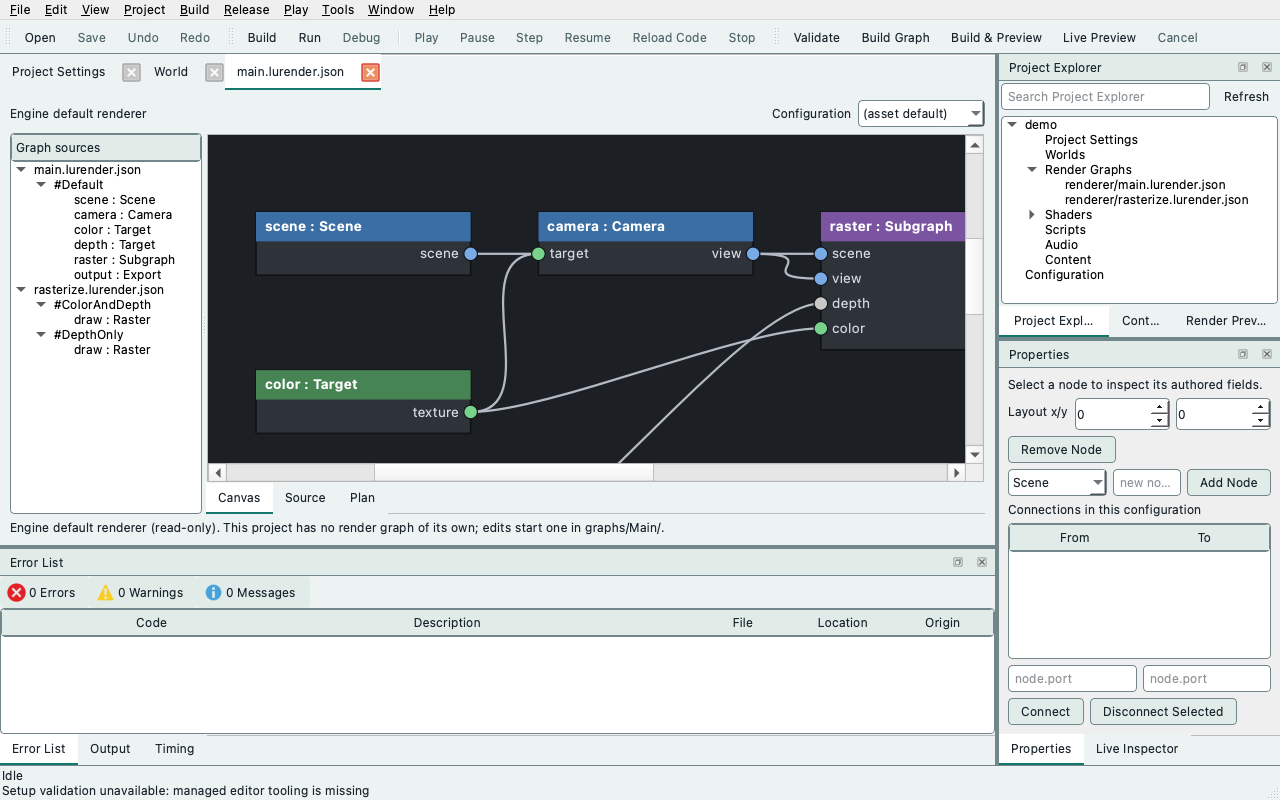
The document is the package's source tree beside three views, switched by the segmented control in the document header: Canvas, Source, Plan (and Textures on native builds). The header's first row has the Outline button, that control and the open graph's path; its second row has the root Configuration to validate and cook. The document has no command buttons of its own; its commands are in the File and Build menus and on the Render Graph toolbar (see the editor workspace layout).
- Properties (the tool window, F4) edits the node selected on the canvas, in the
source tree or by Error List navigation: its authored fields by stable ID, its
layout position, removal (which also drops its connections and layout position),
new nodes, and
node.portconnections in the configuration. Layout x/y edits only change thelayoutrecord; consecutive moves of one node coalesce into one undo step. - Source edits graph, build-manifest/schema and shader text directly in the shared document draft/history. Save publishes accepted changes; rejected text admission restores the previous accepted source. See in-app source editing for commands, undo grouping and native shader formatting. Generated wrappers and packages are build products and never editable sources.
- An explicit Build Graph or Build & Preview registers missing techniques for complete pipelines in older graph packages as one undoable draft edit. Save publishes the repaired manifest; shader sources are preserved. Automatic saved-source Live Preview does not rewrite the saved package.
- Plan shows the deterministic serial plan of the last validation, or the last build's report.
- Edit > Undo/Redo and Save act on the render-graph draft while the Render Graph is
the active document, including while you edit it in Properties.
Save writes only changed files, each through an atomic replacement, and first
checks that disk still holds the bytes that were loaded or last saved. An
external change returns a conflict and writes nothing. Template shader directories
are created before any changed files are published in an existing package. A
blocked or linked parent directory fails Save before graph/manifest references
change, leaving the draft available for retry. Graph documents are
saved in the same canonical form as
ludus render-graph new.
Closing the project, opening another one or launching a build asks to save or discard a dirty render-graph draft.
Validate, build and cook a draft¶
Build → Validate Render Graph (Ctrl+F7), Build Render Graph (F7) and Cook
Render Graph Runtime run the installed
ludus --json render-graph backend as a separate process; the GUI never waits
for it; Cancel Render Graph Job (Ctrl+Break) stops the running job. Results and
diagnostics appear in the Error List; double-click a row to select its graph
node or open its source line. The workspace status area stays bounded when a compiler
returns a long report; scroll it to read the full message or select text to copy it.
Validate and Build first write an immutable copy of the current draft to
out/render-graph/drafts/ in the project and delete it afterwards, so unsaved
edits can be checked without touching saved sources. The same files give the
same result through the CLI:
ludus --json render-graph dump graphs/main.lurender.json --root graphs
A result names the draft revision it checked; a later edit marks it as describing
an older revision. Results from a cancelled job, an earlier request or another
project are discarded. Build resolves the saved project's current native profile
through the same SDK resolver as ordinary project builds: a saved local SDK
selection takes precedence over an installed locked SDK in the shared store.
Its installed lib/cmake/Ludus/shaders directory supplies the shader helper and
toolchain pins. Ordinary offline compilation does not require the optional
native_worker.py client, so SDKs that predate native-worker support remain usable.
That client is required and included in tool identity only when a native worker
is selected. Slang and, when needed, the SPIR-V validator and SPIRV-Cross come
from the selected local setup preset or the editor's prepared shader tools.
No path entry is needed for New Graph → Build & Preview. Loading and building
do not download tools, repair the project or write into the engine/SDK.
Build publishes to out/render-graph/<graph>/build. Cook Runtime writes
out/render-graph/<graph>.lurgrt from that build tree. These paths are resolved
from the project's canonical location, so a project opened through a symlink
still builds inside its own folder. Build and Cook Runtime refuse a graph whose
package lies outside the project.
Build settings¶
Tools → Options... → Render Graph holds the render-graph build settings and shows the paths the last automatic build resolved. Its Override detected shader tools (advanced) checkbox explicitly enables manual paths for an exceptional tool setup; an override needs at least the SDK shader helper and the Slang compiler, and the dialog refuses OK until both are set. Turning the override off keeps the paths for later but builds detect tools again. Old editor-wide path preferences do not override project detection, and switching projects clears these overrides. Each automatic build resolves selection again, so SDK switches and repairs take effect without restarting the editor. Missing/incomplete SDKs or tools report a setup error; use Project → Repair Project Setup. A selection change during compilation/cooking rejects publication and retains the previous runtime. Native shader worker is an editor preference that stays across projects (see editor and game clients).
The same automatic path is available to tooling without the editor:
ludus render-graph build graphs/Main/main.lushader.json out/graph-build \
  --project /path/to/game --tooling-root /path/to/prepared/ludus \
  --runtime-package out/graph.lurgrt
--tooling-root is unnecessary when the selected local preset records all required
shader-tool paths. Explicit --helper/--compiler arguments remain supported for
standalone packages. Pin/version, reflection and publication checks still apply.
Mapped diagnostics¶
With --json, a failure's error.location names its authored owner:
| Failure | Location fields | Editor action |
|---|---|---|
| Source/document error | source, optional configuration and node |
Selects the configuration or node |
| Expanded-plan error | source, configuration, node, instance (nested path such as Main/raster/draw) |
Selects the node in its own library |
| Shader compiler error | source, line, optional column and length; diagnostics lists up to 32 compiler messages |
Opens the function file at that line and column; the Source pane marks each message |
| Generated wrapper error | generated: wrapper.slang, program, line |
Opens the program record in the build manifest |
column is a one-based Unicode scalar column and length counts Unicode scalars
(0 marks a position, such as a missing ; at the end of a line). The tool takes
them from the caret Slang prints under the source line, after checking that
Slang's echo, with its four-column tab stops and byte-counted columns, matches
the captured source. When Slang truncates a long line or prints no caret, the
location stays line-only rather than guessing.
Locations are package-relative and never contain machine paths. Activate a
diagnostic (double-click or Enter) to navigate to it. Wiring diagnostics add
port and direction (input or output); the canvas rings that connector and
marks its owner. A removed connector falls back to the owner. Editable field
diagnostics use a stable field key, such as invocation.dimensions or
depth_load, to open the shared canvas node editor, select its tab and highlight
the control. These actions work with Properties hidden and do not change the draft
or undo history. Markers clear on graph rebuild or replacement of the report.
Reactivating a report after its captured source identity changes labels it as an
earlier source version and asks for validation again.
Graph validation returns an ordered diagnostics array with code, severity,
message and location. Supported wiring, missing-input, pipeline profile and
ray launch errors also include bounded expected, actual and repair strings.
The Error List shows each record once; selecting a row displays its complete
message and repair guidance in a scrollable details area. The CLI's text mode
prints each issue and these details too. For compatibility, top-level error.code,
message and location still describe the first issue.
Collection stops between dependent phases: invalid source/schema/imports prevent wiring analysis; broken wiring prevents execution checks; missing bindings or pipeline declaration errors prevent resource lowering. Independent wires across loaded configurations and missing ports/profile failures across retained nested subgraphs are collected in authored order. Resource-version and initialization checks remain fail-fast because later checks depend on successful lowering. Reports contain at most 32 records (31 issues and an explicit omission notice when the limit is exceeded); repair the reported issues and validate again. No partial plan is published and failed validation preserves the last drawable preview.
Shader failure messages are portable too. The helper's own command echoes
(+ <tool> <arguments>, with absolute tool and temporary paths) are dropped,
because the stage descriptor and build manifest already identify tools and
inputs, and they would otherwise use up the 4 KiB message bound before the
compiler's diagnostics. In the remaining text, captured sources appear
package-relative, stage outputs as artifact/, helper files as helper/ and the
compiler by its file name.
The shader helper (compile_shader.py) reports a compiler failure as one stderr
line prefixed Ludus shader build:, so the compiler's first diagnostic arrives as
Ludus shader build: main_shaders/color.slang(3): error 30015: .... The mapper
accepts that prefix; later compiler lines arrive unprefixed. The installed CLI
consumer and the editor tests assert the location from the pinned compiler's real
output.
Runtime generations and activation¶
ludus render-graph cook-runtime out/raster-package out/main.lurgrt --configuration Default
cook-runtime accepts the same verified --renderer-static packages as
emit-runtime and writes the same plan records, stages and CPU interface
identity into a little-endian file described by
ludus/content/render_graph_format/runtime_package.h (layout version 11, with
independent raster shader pairs, native-only ray roles, structured storage records,
optional visibility/depth reads, per-pixel buffer strides, per-pass Scene data masks, view-relative size policies, pass names, uniform
binding/block/field records and GLSL ES block names; native-ray packages from
versions 6 through 10 with the current ray-image interface and raster packages from
versions 2 through 10 remain readable, with versions 2 through 4 implying full Scene
data. Older ray-image interfaces and software-ray packages require recooking). emit-runtime
headers also export INTERFACE_IDENTITY, which covers the vertex/instance
interface and the per-draw uniform schemas with their target layouts. With CMake, add RUNTIME_PACKAGE to
ludus_compile_render_graph; it sets <NAME>_RUNTIME_PACKAGE to the cooked file.
At runtime, decode the file into a RenderGraphPackage (bytes are copied, so the
source buffer may be released immediately) and pass it to a
RenderGraphActivation initialized with the host's INTERFACE_IDENTITY and the
installed composite recipes:
Stageprewarms the candidate beside the drawing generation. A different CPU interface returns Unsupported withRestartRequiredand stages nothing.- Call
Pollbetween frames. While pipelines are pending the active generation keeps drawing. When the report saysNeedsUpdate, callUpdatewith the current extraction; the candidate must prepare it before activation. Pollpublishes the candidate once it is Ready, only when the active graph has no unconfirmed encoding.ActiveGenerationchanges, so re-queryGetActiveOrNulland exports. The new graph reports no output revision until it renders, so it never relabels the previous generation's pixels.- A failed setup, failed pipeline or a candidate that rejects an extraction the
active generation accepts reports
FailedwithLastFailure; the active generation, its pixels and output revision are unchanged. A newerStagesupersedes an unactivated candidate.
Export consumers of the active generation must finish before a Poll that may
activate, as before Render/Reset. The replaced graph's GPU uses retire through
RHI completion; unloading game code is a separate GameHost obligation and never
implied by activation.
Schema changes and parameter migration¶
ludus --json render-graph schema-diff out/old-build out/new-build
ludus --json render-graph migrate out/old-build out/new-build --values values.json --defaults defaults.json
schema-diff compares logical schemas field by field and every program/target
binding layout. Any changed Uniform or Vertex schema or layout makes
cpu_interface RestartRequired: rebuild the host/game interface before
activating that generation. migrate maps schema -> field -> numbers (a
Float32 uses one number). A value is kept only when the field identity and type
are unchanged. An added field or a changed type needs an explicit default, or the
result is Rejected with no values and exit status 1. Removed values are reported
as dropped. Field IDs are stable identities, so a rename is a removal plus an
addition. Neither command writes sources, values or packages.
RG3 acceptance evidence¶
What each fixture establishes:
test_render_graph_authoringcovers mapped graph/shader locations, CLI JSON locations, draft-snapshot plan equality, layout-only digest stability, migration and restart verdicts, deterministic runtime packages and header/package identity agreement.- Renderer
[activation]tests cover decoding and malformed packages, first activation, pending replacements that keep drawing without creating pipelines, failed reloads that preserve output revisions,RestartRequired, activation waiting for a confirmed submission, completion-gated retirement and superseded candidates. They also check that caller bytes can be released after decoding. - SPIR-V decoding: a generation carrying Metal, SPIR-V, WGSL and GLSL ES stages decodes each SPIR-V word little-endian, from a source buffer at an odd address, beside the text targets and their entries. A SPIR-V artifact that is not a whole number of words, or a vertex stage without its fragment stage for that target, is rejected as malformed. A role the generation does not carry stays empty, as it does in a compiled header.
- The cooked-fixture
[render-graph][activation]test decodes the CMake-cookedrg2_surface.lurgrtand compares it with its compiled header: plan records, CPU interface identity and every stage artifact (SPIR-V words, Metal/WGSL/GLSL text, entries and inputs). The host's native target (Metal on macOS, SPIR-V elsewhere) and WGSL must be present. - The
[render-graph][gpu][activation]test loads the same.lurgrt, activates it twice and compares its pixels byte for byte with the compiled-header graph. - The installed-SDK check (
tests/sdk_consumer/verify_render_graph_execution.py) requires identical.lurgrtbytes from three cooks of one package: the installed CLI'scook-runtime, the relocated CMake helper'sRUNTIME_PACKAGE, and the source-tree tool. The generation's identity must equal the emitted header'sINTERFACE_IDENTITY. The installed CLI also runsschema-diff. - The installed runtime consumer (
tests/sdk_consumer/render_graph_runtime.cpp) is built against the installed SDK for the host's single target: Metal, SPIR-V, or WGSL in the browser. It qualifies two cooked offscreen graphs in turn: the opaque static graph, and themasked_colorgraph, whose authored masked coverage reads a per-draw uniform value. For each graph it renders the compiled header's frame, then decodes the embedded.lurgrtand activates it twice. After each activation it reads the exported color back through the RHI and compares every byte with the compiled-header frame. The masked graph must also keep its covered half and leave the discarded half at the cleared background. - Editor
[render-graph]tests cover canonical JSON bytes, draft/save separation, undo coalescing, save conflicts, snapshots and diagnostic navigation. They run the real CLI to check that the editor and CLI produce the same plan and the same mapped failure.
render_graph_authoring.py, which provides schema-diff and migrate, ships in
the ludus-tools package behind the installed ludus CLI. The relocated CMake
helper installs only the build and execution modules. cook_runtime lives in
render_graph_execution.py, so the helper never imports the authoring module.
Platform status:
| Platform | Established | Evidence |
|---|---|---|
| macOS / Metal | Decode, artifact equivalence, activation pixel parity, installed CLI/CMake/source byte equivalence, installed runtime consumer | Local Clang 18 runs; CI macOS jobs run the same suites |
| Linux / Vulkan (Mesa llvmpipe) | Activation pixel parity under the Khronos validation layer | The October 16, 2026 batch validation of develop commit c2d299d0 ran the 20 non-hidden ludus_renderer_render_tests cases with none skipped, including this parity case, and reported no validation messages |
| Linux / Vulkan, added checks | SPIR-V decode and artifact equivalence; a dedicated [render-graph] step that fails on any skipped case; installed .lurgrt equivalence for SPIR-V/WGSL/GLSL; installed runtime consumer under the validation layer |
CI "Development and SDK" job; not runnable on the macOS development host |
| Browser / WebGPU | GraphicsRenderer, including RenderGraphPackage and RenderGraphActivation, is part of the web SDK. A WGSL-only .lurgrt is decoded and activated twice in Chromium on the SwiftShader WebGPU adapter, with byte-identical exported pixels |
render-graph-runtime-browser-test.mjs in the "Renderer browser tests (baseline)" job. First passed on October 17, 2026 (Chromium 140): two generations activated, zero mismatched bytes. Browser builds need the Linux-pinned SPIR-V validator, so this fixture has no local run |
Remaining gaps:
- WebGL 2 / GLSL ES: the browser fixture cooks only WGSL and requests WebGPU; no runtime generation is qualified on the WebGL 2 fallback.
- Browser delivery: the fixture embeds the
.lurgrtbytes in the module. Fetching a generation at run time, and browser editor preview, are not established. - Physical GPUs: Linux and browser evidence uses software adapters (llvmpipe and SwiftShader).
- RG3b editor preview on Linux/Vulkan is not covered by this evidence.
- No scheduling, memory or performance claim; RG4 owns measured pooling, aliasing and scheduling (see RG4a pooling). The editor renders runtime generations only through the RG3b preview below.
Node canvas and preview (RG3b)¶
RG3b completes the editor half of the RG3 contract: a visual node canvas over the same draft, and a trusted preview of the cooked runtime generation on the editor's existing viewport device.
Rename a node¶
Choose Edit Node... from the canvas context menu, edit Name, and press
Rename or Enter. Rename Node... in the same menu opens a focused name
editor. The Name controls are also available in Properties. Names must be unique
within their configuration: 1–63 ASCII letters, digits, underscores or hyphens,
starting with a letter. input is reserved for the configuration interface.
Rejected names show a repair beside the field and preserve the draft.
Renaming updates incoming and outgoing connections, configuration output sources and canvas positions together in one Undo/Redo step, retaining selection under the restored name. Other configurations, shared shader/program IDs and source files retain their names. Cancel leaves the draft unchanged; Save publishes the accepted rename with the graph.
Edit shader sources inside Ludus¶
The Source pane uses the shared code editor: line numbers, Slang lexical coloring, current-line and matching-bracket highlighting, and native text selection, clipboard and navigation. Strings and comments are excluded from bracket matching; matching is bounded for responsiveness. Shader formatting and unified source/canvas undo, native shader completion and signature help are available. Symbol hover remains a future increment, described in the shared editor architecture.
Use Focus Source or Shift+Alt+Return while Source is active to hide the surrounding tool windows, graph source tree and API reference. Restore Layout or the same shortcut restores the previous arrangement, selection and active source. The View menu's Focus Viewport command also supports Source. Shader API shows or hides the reference; it starts hidden, remembers the choice, and retains the reference split width across focus and source changes. External editor and reload actions are grouped under the Source menu.
The compact editor strip exposes Edit, text size in points, Wrap and indentation Guides, plus the caret's line/Unicode-scalar column and a clickable diagnostic count. Text defaults to 13 points; size (8–32 points), wrapping and guides persist for subsequently opened editor views. These are presentation preferences: they never alter source bytes or undo history. Wrapping is visual; it does not insert newlines. The Edit menu lists commands with their shortcuts, and the context menu offers the same editing commands.
The status beside the source separates the current draft revision and unsaved changes from compilation and the generation actually presented in the viewport. Save publishes files. Live Preview builds saved sources; when it is off, use Build & Preview explicitly. A successful compile alone does not mean its frame is presented. Verified presented sources show their captured document revision and whether their renderer inputs match the current draft (layout-only changes are excluded from that comparison). Pending or failed work keeps the last drawable view; project/setup failures are identified separately in the Error List. Older failed reports are labeled as earlier versions.
On macOS, use Command where Ctrl is shown below (Qt's native shortcut mapping):
| Action | Shortcut |
|---|---|
| Find / replace | Platform Find / Replace shortcuts, also in the context menu |
| Go to line | Ctrl+G |
| Quick Open source in this package | Ctrl+P |
| Go to shader symbol in the current source | Ctrl+Shift+O |
| Go to definition / find references | F12 or Ctrl+click / Shift+F12 |
| Navigate Back / Forward | Ctrl+Alt+Left / Ctrl+Alt+Right, or the mouse's side Back / Forward buttons over the editor |
| Indent / outdent selected lines | Tab / Shift+Tab |
| Toggle Slang line comments | Ctrl+/ |
| Duplicate selected lines, or current line | Ctrl+D |
| Move selected/current lines | Alt+Up / Alt+Down |
| Delete selected/current lines | Ctrl+Shift+K |
| Format shader document (native desktop) | Ctrl+Shift+I |
| Increase / decrease text size | Platform Zoom In / Zoom Out shortcuts |
| Reset text size to 13 points | Ctrl+0 |
| Next / previous diagnostic in the current source | F8 / Shift+F8 |
| Focus Source / restore layout | Shift+Alt+Return |
Enter retains the current indentation and adds one level after an opening Slang
brace. Slang automatically pairs parentheses, square brackets and braces outside
comments and strings, skips an existing closing bracket, and deletes an empty
pair together with Backspace. Enter inside an empty brace pair creates an indented
line with the closing brace on its own line. Disable Auto-close Brackets in Edit or the
context menu to retain ordinary insertion. Line commands, pair insertion/deletion
and Replace All each form one document undo step.
Find supports forward/backward wrapping, case matching, and replacement; Escape
closes its controls and returns focus to the source. Go to line uses one-based
line numbers. Ordinary text and JSON sources share the commands, with Slang
coloring/comment toggling enabled only for .slang files.
Slang coloring is lexical: besides keywords, built-in types, comments, strings and
numbers, it colors a name before ( as a function, an all-capitals name as a
macro or constant, and a name after struct-like keywords or before another
name as a type. It reads only the current line, so it can differ from the
compiler's view; parameters, locals and members keep the text color.
Source navigation¶
The Edit and context menus expose source navigation alongside editing commands. Quick Open Source searches the current package's source paths, including unsaved added files. Type words to filter, use Up/Down and Enter to choose, or Escape to cancel. Filtering never previews a jump or changes a draft.
Go to Symbol searches Slang's symbols in the current authored source, including
functions, types and members. Hold Ctrl (Command on macOS) to underline the name
under the pointer, and click it to request Go to Definition for that name.
Names in comments, strings and keywords are not links. Go to Definition jumps directly when the compiler
returns one mapped location; multiple definitions and Find References open the
same filterable chooser. References cover the selected captured compiler context,
including its declaration, rather than a project-wide text search. These commands
share completion's native Slang process and selected program context, use the
current unsaved draft and reject replies/selections after source, caret, binding,
revision or context changes. Fix the reported syntax/tool/context problem and
request the command again if a result is unavailable.
Reference search is enabled only when the selected slangd advertises support;
otherwise its menu entry explains the limitation. Use Find for text matches.
An unsupported operation preserves the ready server, current source and selection.
Exact unchanged package includes map back to editable drafts. Generated interfaces, rewritten compatibility dependencies and inlined surrounding context open in a separate read-only captured context window. You can inspect and copy there; closing it preserves the source view. Unknown server URIs and invalid UTF-16 ranges are omitted, never opened as arbitrary files. The context owner supplies exact snapshot URI/file/hash records; navigation does not parse shader declarations or guess source paths. Go to Symbol excludes generated surroundings.
Navigate Back / Forward returns through explicit source, symbol, line, Find and diagnostic jumps, including source-file changes within a package. It retains up to 64 locations in each direction and clears Forward on a new jump. Positions follow edits while their buffer is open; after a source rebind they use clamped line/column positions. Replacing a graph or project/epoch clears this view history. It does not edit source, add an Undo step, save files or start a build. Ordinary arrow-key movement remains native Qt navigation; the history shortcuts add Ctrl+Alt to avoid taking over word movement. Use Command for Ctrl on macOS as in the table above.
Semantic symbol/definition/reference navigation requires native Slang and the same mapping limits as completion below. Quick Open, line/diagnostic jumps and history also work without Slang, including in the session-only browser editor.
Shader completion and signature help¶
In a native Source editor, press Ctrl+Space to complete a symbol, or type
. for members. Type a prefix to narrow the suggestions. Up/Down selects an
item; Enter or Tab accepts it; Escape dismisses assistance. Completion uses the
current unsaved draft, including package includes, manifest-generated types and
bindings, scene/material APIs and shader functions. An accepted completion and
its additional source edits form one undo step; Save remains explicit.
Press Ctrl+Shift+Space inside a call, or type ( or ,, for signature help.
The active parameter is emphasized. Alt+PageUp/PageDown selects another
overload when available. These two Space shortcuts use the physical Control
key on macOS, unlike the Command mapping of the ordinary editing shortcuts above.
The Edit/context menus also offer both commands.
The Shader context selector identifies the linked program/stage used for semantics. A shared source can have several contexts; select the one whose bindings and callbacks you are editing. The selector's text is selectable and copyable; its tooltip names the owning package manifest. Context IDs identify linked compiler units, including generated scene kernels, rather than canvas node scopes. Changes to sources, schemas, authored settings or tool selection invalidate earlier assistance. Compilation and validation remain authoritative for target capabilities and build errors.
Assistance starts Slang's slangd lazily beside the project's selected slangc
(or the compiler override in Tools → Options → Render Graph). It captures a
temporary draft package and uses the same source-generation owner as shader
compilation. It does not download tools or save project files. Missing tools,
invalid graph/interface inputs and process failures appear directly below the
selector with a repair message. After repairing them, use Retry assistance
to refresh available contexts and start again. Ordinary editing stays available.
The initial provider needs an executable program context. Unassigned source files, legacy compatibility rewrites of the editable file, repeated inclusion of that file in one linked unit and include cycles through that file report an explicit mapping limitation. Completion edits must stay inside the current authored file; generated-file edits and unsolicited snippets are rejected. Literal package includes follow the build owner's existing rules; module imports are unsupported. The static browser editor has no native Slang process and reports that completion and signature help are unavailable. The searchable Shader API reference remains available independently.
Compiler messages in the source¶
After a Validate, Build or live preview build fails, the Source pane marks the compiler messages for the file it shows. Each message gets a gutter marker beside its line number and a wavy underline under the reported token (red for errors, amber for warnings). A message without a column underlines the line's text. Hover over the underline or the gutter marker to read the message. Activating a row in the Error List opens the file with the caret on that token. The Error List shows the column beside the line when one is known.
Markers stay on their text as you edit. The first edit marks them out of date: the marker turns hollow, the underline turns dotted, and the hover text says the report is for an earlier version. A report that already describes another version is out of date when shown. Examples are a draft changed during the build, or a live build of the saved file while the shown draft has unsaved edits. The next result replaces the markers, and a successful build clears them. Messages for generated wrappers stay in the Error List, which opens their program record in the manifest.
Edits enter the package draft immediately. Text, canvas and inspector changes share one Undo/Redo order, including keyboard, source context-menu and shell commands. Adjacent typing coalesces within a word/time boundary; commands, source switches, navigation and Save end the group. Undo returns to the affected source and restores its selection. Save publishes accepted draft text without an Apply step; external-file conflicts preserve it. An oversized/invalid edit restores the last accepted text without blocking later navigation or adding an undo item. Existing UTF-8 BOMs, Unicode text and CRLF line endings survive ordinary edits.
On native desktop, use Format Document in the source context menu or its
shortcut. It requires the pinned clang-format version in
config/tool_versions.json (currently 23.1.3). Ludus tries the build toolchain,
then clang-format-23/clang-format on PATH; Choose Formatter... selects an
executable explicitly. The process verifies its version before formatting.
Project .clang-format is resolved from the source path; without a style file,
clang-format's default style applies. Include sorting and qualifier rewriting
are disabled. Slang uses a C++-syntax profile, so validate/compile the result;
not every Slang extension is qualified. This command is shader-only and
unavailable in the browser host.
Formatting runs asynchronously, preserves selection/scroll and is one undoable draft edit. Continuing to type makes the result stale; switching source/project cancels it. Failure, timeout, incomplete parse or output beyond document limits preserves the source. Formatting never saves a file or runs automatically on Save. The shared document/controller and formatter boundary can be reused by scripting without a dependency on shader compilation or graph schemas.
Ordinary edits convert only inserted UTF-16 ranges to UTF-8; whole-source byte
copies use implicit sharing until changed. Tree/interface/watch refreshes remain
debounced. Source editing itself requires no compiler or language server.
Extreme single-line files remain a known Qt layout performance limit; the
ordinary-line and plain-Qt comparison probes are opt-in [.benchmark] tests in
ludus_code_editor_tests.
Edit shader sources in a code editor¶
On native desktop, select a file in the Source view and choose Source >
Open in Code Editor. The first use opens a native application picker; Source >
Choose Code Editor… changes that saved preference. On macOS, select the editor's .app
from Applications. No command-line launcher or shell command is required.
The selected application receives the saved project file; completion and
formatting come from that application's language support. This first launcher
opens the file without a diagnostic line argument. External application launch
is unavailable in the browser editor.
If the graph or text pane has unsaved changes, opening asks to save them first. For the engine default, opening asks to create an editable copy in the project; the engine sources stay unchanged. Cancelling retains the current text/draft.
Save in the code editor, then use Build & Preview. Validation and builds refresh external saves when the draft is clean; Reload Sources performs the same refresh without starting a job. Refresh uses the existing package limits and creates one undoable revision. When local and external changes conflict, the current draft is retained and the job does not start. Undo local edits or reopen the graph to resolve the conflict. Apply or revert unapplied text before reloading; source refresh never silently replaces that text.
Use Shader API to show the Inputs / Outputs reference beside a Slang file.
It reads the current draft build manifest and expands input and output schemas
into field names, types, semantics and locations, with read-only uniform bindings
and their slots. Every program sharing the source is listed by function and stage.
Fragment color output is labeled Color : float4 → SV_Target0; depth-only
functions return void, with depth supplied by rasterization and writes governed
by the pipeline recipe. These shader interfaces differ from the canvas's pass
resource ports (scene, view, color, depth). The reference describes authored
metadata, not compiler reflection or validation of unapplied shader text. Edit
schemas and program contracts in the manifest and apply the text to refresh it;
undo and external source reload also refresh it. Missing or invalid manifests and
unregistered sources show an unavailable message. The reference is separate from
the editable source, preserving saved bytes and compiler diagnostic line numbers.
Create a subgraph without leaving the editor¶
Select the containing configuration in Outline, then choose Create
Subgraph... above the canvas or from the source-tree/canvas right-click menu.
Enter a unique name starting with an ASCII letter, followed by letters, digits,
_ or - (up to 63 characters). The action creates <name>.lurender.json in
this graph package as an unsaved draft, adds a Subgraph reference to the selected
configuration and opens the new library's empty Default configuration.
When a Subgraph node is selected, Create Subgraph... instead points that node to the new library. Its previous source remains intact; connections are retained for explicit interface editing. Existing files and asset IDs are never replaced. Cancel leaves the draft unchanged. Creation and reference changes are one undo step; Save publishes the new file. Undoing a saved creation and saving again removes the created file if its disk contents still match the editor's saved copy. An external change reports a conflict and is preserved.
Add nodes using Properties or Create Node in the right-click menu. Choose Edit Inputs / Outputs... above the canvas or in its right-click menu to define the library interface. The empty library has no ports or rendering work until authored. It does not add ray-tracing or compute support; the supported node kinds above still apply. The original root remains the execution root when editing the library.
Right-click a node in Outline or on the Canvas to use its menu:
- Create Node lists Scene, Camera, Target, Raster, Subgraph Reference, Export and Present. It is also available on empty canvas space and configuration/file rows in the Outline. Choose a type to add it to the displayed configuration with a unique ID, selected and scrolled into view. This uses the same undoable operation as Properties' Add Node. Creation is disabled while a job runs or Source text needs applying/reverting. Subgraph Reference adds a reference node; Create Subgraph... creates a new library source as well.
- A selected Subgraph node's asset and configuration are dropdowns in
Properties. asset lists the package's other
.lurender.jsongraphs (never the graph that contains the node). configuration lists the selected asset's configurations. Choosing an asset that lacks the current configuration switches to that asset'sdefault, or to its first configuration if it has no default. Changing either selection automatically removes connections to missing or incompatible ports and clears affected parent configuration-output sources, retaining their declarations. Compatible wires and unrelated nodes stay intact. The selection and cleanup form one undoable edit; Save publishes both. This applies to Properties, the canvas field editor and rebinding with Create Subgraph.... A missing asset or configuration is still listed, so you can see it and replace it. Validation still decides whether the reference is legal, including whether it creates a cycle. - Open Subgraph opens the referenced configuration; a missing source disables this item. Create Subgraph... can supply a new source for that node.
- View Shaders on other nodes lists the source files mapped by the root build manifest to the Raster pass's material/mode technique. Choose a file to open it in the in-app Source editor. Scene, camera, target and output nodes have no shader sources, so this item is disabled for them.
- Remove Node removes that node and its connections as one undoable edit. Referenced subgraph files are retained.
Double-click a Subgraph to enter it, or any other node to show its editable details. The source selector and View Shaders menu give access to mapped shader sources. Accepted Source edits stay in the shared draft when navigating or creating nodes.
Edit on the canvas¶
The Canvas view sits beside the source tree and shows the selected
configuration (a selected file shows its default); Properties shows the selected
node. It is another view of the same typed draft: every canvas edit is a
RenderGraphDocument operation, so undo, explicit save, validation and Properties
stay in step.
Use Outline in the document header to hide or restore the graph outline. It lists each file's configurations and shows the nodes of the displayed configuration; other configurations stay collapsed until you open them. The Source view hides the outline to give the code room, and the next view brings it back if it was open. Its visibility and splitter width are remembered between sessions. The status strip reserves one line; longer reports remain scrollable. View → Focus Viewport (Shift+Alt+Enter; Shift+Option+Return on macOS), while the graph is active, hides the surrounding tool windows and graph navigation to give the canvas the window. Run it again to restore the layout and source-tree choice. Opening the graph or completing its build collapses a visible Error List tab group when no producer has errors or warnings. An explicitly selected Output, Timing or Profiling tab stays open; new problems reveal Error List again.
Properties puts selected-node fields first, with Graph settings in a collapsible section below them. Narrow forms wrap labels above controls; graph setting explanations and labels wrap within the panel. These are the same draft controls used by the canvas editors, with the same undo and Save behavior.
Every graph-authoring operation in Properties also has a canvas gesture or context-menu entry. Right-click the background to create nodes and subgraphs or edit the configuration interface; right-click a node to edit its fields or remove it; right-click wires and ports to manage connections. Properties remains an additional way to perform those same document edits.
Background menus contain Quick Add, categorized Create Node entries, configuration/interface editing and package operations. Configurations groups Add, Apply Template and Delete. Node menus contain editing, copy, removal and the selected kind's actions; they do not inherit graph-wide commands from a previous selection. Wire and port menus contain connection operations.
Choose a node type in Properties and click Add Node. It uses the configuration
currently shown on the canvas, including a selected file's default; selecting a
configuration row or entering an ID is unnecessary. IDs are generated from the
type (scene, scene2, scene3, and so on), avoiding existing IDs in that
configuration. The new node is selected and scrolled into view. Any failure is
explained beside Add Node and leaves the draft unchanged. Addition is one
undoable edit; Save writes it to the project.
Add nodes with Quick Add¶
Quick Add finds a node, snippet or existing package graph by name without scrolling through a list. Open it with Shift+A over the canvas, by double-clicking empty canvas, or with Quick Add... at the top of the canvas context menu. It opens where you asked: Shift+A uses the pointer (or the view centre when the pointer is outside), and a double-click or context menu uses that spot.
| Control | Effect |
|---|---|
| Type in the search field | Matches names, purposes and common terms, such as hdr for ToneMap or fsr for the FSR upscalers; the category list shows how many matches each category has |
| Up/Down, Enter or a click | Choose a result. A node is added at the opening position in one undoable edit; an Upscale preset places its Upscale node there and arranges its helpers automatically |
| Choose a snippet | Opens Apply Configuration Template with that snippet selected, so you still name the configuration and confirm any budget increase. Snippets: ReSTIR DI, Tiled vbuffer NEE, Compute ray tracing, Simple triangle loop, Visibility buffer + depth and Visibility + secondary rays |
| Choose a graph | Inserts a Subgraph reference to its default configuration at the opening position, in one undoable edit; change the referenced configuration afterward through the canvas node fields or Properties |
| Tab / Shift+Tab | Switch between All, Snippets, Nodes and Graphs |
| Click a category | Show only that category |
| ☆, or Pin | Keep a template under Suggested |
| Esc or click outside | Close without editing the draft |
The list shows at most eight results. When more match, a "+N more" line asks you to keep typing or pick a category. With an empty search it opens on your three most recent templates and your pinned ones; the editor remembers both between sessions. When the search also matches complete graphs, a link opens New Render Graph with the best match selected. Quick Add never creates a complete graph on the canvas. The Graphs tab lists graph assets loaded in the package, including unused sources; All searches them alongside nodes and snippets. Search matches graph names, paths, configuration names, descriptions and exposed port names/types. The detail preview shows the package-relative path, default configuration and its inputs/outputs. Insertion adds a reference without copying or changing the graph source. Graphs that would introduce a dependency cycle, have a missing default configuration or an unavailable dependency stay visible with the reason and insertion disabled. Recent and pinned graph entries use the asset path, so identically named graphs remain distinct. Reopening refreshes the catalog from the current draft; insertion rechecks the default and dependencies.
Templates that cannot preview in this editor, such as Denoise without the OIDN denoiser, stay listed with the reason, because the graph remains portable.
To add a node that is already connected, start from an output instead. Drag a wire
from an output port and release it on empty canvas, or click an output port without
dragging. Quick Add opens with a context line such as
Connect from tonemap.color · ColorTexture and lists only nodes that have an input
accepting that output. Each candidate input goes through the same link pre-check as a
drag onto an existing input, including type, cycle and texture-contract checks, so an
incompatible node template is never offered. Compatible graph references are ranked
first; other graphs stay visible with insertion disabled and an explanation. When you
choose a node or graph, Quick Add adds it with
the first accepting input lined up on the drop point, or one column gap to the right of
a clicked port. The node, its layout position and the new connection form one undoable
edit. An Upscale preset connects the wire to that input instead of creating a helper
target for it. Snippets are not offered while the filter is on: they apply through
Apply Configuration Template as a separate edit, so the wire could not be part of
the same undo step. Show all, or Backspace in an empty search, clears the filter.
After that, a chosen node or graph is added at the same spot without a connection. Esc closes
the palette and leaves the draft unchanged. Releasing on a node body does nothing, and
releasing on a port connects or rejects as usual.
| Gesture | Draft operation |
|---|---|
| Drag nodes (Ctrl-click adds to the selection) | One MoveNodes edit per gesture, applied on release: one undo step however far the drag went. A drag that returns to its start commits nothing. |
| Drag from an output port to an input port | Connect, after the pre-check below |
| Drag from an output port to empty canvas, or click an output port | Opens port-filtered Quick Add; choosing a node is one AddNode edit with its layout position and connection |
| Select a link and press Delete, or right-click a wire/port and choose Disconnect | Disconnect |
| Drag an output onto an occupied input | Replace its source as one undoable edit; invalid links preserve the existing source. |
| Right-click a port → Connect from / Connect to | Choose a compatible endpoint, replacing an occupied input in one undo step. |
| Right-click a node → Edit Node... | Edit the same authored fields, pipeline controls and layout coordinates as Properties, without opening that panel. |
| Right-click Accumulate, Denoise or ToneMap → Disable Node | Toggle its enabled field as one undoable edit; the compiler forwards its input |
| Select a node and press Delete | RemoveNode (also drops its links and layout position) |
| Right-click a Subgraph node → Delete Subgraph and Library | RemoveSubgraphLibrary: also deletes its library graph and the shader files only that library uses (details) |
| Double-click a Subgraph node | Opens its asset's configuration on the canvas, in the tree and in the Source view; not an edit |
| Double-click an ordinary node | Opens Details; pipeline parts share their controls with Properties |
| Pinch apart/together on a supported trackpad | Zoom in/out around the gesture position; does not edit the draft |
| Mouse wheel, or Ctrl/Command+scroll from any device | Zoom around the pointer, including smooth pixel scrolling |
| Two-finger scroll on a touchpad | Pan the view only, including momentum scrolling |
| Two-finger double-tap on a macOS trackpad | Frame the whole graph; does not edit the draft |
| Left-drag empty space | Box-select nodes; Shift adds to the selection |
| Middle-drag or Space+left-drag | Pan the view only |
| Fit Graph toolbar button, or Home | Frame all node boxes, including configuration interfaces |
| Fit Selection toolbar button, or F | Frame selected authored nodes; no selection leaves the view unchanged |
| 100% toolbar button, or Ctrl/Command+0 | Restore normal magnification around the view centre |
The framing toolbar stays above the canvas and shows the current zoom percentage. Its shortcuts apply while the canvas has focus; typing in Properties or a source editor does not frame the graph. Framing preserves selection, authored positions, draft bytes and undo history. It ignores transient hints and diagnostic labels. Fit commands use the current viewport size and keep magnification within the same 1%–800% limits as wheel and pinch zoom. An empty graph has nothing to frame; Fit Selection is disabled until an authored node is selected.
The canvas recognizes a touchpad from its scroll phases (macOS and Wayland) or its reported device type. A driver that sends two-finger scrolling as plain wheel steps, as some Windows drivers do, zooms like a mouse wheel; pan there with Space+left-drag.
Header colours show the connection domain: blue scene/view (Scene, Camera),
orange execution (Raster, Present), green resource (Target, Export), purple
Subgraph and grey for a configuration's input ports and outputs. Port colours
show the value type. Nodes without a layout position are arranged by
dependency order for display only; nothing is written until you move them.
Configuration output links can be selected and deleted, just like pass connections.
They edit the configuration output's source rather than adding an ordinary edge.
Arrange, align and distribute nodes¶
Right-click the canvas background or a selected node and open Layout. These commands remain available in Focus Viewport mode with Properties hidden.
- Auto-arrange Selection places only selected authored nodes in dependency columns. Auto-arrange All places every authored node in the displayed configuration, including inactive, disabled and incomplete nodes.
- Dependencies between the affected nodes determine columns. Cyclic components stay in one column; node IDs give a stable order within columns. Card sizes determine spacing, so tall cards do not overlap other affected cards. This is a simple dependency layout, without a wire-crossing minimization pass.
- Align Left / Horizontal Centres / Right and Align Top / Vertical Centres / Bottom align two or more selected cards against their combined bounds.
- Distribute Horizontally / Vertically spaces three or more selected card centres evenly between the outermost centres. It preserves those endpoints and the perpendicular coordinates; cards can still overlap when the available span is too small. Move the outer cards farther apart before distributing.
Each command writes saved integer layout positions in one undo step. Undo and Redo restore the whole operation; Save publishes the positions. A repeated command that produces the same saved positions does not create another undo step. Selection and upstream/downstream tracing remain active. Auto-arrange frames the affected cards afterward; alignment and distribution keep the view.
Selection commands leave unselected nodes fixed and use only dependencies within the selection. They do not avoid collisions with those fixed nodes. Configuration input/output boxes are automatic interfaces and are never saved or moved by these commands. Subgraphs remain single cards; their internal configurations are unchanged. Layout does not change fields, connections, execution or build identity.
Arrangement starts at the affected cards' previous top-left bounds. A common translation keeps positions within the document's coordinate limits; an arrangement too large to fit, or an alignment/distribution outside those limits, is rejected without a partial edit. Commands are unavailable during a node or connection gesture. Menu actions that need a larger selection are disabled.
Label pipeline stages with comment frames¶
Select the nodes for a stage, then right-click the canvas and choose Add Comment
Frame…. The new frame surrounds the selection with space for a title and notes.
With no selected nodes, it starts at the context-menu position. Set a title,
plain-text notes and a colour using Choose Colour… or an RGB #RRGGBB value.
Cancel leaves the draft and undo history unchanged. These controls work in Focus
Viewport mode with Properties hidden.
Double-click the frame header, or right-click its header and choose Edit Comment Frame…, to edit its title, notes and colour. Notes appear as a compact plain-text preview; hover for the complete text. The frame's context menu also offers Remove Comment Frame, which keeps every node and connection.
Drag the header to move the frame and every authored node fully enclosed by its rectangle at the start of the drag. Node selection is independent: enclosed nodes move even when unselected, while selected nodes outside the frame stay fixed. Partially intersecting cards stay fixed. Each frame is independent; overlapping frames can enclose the same nodes, and moving one frame leaves other frames fixed. Configuration input/output boxes remain automatic. Drag the bottom-right handle to resize only the frame; its new bounds determine the next move's group.
Each completed edit, resize, group move or removal is one undo step. Save publishes the metadata and moved node positions. Escape or loss of canvas focus cancels an active frame gesture without clearing node selection or dependency tracing. A configuration switch discards its pending preview. Stale modal edits are rejected if the document changes while the controls are open. Failed transactions restore the saved presentation. Frames participate in Fit Graph; Fit Selection continues to frame the selected nodes. Node arrangement/alignment/distribution leave frames fixed.
Frames are editor metadata in each configuration's layout.frames array, beside
layout.positions. Each record has id, title, notes, colour, x, y,
width and height. IDs use the graph identifier grammar and are unique within
the frame array, independently of node IDs. There are at most 64 frames per
configuration; titles are nonempty single lines of up to 128 Unicode code points,
and notes allow up to 4,096. Frames have a minimum size of 160 × 100 scene units;
integer corners stay within ±32,768. These limits are shared by the editor and
offline validator. Source/package byte limits also apply. Malformed frame arrays
are skipped with a status message and must be repaired in Source before frame
editing resumes.
Comment metadata does not affect dependencies, semantic build identity, compiled
passes or rendering. The CLI validates and preserves it as authored source, and
the editor's live-build identity excludes it with the rest of layout.
Collapse pipeline stages¶
Right-click a comment frame and choose Collapse Stage to show a compact stage card. Choose Expand Stage from its context menu, or double-click the collapsed card, to restore the full frame. Title, notes and colour remain editable from the same menu. Only nonempty frames whose saved rectangles do not intersect another frame can collapse; nested and overlapping frames stay expanded, including when Source requests collapse. Membership is full containment of authored node cards in the saved expanded rectangle. Configuration interface boxes remain visible.
The collapsed card shows its node count and node-targeted report error count. No report, stale and unverified labels distinguish unavailable or older results from current validation. Graph-level problems remain in the diagnostic toolbar and Error List. Hover an abbreviated count to read it in full.
Boundary ports represent the original endpoints of connections crossing the stage, with separate input and output ports even when they share a name. Shared output endpoints appear once for fan-out; hover for the complete node/port name and type. Internal connections are hidden. Boundary ports support the existing connection replacement/removal and Inspect Resource actions. Tracing still follows the complete logical graph, highlighting stage cards and crossing wires. Selection, pan, zoom, node coordinates and saved wire routes survive collapse and expansion. Fit Selection frames a collapsed card when its selected nodes are hidden. Saved reroutes on wires touching a collapsed stage are retained but not displayed or edited until the stage expands.
Dragging the collapsed card moves its saved expanded rectangle and all enclosed
nodes together in one undo step. Its compact dimensions never replace the saved
expanded dimensions. Expand before resizing the frame. Collapse/expand uses the
same document undo history as other frame edits; Save retains the optional boolean
collapsed field in layout.frames. Missing means expanded. It does not affect
build identity or rendering. Moving, arranging or deleting nodes re-evaluates
membership from the saved rectangle; no separate node group is serialized.
Find Node, node reveal and diagnostic navigation temporarily expand the containing stage so the real node, port or field can be inspected. These reveals do not edit the saved collapse state or create an undo step. Use Collapse Stage on the revealed frame to fold it again. Back/Forward snapshots restore temporary reveals alongside selection, pan, zoom and tracing. Switching configurations starts with their saved collapse states; returning through history restores that visit.
Inspect the execution plan on the canvas¶
Validate the selected root configuration, then enable Execution Plan in the canvas toolbar. The Plan page lists accepted serial operations in compiler order, with the expanded instance/node and authored source beside each entry. The raw accepted JSON remains below the list. Double-click an entry, press Enter, or use Reveal on Canvas to navigate to its real authored node. The jump creates one Back/Forward visit, follows the exact subgraph caller chain and temporarily reveals collapsed stages. Opening a shared library directly has no unique caller context; its badges say Plan unavailable until a specific instance is visited.
Badges use one-based order numbers. A Subgraph badge aggregates its descendant operations; collapsed stage summaries count distinct operations and list their orders alongside the number of pruned members. Active value means a retained Scene, Camera, Target, size provider or other value node with no serial operation. Pruned means the current accepted plan omitted that node. It also covers bypassed disabled nodes, which emit no operation. Interface boxes have no badge. These are serial contract operations, including Export/Present and processing that may be folded into another native pass. The numbers do not describe GPU queue timestamps, execution duration or separate GPU dispatch counts.
The compiler emits source for the root graph and an additive activity array
in each plan. Every visited instance records its instance, package-relative
source, configuration and retained node IDs in compiler order, after resolving
requested outputs, overrides and disabled-node bypass. The retained lists share
the existing expanded-node budget. This provenance distinguishes callers of the
same library and includes value providers without inferring activity from wires
in the current draft. Existing pass IDs, order, semantic digest and numeric runtime
plan records retain their contracts. Older results without supported provenance
remain readable as raw JSON and label the overlay unavailable.
Current plan, Stale plan and Unverified plan distinguish the accepted snapshot from the current root selection and draft/saved source identities. Layout-only edits do not stale the plan. Stale/unverified snapshots retain known order badges with explicit labels; they never mark newly absent nodes as pruned. Stage summaries report unknown pruning in those states. Failed, cancelled or unsupported later results retain the last accepted plan and identify the latest outcome in the Plan page and tooltips. Missing or changed source nodes/caller bindings disable navigation without editing the graph or adding a history visit.
Toggling the overlay and refreshing results preserve selection, dependency tracing, pan, zoom, stage collapse preferences, node positions, wire reroutes and document undo. Explicit Plan navigation selects and frames its target; Back restores the previous selection, trace and view. All controls work with Properties hidden.
Route wires around pipeline stages¶
Double-click a wire, or right-click it and choose Add Reroute Point, to insert an ordered point on the clicked segment. Drag a point to change the route. Select a point and press Delete/Backspace, or right-click it and choose Remove Reroute Point, to remove it. Removing the last point restores the direct wire. Nodes and ports take priority where they overlap a point. Each point has a screen size hit target at every zoom level.
Adding, removing and completing a changed drag each create one undo step. Escape or loss of canvas focus cancels a drag; a click without movement creates no edit. Failed or stale edits preserve the document and restore the saved wire. Node selection and upstream/downstream tracing remain active while routing. Routed segments retain connection highlighting and their ordinary disconnect menu; reroute points never become graph nodes or dependencies. Fit Graph includes points. Fit Selection continues to frame the selected nodes.
Points stay fixed in canvas coordinates when nodes or comment frames move, including auto-arrange, alignment and distribution. Node renaming updates route endpoints. Structured authoring operations remove routes whose exact connection pair disappears, including node deletion, disconnection, producer replacement and interface repair; undo restores connection and layout together. A replaced connection starts with a direct wire. Source edits and disk refresh preserve exact source bytes; invalid routes can be repaired in Source rather than being rewritten while typing.
Routes are optional editor metadata in each configuration's layout.routes,
beside positions and frames. Each record has from, to and a nonempty
points array of integer { "x": 100, "y": 200 } positions. Endpoint pairs must
be unique and match an authored edge, or a configuration output source paired
with #outputs.<output-id>. The independent layout budget is 512 routes per
configuration and 16 points per route; coordinates stay within ±32,768 scene
units. Source/package byte limits also apply. The editor and offline validator
share these limits. Invalid route arrays are skipped with a status message;
route edits remain blocked until repaired. Structurally malformed arrays survive
other authoring edits for Source repair.
Save publishes route metadata. It does not affect resource ownership, dependency
traces, semantic build identity, compiled passes or rendering. The CLI validates
and preserves routes, while the semantic digest and live-build identity exclude
them with the rest of layout.
Inspect a resource from the canvas¶
Right-click a wire, reroute point or input/output port and choose Inspect Resource. A modeless window shows the endpoint type, its producer and consumers in the displayed configuration, the existing draft size/format description, and the fully expanded resource name when the caller instance can be established. Unconnected, ambiguous, removed or cyclic bindings show an explanation. Graph values such as Scene and RenderSize can be described but are not texture images.
The window follows other ports and wires as you hover while it is open and unpinned. Pin resource holds the endpoint, breadcrumb caller path and resolved resource identity while selecting, navigating or tracing other nodes. A changed binding cannot silently substitute another resource: the window reports Unavailable until you unpin or explicitly inspect again. An explicit Inspect Resource request deliberately replaces the current pin. Closing (including Escape), opening another package or changing projects releases it. This window works with Properties hidden and never changes selection, pan, zoom, dependency trace, navigation visits, document undo or saved layout.
Draft details and generation metadata are separate. The latter reuses the existing texture viewer's verified resource-name catalogue, dimensions, formats and uses:
- Current means the presented generation's verified build source identity and root configuration match the draft. Layout-only changes do not make it stale.
- Stale means the presented generation describes older graph/shader sources or another root configuration. Its generation details stay explicitly labelled.
- Unverified means the runtime package has no verified source provenance from
an accepted build. Names may still be verified against that exact package;
Build & Preview supplies source provenance for the package it builds.
The cooker reports its runtime SHA-256 (
runtime.sha256); admission checks both that digest and the build-generation identity, so configurations sharing a build generation cannot inherit each other's provenance. Resource-name sidecars also carryruntime_sha256; port inspection requires that exact runtime binding. Legacy catalogues remain usable in the existing viewer, and the inspector asks for Build & Preview to regenerate their exact binding. - Unavailable explains a missing port/resource, unbound caller, missing names, absent native preview, buffer/presentation surface, or active generation still awaiting presentation for its current drawable extent/device session. The existing last drawable view is retained.
Open in Textures selects the exact expanded resource in the existing Textures page. It rechecks the attached and presented generation at activation time. An older named image can still be opened with the Stale/Unverified label visible. Buffers and presentation surfaces have metadata but no viewer image. A library opened directly has no unique caller instance: enter it through the root graph's Subgraph breadcrumbs instead. Repeated instances are resolved by the full caller path, never by matching a node-name suffix.
Inspection and hover only read metadata. Opening Textures reuses its existing single target selection and GPU readback; no additional device, image copy or readback loop is created. While pinned, ordinary node clicks do not automatically retarget that viewer. The viewer displays the generation's final resource contents, rather than a historical version at the clicked wire; its own readback status and pixel probe remain authoritative for the sampled image. Current refers to graph sources, not to completion of a pending World edit or GPU readback.
Find existing nodes and trace dependencies¶
Choose Find Node… on the canvas toolbar, or press Ctrl/Command+F while the canvas has focus. The popup searches authored nodes in the current configuration by name or kind, including inactive, disabled and incomplete nodes. Every word must match either field; matching ignores case. Exact names appear first, then name prefixes, then other matches, with names sorted within each group. Empty search lists every authored node. Configuration interface boxes are not search results because they are not authored-node selections.
Use Up/Down to choose a result and Enter or a double-click to select and frame it. The selection also updates the Outline and Properties. Search does not preview selection as you type: Escape or clicking outside closes the popup and keeps the previous view and selection. No matches leaves the popup open on Enter. Edits, rebuilds and configuration switches close stale results. Text editing in Properties or source editors keeps its own Find shortcut.
Select one or more nodes, then choose Upstream or Downstream on the canvas toolbar. Upstream follows every producer recursively; downstream follows every consumer. Multiple selections trace the union of their paths. The active button stays checked; its tooltip reports the number of nodes and connections. Matching wires and ports are emphasized, and unrelated nodes and wires are faded without moving or hiding them. Hovering a port does not replace an explicit trace.
Tracing describes authored connections in the displayed configuration, including configuration input/output links. It includes inactive and disabled branches; their activity labels and dimming remain independent. A trace is not validation or proof of execution. Subgraph nodes stay opaque: enter their configuration to inspect its internal paths. Cycles terminate safely and missing node endpoints are ignored.
The trace follows selection changes and refreshes after edits, undo and rebuilds. Clearing the selection, deleting all its roots, or an ordinary configuration switch clears it. Back/Forward and ancestor breadcrumbs restore each saved view's trace. Clear Trace, or Escape on the canvas while no drag/link gesture is active, restores normal selection/hover highlighting and keeps the selected nodes. Escape in Find Node cancels only the search. Search and tracing never change draft bytes, authored positions, port geometry or undo history.
Navigate subgraphs with breadcrumbs and history¶
Double-click a Subgraph node, or choose Open Subgraph in its context menu, to
enter its configuration. A breadcrumb bar above the canvas framing controls shows
the root graph/configuration followed by the Subgraph instance names. For example,
Main#Default → left#Default → nested#Default records the caller instances, so two
nodes that reference the same library can have different navigation paths and
saved views. Hover a breadcrumb for its package-relative file and configuration.
Long paths remain accessible through the toolbar's overflow menu.
Use Back and Forward, the platform navigation shortcuts shown in their tooltips while the canvas has focus, or a mouse's side Back/Forward buttons over the canvas and its toolbars, to return through visited configurations. A side button press is ignored while another mouse button is held, such as during a pan or wire drag. Returning restores the saved node selection, magnification, scene centre and upstream/downstream trace mode. The Outline, Properties and the Source file also follow the restored location. The scene centre remains the reference point if the window size changed while you were away. Scrollable background space may expand to keep that point reachable; node positions and port geometry do not change. The breadcrumb bar stays available in Focus Viewport mode with the Outline and Properties hidden.
Click an ancestor breadcrumb to return to its saved view. This is a new visit and discards Forward history, as does entering another Subgraph or jumping to another configuration through the Outline. Selection changes and ordinary rebuilds in the current configuration do not add visits. Navigation is separate from document undo: it always shows the current draft, preserves draft bytes/revisions and does not undo edits made since the previous visit.
History is kept only for the open package: up to 64 visits and 32 breadcrumb levels including the root. Reopening or replacing the package/project clears it. Failed opens keep the current package and history. Missing configurations are skipped. If a caller is deleted or rebound, its broken instance path becomes a direct location in the still-available asset rather than following a different binding. Unambiguous instance renames repair the breadcrumb; ambiguous renames are not guessed. Saved selection IDs that no longer exist are dropped, and no remaining selection clears tracing.
Navigate canvas diagnostics¶
The canvas toolbar shows error and warning counts for the latest accepted graph report, plus Previous and Next diagnostic controls. Press F8 for Next or Shift+F8 for Previous while the canvas has focus. The controls remain available in Focus Viewport mode; a narrow canvas uses the toolbar overflow menu. Source and Properties text editing and modal field editors keep their own keys.
Counts cover report errors/warnings across the open package. Compiler summary rows are excluded when detailed messages follow them; informational messages are not problems. The position label counts available canvas targets, which can be fewer than the report's problems. Source-line/generated messages stay in the Error List, and missing nodes/configurations are skipped by the canvas controls. Next/Previous follow report order and wrap. A new report resets the cursor; success or cancellation clears available problem targets. Pending work leaves the last accepted report visible. Results for another request/project cannot replace it.
A jump selects and reveals the authored node in its configuration. Errors use a red outline; warnings use an amber outline and Warning: label. A named port receives a ring when it still exists, otherwise its owner stays highlighted. Configuration interface diagnostics reveal their input/output box. A field message opens the shared canvas node editor, selects its relevant tab, scrolls to the control and highlights it, including with Properties hidden. Invalid Error List graph targets preserve the current view and selection.
Every graph diagnostic jump creates a navigation visit, including a jump within the same configuration. Back restores the preceding selection, pan, zoom and dependency trace; Forward returns to the visited view. A same-configuration jump retains its Subgraph instance breadcrumb path. Cross-configuration jumps use direct graph locations because reports identify authored assets, rather than one unique caller instance. Navigation never changes saved layout, draft bytes or document undo. Diagnostic markers clear on a rebuild or configuration change; Next/Previous reveal the current report's marker again.
Current means the captured semantic input identity matches the current draft and the report's build-source version. A saved-source report with different unsaved semantic edits is Stale (validate again), even when its saved inputs are unchanged. Layout/comment edits do not make a matching report stale. Undoing semantic edits can make it Current again. A report without an input fingerprint is Unverified. The tooltip names its saved/draft source and captured revision; these labels describe the report, independently of the last drawable preview. Stale/unverified diagnostics can still reveal targets that remain available.
Read canvas feedback¶
Canvas labels adapt to magnification without moving nodes, wires or port hit targets. At 75% and above, cards show their full identity/kind title, port names, activity and resource footer. Between 45% and 75%, cards show their identity, port names and compact activity. Below 45%, port names disappear, leaving an overview of node identities, activity and coloured connections. Small labels are kept readable and elided within their cards. When a card becomes narrower than 60 screen pixels, its text disappears; compact activity also needs 38 pixels of card height. Zoom in or hover for full names, resource contracts and explanations. This display choice does not collapse ports or change which nodes execute.
Diagnostic outlines and port rings retain their screen-space line width, even on inactive nodes. Their labels remain visible at every zoom level, reducing to ! when a card is too small for text. The tooltip and accessible diagnostic description retain the full message. Returning to a detailed view restores the labels automatically; reference-size refreshes and rebuilds respect the current zoom level.
Select a node to emphasize its incoming and outgoing wires, their ports and the connected nodes, while fading unrelated wires. Hovering a port temporarily focuses just that port's connections, including every consumer of an output. Leaving the canvas restores the selection highlight; clearing selection restores normal activity styling. Highlighting never edits the draft or changes undo history. It describes connectivity, independently of validation or execution.
Each node has a draft-route label. Inactive branch nodes and their incoming wires are dimmed: they have no route to an exposed configuration output, Export/Present effect or active camera. Hover the node or label for the reason. These nodes remain selectable and editable. Disabled · bypassed nodes are dimmed the same way, but their upstream branch stays on the route because the compiler forwards their input. On draft route means a dependency is retained, including the complete input contract of a retained Subgraph; it does not establish that its shaders, bindings or execution profile are valid. Activity unknown keeps normal visibility when broken wires, unresolved or cyclic imports, dependency cycles or an inspection bound prevent classification. Validation still checks structural errors in unused branches.
Opening a library configuration alone assumes all of its exposed outputs are requested. The node tooltip states this scope; it does not claim which branches a particular enclosing instance will use.
Texture and RenderSize ports show inferred dimensions in their tooltips and a compact node footer. Fixed/shared sizes, texture metadata, writable pipeline targets and nested bindings use the same inference as connection checks. When resource ports have different inferred sizes, the footer says Mixed sizes; hover individual ports for their contracts. Missing, cyclic or unbound library inputs say Size unresolved.
View-relative policies show their ratio and, when a World drawable reference is
available, the resolved physical pixel dimensions. For example, View 1/2 at
1919 × 1079 resolves to 960 × 540 using integer ceiling. Resizing refreshes the
annotations. Without a current reference they say awaiting viewport; they
do not substitute nominal dimensions. Oversized results show an extent-limit
message. All feedback describes the current draft, independently of any older
image retained by the viewport after a pending or failed build.
While dragging a wire, the hovered port and preview wire turn green for a compatible pre-check or red for a rejection. A nearby text hint gives the reason, including type, cycle or attachment-contract mismatches. Occupied inputs are checked as replacements. Drop commits through the existing document operation; rejection or Escape preserves the previous connection and history. Feedback itself never saves, builds shaders or creates GPU resources.
Add configurations and reuse node groups¶
Right-click a graph file, configuration, or empty canvas and choose Add
Configuration... to create a named configuration in the selected .lurender.json.
Names must be unique within that file, begin with an ASCII letter, and contain at
most 63 ASCII letters, digits, underscores or hyphens. A file supports up to eight
configurations. The new empty configuration opens immediately; its ports can be
added through Edit Inputs / Outputs.... The existing asset default stays the
same. Creation is one undo step, and Save publishes it.
Choose Delete Configuration in the source-tree or canvas right-click menu to remove the selected configuration, including its nodes, connections, ports and layout. The tree also accepts Delete on a single configuration row. Deletion is one undo step; Undo restores the configuration and its selection, Redo removes it again, and Save publishes the deletion. At least one configuration must remain. Deleting the asset default makes the first remaining configuration its default. If a surviving Subgraph node in the loaded package references the configuration, deletion is rejected with the caller's location: remove or rebind that node first.
Choose Configurations > Duplicate Configuration... to copy the selected
configuration under a new name in the same file. The copy keeps its inputs,
outputs, nodes, connections, options, comment frames and layout, opens
immediately, and does not change the asset default. The dialog suggests an
unused <name>Copy; the naming rules and eight-configuration limit above apply.
Choose Duplicate Graph... to copy the selected .lurender.json file, with every
configuration, as a new <name>.lurender.json in the package root whose graph id
is the new name. The name follows the same identifier rules and must not match an
existing graph id or file, including one differing only in case. Subgraph nodes
that call another configuration of the copied file are retargeted to the copy;
calls into other graph files keep their targets. Nothing references the new graph
until you insert it with Quick Add or rebind a Subgraph node, so the World
output does not change. The copy opens on its default configuration.
Both duplications are one undo step that never modifies the original; Undo removes the copy, and Save publishes it. Invalid names, a full file, package source limits or an unresolved external source conflict preserve the draft and show the repair in the status line.
Left-drag empty canvas space to box-select nodes. Shift-drag adds to the selection; Shift-click adds a node and Ctrl-click toggles one. Select All and Escape select or clear the group. Pan with middle-drag, hold Space while left-dragging, or scroll with two fingers on a touchpad; pinch, the mouse wheel and Ctrl/Command+scroll zoom. Dragging a selected node moves the whole group in one undo step.
Use the platform Copy and Paste shortcuts (Command+C/Command+V on macOS, Ctrl+C/Ctrl+V elsewhere), or Copy Selected Nodes and Paste Nodes in the right-click menu. Paste targets the displayed configuration, at the viewport center for keyboard paste or the canvas context-menu position. Copied node fields, relative positions and connections within the group are retained; conflicting node IDs receive unique suffixes and internal endpoints are remapped. Links to unselected nodes and the configuration’s input/output declarations are excluded. Reconnect those boundaries in the destination. Paste and group removal each have one undo step. Save writes the edited graph file.
The Graph sources tree supports the same copy/paste operations for node rows in one configuration. Right-clicking a selected row keeps the selected group; a right-click on an unselected row selects that row. Mixed file/configuration selections stay visible but do not form a copyable node group. Paste can target a different configuration or graph file. Shader programs and Subgraph assets remain shared references: copying does not duplicate their sources. Across packages, referenced graph files, shader sources and the root shader manifest must match in the destination. Missing or mismatched dependencies reject the paste with a message, preserving the destination draft and history.
Edit configuration inputs and outputs¶
Choose Edit Inputs / Outputs... above the canvas or in the source-tree/canvas right-click menu. It edits the configuration currently displayed on the canvas, including a selected file's default. Double-click an existing grey interface box to open the same dialog.
- On Inputs, choose Add Input, enter a unique name and select its type.
- On Outputs, choose Add Output, enter a unique name and select its resource type. Choose a compatible Source from the dropdown, or leave it Unconnected and wire it on the canvas after applying. Requires consumer means every containing Subgraph instance must consume that output.
- Select rows and choose Remove Selected to remove ports. Names must begin
with an ASCII letter and contain at most 63 letters, digits,
_or-. Each direction supports up to eight ports. Types follow the graph's version. - Review the repair preview beneath the tables. Renaming an existing row preserves compatible links inside the child and at every instance in the loaded package, including callers in other files or configurations. Removing a row or changing its type disconnects affected incompatible links. Compatible uses stay connected.
- Choose Apply to commit the interface and all listed caller repairs as one undoable draft edit; Cancel discards the dialog's edits. Save publishes all changed sources. Rejected edits keep the dialog open with an explanation and preserve the document.
The grey input/output boxes appear as soon as their first ports are applied. Drag configuration input ports to pass inputs; drag pass outputs to configuration output ports. Compatible resource inputs can also pass directly to configuration outputs. Select a link and press Delete, or use a wire/port's right-click menu, to disconnect it. Each input and configuration output has one source; dropping a new wire onto it replaces that source in one undo step. Type or cycle rejection preserves the previous source. Unconnected outputs are incomplete drafts and must be connected before validation/build succeeds.
When a changed port invalidates a configuration output's source, repair clears the source and retains that output's name, type and Requires consumer flag. This leaves a visible incomplete draft for reconnection; it does not propagate a different output type through further enclosing interfaces. Removing a producing node likewise retains its configuration outputs as unconnected ports.
Edit an existing row's name to rename it. Removing a row and adding a different name creates a new identity and disconnects the removed port's uses. Swapping two existing row names is supported; reusing a renamed port's old name for a new row, or renaming over a removed row's old name, needs separate Apply steps to avoid ambiguous identities. Source choices track the original row while showing its candidate name. The preview lists at most 128 repair details, with a count of any remaining repairs; Apply includes them all.
Repair covers direct references to this configuration in the loaded package. Malformed graph JSON blocks caller inspection until its Source is fixed. Raw Source edits do not run interface repair. Typed Subgraph asset/configuration changes repair that instance's direct connections automatically, as described above. Editing interfaces does not change the admitted GPU pipeline profile or rewrite pipeline port declarations.
Before a link reaches the draft, the canvas checks it against the configuration and rejects it with the shared validator's error name and a reason in the status line:
| Code | Rejected link |
|---|---|
Port |
Unknown output or input, or a link that starts at an input or ends at an output |
MultipleWriters |
The input already has a connection; disconnect it first |
TypeMismatch |
The output and input types differ, for example DepthTexture into a color input |
Cycle |
The link would make a node depend on its own result within a frame |
The pre-check gives immediate feedback; Validate Render Graph still runs the shared
CLI backend, which owns legality and reports the same codes as
RenderGraph<Code> for drafts edited another way.
Preview a cooked generation¶
- Build and Cook Runtime as above, so
out/render-graph/<graph>.lurgrtexists. Build & Preview does both, then previews the result. An unedited engine default skips this step and uses the generation cooked with the editor. - Open a World and start its viewport; the preview borrows that device and the
World extraction. It never starts a device of its own. The preview follows
the viewport the World shows: the scene viewport of an imported-scene World
(such as a converted
.lulevelor a World with ascenesection), otherwise the schema-bound render panel. Switching Worlds re-attaches the preview and re-stages the requested generation on the newly shown viewport's device. - The native World viewport shows that graph automatically. The optional Render Preview tool window (View → Render Preview) mirrors it; Preview Runtime explicitly reloads the last cooked file when needed.
Each accepted build reads the cooked file and stages it in a RenderGraphActivation
beside the generation already shown. Live Preview rebuilds saved graph/shader sources
only; unsaved changes remain in the draft. A result for an older saved version never
replaces the current request. Validation, compilation and activation failures preserve
the last drawable view; successful replacements publish only after readiness.
An activation failure appears in the Error List with its runtime status and
candidate generation, independently of compiler results. The viewport and Render
Preview retain the last drawable view and show the failure. A successful graph
build does not establish successful activation: its success row is hidden while
the current renderer reports a problem. A replacement candidate clears the prior
activation error; switching projects or graph documents clears diagnostics from
the previous context. Repeated polling of the same failure does not reopen the Error List.
Scene asset validation reports only validation, without claiming the renderer
has updated. By default the viewport shows the configuration's first exported
ColorTexture, using the World's current camera or orbit. Its output selector can
instead show any attachment after producer completion. Each World object becomes one static
item with its flat tint (object tint times the surface's flat tint); a
straight tint with alpha below one is declared Transparent, and the editor's
DiagnosticColor coverage policy draws unsupported items in magenta instead of
hiding them. Textures, lights and other materials are outside the current static
profile. An authored surface's flat tint is its schema tint.
Triangle-ray graphs on 64-bit hosts admit up to 4 GiB of CPU preparation and 6 GiB of GPU preview resources; 32-bit hosts retain 2 GiB ceilings. These are ceilings, not allocations made when a graph opens. CPU preparation includes frozen triangles, BVH construction, material and texture data, fingerprints and upload scratch. The GPU ceiling includes current and replacement previews until retained GPU uses retire. The device-wide RHI resource budget and each device's storage-buffer binding range apply independently; a larger graph ceiling cannot override either one. The supplied imported Sponza World's complete 3,747,018 triangles require more than the former 2 GiB CPU preparation ceiling. The editor device separately admits the ray GPU budget plus 1 GiB for raster geometry, material textures and graph targets, so replacement can retain the last drawable scene while the next complete scene prepares. Native ray geometry and acceleration-structure build scratch use the backend's enabled allocation range, rather than the former fixed 64 MiB ceiling. Each creation still checks its explicit byte budget. Packed opacity metadata retains its separate exact-float32-addressing bound; a larger native allocation range does not enlarge that representation.
When measured byte admission fails, RenderGraphReport::SceneDiagnostics names
the exceeded budget and records required and available bytes. The editor displays
those values with the rejection while keeping the last drawable frame. CPU scene,
CPU scratch/upload, GPU preview, device-wide RHI resources and device storage-buffer
range have separate diagnostics. Available bytes are the remaining allowance at
that stage, not free physical RAM or VRAM. Allocation failures and non-memory
capacity failures retain their own status without inventing a byte requirement.
Ray-scene preparation retains off-screen geometry: authored shadow, reflection and secondary rays may intersect it. Camera-frustum or raster occlusion rejection alone does not establish that geometry can be removed from a ray BVH.
Imported and merged Worlds are cooked: their geometry lives only in the decoded scene definition, which the extraction borrows (and keeps alive) without copying. Their base color lives only in textures, which the static profile does not sample. The preview approximates each cooked material by one flat color instead:
- A textured material's flat tint is the mean of its base-color texture's mip-zero texels in linear space. Each sRGB byte is decoded before averaging; every texel has equal weight. White and black texels average to linear one half, not to the decode of sRGB code 128.
- Alpha is one. The World viewport draws cooked materials
Opaqueand ignores sampled alpha, so a texture with partial alpha previews opaque rather than as a magentaTransparentitem. - An untextured cooked material stays black, as the cooked format defines it.
- The mean is computed once per texture when the World is decoded and stored on each material that uses it. Decoding has already applied the scene format's texture limits (4096 texels per axis, 16 MiB per texture, 32 MiB per scene), so the work is linear in a bounded byte count.
This is a coverage-free average, not a lit or textured image: a texture with strong detail or high contrast previews as its overall color. Merged Worlds bake each authored object's schema tint into its cooked texture, so authored objects in a merged World render in their schema color. This static graph does not sample the texture or provide the former viewport's Lit material path.
The runtime profile admits only conventional depth (near 0, far 1, Less, clear
1). The World viewport's editor camera is an infinite reverse-Z perspective, so the
preview asks for a finite conventional projection of the same camera instead:
- An infinite perspective lens becomes a finite one whose far plane is 1% beyond the farthest corner of the World's geometry bounds from the camera (at least twice the near plane). Finite authored perspective and orthographic lenses keep their planes. The viewport computes those bounds once, when a scene is published, so each camera change during navigation does not transform every vertex again.
- The finite reverse-Z clip z is rewritten as
w - z. This is exact only for a finite projection; applied to an infinite one it would leave a degenerate far plane at depth 1. - Position, orientation, field of view, near plane and the clip x, y and w rows are unchanged, so the image matches the viewport framing. Conventional depth has less precision than reverse-Z far from the camera; distant coplanar surfaces can z-fight in the preview where the viewport does not.
- A World without finite geometry bounds reports that in the preview status instead of drawing.
Reverse-Z graphs are not admitted: that would need an authored and qualified graph
configuration (depth compare Greater, clear 0), never an implicit variant of a
conventional graph.
The image changes only when a complete copy of a frame from the active generation arrives:
- While a candidate prepares (
PreparingorNeedsUpdate), the previous frame stays; the active generation keeps rendering World changes. - A rejected file (unreadable, larger than 16 MiB, malformed or an unsupported
version), a candidate that fails setup, coverage or device admission, and a
RestartRequiredinterface mismatch all keep the previous frame and its generation number. The status line names the failure. - Configurations that render to a presentation surface are not previewed; they run in the game host. A configuration without an exported color texture is reported instead of shown.
- When the World viewport stops, the preview releases every generation before the device is destroyed and keeps showing the last presented frame, labelled as such. Starting the viewport again re-stages the last requested file.
The status line distinguishes the shown frame (Showing generation N at World
revision R) from the candidate's state. The copy to the CPU is asynchronous and
always finishes before the preview polls for activation or renders again, so a
replaced generation is never reset while its export is being read.
The editor is built against the RendererStatic interface of the
engine default graph. CMake cooks it into the
editor, and its interface identity is the one every previewed generation must
match. A compile-time check keeps the checked-in
offscreen fixture,
which the preview parity tests cook, on the same interface. Graphs scaffolded with
ludus render-graph new-build --renderer-static use that interface. Hot-swapping
a candidate whose camera count differs from the active generation's fails, because
one extraction feeds both; preview it after a viewport restart instead.
Camera navigation reuses the accepted scene's meshes, material tables, packed ray
scene and native acceleration structures. The editor gives RenderGraph::Update
a separate nonzero contentRevision; only a scene/material/light/transform change
advances it. Applications may opt into the same contract: a matching identity
ignores mesh/item/shader inputs and stages only camera views. Zero retains full
extraction behavior. Relative-size replacements and newly staged generations
still prepare the complete scene. Camera candidates publish together after every
new view/binding is Ready and the prior producer completes. Pending or failed
preparation retains the drawable revision and its display image.
Ray camera updates replace the small parameter buffer and its binding snapshot.
They retain geometry, texels, accumulation allocations and authored structured
buffers. Authored buffer contents survive camera updates; callbacks can use the
new source generation to invalidate camera-dependent data. An epoch in the
renderer kernel resets each pixel's history on its first invocation with the new
camera, including prior error state; no full-image CPU clear/upload is required.
Epoch exhaustion falls back to a complete scene replacement when geometry inputs
are supplied, as they are by the editor. Camera-only API calls instead return
IdentityExhausted and keep the drawable view; a full Update restarts the identity. Opaque-only scenes
force opaque native ray traversal. Scenes containing alpha-masked surfaces keep
the candidate alpha test. These are engine-kernel choices; authored callbacks and
sampling policies are unchanged.
The renderer image recipe draws one fullscreen quad and reads computed colors through a fragment storage buffer. Draw geometry is constant with image size. Project runtime packages using the prior pixel-instance image interface need recooking with the matching SDK; incompatible artifacts are not reinterpreted. The GUI recomputes camera/extraction inputs only after navigation, scene or target size changes. GPU timing is collected at completed frames and by the profiling controller, rather than on each completion poll. While a producer is pending, only the completion clock runs; the fallback clock resumes afterward. Explicit wakes remain coalesced and do not wait for the fallback interval.
Texture viewer¶
The Renderer tab's Textures page shows any texture of the previewed generation, not only its export: every Target (colour and depth), including transient attachments that are never exported. It needs the native GPU preview, the same as the Preview page.
- Select a texture from the list, or click a node on the canvas:
- A Target node selects its texture.
- A Raster node, or a Subgraph node containing Raster passes, selects the attachments the pass writes. Clicking it again cycles from colour to depth.
- An Export or Present node selects the texture it publishes.
- A Camera node selects its destination target.
- A Raster node in a subgraph document opened on its own matches every instance of that subgraph.
- Channel offers RGBA, R, G, B, A, or Rec. 709 luminance. Single channels and luminance show as grey, and alpha is never composited. A depth texture has one channel.
- Range is either Manual (minimum and maximum) or Auto min/max.
- Auto measures the finite shown values. For depth, it leaves out the cleared far plane (exactly 1), so a scene's depth spans black to white. Switching to Manual starts from the measured range.
- RGBA8 colour starts on Manual [0, 1]. Depth and float data start on Auto.
- NaN and infinite values show in magenta.
- Exposure (in stops) scales HDR formats before the range is applied, and is
hidden for other formats. The cooker currently admits only
RGBA8UnormandDepth32Float, so it is hidden for every graph texture today. The viewer'sRGBA16Floatdecoding is unit tested for when HDR targets are admitted. - Mip and layer: graph attachments are single-mip, single-layer 2D textures (the cooker's admission rule), so there is nothing to pick. The info line says "1 mip, 1 layer".
- Zoom and pan use nearest-neighbour sampling, so texels stay square. The wheel zooms about the cursor, dragging pans, and a double-click fits the view.
- Pixel probe: hovering shows the texel under the cursor, and clicking pins
it. The probe shows the coordinates and the raw stored value: RGBA8 bytes with
their normalized values, or the binary32 depth with its bits (for example
depth 0.5 (0x3f000000)). - Info line: the expanded resource name, resolution, format, and each use
with its load and store operations, for example
colour attachment of Main/raster/draw (Clear → Store). It also notesexported by …, the shared allocation for a depth texture, ortransient.
Inspection is visibility-aware and uses independent snapshots:
- Hiding the Textures page (including switching tabs or hiding its dock) cancels pending inspection and stops new reads and CPU image conversion. Selection and the last completed image survive. Showing it requests a fresh snapshot.
- Selecting or reselecting a texture requests a snapshot of the presented frame. While visible, subsequent frames refresh it at most four times per second. A pending refresh does not delay rendering during that interval.
- Between frames, colour textures receive an exact-format GPU copy into an owned
texture. RHI readback is RGBA8 only, so the editor's
apps/editor/shaders/texture_depth_pack.slangpacks depth IEEE bits into an owned RGBA8 attachment instead. Both preserve the captured frame's pixels. - Only GPU snapshot completion gates reuse of the source attachment. Subsequent band reads use the owned texture while the live graph renders newer frames or activates another generation. Nothing waits on a fence inside a service call.
- Diagnostic bands yield shared readback capacity to viewport output. Inspection images can arrive later during heavy output readback.
- Range scanning, channel remapping and display image creation run on a native worker using immutable CPU snapshots. The GUI only schedules work and publishes completed images; it never joins or helps execute conversion. Visible readback refreshes remain capped at four per second; control edits queue conversion directly.
- Each viewer admits one active conversion and one replaceable latest request. New snapshots or controls cancel superseded work, checked between rows in both range scanning and pixel conversion. Hidden viewers drop queued work and cancel the active conversion. Destruction disconnects completion without waiting; the retiring worker owns its inputs until it exits.
- Only the latest request may publish. Selection, preview/device replacement and generation changes invalidate pending conversion. Image, probe bytes, applied range and displayed generation/revision publish together, preserving the last completed image on cancellation or failure. Worker completion uses the GUI event loop and does not require another rendered frame.
- Textures come from
RenderGraph::GetResourceAllocation, which exposes the non-surface allocation after its producer completes, for diagnostics only.
What the viewer shows is the allocation's contents at the end of the frame:
- A depth resource shares its colour resource's allocation (in the private depth aspect).
- A pooled transient shows its last write in this graph.
- A subresource whose last pass discards it (
Store = Discard) or that nothing writes has no stored contents. The viewer says so instead of showing stale data.
With Live Preview, the selection is kept by name:
- New World revisions request a refresh at the bounded rate while visible.
- Rebuilt generations request a refresh after their first presented frame.
- If a rebuild removes the texture, the viewer reports that it is not part of the active generation.
Resource names: the runtime package is numeric, so ludus render-graph
cooking writes <name>.lurgrt.resources.json beside it. The file holds the
generation identity, each resource's expanded ID, type, format and extent in
record order, the expanded operations with their attachments, and the camera
targets.
- The editor uses the file only when its generation and every record's extent and kind match the package.
- Otherwise the textures are listed as
Resource N, uses are described per pass, and canvas selection is unavailable. The info line says why. - Runtime activation never reads the file.
Browser editor: the texture viewer is disabled there. The render-graph
preview it reads from is native only (LUDUS_EDITOR_NATIVE_PREVIEW): the browser
editor has no RenderGraph preview device, so there is nothing to inspect. The
packing shader is portable Slang, and the readback uses only RGBA8 texture
transfers, so enabling it in the browser needs a browser render-graph preview
first.
RG3b acceptance evidence¶
- Editor
[render-graph][canvas]tests cover domain and port display, dependency placement without edits, a ten-step drag committing one undo step (and undo restoring every moved node), separate steps for separate gestures, a real mouse drag, Delete removal with undo, each rejected link code with an unchanged draft, a legal link as one undoableConnect, the CLI reportingRenderGraphTypeMismatchfor the edge the canvas rejects, and double-click Subgraph navigation. - Editor
[render-graph][preview]tests run on a headless RHI device (skipped without a GPU adapter). They cover the World extraction mapping; a pending first candidate showing nothing; the first successful frame; truncated, foreign-interface and missing generations keeping the previous frame and generation; a pending replacement keeping the previous frame until it presents; and the last frame surviving a device stop. A cooked (definition-backed) scene composed byRenderScene::Mergechecks that the extraction borrows the definition's geometry, that the reverse-Z editor camera yields a finite conventional view with the same x, y and w rows and in-range depths, and that the scene renders through the graph from the editor camera in its red base-color texture's flat color. Merged scenes with a non-white 1×1 texture (straight alpha 128) and a white/black 2×1 texture check the linear mean, opaque coverage and the untouched lit tint. A World test checks that the Render Graph document's preview source follows a schema World's render panel, an imported World's scene viewport and back. A Renderer test builds a brokencolor.slangwith the pinned compiler and opens line 3 from the diagnostic. Preview/live parity renders the frozen fixture through the preview (cooked.lurgrt, activation, World extraction adapter) and through the live runtime path (the compiled header and a directly ownedRenderGraphwith independently written inputs) and requires identical bytes. - Editor
[texture-viewer]tests cover: - binary16 and binary32 decoding, and probe text per format (RGBA8, RGBA16F, Depth32F);
- channel selection, luminance, remapping (including empty, NaN and infinite inputs), automatic ranges that leave out the depth background, display images with exposure and magenta non-finite texels, and the zoom, pan and probe mapping;
- the fixture's names sidecar, with uses, canvas resolution for Target, Subgraph, Export and Camera nodes and for a subgraph document, and refusal of a stale sidecar;
- on a headless device, the transient depth target read bit-exactly (plane depth 0.5, background 1) and the colour target byte-identical to the presented frame;
- a reader that reports never-written attachments as undefined and returns Pending before completing over later polls;
- Live Preview refresh across a World revision and a rebuilt generation, keeping the selection by name.
The renderer's [render-graph] tests cover GetResourceAllocation admission
(out of range, before and after producer completion, and the transient depth
that GetExport refuses).
Local qualification ran these suites with Clang 18 on macOS (Metal) under the
offscreen Qt platform. A native (cocoa) editor run on a copy of an imported
staircase World (17 objects, 6 meshes) attached the preview to the World's scene
viewport, presented the offscreen fixture's generation from the editor camera, and
opened main_shaders/color.slang line 3 for an undefined identifier while keeping
the presented generation. They prove the preview's renderer output and publication
rules, not native Qt presentation of the Render Preview tool window or a live GameHost
session.
Linux/Vulkan and browser execution are not established by these local runs, and
RG3b makes no scheduling, memory or performance claim.
Pool transient attachments (RG4)¶
RG4 is delivered as individually measured optimizations, each with a serial control that issues legal commands. RG4a is the first: exact-descriptor pooling of transient attachments, with proof of RHI completion before reuse. Physical heap aliasing, pass merging, parallel recording and async queues are later, separate slices; none of them is part of RG4a. The contract is in the architecture.
Choose the allocation mode¶
RenderGraphActivation::Initialize takes a RenderGraphAllocation:
ExactPool(the default) gives every staged generation one sharedRenderGraphAttachmentPool.SerialControlis the diagnostic control. Each generation creates all of its attachments and destroys them on Reset, exactly as before RG4.
Both modes encode the same commands. GetPoolReport copies the pool counters, and
TrimPool destroys idle allocations between frames, for example under memory
pressure. A directly owned RenderGraph takes an optional pool in Initialize.
Pass null for the control; otherwise pass a pool initialized on the same device
that outlives the graph and is Reset before the device is destroyed.
GetAllocationReport reports a graph's export and transient allocations and how
many it created or reused.
What is pooled¶
A transient backing is an allocation behind logical resources that are neither exported nor the presentation surface. On Reset the graph returns it to the pool. A later acquisition reuses an idle allocation only when both of these hold:
- Its complete RHI texture description (format, extent, sample count, mips, layers, dimension, attachment usage and private depth/stencil) is equal.
RasterTextureState::Dependency, the ordered submission of its last frame use, has completed. A completed later submission also covers earlier ones.
If every exact match is still in flight, the acquisition creates an allocation and
counts as DeferredAcquisitions. An entry whose proof fails (failed submission or
lost device) is destroyed instead of reused. Exports are never pooled, because
their consumers may keep views or bindings beyond the graph. Surfaces allocate
nothing. A pool keeps at most its idleCapacity idle entries (default and maximum
RENDER_GRAPH_POOL_CAPACITY, 32) and evicts the least recently released one. Idle
entries keep their RHI texture records and bytes, which count against
StorageLimits::ResourcesPerKind (default 128) and ResourceBytes. Choose a
smaller capacity, or trim, when those budgets are tight.
A depth-only backing keeps its compatibility RGBA8 image, at 4 logical bytes per pixel. The RHI private-depth contract cannot express a depth-only attachment:
- Attachment textures always pair a color image with private depth.
RasterPassDescriptionhas no depth-only form.- Every raster pipeline targets one to four color formats.
Removing the image needs RHI support for depth-only attachments and color-less pipelines on every backend, which is outside this slice.
Which graphs benefit¶
None of the admitted cooked graphs. In the RG2 profile no pass samples a graph
resource, and lowering never approves repeated camera coverage. A scene pass into
an unexported target is therefore Conflicting, and every cooked fixture's
backings are exports or the surface. A GPU test checks that each cooked RG2
fixture leases nothing from the pool.
To qualify the mechanism, tests/sdk_consumer/render_graph_scratch.h rewrites
the cooked offscreen .lurgrt into a numeric plan the Renderer does admit:
- every pass approves repeated coverage;
- unexported scratch color + depth backings follow, each drawn by one more pass;
- all resources take a chosen extent, so a resize is a reload of a generation with another extent, as a re-cooked graph would be.
Pooling becomes useful for cooked graphs only once a later profile admits sampled graph reads or approved pre-Z passes.
RG4a acceptance evidence¶
What each fixture establishes:
- Renderer
[render-graph][pool]unit tests (deterministic reference RHI, where submissions complete only when the test says so): - reuse only after the last frame's completion, with two frames in flight;
- exact descriptors under alternating extents;
- exports, of either aspect, never pooled;
- least-recent eviction, trimming, and an unbound or stale-device pool;
- identical draw and pass counts in the pooled and control paths;
- generation reloads through
RenderGraphActivation, including reuse deferred while a retired generation's frame is in flight, a superseded candidate returning its transients, alternating-extent reloads, and the serial control. [render-graph][gpu][pool]runs the scratch generation throughRenderGraphActivationin both modes on the host GPU: six captured reloads alternating two extents, four reloads that each retire a generation with its frame in flight, and a final captured reload. Every exported RGBA8 byte of the pooled run must equal the control's, over an image that differs from the clear color.- The installed measurement consumer
(
tests/sdk_consumer/render_graph_pooling.cpp) is built against the installed SDK for the host's single target: Metal, SPIR-V, or WGSL in the browser. Run it natively, or in Chromium withrender-graph-pooling-browser-test.mjs. It runs two workloads at the named 640×360 profile: export-only (the cooked offscreen generation) and scratch-2 (two scratch backings). Each workload runs first with the serial control, then pooled. A run has six reloads, then six alternating 360×640 and 640×360, then six in flight, then one final reload, and then times 120Encodecalls. Every captured export of the pooled run is compared with the control's byte for byte, and the run fails on any mismatch or on reuse where none is expected.
The consumer logs one RG4 run line per run. Its fields are:
- attachments created and reused in each phase (counts include exports);
- the pool's deferred acquisitions;
- RHI
GetAllocationTelemetrylogical bytes and, where the backend exposes them, API allocation bytes: sampled after each completed capture (steady) and the maximum sampled after staging (peak); - idle pool bytes, measured as the telemetry drop on
TrimPool; - p50/p95 CPU microseconds of
Stage(graph initialization, including pipeline prewarm and attachment allocation or reuse) and ofEncode.
Measured on macOS 26.6 / Metal, Apple M5 (10 cores), Clang 23.1.3, installed SDK built RelWithDebInfo, five consecutive runs on October 18, 2026. Counts and bytes were identical in all five runs except where a range is shown.
| Workload | Mode | Created (reload / resize / in flight) | Reused | Deferred | Logical bytes steady / peak | Metal API bytes steady / peak | Idle pool bytes (logical / API) |
|---|---|---|---|---|---|---|---|
| export-only | serial control | 6 / 6 / 7 | 0 | 0 | 1,843,668 / 3,686,892–5,530,536 | 1,982,932 / 3,965,420–5,948,328 | 0 / 0 |
| export-only | exact pool | 6 / 6 / 7 | 0 | 0 | 1,843,668 / 3,686,892 | 1,982,932 / 3,965,420 | 0 / 0 |
| scratch-2 | serial control | 18 / 18 / 21 | 0 | 0 | 5,530,452 / 11,060,076 | 5,948,244 / 11,895,660 | 0 / 0 |
| scratch-2 | exact pool | 10 / 8 / 7 | 8 / 10 / 14 | 0 | 12,903,252 / 14,746,476 | 13,878,100 / 15,860,588 | 7,372,800 / 7,929,856 |
Medians of the per-run p50 / p95 CPU times (µs), with the range of the per-run p50 over the five runs in parentheses:
| Workload | Mode | Stage p50 / p95 | Encode p50 / p95 |
|---|---|---|---|
| export-only | serial control | 558 (551–578) / 750 | 17.0 (16.6–17.6) / 20.0 |
| export-only | exact pool | 564 (545–577) / 635 | 17.1 (16.5–17.8) / 18.8 |
| scratch-2 | serial control | 604 (598–618) / 641 | 38.8 (38.7–39.1) / 43.1 |
| scratch-2 | exact pool | 592 (590–603) / 658 | 38.7 (38.6–39.1) / 40.2 |
What these numbers show:
- Allocations: pooling cuts scratch-2's attachment creations from 57 to 25 over the 19 generations. After warm-up, each reload creates only its export.
- Memory: the cost is retained memory. Steady logical bytes rise from 5.5 MB to 12.9 MB because both extents' scratch sets stay idle, and the sampled peak rises from 11.1 MB to 14.7 MB. Trimming returns the 7.4 MB idle pool.
- CPU time: there is no CPU-time claim.
Stageis dominated by pipeline prewarm, and the export-only pair, which does identical work in both modes, differs by as much as the scratch pair.Encodeis unchanged. - In flight: no deferred acquisition was observed locally, because this small workload's frames completed before the next staging. Deferral is covered deterministically by the reference-backend tests, and was observed in CI below.
One run of the same consumer in the CI macOS job (GitHub macos-15 runner,
"Apple Paravirtual device", October 18, 2026, ci run 39144503034):
| Workload | Mode | Created (reload / resize / in flight) | Reused | Deferred | Logical bytes steady / peak | Idle pool bytes (logical) | Stage p50 / p95 µs | Encode p50 / p95 µs |
|---|---|---|---|---|---|---|---|---|
| export-only | serial control | 6 / 6 / 7 | 0 | 0 | 1,843,668 / 5,530,536 | 0 | 1458 / 2127 | 30.1 / 104.6 |
| export-only | exact pool | 6 / 6 / 7 | 0 | 0 | 1,843,668 / 5,530,536 | 0 | 1513 / 2457 | 35.7 / 129.0 |
| scratch-2 | serial control | 18 / 18 / 21 | 0 | 0 | 5,530,452 / 16,590,504 | 0 | 2621 / 4563 | 68.9 / 311.3 |
| scratch-2 | exact pool | 10 / 8 / 9 | 8 / 10 / 12 | 2 | 16,589,652 / 20,276,904 | 11,059,200 | 1644 / 4484 | 73.8 / 316.2 |
On this virtual device two in-flight acquisitions found only unfinished exact matches, created new attachments instead, and left six entries idle. Exports stayed byte identical. The single virtualized run's CPU times vary too much to support a timing claim either way.
The same consumer also ran once in Chromium WebGPU on October 18, 2026, in the
"Renderer browser tests (pooling)" job of browser run 39166437459. It used the
pinned headless Chromium 140.0.7339.186 on a GitHub ubuntu-24.04 runner, with
the SwiftShader adapter, which reports itself as software and exposes no adapter
name or IDs. The run built develop 9de35f00 plus the
one-line OBJ reader wasm32 tidy fix (#380), which does not touch the renderer.
The page was cross-origin isolated, and the smallest observed performance.now()
step was 5 µs, so the CPU times are quantized to 5 µs. WebGPU telemetry exposes
no API allocation bytes:
| Workload | Mode | Created (reload / resize / in flight) | Reused | Deferred | Logical bytes steady / peak | Idle pool bytes (logical) | Stage p50 / p95 µs | Encode p50 / p95 µs |
|---|---|---|---|---|---|---|---|---|
| export-only | serial control | 6 / 6 / 7 | 0 | 0 | 1,843,668 / 3,686,868 | 0 | 805 / 1135 | 145 / 185 |
| export-only | exact pool | 6 / 6 / 7 | 0 | 0 | 1,843,668 / 3,686,868 | 0 | 800 / 835 | 145 / 195 |
| scratch-2 | serial control | 18 / 18 / 21 | 0 | 0 | 5,530,452 / 11,060,052 | 0 | 950 / 1040 | 280 / 365 |
| scratch-2 | exact pool | 10 / 8 / 7 | 8 / 10 / 14 | 0 | 12,903,252 / 14,746,452 | 7,372,800 | 850 / 935 | 275 / 340 |
The allocation counts and the 7.4 MB idle pool match the local Metal runs, and
every captured export of the pooled runs was byte identical to the control's. Every
peak is 24 bytes below the local Metal one. No deferred acquisition was observed: the
SwiftShader frames completed before the next staging. The scratch-2 Stage p50 is
100 µs lower pooled, but this is a single run on a software adapter, and the
export-only pair, which does identical work in both modes, differs by 300 µs at
p95. That supports no CPU-time claim. Encode is unchanged.
Platform status:
| Platform | Established | Evidence |
|---|---|---|
| macOS / Metal (Apple M5; GitHub paravirtual device) | Unit and GPU byte parity, ASan/UBSan, and the measurement consumer above | Local runs, October 18, 2026; the CI macOS job runs the consumer and uploads rg4-pooling-metal (ci run 39144503034) |
| Linux / Vulkan (Mesa llvmpipe) | Not yet established. The GPU byte-parity cases are part of the existing [render-graph] validation-layer step; the measurement consumer step is pending |
The consumer step and its rg4-pooling-vulkan artifact exist only in develop's ci.yml. Batches and the nightly run use main's workflow files, and main (5d8d2090 on October 18, 2026) predates RG4a, so no run has produced the artifact. A branch dispatch skips "Development and SDK", because its source-policy step compares against main. The numbers arrive with the first batch or nightly run after promotion |
| Browser / WebGPU (Chromium 140 SwiftShader) | Byte parity between the pooled and control runs, and the measurement consumer above, in the "Renderer browser tests (pooling)" suite | Browser run 39166437459, October 18, 2026; the suite uploads report.json in renderer-browser-pooling-evidence |
Unsupported or not established:
- No admitted cooked graph benefits (see above). Exports are never pooled.
- The depth-only compatibility RGBA8 image remains.
- Physical heap aliasing, pass merging, parallel recording and async queues are separate RG4 slices with their own controls.
- The Vulkan measurement is not established yet (see the platform table). WebGL 2 / GLSL ES is not measured. Linux and browser CI use software adapters, so no physical-GPU numbers will exist for Vulkan or WebGPU.
- Idle entries are bounded by count, not bytes: a large-extent workload retains correspondingly more memory until it is trimmed.
Native shader worker and live development builds¶
Shader iteration is a development capability shared by the editor, standalone applications and headless tooling. Slang runs in a persistent native worker; Python retains graph/schema generation, independent layout validation and package cooking. Compilation never requires starting the editor, GameHost or an RHI device. The portable artifact and runtime-generation formats remain the shared boundary.
Build and run the headless compiler¶
After preparing the pinned tools, select the host's native preset. For example:
cmake --preset macos-clang-development -B out/build/shader-worker \
  -DLUDUS_SHADER_WORKER_ONLY=ON -DLUDUS_BUILD_TESTS=OFF
cmake --build out/build/shader-worker --target ludus-shader-worker
cmake --install out/build/shader-worker --prefix "$PWD/out/shader-sdk"
Use linux-clang-development on Linux. LUDUS_SLANG_ROOT selects an already
verified Slang distribution; default is out/shader-tools/slang. Configuration
and compilation perform no tool downloads. The tools-only closure contains Base,
Memory, Hash, Strings, Containers, Filesystem and Parsing, plus the compiler and
client; it does not configure Qt, Platform, RHI, audio or game modules. A full SDK
can instead enable LUDUS_BUILD_SHADER_WORKER=ON. Native editor builds with 3D
preview enable the worker automatically.
The worker/API library supports native Linux and macOS. The pinned upstream macOS Slang API library requires macOS 15; the compiler target advertises that deployment minimum. Browser builds can consume cooked generations, but cannot run this native worker or Unix-socket client. Existing offline helpers remain available, including the older multi-entry fullscreen compatibility path.
Create a private directory for the socket, then keep the worker running:
worker_directory=$(mktemp -d)
out/shader-sdk/bin/ludus-shader-worker --serve "$worker_directory/compiler.sock"
The standalone prefix contains the worker and native libraries. Install the
ludus-tools Python CLI separately; $SDK below names an existing full SDK
containing the graph/schema validation helpers, and $SLANG its verified compiler
distribution. These are build inputs and do not initialize the engine.
In another terminal, use that endpoint explicitly (or set
LUDUS_SHADER_WORKER_SOCKET for the graph CLI):
ludus --json render-graph build graphs/main.lushader.json out/graph-build \
  --helper "$SDK/lib/cmake/Ludus/shaders" --compiler "$SLANG/bin/slangc" \
  --worker-socket "$worker_directory/compiler.sock" \
  --runtime-package out/render-graph/main.lurgrt --configuration Default
worker_directory must name the same directory in both terminals. CI and
packaging use the same one-shot build command and its exit status. Add the
pinned validator/translator arguments when the manifest declares SPIR-V or GLSL.
CMake's graph and renderer raster/compute helpers accept
LUDUS_SHADER_WORKER_SOCKET; for an external installed worker, also set
LUDUS_SHADER_WORKER_EXECUTABLE to make its binary an explicit build dependency.
When the worker target is part of the build, that dependency is automatic.
Built-in recipe selection continues to belong to
ludus_compile_renderer_shaders and its manifest.
For continuous source iteration, replace build with watch. It observes the
explicit source root, debounces changes, and emits JSON only for completed builds
or errors. It requires a native worker and --runtime-package. Stop with Ctrl-C.
The watcher preserves the last runtime file on source, compile, validation or cook
failure, and rejects source changes detected before publication. The source tree
must be separate from generated output; out/ and hidden directories are ignored.
An unchanged failure is retried after the next source edit or a restarted command.
The native executable also accepts --stdio: each request/reply has a four-byte
little-endian byte length followed by versioned UTF-8 JSON, bounded to 16 MiB.
It supports multiple requests until EOF and needs no Unix socket in this mode.
--version reports the pinned Slang version. An occupied socket is refused;
normal termination removes the worker's socket. SIGTERM or SIGINT stops the
worker at once, even during a compile, and the client sees a failed request.
Add --stop-with-parent as the last argument (after --stdio or the socket path)
to also stop the worker when the process that launched it exits, including a
crash or SIGKILL. The editor launches its workers this way. On Linux the kernel
tracks the launching thread, so start such a worker from a thread that lives as
long as its owner. After a crash, use a new private
endpoint or explicitly remove the abandoned socket after confirming no worker
owns it. Clients never silently switch to an offline compiler after worker failure.
Editor and game clients¶
The editor starts and connects its bundled native shader worker automatically. For an advanced shared-worker setup, optionally set Native shader worker in Tools → Options... → Render Graph to its endpoint. Build & Preview builds/cooks an immutable draft and previews a successful result only if its project/request and semantic source/configuration identity still match. Native World rendering enables Live Preview automatically for background builds after graph/shader saves; layout-only moves do not schedule a build. Saving is independent. Cancel Render Graph Job disables live building; failures retain the last drawable preview. The existing preview's static-material/profile restrictions still apply.
The World viewport follows project graph sources through Live Preview. It does not require users to distinguish engine recipe reload from project shader reload. The engine's rendered editor setup includes its worker automatically; endpoint preferences remain available for advanced shared-worker setups. See Start customizing the renderer.
Standalone native games can link Ludus::ShaderDevelopment and create a
ludus::runtime::shader_development::ReloadSession over their producer's final
.lurgrt path and existing RenderGraphActivation. Initialize pins the output
directory and starts one dedicated file-read worker. Call Service between frames
with a monotonic timestamp, then drive the activation's existing Poll and
Update protocol. Metadata observation/open can access disk; shader payload reads
are asynchronous. A newer publication cancels/drains the old read before its
buffer is reused. Failed reads/decodes never stage a partial generation. Inspect
ReloadReport separately from the activation report and presented image.
Applications needing direct source compilation can link
Ludus::ShaderCompilerClient. Client::Submit copies an immutable set of relative
source paths/texts plus target/stage/entry and a caller-owned request identity;
Poll advances nonblocking IPC. Cancel discards the reply locally. Callers validate
the echoed identity, reflection and their own interface contract before creating
replacement resources. This lower-level API does not bypass graph admission or
pipeline readiness. Ludus::ShaderCompiler is the optional in-process API library
for tools or applications that explicitly choose to embed the compiler. Its
synchronous Compile belongs on a dedicated worker thread; one compiler instance
is confined to one thread. Neither client library initializes an engine/editor.
The standalone install exposes these components through LudusShaderTools:
find_package(LudusShaderTools REQUIRED COMPONENTS ShaderCompilerClient)
target_link_libraries(my_development_tool PRIVATE Ludus::ShaderCompilerClient)
Request ShaderCompiler and link Ludus::ShaderCompiler when embedding the API.
Target reflection includes nativeEntryPointResourceUsage, a map from global
parameter names to booleans queried from Slang's generated-code metadata. Slang's
API JSON alone omits the CLI's per-entry usage records; consumers must retain this
metadata when deriving live resource bindings. The graph and recipe adapters
validate it before comparing emitted target layouts.
The worker copies at most 64 source files and 4 MiB of source bytes into a closed in-memory Slang filesystem. It cannot fall back to source files on disk. It retains one global Slang session and reuses its latest module/session only while the entire snapshot and root source are identical. Any changed file creates a fresh session; objects from the old session are released first. Sequential requests avoid sharing non-reentrant Slang state between threads. Outputs are bounded to 2 MiB each for artifact/reflection; diagnostics to 64 KiB. The graph cache includes native worker implementation identity and the actual API-library digest alongside existing source/schema/tool identities. Native and command-line compiler cache entries are distinct; a worker replacement during a graph build is rejected.
Graph native ray-query compute stages also use the persistent worker. Their explicit
Target::SpirvRayQuery profile emits SPIR-V 1.5 with spvRayQueryKHR; the Metal
adapter translates that output with the pinned SPIRV-Cross tool. This profile
accepts compute stages only and uses a separate session from portable raster
targets. An older worker rejects the new target rather than compiling it with
the wrong profile. Rebuild/install the shader tools and restart the editor's
worker when updating this implementation.
Ray callback edits invalidate the linked compute stage. The image vertex and fragment stages track the renderer helper bundle independently of authored callbacks. Engine helper dependencies remain conservative; conditional authored includes still participate in invalidation even when disabled. Macros remain compile-time definitions. Returning to a previously compiled source variant can reuse its verified artifact cache entry.
Each build hashes the compiler/helper contents afresh. Repeated tool validation within that build reuses a hash only when the newly opened file has the same device, inode, size, nanosecond modification time and change time. These stamps and hashes never persist between build jobs. Replacements, deleted files, symlink retargets and edits that restore modification time remain detectable; stale tools reject publication and discard new cache entries. Debounced file notifications queue their build without a second editor debounce.
Portable artifacts and device compilation¶
SPIR-V and DXIL are intermediate representations themselves. Slang's serialized modules are an earlier, compiler-specific IR that can preserve frontend work; they are not device machine code. This worker emits SPIR-V, WGSL or MSL as selected by the caller. Existing RHI shader/pipeline creation still lets the graphics implementation compile for the actual adapter and driver before activation. Measure that device preparation separately from source compilation.
A future server can distribute portable artifacts or compiler modules, and may also distribute validated device-cache blobs for matching hardware/driver keys. Vendor name alone is insufficient: Vulkan's pipeline-cache header includes vendor ID, device ID and a pipeline-cache UUID. Retain portable-artifact fallback when opaque cache data is rejected. No device-cache server or portable vendor-machine- code format is introduced here. See the Vulkan pipeline cache contract and Slang's compilation API and sessions.
Benchmark and acceptance¶
tools/shader-bench/macro_toggle.py measures macro reloads on a copy of an existing
shader package. Supply --source (the package directory), package-relative
--shader, --macro, a new --output, the complete installed shader --helper
bundle, --compiler, and any required --spirv-cross/--validator. Use
--worker-socket for an already running private worker and --python-path to
compare another checkout's tooling. For example:
python tools/shader-bench/macro_toggle.py \
  --source /path/to/project/graphs/Main \
  --shader main_shaders/closest.slang --macro DEBUG_LIGHT_SOURCES \
  --helper /path/to/sdk/lib/cmake/Ludus/shaders \
  --compiler /path/to/slangc --spirv-cross /path/to/spirv-cross \
  --worker-socket /path/to/compiler.sock --output out/macro-toggle
Each sample starts a fresh CLI process and includes validation, shader building,
runtime cooking and atomic runtime publication. Fresh-variant samples alternate
the macro and add a unique harmless source comment to require compilation;
cached-variant samples alternate the exact two previously built sources. Raw
samples and medians are written to report.json. Worker startup, editor debounce
and GPU pipeline activation are excluded, so these times alone do not establish
save-to-present latency. The benchmark never edits its input package.
tools/shader-bench/benchmark.py measures real CLI builds without a device. Run
it once without --worker and once with --worker /path/to/ludus-shader-worker,
using different empty --output directories and the same pinned --compiler.
It writes raw JSON samples under the selected ignored output directory. The
native run starts one worker and retains it for all samples; compiler startup
is outside per-request times. Cold refers to an empty artifact cache, not flushed
OS caches. Both runs use a fresh Python CLI process per sample.
On October 18, 2026, macOS arm64, pinned Slang 2026.1.2, seven samples per case, three static-profile programs and Metal/WGSL targets, the pre-implementation baseline measured 1402.90 ms for an empty artifact cache and 735.72 ms for one shader edit. Repeating both paths after implementation produced:
| Case | Existing CLI median | Persistent native median |
|---|---|---|
| Empty artifact cache | 1595.25 ms | 888.27 ms |
| Cached artifacts | 399.29 ms | 390.52 ms |
| Single shader edit | 734.33 ms | 562.72 ms |
| Shared include edit | 741.80 ms | 601.58 ms |
| Invalid shader edit | 389.79 ms | 270.37 ms |
The final native run's one-time worker startup was 522.60 ms, measured separately. An installed, relocated tools-only consumer also compiled WGSL using only installed headers/libraries. ASan/UBSan passed the compiler and socket tests.
These small-fixture wall times do not establish large-project throughput or GPU pipeline latency. Graph preparation still invokes Python validation helpers, and the first worker has one compilation lane. Cache misses are currently sequential.
The native API tests cover deterministic output, source/include invalidation,
all three targets, closed inputs and diagnostics. The worker integration test
uses the real native client and compiler to cover cancellation, malformed and
abandoned connections, cached graph builds, changed shaders, compile failures,
occupied endpoints and worker exit. The dedicated ludus_shader_reload_gpu test
passes worker-produced generations through the native game loader, driver
pipeline preparation and real pixel readback; it checks changed pixels, failed
publication preservation, superseded reads and interface-mismatch preservation.
Before asynchronous driver preparation, the first local Metal run's
changed-generation read/preparation/activation took 65.3 ms, and its largest
delivery-service call, including initial driver preparation, took 251.3 ms.
Activation now explicitly queues native shader compilation, reflection checks and graphics/compute pipeline creation on a dedicated preparation lane. The owner thread consumes completions through normal RHI polling; it never waits for a replacement's driver compilation. The old generation stays active until every replacement pipeline is Ready and the latest accepted scene extraction is ready. Superseding a candidate detaches it immediately; its native dependencies remain retained until late completions can be retired safely. CPU interface mismatch, queue exhaustion, allocation failure and native compile failure leave the active view intact. RHI shutdown drains preparation before releasing device resources. Browser backend policy is preserved; see the native RHI preparation contract.
The strengthened Metal regression pauses actual pipeline work on its worker, draws eight frames from the previous generation, supersedes that blocked candidate, and then admits the successful replacement. It also corrupts a valid MSL artifact to trigger a native asynchronous compiler failure and verifies the active green image survives. In the first local run of that regression, the largest delivery-service call took 0.371 ms, and replacement processing took 24.67 ms including deliberately paused frames and supersession. These are single observations with different workloads, not percentile estimates or a comparable end-to-end speedup against the earlier synchronous run. Owner-side file observation, validation, allocation, completion collection and scene updates still have costs; no universal frame-time bound is claimed. The test reports service/pipeline timing separately from source compilation and refuses a skipped GPU case. Linux, browser and physical-device qualification remain distinct from any local macOS result.
Trace scene optical connections¶
The Wave tracing — scene optical transport template (wave-tracing) uses the
selected World's camera, geometry, lights, emissive meshes, textures and supported
reflection materials. It samples truncated surface paths, with coherent scalar
Gaussian-mode connections to finite lights. Its CPU oracle and GPU implementation
estimate the same declared integral; transport, shading and accumulation execute
on the GPU when GPU compute is selected.
The design adopts scene interaction regions and coherent field sums from Shlomi Steinberg and Matt Pharr, Wave Tracing: Generalizing The Path Integral To Wave Optics, Computer Graphics Forum 45(2), e70322 (2026), Sections 3.1 and 4.2. Thank you to the authors, and to Umut Emre, Aryan Kanak and Shlomi Steinberg, High-Performance Elliptical Cone Tracing, Computer Graphics Forum 44(7), e70230 (2025), for the cone/triangle geometric formulation. These implementations are original; no noncommercial reference implementation code is incorporated.
ludus render-graph new graphs/Waves --template wave-tracing \
  --renderer-static --output offscreen --profiles metal
Choose spirv for Vulkan. The Renderer canvas template picker and Add
configuration menu create the same editable package; Graph settings are
available on the canvas and in Properties. Hardware ray tracing is not required.
The template uses the renderer's packed scene BVH, including geometry that a
beam's centre ray misses. It does not require a manually positioned screen or a
replacement light source.
- Optical renders surface emission and next-event lighting through the optical
connection operator.
WT_WAVELENGTH_NANOMETERSdefaults to 550 nm. The scalar transmission multiplies the authored RGB light; this is not spectral colour integration or wavelength-dependent material scattering. - Geometric traces matching surface paths and light proposals with ordinary binary visibility. Both paths use next-event estimation alone for light endpoints. Secondary emitter/environment hits are omitted to avoid inconsistent MIS weights when optical and geometric visibility differ.
- Transmission shows the first receiver's sampled light-connection power, relative to the unobstructed Gaussian mode, without tone mapping. It is zero without a contributing light sample. Diffraction can redistribute power above one locally. Linear capture data retains that range; RGBA8 presentation clips values above one.
WT_PATH_VERTICES defaults to three surface scattering vertices, with a maximum
of eight. Every vertex uses the current material's reflection model, including
normal maps, diffuse, rough conductor and coated diffuse inputs. Infinite lights
and the environment use ordinary geometric visibility. Finite point, spot and
mesh-light connections use the optical operator. A scene lit only by an infinite
environment therefore does not gain free-space diffraction from this profile.
Declared scalar connection integral¶
For a finite light-to-surface connection of length L, wavelength lambda and
wavenumber k = 2*pi/lambda, the source mode is a circular Gaussian waist with
Sigma = L/k. Its free-space field, with the common axial phase omitted, is
psi(x,y,z) = Sigma/(Sigma + i*z/k)
             * exp(-(x*x + y*y)/(2*(Sigma + i*z/k))).
The connection measures the field on the mean axis at z=L, divided by the
unobstructed analytic field. Its power is the squared magnitude of this ratio.
Distinct light/path samples add powers; open parts of one connection add complex
fields before squaring, preserving cross-opening interference.
A finite cylindrical envelope (a supported elliptical-cone special case) encloses the mode over the connection. BVH traversal finds the nearest axial intersection, then gathers every intersecting triangle in a frustum of depth twice the envelope's major radius. Distances have working-precision axial padding so a second gather cannot lose the triangle that established the nearest hit. Each region projects its triangle union along propagation onto its midpoint plane. Coverage is evaluated directly in transverse coordinates, avoiding reconstruction of tiny samples in large world coordinates; fixed-mip texture and vertex alpha determine coverage. Successive masks multiply the complex field, with propagation between them.
The propagation lattice has 16 by 16 complex samples over a half-width of
3*sqrt(2*Sigma), with four coverage samples per cell. Separable FFTs apply the
paraxial angular-spectrum transfer function
exp(-i*pi*lambda*dz*(fx*fx + fy*fy)). The finite periodic window and spatial
sampling are part of the declared approximation. More camera samples do not
refine this lattice. Very fine apertures and near-grazing geometry need independent
spatial convergence studies before making quantitative optical claims.
Ballistic escape starts at the larger of two wavelengths and eight binary32
epsilons times the connection's world-coordinate scale. It grows by four up to
65536 wavelengths (or the initial rounding guard, if larger), checking the
centre-ray segment while seeking a clear, finite-thickness beam probe. The probe
thickness is the initial rounding guard, avoiding numerically degenerate
zero-thickness intersections. Both offset endpoints are retained explicitly. Escape is applied at the source,
receiver and after interactions to
avoid repeated self-intersections. At the escape cap this scalar profile retains
a ballistic connection through the remaining interval; it does not simulate
near-wall guided modes. The optical kernel requires positive finite distances,
unit directions and lambda/L <= 1/32. Invalid inputs and exhaustion of the
256-triangle region or 64-region connection limit reject the contribution
with an actionable diagnostic, preserving the last accepted image.
This is a scene-capable scalar paraxial connection profile, with classical RGB surface scattering between connections. It is not the paper's full polarimetric bidirectional cone path tracer: Fraunhofer/UTD edge operators, interference-aware material-direction rejection sampling, coherent reflection/transmission between surface events and spectral material transport are not implemented here.
CPU oracle and validation¶
Set ReferenceCaptureDescription::OpticalWavelengthWorld to a positive wavelength
in metres to select the same connection profile in reference captures. Zero
preserves the geometric reference profile. Select CpuOracle or GpuCompute and
UniformArea light sampling; incompatible native-query or resampled requests
reject explicitly. Changing wavelength resets progressive accumulation. Raw
LUHDR01 exports retain the wavelength at byte 92 and optical flag 256.
The existing scene benchmark accepts an optional final wavelength in nanometres:
ludus_reference_benchmark COOKED_SCENE 64 32 16 3 cpu 1 550
ludus_reference_benchmark COOKED_SCENE 64 32 16 3 gpu 1 550
LUDUS_REFERENCE_BENCHMARK_OUTPUT saves raw linear RGB for matched comparisons.
The benchmark retains authored analytic lights and HDR environments. It does not
add lights when the authored scene is dark.
Primitive regressions cover off-axis geometry, clipped extrema and degenerate
rays; BVH queries are compared with brute force. CPU/GPU tests compare region
membership, complex fields and raw reference AOVs. Analytic fixtures test an
unobstructed beam, an opaque screen, the quarter-power half-plane boundary,
cross-opening interference and propagation through two separated regions. A
cooked production-graph regression checks authored lighting and diffraction in
geometric shadow. The Metal compiler boundary preserves emitted SPIR-V
DontInline controls for the optical solver, traversal and FFT routines. Keeping
these routines isolated prevents live-state corruption in a merged ray kernel;
before MSL translation the helper gives those functions unique portable debug
names, including scoped Slang names such as GraphSource0.ShadePolygonalLights.
Only OpName strings change; function identities, controls, instructions and
resource interfaces remain intact. Other helpers retain their inline policy.
The translated helper gate and cooked staircase capture cover this path. The
former manually authored Gaussian-aperture graph remains
a test fixture, with its separate analytic Fresnel and double-slit checks.
The macOS Metal validation uses the existing cooked scenes with their authored camera, geometry, reflection materials, alpha/normal/emission maps and lights. Raw linear RGB comparisons at 550 nm and three surface vertices give:
| Scene | Triangles | Capture | RGB RMSE | Maximum component difference |
|---|---|---|---|---|
| staircase2 | 28,815 | 64 × 32, 16 spp | 0.000552 | 0.0324 |
| Bistro | 2,838,960 | 32 × 16, 8 spp | 0.0000256 | 0.000788 |
| Sponza | 3,747,018 | 32 × 16, 8 spp | 0.000000000813 | 0.0000000152 |
The scene checks admit RMSE below 0.001 and relative mean radiance difference below 0.1%; these are numerical comparisons of matched inputs, without denoising or temporal reuse. Rare float32 surface-path branch differences prevent a uniform per-pixel bound as tight as the analytic field fixtures. Sponza's authored mean radiance is about 0.000000882, so that capture mainly establishes geometry and material compatibility, not a strong illuminated diffraction test. The small analytic and authored-point-light fixtures establish nonzero diffraction and cross-opening interference. The graph scene adapter also retains zero-area primitive diagnostics and shares camera-relative inversion with the deferred renderer, so a distant conventional camera is admitted without changing its authored view. Local Metal evidence does not qualify physical Vulkan, browser or editor interaction paths.
wave_tracing.hpp also exposes allocation-free Gaussian moment propagation
(Eqs. 20–21) and a float64 Fresnel aperture oracle. These retain independent
numerical checks; an aperture-only result does not establish scene capability.
Use the forward-lit template¶
Choose New Render Graph → Template → Forward lit, or create an editable package:
ludus render-graph new graphs/Forward --template forward-lit --output offscreen \
  --renderer-static --profiles metal wgsl
Use spirv wgsl for Vulkan. The package's shared RenderSize uses the current view
extent. Its Graphics Pipeline consumes the complete Scene bundle and produces
linear RGBA8 color with conventional Depth32 depth. It requires portable raster,
sixteen vertex attributes and the renderer-authored material binding/uniform limits;
it does not require ray tracing. Unsupported profiles reject preparation explicitly.
The technique opts into "scene_interface": {"version": 1, "profile": "ForwardLit"}.
The two editable shader functions use the renderer-authored Input/Varying types:
VSMain calls VertexMain, and PSMain calls FragmentMain. The builder captures
those engine functions and dependencies through the installed renderer recipe
manifest, with cache identities and stale-input checks. This initial profile has
one opaque ColorAndDepth technique with one pipeline recipe. Additional resource declarations or changes
to its engine binding/vertex ABI require a separately qualified profile.
Submit meshes, instances and SceneShaderInputs through RenderGraph::Update.
The existing editor World extraction already supplies these inputs. Material
slots and per-instance overrides resolve before drawing; each nonempty slot becomes
an explicit draw. Mesh normals are required. Base-color, packed normal/roughness/
metallic and emission maps use the existing authored material evaluation. Constant
and HDR environments reuse Renderer lighting/environment preparation. Fixed source
mip zero is used for these scene maps; this does not introduce texture streaming.
Unassigned materials use the existing neutral material. Invalid references, error
materials, masked/transparent coverage and missing normals reject the candidate.
The previous drawable scene remains available while a replacement is pending or fails.
Direct lighting uses L4's declared selection: validate at most 128 unique sources,
then retain the eight smallest source identities. GetReport().Resources.DroppedLights
reports omitted sources. Emission is visible on the emitting surface; this profile
does not generate area-light proxies, indirect illumination or shadow maps.
Linear RGBA8 clips values above one. Consumers own tone mapping/output encoding;
ordinary raster navigation remains independent of path tracing.
A private graph/device-local scene resource owner shares exact mesh/texture incarnations across instances, passes and replacements. It compares complete copied content and texture descriptors, including row-normalized texels; caller addresses and fingerprints never establish equality. Current and pending scenes pin their assets independently. Idle cached assets may be evicted under pressure; Renderer and RHI retain outstanding submitted uses after logical release. The cache admits 128 MiB of CPU identity-copy payload across current, pending and idle assets; one preparation key can additionally use up to 128 MiB of scratch. Metadata, material preparation and HDR preprocessing are separate allocations. HDR preparation has a 384 MiB CPU budget per retained generation, enough for a 4096×2048 latitude/longitude source, its sampling distribution and temporary encoding. The caller's borrowed/copy-in pixel array and pending/retained generations are additional storage. Device GPU/upload limits remain independently enforced by RHI. Count/byte exhaustion rejects replacement.
For camera-only updates, retain the existing contentRevision promise, or provide
a fully nonzero RenderGraphSceneRevisions record for geometry, instances, materials,
lights and environment. Unchanged domain identities and coverage policy permit
camera-only preparation. All-zero domains preserve the legacy behavior; partial
records reject. Changing a domain stages a new generation and still permits exact
mesh/texture reuse. Domain identities are caller promises, not change detection.
GetReport().Resources exposes cumulative created/reused mesh/texture counts;
these are logical cache acquisitions, not driver allocation or GPU completion metrics.
The installed forward consumer cooks this same canonical template, renders a scene and replaces its material while checking mesh reuse. The template is owned by Renderer's source package.
Prepare point features and neighborhoods¶
The engine provides native SDK preparation APIs for point-based/neural rendering. The portable Light Transformer encoder, query decoder and executable template are available below. The existing authored scene-compute limits described above remain in force; encoder dispatches use a prepared compute prefix. General preprocessing uses prepared RHI workloads and shares their device, dependency and completion ledger.
<ludus/graphics/renderer/surface_points.hpp> exposes
PrepareSurfacePointCloud(scene, sampling, output). Supply a complete static
RenderGraphSceneDescription with the material interface and explicit point-count,
attempt and logical memory budgets. Preparation reuses ordinary scene admission,
transforms, material assignment, texture filtering, vertex color, normal mapping,
emission and alpha coverage. It samples triangles by transformed area and samples
uniform barycentrics, rejecting masked holes within MaximumAttempts. Equal inputs
and seed replay the same points without camera/time dependence. It does not trace
transport, prune occluded surfaces, normalize for a specific model or generate
analytic/environment light samples. Those sources remain separate authored inputs.
The output contains World positions/normals and linear albedo/emission, source
identities and source generation. ProposalAreaWorld is triangle area before
mask rejection, not the normalization of accepted masked samples. Fully masked
geometry can exhaust any attempt budget. On failure the previous cloud survives;
reduce Count, raise the exhausted budget, or repair geometry/coverage as appropriate.
The memory budget covers candidate logical scene/output/sampling storage, excluding
old caller-owned output, allocator capacity slack and driver memory.
Build FoundationGeometry::PointSearchTree over embedding anchor positions, then
cook renderer_point_neighbors with ludus_compile_renderer_shaders.
PreparePointNeighborWorkload uploads that tree plus query positions and prepares
a buffer-only compute workload. Its result allocation is
POINT_NEIGHBOR_RESULT_BUFFER, containing query-major PointNeighbor records:
original anchor indices and squared World distances. Query counts need not be
multiples of the workgroup width. The preparation helper validates uploaded counts against every bound range;
the kernel bounds dispatch IDs and traversal against those trusted counts and uses ABSENT_POINT_NODE on malformed tree/query failures; a model decoder must
reject that sentinel before gathering embeddings. The CPU tree is qualified
against exhaustive distance sorting; GPU regression compares the portable recipe
against the CPU query. Physical backend qualification is reported separately.
Decode trained Light Transformer queries¶
<ludus/graphics/renderer/light_transformer.hpp> implements the released model's
128-dimensional, six-block query decoder. Cook renderer_light_transformer_decoder
with the installed ludus_compile_renderer_shaders helper. The implementation uses
ordinary float32 compute and point-tree queries on Metal and Vulkan. It includes
both query MLPs, inference BatchNorm folding, LayerNorm, vector attention over the
32 closest anchors, residual/feed-forward blocks and Softplus. Value projection
consumes the projected keys, matching the released network. Keys are processed
in two tiles so the declared group-shared arrays fit the Vulkan minimum 16 KiB;
128 invocations cooperate on each query. Metadata/tree and feature packets keep
the shader within four storage-buffer bindings. Dispatch uses a two-dimensional group
grid when the query count exceeds the device's X dispatch limit.
Adapt an externally supplied checkpoint with the optional offline tool:
python scripts/export-light-transformer /path/to/checkpoint.ckpt \
  --decoder-output /path/to/model.decoder.lltd
The tool requires PyTorch 2.6+ and NumPy 2+ in its own environment. The SDK installs
it at lib/cmake/Ludus/render_graph/export-light-transformer.py, with its shared
layout beside the renderer shader recipes. Neither package enters the engine
runtime. The adapter accepts a tensor-only state dictionary or a model dictionary,
with a consistent optional module. prefix. It checks every consumed tensor's
shape, finite values and running variance, and rejects unexpected decoder tensors.
It always uses restricted weights_only loading. Only the published checkpoint's
verified SHA-256 enables its narrowly enumerated NumPy optimizer-metadata types;
other checkpoints must load through the ordinary restricted tensor path. An export
failure preserves an existing destination file.
The decoder asset is little-endian. Its eight uint32 header words contain magic
0x44544c4c, version 1, the exact packed scalar count, then five reserved zero
words. The payload contains finite IEEE binary32 parameters in the shared
light_transformer_layout.h order: folded query affines; for each block, attention
and feed-forward LayerNorm scale/bias, Q/K/V matrices, position MLP, attention MLP,
attention output affine and feed-forward MLP; finally the RGB output affine.
Affine weights use [output,input] row order followed by biases, except bias-free
Q/K/V. This layout is an inference asset, not a Python checkpoint or optimizer dump.
Read it with ReadLightTransformerDecoderWeights, then call
PrepareLightTransformerDecoder with the parameters, LightTransformerAnchor
records and LightTransformerQuery records. Positions must already use the
same model coordinate system as the encoder. Normals must be nonzero and
finite and are normalized during preparation; albedo is linear RGB in [0,1].
Anchor latents must be genuine, finite encoder outputs; raw scene features or
zero-filled latent arrays do not implement the paper. Equal-distance neighbors
use original anchor index order, making the adapter's tie convention explicit.
Preparation validates storage/dispatch limits before allocating query scratch,
consumes source borrows synchronously and preserves an empty workload on failure.
Run its ordered graph through the RHI. LIGHT_TRANSFORMER_RESULT_BUFFER contains
query-major float4 predictions (raw network RGB, reserved W zero). For the
diffuse irradiance model, reconstruct outgoing radiance as
emission + albedo * prediction / PI. No GPU readback is required to consume that buffer through subsequent GPU
work. This standalone helper uploads CPU-provided latents and query records. The
encoder and template below keep scene latents on the GPU.
The regression fixture uses an independent PyTorch calculation, synthetic
parameters and stable distance sorting, with absolute tolerance 1e-5 plus
relative tolerance 1e-4 on raw RGB. A local checkpoint qualification uses the
same fixture generator's --checkpoint option and supplies its output through
LUDUS_LIGHT_TRANSFORMER_TEST_FIXTURE. No released weights or upstream scene data
are stored in those fixtures. Decoder agreement on supplied latents does not establish full-scene GI quality
or interactive performance. No CUDA, vendor-specific tensor API, training runtime
or upstream weights are bundled.
RenderGraph::GetPersistentBuffer borrows a stable graph-owned Buffer allocation
and capacity for prepared compute producers/consumers. Use it as a workload
buffer's External input, keeping the graph alive. A wired authored scene-compute
pass can consume GPU-produced data through GraphBuffer0/1. Calls during pending
scene/attachment replacement, open recording or unfinished graph production return
NotReady. Reacquire and rebuild external bindings after pixel-buffer resize or
graph replacement. Submit external work through the RHI and build the consuming
graph after that accepted write so its imported revisions/dependencies are current.
The caller coordinates these generations; the borrowed handle grants no ownership
and never authorizes writes into a pending cache candidate's active generation.
The point-feature motivation follows Bing Xu, Mukund Varma T, Cheng Wang, Tzu-Mao Li, Lifan Wu, Bartlomiej Wronski, Ravi Ramamoorthi and Marco Salvi, A Generalizable Light Transport 3D Embedding for Global Illumination, SIGGRAPH 2026, section 3.2 (paper). The implementation follows the released inference architecture; the numerical and scene limitations below are explicit parts of this adapter.
Encode a trained scene and use the Light Transformer template¶
Create an editable native template with the CLI or choose Light Transformer from the editor graph canvas template menu:
ludus render-graph new /path/to/graph --template light-transformer \
  --output offscreen --profiles metal spirv
python scripts/export-light-transformer /path/to/checkpoint.ckpt \
  --model-directory /path/to/graph/light_transformer \
  --world-units-per-model-unit <fixed-training-scale>
Use the same fixed scale as the checkpoint's training dataset, in World units per model unit. Paper appendix A.3 translates each scene by its minimum and divides by a dataset-wide constant. Ludus never fits each scene independently to a unit cube. The consulted release does not provide an authoritative numerical value for that constant; the template leaves it unset rather than inventing one. A scene extending beyond that fixed extent fails with a repair diagnostic.
Export validates both networks before writing. It writes versioned little-endian
encoder.llte and decoder.lltd, then model.json with asset SHA-256 identities,
scale, seed, surface point count, GPU buffer budget, independent CPU surface
preparation budget and sampling attempt limit. Keep all three files together.
The editor verifies those identities before staging a candidate; a partial export
cannot silently pair different models. These external assets are not authored
shader sources and are not bundled with Ludus or downloaded at preview time.
The editable template includes only a setup placeholder. Preserve the model
subdirectory when moving the graph package. An installed SDK consumer supplies
LightTransformerModelDescription to RenderGraph::Initialize or activation
Stage when RenderGraphPackage::HasLightTransformer() is true.
<ludus/graphics/renderer/light_transformer_encoder.hpp> exposes the standalone
encoder. Cook the renderer_light_transformer_encoder recipe and call
PrepareLightTransformerEncoder with finite model-space position, normal, albedo
and emission records. The CPU prepares farthest-point samples, exact neighbors,
sparse voxel pairs, serialization orders and pooling maps. Both scene MLPs,
neighbor encoders, sparse convolutions, all 22 Point Transformer V3 blocks,
hierarchical pooling/unpooling and final feature gathering execute on the GPU.
Every kernel shares one prepared program; only descriptors and dispatch records
vary. Weight chunks stay below Vulkan's minimum storage-buffer range guarantee.
The algorithm uses binary32 compute, four storage bindings and bounded shared
memory, with no subgroup-width or floating-point atomic requirement.
LightTransformerEncoding::Workload buffer 3 contains a packet prefix with its
World-to-model transform, point-search tree, positions and 128-channel GPU latents.
PacketBytes excludes scratch. Optional decoder parameters make that packet
self-contained for the template. Run the encoder before its consumers.
PrepareLightTransformerEncodedQueries prepares cooperative batched decoding
against that packet; PrepareLightTransformerPacketQueries accepts a packet
borrowed from a completed graph frame. Neither helper reads latents back.
The template samples the selected World's material-aware surfaces deterministically (20,000 points by default, twice reduced by FPS to 5,000 anchors), encodes them on its first accepted frame and after scene changes, and reuses the packet for camera-only updates. The encoder and visible-surface decoder share one ordered GPU graph and resource dependency ledger. The decoder traces the authored World, queries its visible surfaces and reconstructs diffuse outgoing radiance with mesh emission. Pending or failed candidates preserve the last drawable image. The template's declared 8 MiB embedding buffer admits its maximum packet; smaller authored capacities fail with the required byte count and a concrete repair.
This first template admits typed diffuse materials with zero metallic response, complete material assignments, mesh emission, and no analytic lights or environment illumination. Unsupported inputs fail explicitly. It evaluates per-pixel queries at one eighth the viewport width and height by default; edit the graph's render size for other quality/cost tradeoffs. Serial surface decoding prioritizes the existing graph callback ABI and portability. Interactive performance and trained full-scene image quality have not been qualified.
The numerical policy is deterministic fixed Morton/Hilbert and transposed orders, no inference dropout, stable original-index distance ties and binary32 attention. The upstream implementation shuffles orders and uses half-precision FlashAttention. Duplicate sparse voxels sum all indexed point contributions; upstream sparse runtime duplicate-index behavior is not a bitwise contract of this adapter. The released FPS near-origin exclusion is retained. These choices may change predictions relative to an upstream CUDA execution.
The default CPU PyTorch oracle fixture has procedurally generated weights and
exercises all encoder stages without shipping trained assets. A local released
checkpoint comparison on Metal passed all 128 latent channels at 32 anchors with
absolute tolerance 5e-4 plus relative tolerance 5e-4; it compares an independent
CPU inference calculation using the declared ordering/precision policy, not the
vendor sparse/FlashAttention runtime. A larger 4,100-input/1,025-anchor trained
comparison also passed every channel with the same tolerance, including a partial
1,024-point attention patch. Hilbert codes were separately checked
against the authors' serialization. End-to-end regressions compare template
surface output against cooperative packet decoding and retain the old scene after
failed replacements. Metal execution and SPIR-V compilation are distinct evidence;
Vulkan device execution must be qualified on the corresponding native batch runner.